Top A/B Testing Tools for Growth Teams: 12 Platforms That Actually Scale With You.


Growth teams move fast. You need tools that let you test, learn, and scale without bottlenecks. Accurate data you can depend on for decisions, no-code speed when you want it, feature flags when called for, and pricing that makes sense as you grow.
This list helps you make that choice, from free options for startups to enterprise platforms for complex programs, whether you’re in SaaS, ecommerce, or any other industry.
What Makes an A/B Testing Tool Great for Growth Teams?
For growth teams, velocity, alignment, and impact matter more than feature checklists.
The tools that stand out are those that solve real growth problems, not just look good on paper. Below are the attributes that separate tools that work from the ones that slow you down.
- Speed of experimentation
You need tools that let you launch tests in minutes, not days. That means good defaults, visual editors for non-dev tweaks, and minimal friction between idea and deployment. - Collaboration and workflow integration
The tools should plug into your team’s workflow, i.e., Slack notifications, Jira/story links, version control, and shared dashboards. So PMs, marketers, and engineers can stay in sync. - Data accuracy and trust
You want tools with SRM checks, robust anti-flicker logic, multiple statistical engines (frequentist, Bayesian, sequential) to reduce bias, and guardrails so your growth team can trust results. - Scalability and concurrency
As your growth pipeline fills, your testing velocity will grow. The right tool should support parallel tests, multivariate experiments, feature flags, and guardrails to avoid interference between tests. - Flexible segmentation and targeting
You should be able to slice your traffic by cohorts, campaign source, lifecycle stage, geography, and behavioral triggers, or define custom segments. - Full-stack capabilities for AI-native teams
This is two-fold: 1) The platform should support experiments that test the resilience of business decisions, not just button color choice. Think trials with credit cards vs trials without credit cards, trial duration bets, onboarding flows pitched against each other, testing enrichment and lead scoring models. 2) Do it all at unprecedented speeds with a powerful API and well-structured, secure MCP server to seamlessly slot into the existing AI stack.
A/B Testing Software for Growth Teams: At-a-Glance Comparison Table
| Tool | (Paid annually) | Visual Editor | Full-stack testing (Client and Server) |
GA4 integration | Feature flags and rollouts | Ideal Growth Stage | |||||||||||||||||||||||||||||||||||
|---|---|---|---|---|---|---|---|---|---|---|---|---|---|---|---|---|---|---|---|---|---|---|---|---|---|---|---|---|---|---|---|---|---|---|---|---|---|---|---|---|---|
| Convert Experiences | $299/mo (paid annually) or $399/mo (paid monthly) – for 100k MTUs. | ✅ | ✅ | ✅ | ✅ | Mid-size to enterprise | |||||||||||||||||||||||||||||||||||
| Optimizely | Custom (sales) | ✅ | ✅ | ✅ | ✅ | Enterprise | |||||||||||||||||||||||||||||||||||
| VWO | Custom (sales) | ✅ | ✅ | ✅ | ✅ | Mid-size to enterprise | |||||||||||||||||||||||||||||||||||
| Adobe Target | Custom (sales) | ✅ | ✅ | ✅ | ✅ | Mid-size to enterprise | |||||||||||||||||||||||||||||||||||
| Adobe Target | Custom (sales) | ✅ | ✅ | ✅ | ✅ | Enterprise | |||||||||||||||||||||||||||||||||||
| Amplitude | Free to start | ✅ | ✅ | ✅ | ✅ | Scaling SaaS to enterprise | |||||||||||||||||||||||||||||||||||
| GrowthBook | Free / $20/user |
✅ | ✅ | ✅ | ✅ | Startups to Scaling SaaS | |||||||||||||||||||||||||||||||||||
| Statsig | Free / usage | ✅ | ✅ | ❌ | ✅ | Scaling SaaS | |||||||||||||||||||||||||||||||||||
| PostHog | Free / usage | ✅ | ✅ | ❌ | ✅ | Startups to Scaling SaaS | |||||||||||||||||||||||||||||||||||
| Kameleoon | $495/month for 50,000 tested users | ✅ | ✅ | ✅ | ✅ | Mid-size to enterprise | |||||||||||||||||||||||||||||||||||
| LaunchDarkly | Free / $10/service connection/mo | ❌ | ✅ | ✅ | ✅ | Scaling SaaS to enterprise | |||||||||||||||||||||||||||||||||||
| Dynamic Yield | Custom (sales) | ✅ | ✅ | ✅ | ✅ | Enterprise | |||||||||||||||||||||||||||||||||||
| Crazy Egg | $119/mo (paid annually) – for 150k MTUs | ✅ | ❌ | ✅ | ❌ | Startups |
How We Chose Each Tool
As a growth team ourselves, we started with the tools we already see used across growth and product marketing teams like ours for both website CRO and product experimentation.
Then we asked around: Based on actual user feedback, what matters most to growth teams running marketing and product experiments?
Using the priorities we identified as our filter, we compiled this list of A/B testing tools that growth teams consistently rely on to run experiments fast and scalably. Varying budgets and appeal to different org sizes also played a role in our choices.
The Top A/B Testing Tools for Growth Teams Who Experiment Often
For mid-sized to enterprise growth teams:
- Convert Experiences: Best for mid-market and enterprise teams looking for full-stack experimentation, strong privacy compliance, and secure AI automations
- Optimizely: Best for mature growth teams running complex experiments
- VWO: Best balance of CRO features and testing suite
- Adobe Target: Best for enterprise with deep personalization needs
- Amplitude: Best for growth teams who want analytics and testing in one
- GrowthBook: Best for growth teams that want open-source flexibility
- Statsig: Best for product-led growth teams with dev support
- PostHog: Best for product analytics and experimentation in one stack
- Kameleoon: Best for teams needing AI-driven optimization
- LaunchDarkly: Best for feature flags and rollouts at scale
- Dynamic Yield: Best for advanced personalization and testing in ecommerce
- Crazy Egg: Best lightweight analytics and testing combo for early-stage teams
Need to explore more A/B testing tools? Check out our curated Top A/B Testing Tools for Actionable Marketing Insights.
1. Convert Experiences
Who this tool is for: Best for mid-market and enterprise teams looking for full-stack experimentation, strong privacy compliance, and secure AI automations.
Pricing: Convert offers a 15-day free trial (no credit card required). Paid plans start at $299/month (billed yearly) or $399/month (billed monthly) for up to 100K tested users.
What is Convert?
Convert is an experimentation platform that helps growth teams launch tests quickly while still supporting complex, full-stack experiments. It covers the spectrum from no-code web tests (headlines, CTAs, layouts) to server-side experiments (pricing, algorithms, feature flags).
What are Convert’s Top Features?
- Full-stack testing, (client + server) experiments, letting growth teams test backend logic, pricing, algorithms, etc., alongside frontend changes.
- Precision audience targeting with advanced filters including geographic targeting, dataLayer variables, cookies, custom JS logic, etc.
- Post-segmentation that allows growth teams to segment results by traffic source, device cohort, and custom segments to see where lift truly happens.
- Adapt to changing needs. Sequential test design and multi-arm bandits ensure you don’t spend more time and traffic validating changes that can benefit from a quicker call. Convert Intelligence® helps guides when to use which.
- UX friction detection and native heatmaps using Convert Signals® and built-in heatmaps. Signals® detects user friction (rage clicks, hesitation, etc.) and the heatmaps visualize where visitors click, tap, and scroll on each variation asynchronously, without blocking page load.
- Experiment collision control that allows teams to exclude visitors already participating in other experiments to prevent contamination across concurrent tests.
- Structured notes inside reports that capture hypotheses, anomalies, and decisions where they happen to compound team learning.
Convert’s Pros and Cons
| Pros ✅ | Cons ❌ |
● Uncluttered UI and visual editor make experiment setup fast and non-dev dependent ● Combines A/B testing, product experimentation, feature flags, and personalization in one platform ● Anti-flicker delivery and strong statistical controls ● Integrates with modern growth stacks (GA4, Shopify, Segment, etc.) ● Strong customer support and onboarding ● Predictable pricing so you’re never surprised |
● Documentation for advanced frameworks or edge implementations can be better ● Advanced server-side experimentation often requires dev involvement ● Event tracking configuration can be tricky for complex ecommerce implementations |
|---|
Why Convert is a Fit for Growth Teams
Convert balances speed and accuracy with no-code tools for quick wins and robust APIs for deeper integrations.
Built-in SRM detection and flexible stats engines ensure reliable data, while features like instant deployment of winners shorten time-to-impact.
The transparent pricing model means teams can scale testing volume without worrying about hidden fees, making it especially appealing for SaaS and ecommerce companies with ambitious growth roadmaps.
Why Do Companies Use Convert?
Growth teams choose Convert for three main reasons: privacy, flexibility, and predictability. Its privacy-first design aligns with global compliance needs (GDPR and CCPA), its 90+ integrations make it easy to connect with your existing tools and workflows, and its flat pricing keeps experimentation predictable as traffic grows.
For mid-market and enterprise growth teams that need reliable data, quick test launches, and seamless collaboration between marketing and product, Convert is a natural fit.
What Users Say About Convert
Positive:
Convert Experiences strikes a great balance between power and usability. The visual editor is fast and reliable, even on complex pages, and the experiment setup is clear and flexible without feeling overwhelming. We especially like the transparency around data and privacy (no sampling, GDPR-friendly), which gives us confidence in the results. On top of that, their support team is knowledgeable and responsive, and the documentation makes it easy to get advanced quickly.
Source: G2
Critical:
I don’t like that the preview mode sometimes works and sometimes doesn’t. The event tracking is another issue, because Convert Experiences cannot properly measure different events in our custom-built WooCommerce theme. This is quite a hassle. More documentation on how to set up event tracking yourself would also be useful, as there is still little to be found, especially for specific scenarios such as with a WooCommerce custom theme.
Source: G2


2. Optimizely
Who this tool is for: Enterprise product and growth teams running complex experimentation programs across multiple products, teams, and digital channels.
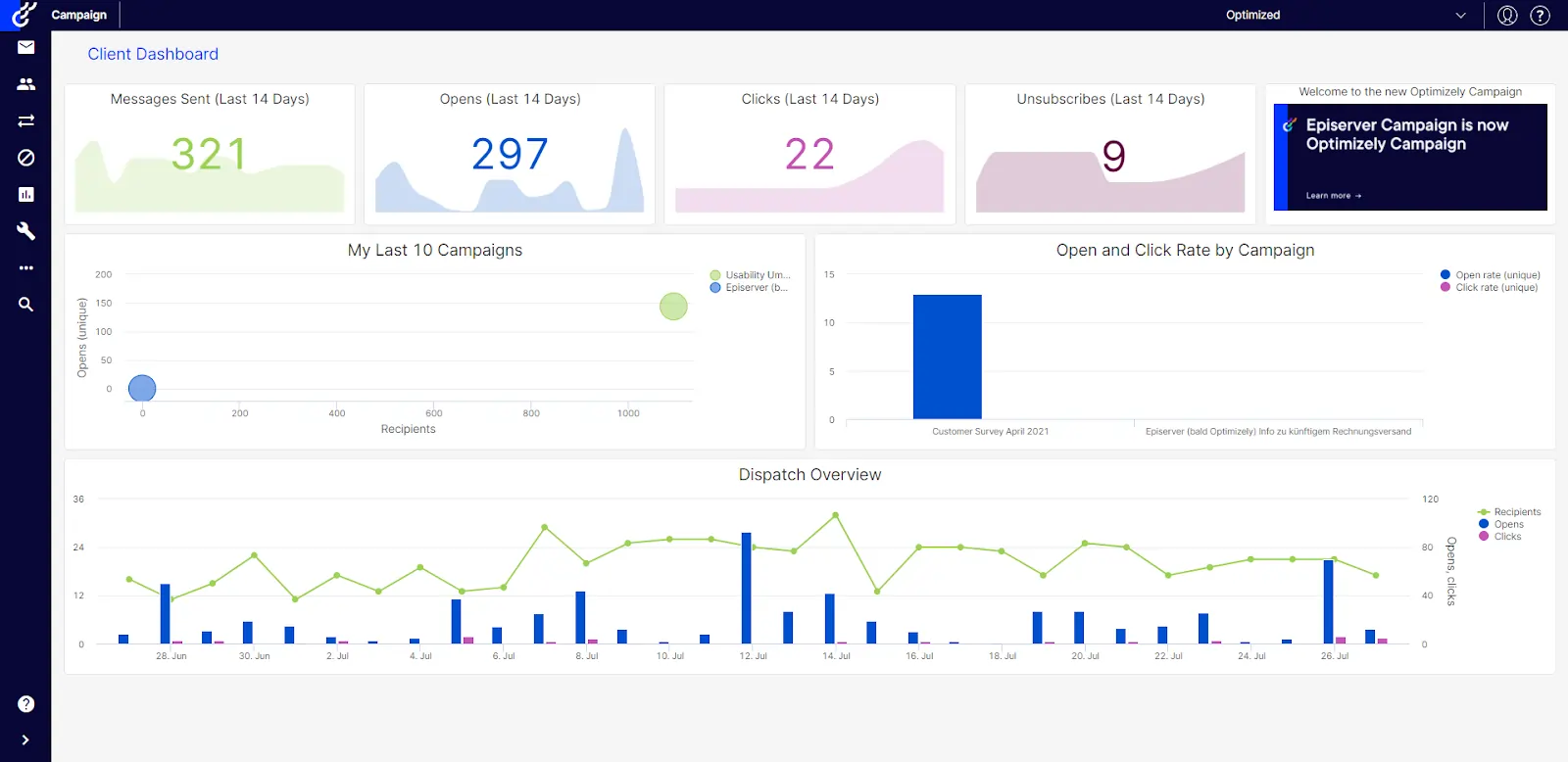
Pricing: You’ll need to contact sales for a quote. Some say plans start around $36K per year.
What is Optimizely?
Optimizely is one of the most established platforms for digital experimentation, designed for companies that run complex, high-stakes growth programs.
It combines a visual editor for quick marketing tests with feature flagging and server-side experiments for product teams.
What are Optimizely’s Top Features?
- Visual editor for growth marketers to build experiments without developer overhead.
- Feature flags and rollout tools that enable gradual launches and kill-switch controls.
- Audience targeting & segmentation, including GA4 audience sync for experiment targeting.
- Multi-channel support (web, mobile, app, API) with shared bucketing logic.
- Warehouse-native analytics mode so growth teams can analyze performance at scale.
Optimizely’s Pros and Cons
| Pros ✅ | Cons ❌ |
● Mature experimentation platform for large-scale programs ● Supports both marketing and product experimentation ● Enterprise-grade experimentation governance ● Deep integrations with analytics, CDPs, and warehouse infrastructure |
● Pricing is extremely high, making it out of reach for small marketing teams ● Implementation requires some support ● Some users report performance overhead from the experimentation script |
|---|
Why Optimizely is a Fit for Growth Teams
Optimizely balances power and scale with experimentation speed. Growth teams can set up cross-channel tests and tie them directly to analytics rather than relying on siloed dashboards.
Visual editing and audience sync reduce reliance on devs, while feature flags and rollout controls let teams launch confidently. As your experimentation program matures, you gain access to richer analytics workflows and full-stack testing.
Why Do Companies Use Optimizely?
Companies choose Optimizely when they outgrow simpler testing tools and need robust control, scale, and integration. It’s trusted by larger brands and teams with high volume, complex architectures, and multiple touchpoints.
While its cost and setup can be steep, users prefer it for its reliability, depth, and analytics fidelity.
What Users Say About Optimizely
Positive:
You have absolute control over the page you are testing (it’s URL-specific, copy & paste), and the results come in almost real-time. There are options at the top to inject CSS and JavaScript, which can help immensely! The Support Team is incredible with their feedback – usually taking ~24 hrs. or less! Highly recommend!
Source: G2
Critical:
One thing I found challenging about Optimizely Web Experimentation is that the initial learning curve was steep. Especially for new users without prior experience or guidance. There are a lot of features. The documentation is robust, but it doesn’t speed up the process. Recent changes to the user interface make it difficult to find and access certain features or settings. These interface changes disrupted the workflow. It requires additional clicks or searches to complete tasks that previously seemed simpler.
Source: G2
3. VWO
Who this tool is for: Mid-size marketing and growth teams in ecommerce and SaaS that want A/B testing, behavior insights, and CRO tools in one platform.
Pricing: You’d have to contact sales for custom pricing. But there’s a free 30-day trial.
What is VWO?
VWO is an all-in-one optimization platform. It provides a visual editor for marketers, plus a Feature Experimentation engine for controlled rollouts, flags, and advanced targeting.
What are VWO’s Top Features?
- Visual editing for marketers to easily build tests without code.
- Feature experimentation to roll out changes gradually or test backend features.
- GA4 audience sync and reporting.
- VWO integrates with analytics, CDPs, cloud storage, and GTM for flexible data workflows.
- SDK and API support for controlled logic to power custom experiments.
VWO’s Pros and Cons
| Pros ✅ | Cons ❌ |
● Comprehensive suite of CRO tools ● Easy-to-use visual editor ● Suitable for both marketing and product team use cases ● Strong onboarding and suppor resources |
● Pricing can increase quickly with traffic volume ● Non-transparent pricing ● Advanced experimentation features often require developer support |
|---|
Why VWO is a Fit for Growth Teams
Growth teams benefit from VWO because it bridges the gap between marketing and engineering. Marketers can spin up A/B tests visually, while product teams can manage flags and logic behind the scenes.
Why Do Companies Use VWO?
Companies choose VWO when they want one platform to handle both front-end experimentation and backend feature testing. Users often praise its flexibility, integrations, and unified data pipelines.
What Users Say About VWO
Positive:
I find VWO Testing to be an excellent A/B testing platform that is easy to use and reliable. Setting up A/B tests is straightforward, and the insights provided are clear, which makes it a great tool for anyone serious about conversion optimization. I appreciate the trackability of visitors through VWO Testing, which helps in determining when to launch a page live based on visitor increase. Additionally, the support team is commendable for their good service, and the powerful features offered by VWO Testing enhance my overall user experience. The initial setup process was pretty easy, which facilitates faster implementation and engagement with the tool.
Source: G2
Critical:
I find that when trying to add more goals in VWO Testing, the application tends to become slow.
Source: G2
4. Adobe Target
Who this tool is for: Enterprise marketing and growth teams using the Adobe ecosystem that need large-scale personalization and experimentation.
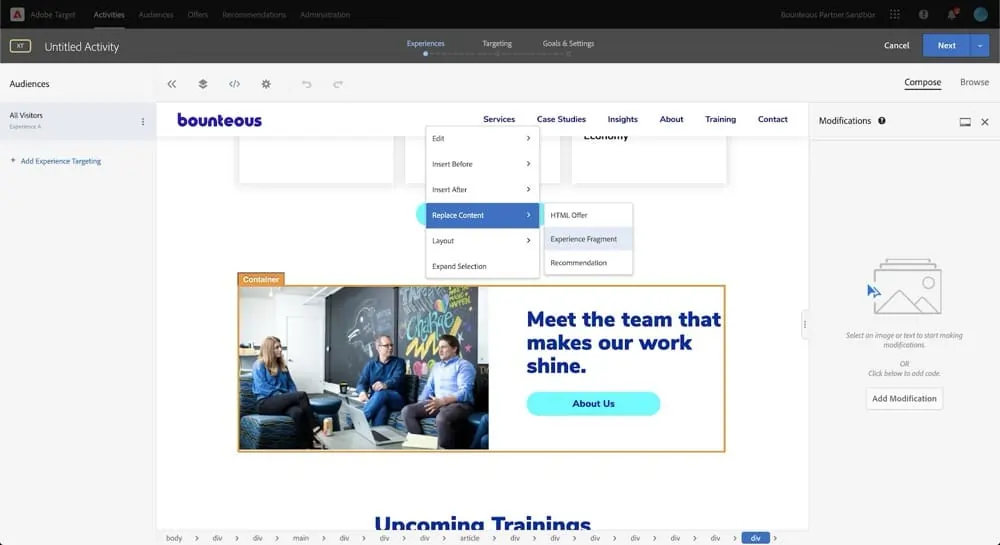
Pricing: You’ll have to contact sales for custom pricing.
What is Adobe Target?
Adobe Target is the Adobe Experience Cloud’s solution for A/B testing, multivariate experimentation, and personalization across web, mobile, email, and connected channels.
It supports rule-based targeting, AI-driven personalization, recommendations, and experience management.
What are Adobe Target’s Top Features?
- Visual Experience Composer and form-based editor to build experiments and personalization without coding.
- Automated personalization and AI-driven “auto-target” to dynamically match content to users based on behavior.
- Multivariate testing, A/B testing, auto-allocate traffic, and rule-based targeting logic.
- Deep integration with the Adobe Experience Platform and Adobe Analytics tools.
- SDKs and APIs for mobile, server-side, and hybrid deployments, enabling experimentation beyond just the browser.
Adobe Target’s Pros and Cons
| Pros ✅ | Cons ❌ |
● Powerful personalization and targeting engine ● Strong AI optimization and recommendation feature ● Integrates with Adobe Experience Cloud analytics and marketing tools ● Scalable for brands with very large traffic volumes |
● Enterprise pricing makes it inaccessible to most growth teams ● Full value depends on other Adobe ecosystem products ● Some users report long onboarding process |
|---|
Why Adobe Target is a Fit for Growth Teams
For organizations already invested in Adobe’s marketing and analytics stack, Target offers a unified environment where experiments, personalization, and audience definitions coexist.
You avoid tool sprawl, gain robust control over segmentation and content delivery, and benefit from machine learning support to optimize personalization at scale.
Why Do Companies Use Adobe Target?
Enterprises use Adobe Target when they demand governance, integration with Adobe’s Experience Cloud, and advanced optimization capabilities (personalization, recommendations, ML).
It’s common in large commerce, media, and digital brands that want to scale their experimentation program without decoupling from their core marketing infrastructure.
What Users Say About Adobe Target
Positive:
I really value how easy it is to set up AB testing, making it possible for me to launch experiments both quickly and efficiently. The initial setup process is straightforward, and as I continue to use the platform, I find it becoming an even more dependable tool. Customer support is always accessible and very helpful, providing effective solutions whenever I encounter any issues.
Source: G2
Critical:
While Adobe Target is powerful, it can be quite complex to set up and configure, especially for teams without dedicated technical resources. The learning curve is steep, and some features feel overcomplicated. Additionally, it can be slow to load, and the interface could be more intuitive. Integration with non-Adobe products sometimes requires additional steps, and the pricing can be high for smaller businesses.
Source: G2
5. Amplitude
Who this tool is for: Product-led growth teams at SaaS companies that want experimentation tightly connected to product analytics and user behavior data.
Pricing: Free to start.
What is Amplitude?
Amplitude Experiment is built for product, growth, and analytics teams to run A/B tests, feature flags, and personalization in the same platform where they already track user behavior. It unifies data and experimentation so your experiments start and end with your actual product usage metrics.
What are Amplitude’s Top Features?
- Unified SDK and browser unified SDK, a single integration point for analytics, experiments, and session replay, reducing instrumentation overhead.
- Multivariate tests, A/B tests, and multi-armed bandit support via flags and variants.
- Progressive rollout, kill switches, and safe flag-based feature delivery built in.
- Deep integration with behavioral analytics: experiment results, sessions, metrics, and funnels live in Amplitude for seamless context.
- SDKs across platforms (JavaScript, iOS, Android, Node.js, Python, JVM) for both client-side and server-side evaluation.
Amplitude’s Pros and Cons
| Pros ✅ | Cons ❌ |
● Tight integration with product analysis and behavioral data ● Match experiment data against real product usage metrics ● Scales well for product-led growth teams ● Strong SDK for cross-platform experimentation |
● Feels more analytics-focused than CRO-focused ● Experiment analysis may require deeper data knowledge ● Requires well-instrumented event tracking to deliver meaningful insights |
|---|
Why Amplitude is a Fit for Growth Teams
Growth teams benefit from reducing fragmentation, i.e., no more stitching experiment data from a separate tool into analytics. Because tests run in the same system that captures behavioral data, you can immediately slice lift by cohorts, funnels, or retention segments. Also, its rollout and flag capabilities reduce risk when pushing changes to users.
Why Do Companies Use Amplitude?
Companies adopt Amplitude when they want their experimentation tightly integrated with their analytics backbone.
It’s especially appealing when analytics, product, and growth teams already rely on Amplitude for user behavior data, so experiments can be grounded in that same data model without duplication or sync issues.
What Users Say About Amplitude
Positive:
What I like most about Amplitude Web Experimentation is the ease of making changes to page content with the visual change tool. It’s quite easy to use, although I also feel that it is somewhat limited. Another thing I find very interesting is the ability to customize who to show the experiments to, which I consider to be a standout feature. I also find the content editing part directly within Amplitude interesting, although it is true that it has its limitations.
Source: G2
Critical:
I wish you could more easily move web components around. We decided to go with Amplitude for this because the A/B test add-on for our website platform was too expensive, but this really doesn’t go as far as we need it to in order to really make it the best possible tool for us. It’s pretty limited to edits that you can make within the existing structure.
Source: G2
6. GrowthBook
Who this tool is for: Startups and scaling SaaS teams that prefer warehouse-native experimentation and open-source flexibility.
Pricing: The core platform is free to use (self-hosted), but advanced or managed services carry $20/user/month up to enterprise custom pricing.
What is GrowthBook?
GrowthBook is a hybrid experimentation and feature platform that lets you run flag-driven experiments via SDKs or use the visual editor for simple tests. It avoids the “black-box vendor” model by pushing analysis to your data infrastructure.
What are GrowthBook’s Top Features?
- Visual editor (in higher tiers) for simple web tests to create, launch, and manage A/B tests.
- Full-stack SDK-driven experiments and feature flags for end-to-end experimentation and feature releases across web, mobile, and backend.
- Flexible integrations with analytics and warehouses like GA4, BigQuery, Snowflake.
- Advanced stats and quality checks (Bayesian, CUPED, SRM) for trustworthy results and built-in data validity checks.
- APIs, webhooks, Slack, GitHub integrations to automate experiment workflows.
- Minimal dependency footprint, fast SDKs, streaming updates, ensuring performance even at scale.
GrowthBook’s Pros and Cons
| Pros ✅ | Cons ❌ |
● Strong transparency and open-source ● Warehouse-native approach, analyze directly in your data stack ● Avoids vendor lock-in ● Lower cost compared to enterprise experimentation tools |
● Documentation can be technical for non-developer users ● Smaller teams may struggle to maintain this ● Visual experimentation capabilities are less mature than CRO tools |
|---|
Why GrowthBook is a Fit for Growth Teams
Growth teams benefit because GrowthBook lets you test faster without giving up control. You can start simple and grow into full-stack experiments. Because analysis is done in your data warehouse, you avoid delays, sampling, or discrepancies that come with vendor dashboards. Also, because it’s open source, you’re not locked into inflated costs as your testing program scales.
Why Do Companies Use GrowthBook?
Teams adopt GrowthBook when they’re invested in their analytics stack and want experiments to live alongside other data workflows. Its transparency, control, extensibility, and mix of usability and developer features make it a compelling choice for teams that don’t want the constraints of closed systems.
What Users Say About GrowthBook
Positive:
We gather our experimentation data in a separate platform and needed a place to load and analyze it. Growthbook is the only tool we found that allowed us to do that.
Source: G2
Critical:
Sometimes the UI can be confusing and not the most user-friendly, but the community of GB users and their customer service reps are responsive and helpful. The integration took a bit longer than we were initially expecting and we had to make sure it was loading in the browser synchronously before the elements we were testing which had thrown off some early tests. But, now we use this day-in and day-out with ease.
Source: G2
7. Statsig
Who this tool is for: Engineering-led growth teams at fast-scaling product companies that run experiments through feature flags and rapid releases.
Pricing: Statsig starts free and goes to $150/month for the Pro plan with more events, session replays, and more.
What is Statsig?
Statsig is a product experimentation and feature flagging platform that unifies rollout controls, A/B/N tests, and metrics tracking in a single interface. Growth teams can safely release features, validate new ideas, and understand how changes affect key metrics using built-in analytics.
What are Statsig’s Top Features?
- Feature flags and experiments to roll out changes gradually and measure their lift in the same platform.
- Rich SDK ecosystem (30+ platforms), supporting client, server, and edge environments so growth teams can run experiments across web, mobile, and backend logic.
- Analytics integrations including Google Analytics (GA4) and GTM connectors.
- Warehouse Native so you can run experiment analysis directly in your warehouse, combining your event data, metrics, and assignments.
- Session replay and product analytics to dig into how users interact with your changes.
Statsig’s Pros and Cons
| Pros ✅ | Cons ❌ |
● Combines feature flags, experimentation, analytics, and rollout controls in one platform ● Free tier is attractive for early-stage startups ● Modern statistical methods |
● Limited visual editing for front-end tests ● Requires engineering resources to run most tests ● Reporting customization is limited |
|---|
Why Statsig is a Fit for Growth Teams
Growth teams gain velocity and confidence because Statsig ties experiments directly to their metrics and infrastructure. You don’t need to juggle separate tools because rollouts, experiments, metrics, and analytics live side by side. This reduces friction between product and growth, enabling hypotheses to go live quickly and letting teams act on results faster.
Why Do Companies Use Statsig?
Teams adopt Statsig when they want a single source of truth for feature releases and experimentation.
It’s favored in environments where engineering and growth must work closely, and where reliable measurement, fast iteration, and integration with data workflows are essential.
What Users Say About Statsig
Positive:
With Statsig, the set-up of the system to your platform-of-interest is incredibly easy through the use of their “Integrate Statsig SDK” with a wide range of options such as JavaScript and HTML.
There are a wide range of configurable features to ensure that the analytics collected provide maximum benefit and insight to the customer. One key use case is understanding how to improve the performance of the product and identify pain points for efficiency enhancements.
Source: G2
Critical:
One area that could be improved in Statsig is the workflow for sharing experiments or feature gates in development with colleagues. Although using overrides is an option, it can be somewhat cumbersome.
Source: G2
8. PostHog
Who this tool is for: Startup and scale-up product teams that want analytics, feature flags, and experimentation in a single developer-friendly platform.
Pricing: PostHog offers a generous free tier (with free usage quotas for events, flags, replays). Paid tiers scale based on usage (events, feature flag requests, replay volume).
What is PostHog?
PostHog is built to replace the patchwork of analytics, experimentation, and UX tools by combining them into one platform. Growth teams can track users, run experiments, and see session replay in one place instead of hopping between tools.
What are PostHog’s Top Features?
- Automatic event capture that captures clicks, pageviews, inputs, etc., which lowers the barrier for non-dev usage.
- Experimentation engine and rollout controls that help define experiments, tie them to feature flags, configure audience targeting, and expose percentage rollouts or exclusion logic.
- Heatmaps and session replay, tied to variant groups.
- Running time estimates before launching.
- Light SDKs and fallback logic that batch and queue events asynchronously, minimizing overhead.
PostHog’s Pros and Cons
| Pros ✅ | Cons ❌ |
● Generous free tier, and usage-based pricing ● Open-source architecture gives you more control ● Combines analytics, feature flags, session replay, and experimentation in one platform ● Strong community support ● Great fit for product-led growth teams building their internal experimentation programs |
● Interface complexity may deter beginners ● Performance issues reported with very large datasets ● Event instrumentation setup can be time-consuming |
|---|
Why PostHog is a Fit for Growth Teams
Growth teams benefit from PostHog because it bridges analytics and experimentation. You can run a test, immediately see how that impacts funnels or retention, and examine user sessions, all without stitching between systems. The lower instrumentation burden shortens the path from hypothesis to results.
Why Do Companies Use PostHog?
Teams adopt PostHog when they want fewer silos, more flexibility, and control over data. It’s especially appealing for growth orgs that want to avoid dependency on multiple vendors or reduce analytics fragmentation.
What Users Say About PostHog
Positive:
We use PostHog daily for both web and mobile analytics. It gives us full control over event tracking, funnels, and feature flags without relying on multiple tools. I especially like the flexibility of defining custom events, running product experiments, and connecting everything directly to our data stack. It feels very developer-friendly compared to tools like Mixpanel or Amplitude.
Source: G2
Critical:
There is a bit of a learning curve at the beginning, especially when exploring some of the more advanced features. However, once you get familiar with the platform, it becomes much easier to use.
Source: G2
9. Kameleoon
Who this tool is for: Mid-size to enterprise ecommerce and digital brands that want experimentation combined with AI-driven personalization.
Pricing: $495/month for 50,000 tested users
What is Kameleoon?
Kameleoon is a combined experimentation and personalization platform. It allows you to run A/B tests, configure feature rollouts, and target users dynamically, all under one roof.
What are Kameleoon’s Top Features?
- Visual editor and personalization UI let non-technical users build experiments, toggle personalization, and define behaviors visually.
- Two-way GA4 integration and automatic audience sync (no manual setup).
- Decisioning and AI features that use Conversion Score™ metric and predictive audiences for smarter targeting.
- Feature flags and rollout control, allowing safe release of changes, with the ability to rollback.
- Cross-platform support (Web, server, mobile SDKs).
Kameleoon’s Pros and Cons
| Pros ✅ | Cons ❌ |
● AI-driven targeting prioritizes high-impact experiments ● Enterprise-grade targeting and segmentation features ● Supports both marketing and product experimentation ● Strong integration with analytics and customer data platforms |
● Pricing may be prohibitive for small growth teams ● Advanced experimentation requires engineering help ● Reporting dashboards require configuration for deeper analysis ● May be overwhelming for small teams |
|---|
Why Kameleoon is a Fit for Growth Teams
Growth teams often span marketing, product, and analytics. Kameleoon bridges that divide. Marketers can launch experiments and personalizations without waiting for engineers, thanks to UI tools and GA4 audience sync.
Meanwhile, product and analytics teams can layer in deeper control using SDKs, APIs, and predictive metrics. The unified data integration means experiment results are immediately usable in analytics systems, minimizing silos.
Why Do Companies Use Kameleoon?
Teams pick Kameleoon when they want more than basic testing; when personalization, AI, and unified data flows matter. Brands with international traffic, mobile and web needs, and maturity in experimentation find value in Kameleoon’s AI features, GA4 sync, and combined experimentation and personalization.
While pricing requires negotiation, customers often accept it in exchange for a mature, all-in-one platform.
What Users Say About Kameleoon
Positive:
Kameleoon is an optimization solution that allows me to be completely autonomous in setting up and launching A/B tests/customizations to improve site navigation, notably thanks to PBX. In just a few minutes, simply by talking with the AI, I can turn ideas into tests. It is a real time saver and very easy to use. The results of the first tests launched via PBX are convincing.
Source: G2
Critical:
The main downside is that the interface has bit of a learning curve (at least for me). Once you know where everything lives, it’s fine, but navigation and terminology aren’t always super intuitive.
Source: G2
10. LaunchDarkly
Who this tool is for: Engineering-heavy growth teams at SaaS and tech companies managing feature rollouts and experimentation through feature flags.
Pricing: The developer plan is free (with limited usage quotas) and the foundation plan starts around $10/month per service connection for more features and scale.
What is LaunchDarkly?
LaunchDarkly is a feature management platform that treats experiments as flag-driven feature toggles, which can be enabled, rolled out, or rolled back in real time.
What are LaunchDarkly’s Top Features?
- Feature flagging and experiment support, including percentage rollouts, multivariate flags, and experiments defined via flags.
- Gradual release, kill switch, and rollback controls.
- Targeting by user attributes and segments.
- SDKs and APIs that growth and product teams can leverage or hand off to engineers.
- Integrations with metrics, monitoring, observability, and webhooks, and analytics hooks to export or visualize flag-variation data in other tools.
LaunchDarkly’s Pros and Cons
| Pros ✅ | Cons ❌ |
● Mature, industry-leading feature flag platform that supports product experimentation ● Strong reliability and performance ● Extensive SDK ecosystem ● Allows experimentation through flag-based traffic splitting |
● Not designed primarily for marketing experimentation ● Pricing increases quickly as usage scales ● Limited visual experiment creation capabilities |
|---|
Why LaunchDarkly is a Fit for Growth Teams
Growth teams benefit from LaunchDarkly because it gives them safe access to experiment on live users, with the ability to rollback immediately if variation performance falters.
Rather than sending marketing traffic through an experimentation layer, feature flags let you manage variations inside production logic, and growth teams can instrument results in GA4 or analytics tools. The platform supports collaboration as product, engineering, and data teams can share flag-based experiments and metrics in a single system.
Why Do Companies Use LaunchDarkly?
Organizations adopt LaunchDarkly when they need experimentation that tightly links with product releases. Teams often cite the safety, scalability, and mature feature set (flag rollouts, rollback, and observability) as differentiators.
What Users Say About LaunchDarkly
Positive:
LaunchDarkly provides fine-grained control over features and configurations, allowing us to make changes without the need for redeployments or causing downtime. This flexibility lets us experiment safely, introduce updates gradually, and address issues as they arise in real time. Thanks to local flag evaluation and minimal impact on performance, we can innovate more quickly while still ensuring system stability and delivering a great user experience.
Source: G2
Critical:
While LaunchDarkly offers robust capabilities as a feature management platform, it can become challenging to handle as the number of flags and environments increases. Teams that are new to feature flagging may face a learning curve, and keeping flags well-organized demands consistent effort and discipline.
Source: G2
11. Dynamic Yield
Who this tool is for: Enterprise ecommerce and retail companies focused on omnichannel personalization and experimentation.
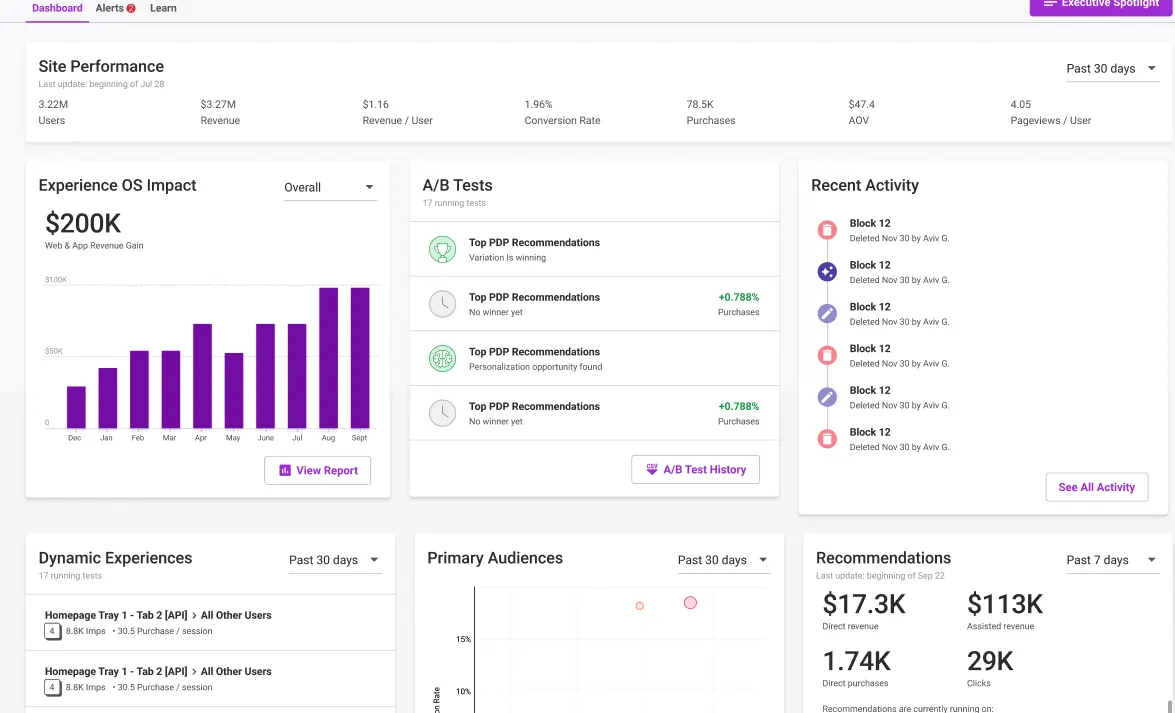
Pricing: You have to talk to sales for Dynamic Yield’s pricing.
What is Dynamic Yield?
Dynamic Yield is a digital experience optimization platform that offers personalization, A/B testing, and recommendations across web, mobile, and email channels.
What are Dynamic Yield’s Top Features?
- Personalization engine and AI-powered content matching to adapt content dynamically based on user behavior.
- A/B testing and multivariate testing across page elements or content blocks.
- Real-time segmentation and targeting to create audience groups based on behavior, attributes, or triggers.
- Recommendation engine to surface products or content aligned with each visitor’s preferences.
- Omnichannel support (web, mobile apps, email) so experiments and personalization extend across multiple touchpoints.
Dynamic Yield’s Pros and Cons
| Pros ✅ | Cons ❌ |
● Powerful AI-driven personalization and recommendation engine ● Highly scalable for enterprise personalization programs ● Combines testing and personalization in one platform ● Supports testing across web, mobile, and email |
● Enterprise pricing restricts access for smaller teams ● Learning curve for teams new to personalization ● Reporting interface can feel overwhelming |
|---|
Why Dynamic Yield is a Fit for Growth Teams
Growth teams who want to go beyond simple A/B testing will appreciate Dynamic Yield’s blend of experimentation and personalization. You can test content and variation, while the AI-driven system learns user behavior and surfaces content proactively. It helps you move from iterative tests to more adaptive growth strategies.
Why Do Companies Use Dynamic Yield?
Enterprises adopt Dynamic Yield when they require a unified platform for experimentation plus sophisticated personalization, especially when running at scale across many channels.
Organizations already invested in e-commerce, content platforms, or large user bases often turn to Dynamic Yield to consolidate testing, personalization, and delivery under one roof.
What Users Say About Dynamic Yield
Positive:
DY has been instrumental in improving our conversion rate by A/B testing product recommendations throughout the customer checkout journey. Timely, dynamic content implementation.
Dynamic Yield’s personalization and recommendations tool is a game-changer for any business looking to enhance their customer experience. The platform’s ability to deliver highly personalized content and product recommendations in real-time is truly impressive.
Source: G2
Critical:
Minor limitations that can be overcome are: Limited built-in analytics capabilities (where comprehensive detail is required) – We’re working on pushing raw data to our internal analytics tools to have this view.
Source: G2
12. Crazy Egg
Who this tool is for: Startups, small ecommerce teams, and small growth marketing teams who want simple A/B testing with heatmaps and session insights.
Pricing: $119/mo (paid annually) – for 150k MTUs.
What is Crazy Egg?
Crazy Egg is a user behavior and optimization platform combining heatmaps, session recordings, surveys, and basic A/B testing.
What are Crazy Egg’s Top Features?
- A/B testing with GA4 integration that exposes variant events to GA4 so you can analyze lift alongside your core analytics stack.
- Heatmaps and session recordings to see how users interact with different test versions.
- Multiple conversion goals per test, so you can compare variant performance across more than one metric (e.g., signups, clicks, revenue) in one experiment.
- Simple get-started workflow, with minimal setup, intuitive UI, visual editor (page editor) for non-technical users.
- Surveys and conversion analytics are supported within the same lightweight platform.
Crazy Egg’s Pros and Cons
| Pros ✅ | Cons ❌ |
● Extremely easy setup and use for growth teams new to testing ● Useful behavioral insights to support experimentation data ● Affordable pricing compared to most testing tools ● Simple visual editor |
● Only annual billing allowed ● Reporting is simple and may not satisfy advanced growth teams ● Not suited for high-volume or enterprise experimentation programs ● A/B testing can be basic compared to other tools here |
|---|
Why Crazy Egg is a Fit for Growth Teams
Crazy Egg offers a fast and beginner-friendly path to insight. You can launch simple experiments, get visual feedback, and tie results with behavioral analytics to learn more. It’s ideal for teams who want to validate ideas quickly without the burden of full-stack experimentation tools.
Why Do Companies Use Crazy Egg?
Growth marketers often choose Crazy Egg when they want both behavior insights and A/B tests in one place. Its integration with GA4 means results don’t live in isolation. It’s a solid pick when you don’t need advanced experiment logic, just actionable insights.
What Users Say About Crazy Egg
Positive:
I like that Crazy Egg allows us to track any page on our website and we can see how well it’s doing and if there’s anything we need to change up. It’s quick to set up a new Crazy Egg tracker and once its set up its easy to see the hot spots and downsides of where people are clicking and spending the most time. You can also set how long you want it tracked for and when you want it stopped.
Source: G2
Critical:
Support is sometimes a little slow to respond in some cases.
There are some technical issues or quirks that aren’t described in their documentation, so I had to investigate them myself.
Source: G2
How to Choose the Right Tool for Your Growth Team
Use this simple framework: Budget + Experiment Volume + Team Size + Technical Expertise.
Below are three scenarios and tool recommendations for each:
Scenario 1: Startup on a Tight Budget
- Constraints: Low traffic, lean team (often consisting of solo or 2-3 people), and minimal engineering bandwidth.
- What matters most: Free or very cheap pricing, ease of setup, no-code interfaces, minimal overhead.
- Recommended tools:
- Crazy Egg: Lightweight, fast to set up, good for early experiments.
- GrowthBook: Open-source with a free tier, flexible and transparent.
- PostHog: Analytics + experimentation combined, so fewer tools to juggle, no-code editor (in beta).
Scenario 2: Scaling SaaS Growth Team
- Constraints: Moderate to high traffic, dedicated growth/CRO team, partial engineering support.
- What matters most: Ability to run multiple experiments concurrently, reliable stats, integrations with product and analytics stack, and good support.
- Recommended tools:
- Convert: Reliable suite of experimentation features that support growth teams, self-service pricing, and great support.
- VWO: Balanced between CRO features and usability.
- Amplitude: Useful if your growth team already uses Amplitude analytics.
Scenario 3: Enterprise Growth Organization
- Constraints: High volume, multiple teams, multiple platforms, and strict governance and compliance requirements.
- What matters most: Granular feature flagging, advanced personalization, multivariate experimentation, strong statistical guardrails, SSO, and audit logs.
- Recommended tools:
- Convert: Privacy-first, enterprise experimentation and personalization.
- Optimizely: Enterprise powerhouse in experimentation and personalization.
- Adobe Target: Deep integration with the Adobe stack for large enterprises.
- LaunchDarkly: Feature flagging and experimentation at scale.
Quick Setup Tips for Growth Teams
Here’s some practical advice for growth teams running experiments:
- Centralize your experiment tracking
Use one source of truth (Jira, Notion, Airtable, or a testing backlog) where you store ideas, hypotheses, test setups, and results. This ensures continuity, prevents duplication, and builds collective memory for your team.
Then, document everything rigorously. Run overlapping tests? Feature flags switching mid-test? Always record hypothesis, audience, variant logic, results, and next steps. That discipline helps avoid “lost insights” and ensures that growth culture scales faster than any single tool.
- Align tests with your North Star metrics
Anchor your growth experiments to metrics your team really cares about (activation, retention, ARPU, revenue). That way, experiments don’t feel like you’re “just testing” for the fun of it; rather, they feed your core strategy. - Start with “high signal” tests
Pick pages or flows with high traffic but subpar conversion (e.g., onboarding, pricing pages, or checkout). These yield stronger signals, faster wins, and clearer direction for follow-up experiments. - Blend experiment data with other sources
Don’t silo your test results. Merge experimentation data with GA4, ecommerce, or external datasets (weather, macro, stock trends, etc.) in BigQuery or Looker Studio. This helps spot contextual patterns and non-obvious correlations. - Always wait for statistical significance
Even under pressure, avoid jumping to conclusions. Many A/B testing platforms, like Convert, strongly recommend a minimum sample size and significance before drawing conclusions. That discipline helps avoid wasted moves. - Don’t ignore compound goals and micro-interactions
Track not just final conversions, but intermediate micro-conversions (e.g., feature clicks, engagement triggers) that may lead to long-term value. These often surface hidden levers for growth. - Leverage multi-step funnels and growth loops
Break your experimentation logic across funnel stages (Awareness, Activation, Retention, Referral, Revenue, if you use the pirate metrics, for example).
At each stage, ideate → hypothesize → test → learn → repeat, turning the funnel into a growth loop. This ensures you’re iterating forward, not just patching leaks.
Conclusion
A/B testing tools don’t win growth. Your team culture does. The right tool acts as a force multiplier, but only when it matches your team’s stage, technical capacity, and growth ambitions. Start with the tool that fits today, and scale as the need arises.
Want to dig deeper? Check out our full A/B Testing Guide for frameworks, best practices, and examples to power your growth program (including mistakes to avoid).
Frequently Asked Questions
- What is the best A/B testing tool for growth teams?
There’s no one-size-fits-all answer, but look for tools that balance speed, reliability, and scalability. For many growth teams, Convert, VWO, or Optimizely hit the sweet spot. For more flexible or developer-first setups, GrowthBook or PostHog may be better. - Which A/B testing tools are best for startups vs. enterprise companies?
Startups typically benefit from tools that offer free tiers, easy setup, and minimal maintenance (e.g., Plerdy, GrowthBook, PostHog).
Enterprise companies often need advanced features like multivariate testing, personalization, audit logs, and SSO (e.g, Convert, Optimizely, Adobe Target, LaunchDarkly). - Are there any free A/B testing tools available today?
Yes. Tools like PostHog (open source) and GrowthBook (with free tiers) provide robust experimentation capabilities without heavy costs. - What are the best alternatives to Google Optimize?
Popular alternatives include Convert, Optimizely, VWO, GrowthBook, and PostHog. These tools cover a range from designer-friendly to developer-first experimentation.
- How do I choose the right A/B testing platform for my growth team?
Use a framework based on:- Budget
- Experiment Volume
- Team Size, and
- Technical Expertise.
Map those dimensions against features like no-code editing, feature flags, analytics integrations, and support. We outline this in detail in the sections above.
- Can A/B testing tools integrate with analytics platforms like GA4 or Mixpanel?
Yes. Most modern platforms offer integrations, usually pushing experiment events (exposures and conversions) to analytics tools, and in some cases reading audiences or segments back. Convert, for example, integrates with both GA4 and Mixpanel.
- Do A/B testing tools support personalization and feature flagging?
Many do. Top tools combine testing and personalization (e.g., Convert, Kameleoon, and Optimizely) or include feature flag capabilities (e.g., Convert, LaunchDarkly) so you can test and gradually roll out features.
- How much do A/B testing tools cost for growth teams?
You’ll typically pay based on “tested visitors” or experiment volume. Many tools start in the few hundreds of dollars per month for moderate traffic and scale up sharply as usage grows. A few tools range from $0 to $99/month, usually with limitations.
As your growth experiments expand, expect costs to rise due to additional variants, concurrency, and premium features (such as multivariate testing, personalization, or feature flags). Many vendors gate advanced capabilities or support to higher tiers, so always ask about overage rules, add-on modules, and whether key features are included at each level.
Convert includes everything most teams need to run their growth testing program in the base tier at $299/month (billed annually).
Written By
Uwemedimo Usa
Conversion Rate Optimization, Conversion Copywriting, B2B SaaS Content Marketing +3 more
Conversion Rate Optimization, Conversion Copywriting, B2B SaaS Content Marketing, A/B Testing Tools Evaluation, Generative Engine Optimization, A/B Testing Statistics Show less
Edited By
Carmen Apostu