Optimize Your Conversion Rates With These Top Rated A/B Testing Tools


The right A/B testing software can help you generate more leads, increase sales, and get more conversions from your existing website traffic.
But with so many A/B testing tools on the market, how do you find one that fits your agency and experimentation goals?
Improving conversions isn’t a one-and-done process. Consumer behavior changes, customer expectations evolve, and even small adjustments to your website can influence how visitors respond.
That’s where A/B testing comes in. Instead of guessing whether a new headline, CTA, or page layout will perform better, you can test different versions and use the results to guide your decisions.
In this guide, we’ll compare 15 A/B testing tools loved by CRO agencies, covering their features, pricing, strengths, and limitations to help you narrow down your options.
Disclosure: Convert Experiences is our A/B testing product. We’ve included it in this roundup alongside the tools we compete with, evaluated against the same criteria as every other entry. Where Convert came out ahead for a specific persona, we’ve said so. Where it didn’t, we’ve said that too.
Product features, pricing, and availability may change over time. We recommend checking each vendor’s official website for the latest information before making a decision.
Key Takeaways
- The best A/B testing tools for CRO agencies need to support multiple clients and experiments. Look for platforms with advanced targeting, flexible testing methods, team permissions, and experiment management capabilities.
- Convert Experiences is a strong fit for CRO agencies looking to scale experimentation. It combines A/B, multivariate, split URL, and full-stack testing with privacy-conscious data collection, flicker-free performance, and flexible statistical analysis.
- Different tools suit different agency requirements. Optimizely and Adobe Target cater to complex enterprise experimentation, Shoplift specializes in Shopify stores, while Statsig and GrowthBook support more technical, developer-led testing.
- Pricing and scalability should be evaluated together. Consider monthly tested users, project limits, available features, and implementation costs when choosing a platform that can grow alongside your client portfolio.
- Integrations and reporting are essential for demonstrating client value. Choose software that connects with your existing analytics and marketing tools, supports meaningful conversion goals, and makes it easier to measure the impact of experiments.
- The right software should make experimentation easier, not more complicated. CRO agencies need reliable results, efficient workflows, and the flexibility to run increasingly sophisticated tests without unnecessary technical barriers.
Best A/B Testing Tools for CRO Agencies: Quick Comparison
Choosing the right A/B testing software depends on your agency’s client portfolio, experimentation requirements, and budget. Here’s how the 15 platforms compare.
| A/B testing tool | Best for | Starting price | Key consideration for CRO agencies |
| Convert Experiences | Agencies managing multiple client experiments | $299/month (annual billing) | Advanced testing, privacy controls, and experiment governance |
| Wingify | Agencies offering experimentation and personalization | Custom pricing | Broad optimization suite; some features require upgrades |
| Optimizely | Agencies serving enterprise clients | Custom pricing | Advanced experimentation with greater implementation complexity |
| Zoho PageSense | Agencies supporting smaller businesses | $12/month (annual billing) | A/B testing requires the Enterprise plan |
| Shoplift | Agencies specializing in Shopify CRO | $74/month (annual billing) | Shopify-only testing |
| CleverTap | Agencies optimizing mobile apps and retention | $85/month | Stronger focus on customer engagement and lifecycle marketing |
| HubSpot Content Hub | Agencies working with HubSpot clients | $450/month (annual billing) | Convenient CRM integration; limited experimentation depth |
| Airship | Agencies specializing in mobile experiences | Custom pricing | Mobile experimentation and messaging; some features cost extra |
| Adobe Target | Agencies serving large Adobe-based enterprises | Custom pricing | Advanced personalization with complex implementation |
| Conductrics | Agencies running adaptive experimentation | Custom pricing | Machine learning and advanced audience targeting |
| Kameleoon | Agencies managing enterprise web and product testing | $495/month | Web and feature experimentation with AI-assisted variation creation |
| Monetate Maestro | Agencies supporting complex enterprise websites | Custom pricing | Multiple experimentation methods and deployment options |
| Statsig | Agencies with technical product experimentation teams | Free plan; Pro from $150/month | Developer-focused testing, feature flags, and analytics |
| Freshmarketer | Agencies combining CRO with marketing automation | $15/month | CRO capabilities may require paid add-ons |
| GrowthBook | Agencies with engineering and data expertise | Free plan; Pro from $40/seat/month | Open-source, warehouse-native experimentation |
15 Best A/B Testing Tools for CRO Agencies
1. Convert Experiences
Best for: CRO agencies, ecommerce brands, and growth teams looking for privacy-conscious, high-performance experimentation without enterprise-level complexity.
Pricing: Convert’s Growth plan starts at $299/month when billed annually (or $399/month when billed monthly), for 100,000 monthly tested users. Pro starts at $420/month billed annually, while Enterprise pricing is available on request.
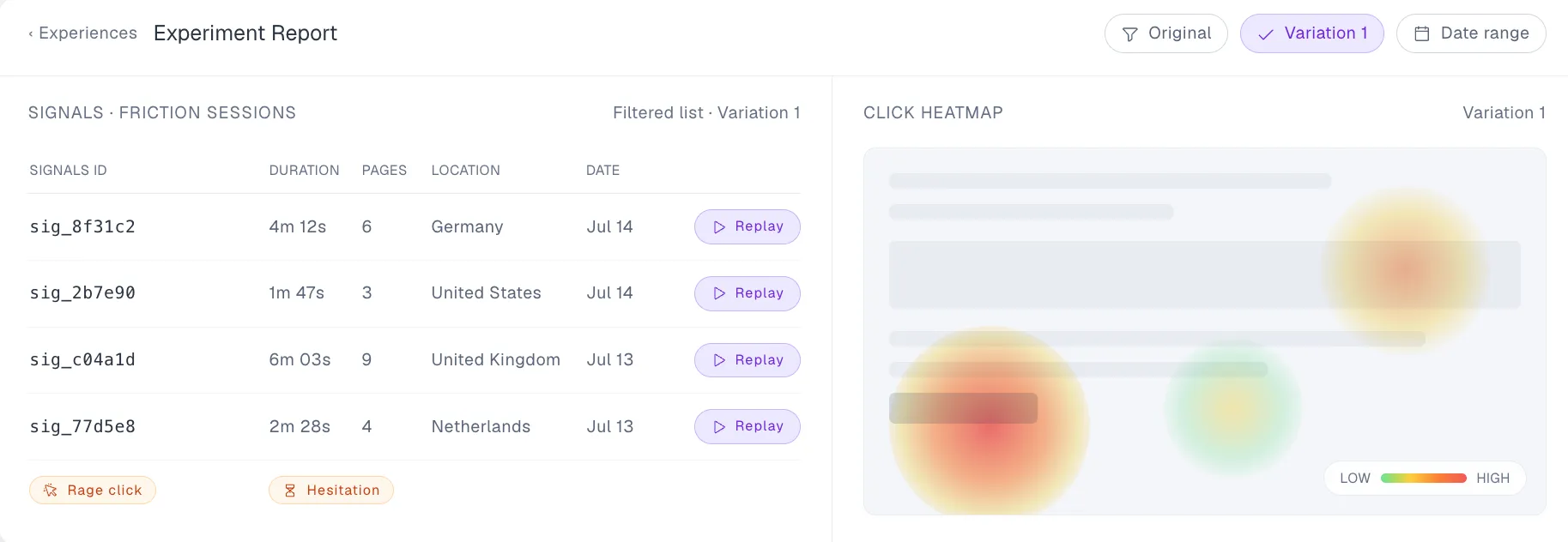
Convert Experiences is one of the top A/B testing tools for CRO agencies. It’s built to help optimization teams run experiments without running into technical limitations that slow down their testing programs.
Advanced A/B testers can access features such as SmartInsert technology for handling flicker, detailed reporting, advanced targeting, and visual and code-based editing.
Convert also takes privacy seriously. It uses first-party cookies, supports consent-aware experimentation, and offers controls designed to help businesses meet GDPR and other data protection requirements.
You can integrate Convert with 90+ third-party tools, including Shopify, WordPress, Mixpanel, and Microsoft Clarity. This allows you to connect experimentation data with the analytics, ecommerce, and customer experience platforms you already use.
Key features
- Multiple testing methods: Run A/B, split URL, multivariate, and full-stack experiments to compare everything from individual page elements to entire customer experiences.
- Heatmaps and session recordings: See where visitors click, tap, and scroll, while Convert Signals highlights sessions showing signs of frustration or conversion friction.
- MCP Server: Connect AI assistants and coding tools to Convert to analyze experiment data, create variations, build reports, and automate testing workflows using natural language.
- Shopify price testing: Test different product prices by collection, tag, or product pattern, with prices remaining consistent across product pages, carts, and checkout.
- Advanced goal tracking: Track clicks, purchases, revenue, custom events, and other conversion goals to measure how different variations affect business performance.
- Experiment governance: Manage team permissions, approval workflows, and experiment organization to keep testing activities coordinated across multiple projects.
Pros
- Offers transparent pricing with monthly and annual billing options, which makes it easier for CRO agencies to budget for experimentation.
- Uses highly optimized, fast-loading script architecture that eliminates the jarring visual flicker that ruins customer experience.
- Unlike CRO tools that lock you into one methodology, advanced users can seamlessly switch between Frequentist and Bayesian statistical engines depending on their sample sizes and testing philosophies.
- Provides responsive human support through chat, email, and phone, with assistance from specialists familiar with experimentation.
- It’s easy to set up, so CRO agencies can start testing quickly without a long onboarding process.
Cons
- The Growth plan limits active projects, experiences, and segments, so CRO agencies managing larger experimentation programs may need Pro or Enterprise.
- Custom development work isn’t included in standard subscriptions, so complex implementations may require internal developers or external specialists.
Experience privacy-conscious, flicker-free experimentation with Convert Experiences. Start your 15-day free trial.
What Do G2 Reviewers Say About Convert Experiences?
Positive:
I like Convert Experiences for its versatility, allowing everything from simple A/B tests to more advanced experiments. The tool adapts to different objectives, is intuitive and at the same time robust, offering data security and support for more assertive decisions in optimization.1
Rafael D. (Source: G2)
Critical:
I believe the visual editor environment could improve. Sometimes, it’s not possible to see the change, and the preview link of the variant is not visible, but the tool is good.
Igor R. (Source: G2)
2. Wingify
Best for: Marketing, product, and growth teams looking for a platform for experimentation, personalization, and digital experience optimization.
Pricing: 30-day free trial. Wingify offers custom pricing based on traffic volume, selected products, and implementation requirements.
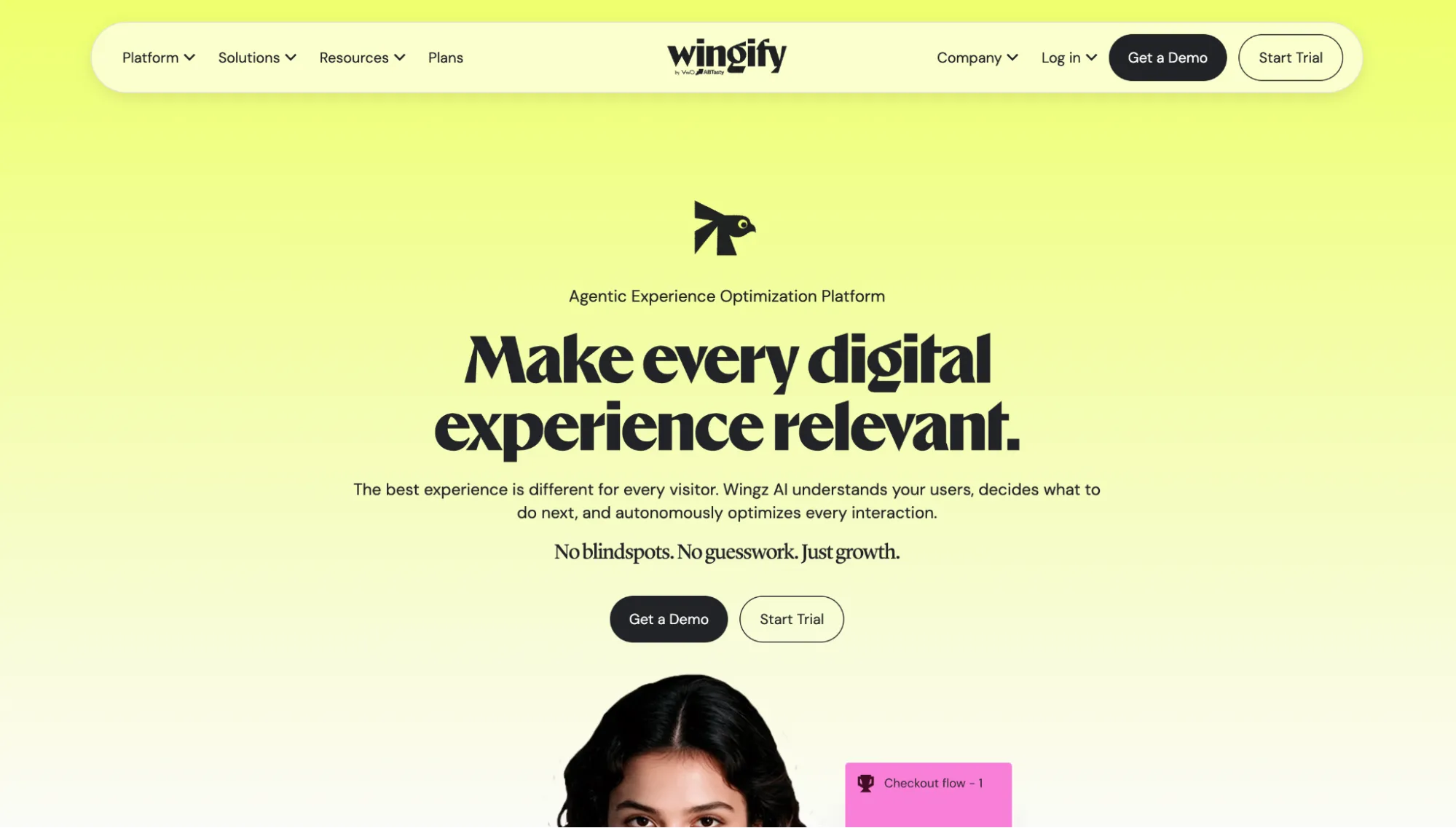
Wingify is a Digital Experience Optimization (DXO) suite that now houses both AB Tasty and VWO following their merger in 2026. It brings together the two platforms’ experimentation, personalization, behavioral analytics, and feature management tools in one ecosystem.
With Wingify, you can run A/B, split URL, multivariate, and server-side experiments across websites and mobile applications. You can also use heatmaps, session recordings, and funnel analysis to understand how visitors interact with your digital experiences and identify potential conversion barriers.
The platform also includes Wingz, its AI engine, which helps teams analyze customer behavior, identify optimization opportunities, generate test variations, and automate certain experimentation workflows.
For ecommerce businesses, Wingify provides additional tools for product recommendations, site search, and merchandising. This means you can go beyond testing website changes to optimizing how shoppers discover and interact with products.
Key features
- Visual and code editors: Create website variations using a drag-and-drop interface or make advanced changes with HTML, CSS, and JavaScript.
- Feature flags and progressive rollouts: Release new functionality to selected users, monitor performance, and disable features without deploying new code.
- Audience targeting: Run experiments for specific visitor segments using behavioral data, traffic sources, devices, and custom attributes.
- User feedback tools: Collect visitor opinions through on-site surveys and analyze responses to understand problems that behavioral data alone may not explain.
Pros
- Offers flexible product packages, allowing businesses to select optimization tools based on their requirements rather than purchasing every product.
- Provides a free trial and preconfigured playground with sample data, so teams can explore the platform before committing to a subscription.
- Offers dedicated support and optional managed services for businesses that need help planning, implementing, or scaling their optimization programs.
Cons
- Some advanced functionality, including multivariate testing and certain AI workflows, requires higher-tier plans or paid upgrades.
- AB Tasty and VWO’s products are still being consolidated, so users may encounter separate interfaces and workflows rather than a completely unified experience.
What Do G2 Reviewers Say About Wingify?
The following reviews reflect users’ experiences with AB Tasty, one of the two platforms now operating under Wingify.
Positive:
I like that AB Tasty is easy to use and very visual. It gives me a view of where people click and scroll, so I can see where we lose them beyond page views or bounce rate. It was easy to find and install, and setting it up with WordPress takes less than three minutes per site and landing page.
Nicole L. (Source: G2)
Critical:
I don’t like the AI-generated page opportunities. The page improvements don’t work for us and don’t feel personalized to our exact needs. I can’t give them business context or goals to meet, so the recommendations feel generic.
Hannah L. (Source: G2)
3. Optimizely
Best for: Enterprise marketing, product, and engineering teams running large-scale web and feature experimentation programs.
Pricing: Optimizely offers custom pricing.
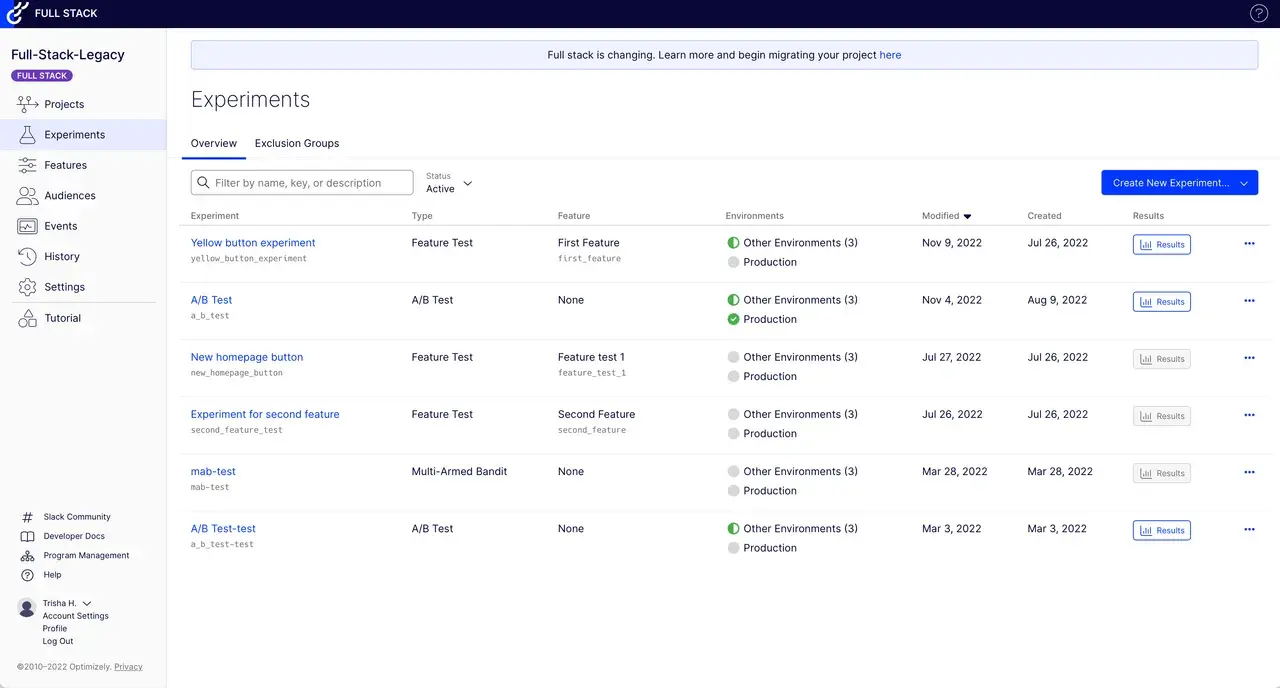
Optimizely is one of the most established A/B testing platforms. It’s designed for organizations that need to coordinate experimentation across websites, digital products, and customer experiences.
One of its main advantages is the ability to run experiments across multiple pages and digital environments. For instance, you can test different versions of a sales page while running separate experiments on your contact page or mobile experience.
Optimizely offers Web Experimentation for testing website experiences and Feature Experimentation for testing application features, managing rollouts, and validating product changes.
Its Stats Engine also helps teams interpret experimental results and make decisions using statistical analysis.
Key features
- Audience targeting: Deliver experiments to specific visitor groups based on predefined attributes and conditions.
- Visual and code editors: Build page variations visually or use custom code for more advanced modifications.
- Mutually exclusive experiments: Prevent overlapping tests from interfering with one another.
- Experiment management: Organize testing activities, permissions, and collaboration across teams.
Pros
- Has a mature experimentation ecosystem with extensive documentation, educational resources, and established implementation practices.
- Offers enterprise-level controls for organizations coordinating experiments across multiple teams and digital properties.
- Provides professional support and implementation services for organizations with complex experimentation requirements.
Cons
- Web Experimentation and Feature Experimentation are separate offerings, which can complicate procurement and budgeting for businesses needing both.
- Advanced configurations and custom event tracking can require significant developer involvement.
What Do G2 Reviewers Say About Optimizely?
Positive:
The most helpful feature of Web Experimentation is the custom code editor. Our landing pages have numerous dynamic content elements, so being able to update the CSS and JavaScript directly to account for different scenarios users will see is extremely beneficial. The Dev Agent has also increased experiment velocity greatly.
Holli S. (Source: G2)
Critical:
The reporting and analytic dashboards could be more detailed and customizable. More granular segmentation options in reports, like filtering results by device, location, user behavior, type etc. Exporting raw data could be more easy.
Emin U. (Source: G2)
4. Zoho PageSense
Best for: Small and mid-sized businesses looking for website behavior analytics, conversion optimization, and A/B testing in one platform.
Pricing: Zoho PageSense offers a 15-day free trial and a free plan for up to 5,000 monthly users. Paid plans start at $12/month, billed annually.
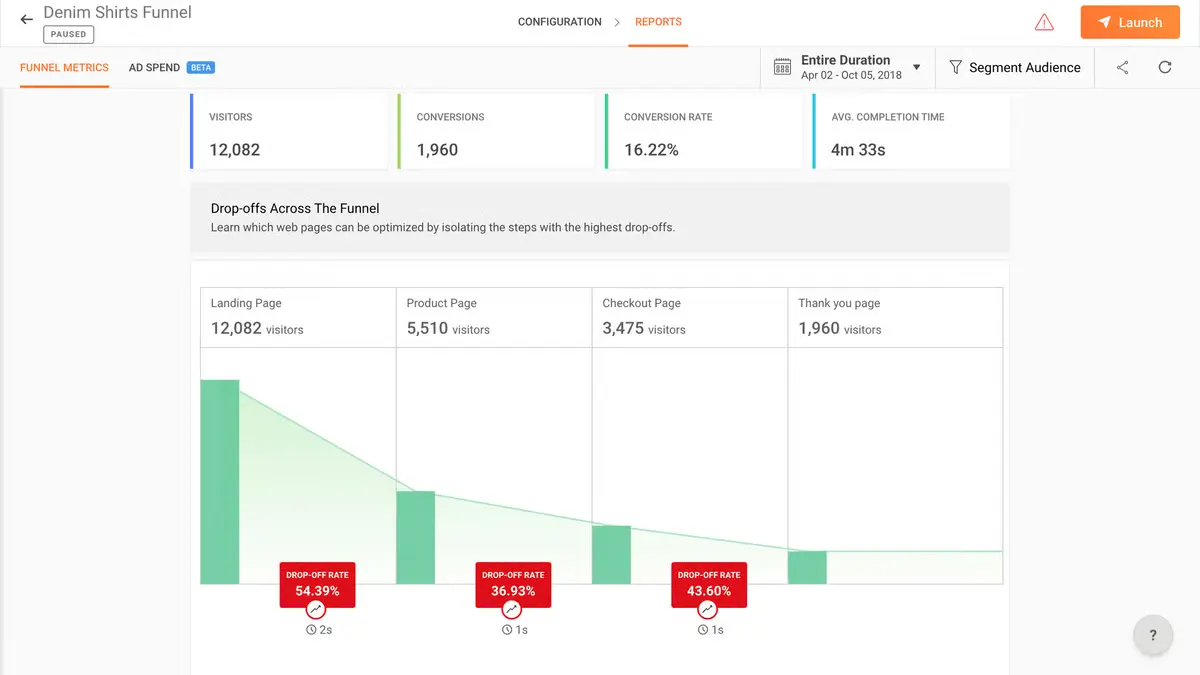
Zoho PageSense is a conversion optimization and personalization platform that helps marketing teams understand how visitors interact with their websites.
In addition to testing, PageSense helps identify friction in form submissions, navigation, and conversion funnels.
How do you know what works on your website without running experiments?
With PageSense, you can track visitor behavior through heatmaps, session recordings, funnel analysis, and form analytics. You can then use those insights to test changes to your website and measure their impact.
PageSense also integrates with tools such as Google Analytics, Mixpanel, and Intercom.
Key features
- Visual editor: Create website variations by modifying elements directly on the page.
- Audience segmentation: Target visitors using traffic sources, visitor attributes, and custom dimensions.
- Statistical analysis: Evaluate experiments using Bayesian or frequentist statistical methods.
- Traffic distribution: Adjust how website visitors are divided between experiment variations.
Pros
- Its interface and setup process are relatively approachable for marketers without extensive technical backgrounds.
- If your team already uses the broader Zoho ecosystem, PageSense offers friction-free data mapping directly into tools like Zoho CRM and Zoho SalesIQ.
- Features AI-powered multi-armed bandit testing, which dynamically funnels heavier traffic to winning variations in real time to secure faster, higher ROIs.
Cons
- Although Zoho PageSense offers a free plan for website analytics, A/B testing, split URL testing, full-stack testing, and personalization are only available on its Enterprise plan.
- Enterprise still imposes limits on projects, goals, and data retention, which can become restrictive as optimization programs expand.
- Advanced modifications and server-side experimentation often require technical expertise despite the availability of a visual editor.
What Do G2 Reviewers Say About Zoho PageSense?
Positive:
My major experience lies in creating landing pages but I did not know how exactly I can track which parts of the page a person spends most time at and which parts are skipped completely. The Zoho Pagesense has features that allow me to monitor exactly what a person is viewing when they’re coming on this page. I can see the percentage of people scrolling down to a particular section.
Shivam A. (Source: G2)
Critical:
Some of the more advanced features come at a higher cost, which might be a deterrent for smaller businesses or startups with budget constraints, limiting access to comprehensive optimization tools.
Sangeetha K. (Source: G2)
5. Shoplift
Best for: Shopify and Shopify Plus merchants looking to optimize store themes, product pages, and ecommerce conversion rates.
Pricing: 14-day free trial. Shoplift’s pricing starts at $74/month for up to 50K monthly store visitors, billed annually.
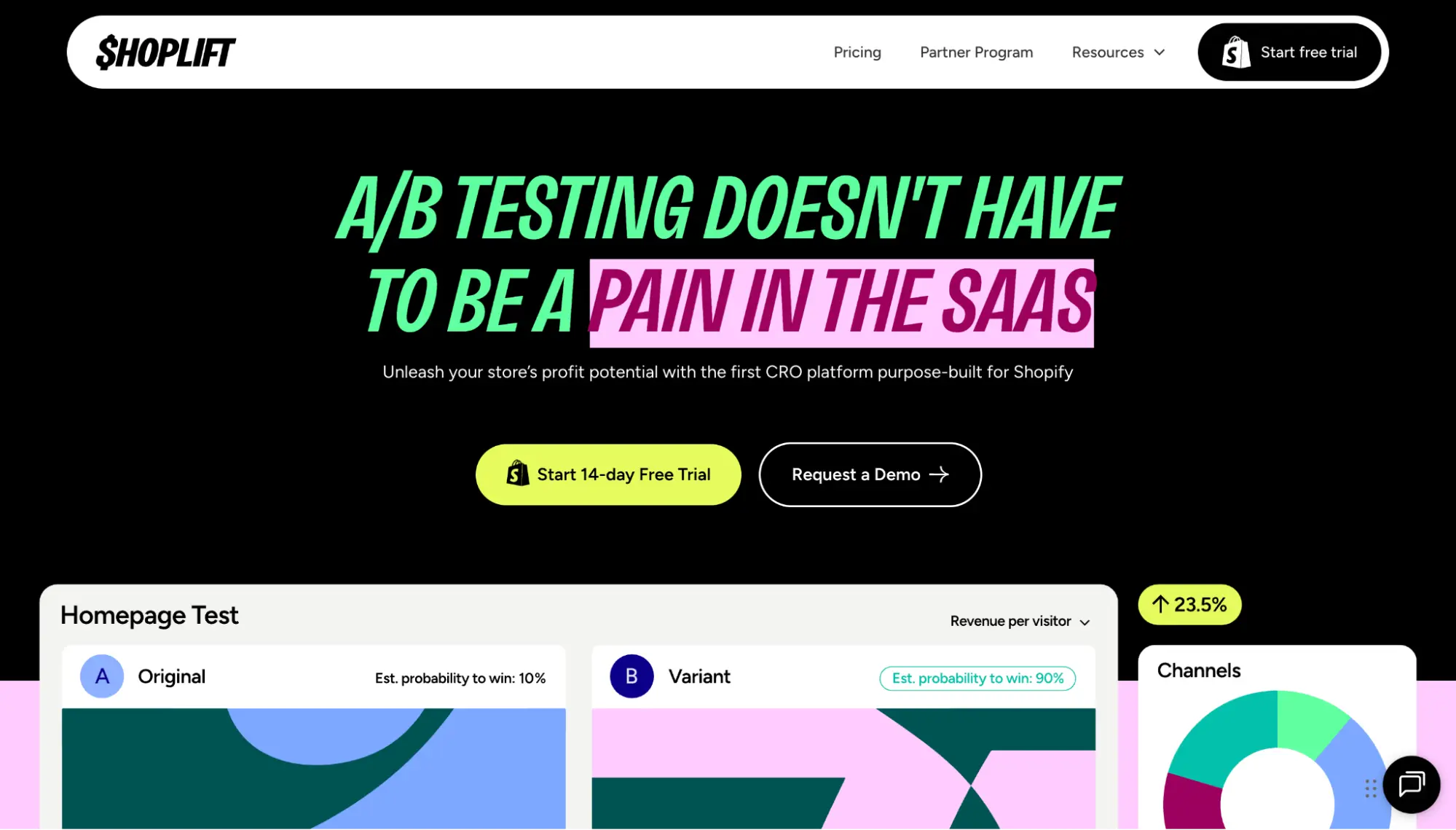
Running an ecommerce store on Shopify? Shoplift is an A/B testing platform built specifically for Shopify merchants.
Instead of asking you to recreate your storefront inside a separate testing platform, Shoplift lets you build test variations using Shopify’s own theme editor. You can duplicate a theme, change its layout, adjust product page sections, or experiment with different merchandising approaches.
For example, you might want to find out whether a redesigned product page generates more purchases than your existing layout. Shoplift lets you split traffic between the two experiences and compare their performance using ecommerce metrics.
The platform also provides Lift Assist™, which helps merchants generate and implement test ideas without starting every experiment from scratch.
Key features
- Template testing: Compare product and collection page templates without changing the entire storefront.
- Revenue reporting: Measure the impact of variations on sales performance and conversion metrics.
- Audience targeting: Test experiences for different groups of Shopify shoppers.
- Experiment scheduling: Plan when tests begin and end to coordinate them with store campaigns.
Pros
- It’s designed around Shopify, so merchants don’t need to learn an entirely separate page-building system.
- Uses edge rendering to load test variations instantly, so there are no jarring content flashes, flickers, or slow pages.
- Designed around ecommerce performance, making its results easier to connect to store revenue and purchase behavior.
Cons
- Only works with Shopify, which means merchants using WooCommerce, Magento, and custom ecommerce websites can’t use it.
- Focuses on storefront optimization rather than native mobile apps or backend product experimentation.
- Custom Shopify themes and changes involving Liquid or third-party apps may require developer assistance.
What Do Shopify Reviewers Say About Shoplift?
Positive:Positive:
The Shoplift app has been an incredible tool for helping increase our stores CVR, RPV & CTR’s our account manager Anya is really incredible and super helpful with every question we ask. This app is an absolute game changer for anyone looking to do any CRO work on their own themes.
Nutra Naturals (Source: Shopify App Store)
Critical:
We really loved this app, except you can’t test product images or prices, you need another app additional, which are extra costs.
The Couple Challenge Book (Source: Shopify App Store)
6. CleverTap
Best for: Mobile-first businesses and customer engagement teams that want to optimize messaging, app experiences, and retention campaigns.
Pricing: 30-day free trial. CleverTap’s paid plans start at $85/month for up to 5,000 monthly active users.

CleverTap is a customer engagement platform that helps businesses understand user behavior, personalize communication, and improve customer retention across digital channels.
It’s particularly useful for businesses that rely on mobile apps and recurring customer interactions.
For example, an ecommerce app might want to find out whether a discount notification performs better than a free-shipping offer. With CleverTap, marketers can test different messaging approaches and measure which one drives more purchases or repeat visits.
Beyond campaign testing, CleverTap offers Product Experiences for experimenting with app features and customer experiences.
It also connects experimentation with customer analytics, segmentation, and automated journeys, helping teams evaluate how changes affect engagement over time.
On the AI front, CleverTap AI™ automatically tracks live user behavior to predict customer needs, generate personalized content, and autonomously orchestrate 1:1 marketing campaigns in real time.
Key features
- Campaign performance reporting: Compare how different campaigns perform against engagement and conversion goals.
- Predictive customer analytics: Use behavioral signals to identify audiences that may be likely to churn or convert.
- Journey orchestration: Design automated, multistep customer communication flows.
- Customer lifecycle reporting: Analyze retention, repeat engagement, and other lifecycle metrics.
Pros
- Useful for businesses focused on retaining and reengaging existing customers, not just converting first-time visitors.
- Its mobile-first orientation fits businesses where important conversion actions happen inside an app.
- Allows marketing and product teams to coordinate around shared customer engagement and retention objectives.
Cons
- Product experimentation is offered through Product Experiences, so businesses need to confirm that their chosen package includes it.
- Implementing event tracking, customer attributes, and advanced journeys requires careful technical setup.
- The broader customer engagement platform may be unnecessarily complex for teams that only need website A/B testing.
What Do G2 Reviewers Say About CleverTap?
Positive:Positive:
What I like best about CleverTap is the precision it brings to customer engagement. By harnessing real-time passenger data and behavioral insights, the platform enables us to engage travelers at the right time with truly individualized communication.
Kunal G. (Source: G2)
Critical:
As CleverTap continues to introduce advanced AI and Agentic capabilities, there can be a learning curve in fully understanding and operationalizing all the available features at once.
Alok S. (Source: G2)
7. HubSpot Content Hub
Best for: Marketing teams already using HubSpot that want to test landing pages, emails, and CTAs alongside their CRM and marketing automation.
Pricing: HubSpot offers free and paid plans, but website A/B testing requires Content Hub Professional, starting at $450/month (billed annually), or Enterprise, starting at $1,500/month.

HubSpot is an all-in-one CRM and marketing platform that also offers tools for A/B testing different marketing assets in its Content Hub.
Although you’ll need an eligible Professional or Enterprise subscription to unlock its page testing features, HubSpot can be convenient if you want to run experiments without moving between your CRM, landing page builder, and marketing tools.
It’s easy to set up an A/B test on a landing page or website page.
Once you’re logged in:
- Navigate to Content > Landing Pages or Content > Website Pages.
- Open the published page you want to test.
- In the page editor’s left sidebar, click the Test icon and select A/B test.
- Create your variation, publish it, and monitor performance.
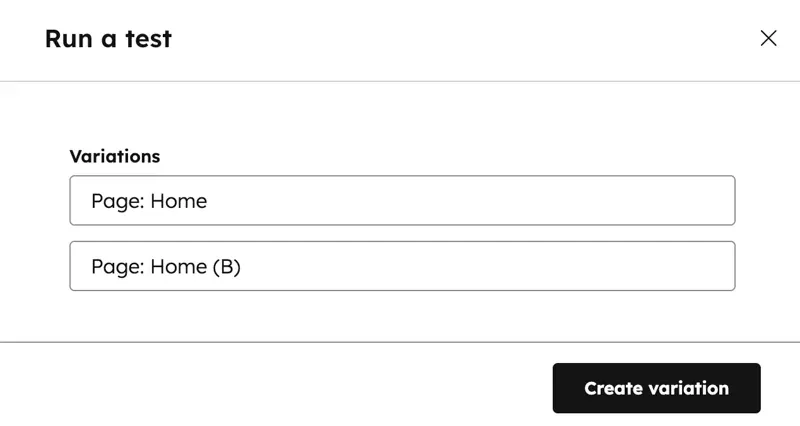
HubSpot allows you to compare how the two versions perform and select a winner based on the results.
Its main advantage is the connection between marketing activity and CRM data. Instead of measuring only page interactions, teams can use HubSpot’s broader reporting tools to analyze how campaigns contribute to lead generation and customer acquisition.
Key features
- Email A/B testing: Test different versions of marketing emails and measure engagement.
- CTA testing: Compare supported call-to-action variations to evaluate visitor responses.
- Adaptive page testing: Test multiple page variations and automatically direct more visitors to better-performing versions.
- Campaign reporting: Measure marketing asset performance within broader campaign reports.
Pros
- Existing HubSpot customers can use familiar editing and reporting workflows without introducing another software vendor.
- Marketing teams can create straightforward page experiments without building custom experimentation infrastructure.
- A large library of tutorials and product documentation helps new users troubleshoot common setup and reporting questions.
Cons
- Website A/B testing requires Content Hub Professional or Enterprise, which can be expensive if experimentation is the primary goal.
- Standard page A/B testing supports two variations rather than the more complex experiment configurations available in dedicated platforms.
- Doesn’t provide the same depth of feature flagging or full-stack experimentation as specialized product testing tools like Convert Experiences.
What Do G2 Reviewers Say About HubSpot Content Hub?
Positive:
I like HubSpot Content Hub because it’s intuitive and helps me manage my content without relying on developers. I enjoy the ability to isolate landing pages and keep an eye on changing content while also planning for regular blog updates. I appreciate having direct access to code and the flexibility of the CMS.
Katherine N. (Source: G2)
Critical:
When it comes to creating web pages, I wish that HubSpot themes were a bit more customizable and allowed us to have heavier design while still being flexible in terms of code.
Kate (Source: G2)
8. Airship
Best for: Mobile-first businesses looking to optimize in-app experiences, customer messaging, and feature releases through A/B testing.
Pricing: Airship Experience Platform (AXP) uses custom pricing based on business requirements. Airship also offers a self-service Essentials option, although certain experimentation functions, including feature flags, may require an add-on.
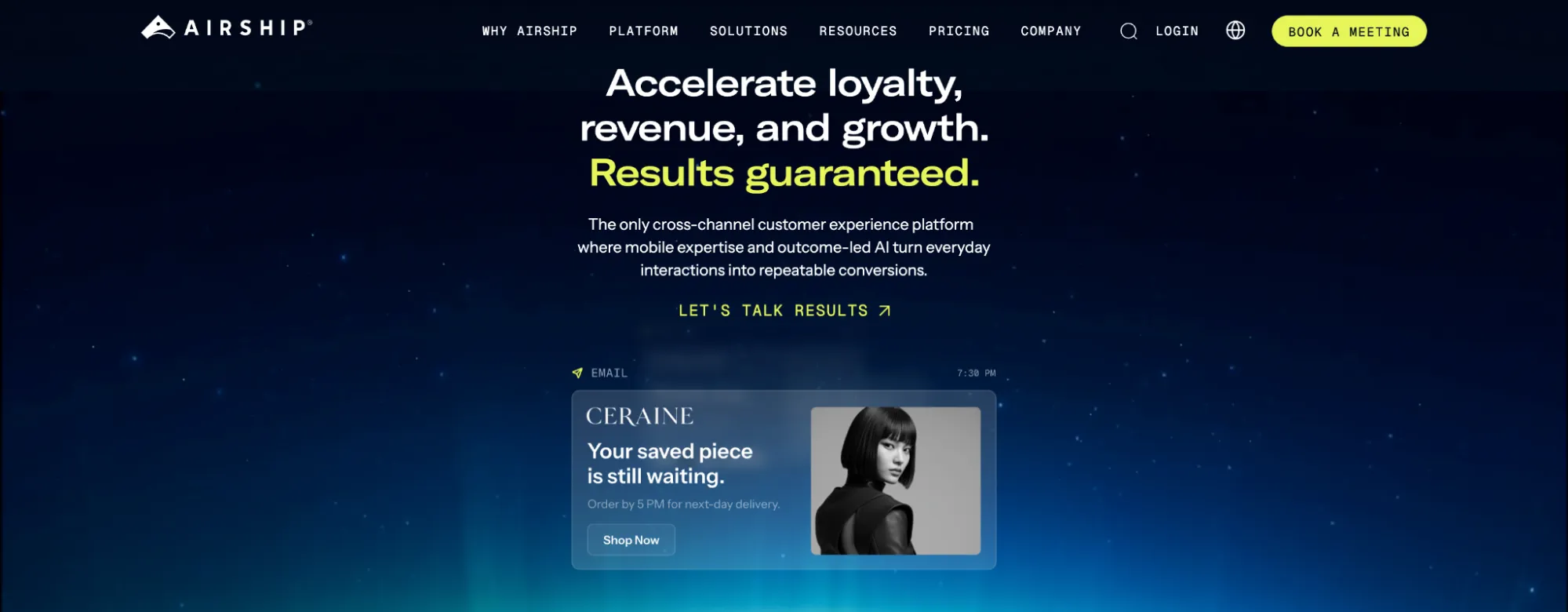
Airship is a mobile-first customer experience platform that helps businesses test, personalize, and improve how users interact with their apps and other digital channels.
Following its acquisition of Apptimize in 2019, Airship expanded its experimentation offering beyond customer messaging to include app experiences and feature management. Today, you can use Airship to A/B test push notifications, in-app messages, emails, and customer journeys, as well as evaluate new app features before releasing them to everyone.
For example, a subscription app could test different onboarding screens to see which generates more account activations. Meanwhile, its marketing team could experiment with push notification content to improve engagement and bring users back into the app.
Airship also connects experimentation with customer data, behavioral segmentation, and journey orchestration, helping businesses optimize customer interactions across multiple touchpoints.
Key features
- Intelligent Rollouts: Automatically direct more customers toward better-performing message variations using real-time engagement data.
- Holdout experiments: Exclude a selected group of users from marketing messages to measure how much additional engagement or conversion your campaigns actually generate.
- Feature flags: Control which users can access new app or website functionality, schedule releases, and gradually expand availability without deploying new code each time.
- Experiment reporting: Compare variations using conversion goals and statistical analysis to identify winning experiences and measure their impact on customer behavior.
Pros
- Offers no-code tools for creating and updating in-app experiences, reducing the need for developers to handle every content change.
- Provides an experimentation dashboard where teams can monitor and manage tests without navigating separate reporting environments.
- Offers onboarding, training, and strategic services for businesses that need support implementing and improving their customer experience programs.
Cons
- Feature flags are offered as an add-on, so businesses have to pay extra to access certain experimentation functions.
- Advanced app experimentation and feature releases require SDK integration and developer involvement.
What Do G2 Reviewers Say About Airship?
Positive:Positive:
Airship offers best in class services for push and marketing features for the mobile apps I manage. Through their product offerings and the support they’ve offered, they’ve been an invaluable partner.
Mike Z. (Source: G2)
Critical:
The initial onboarding is insufficient for learning how to use the tool. Additionally, there is little information on how to implement things at a technical level.
Alba C. (Source: G2)
9. Adobe Target
Best for: Large enterprises using Adobe Experience Cloud that need advanced experimentation and AI-powered personalization.
Pricing: Adobe Target offers custom pricing.
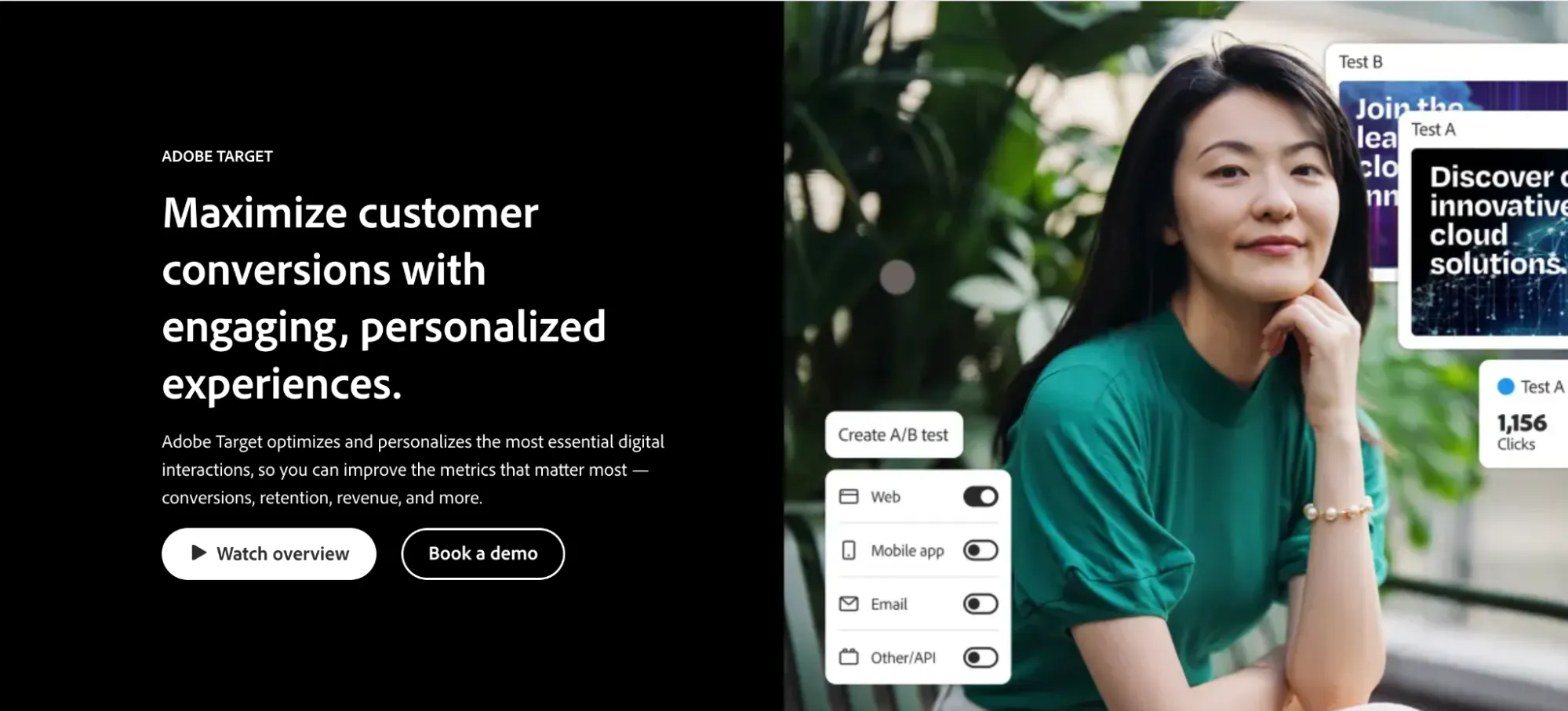
With Adobe Target, marketing teams and large brands get a testing and personalization solution designed to improve digital customer experiences. The platform helps businesses identify which content, layouts, and experiences perform best for different audiences.
Adobe Target supports A/B and multivariate testing alongside automated personalization. Its AI-driven functionality can use visitor behavior and other signals to determine which experiences to deliver.
For instance, an ecommerce brand could experiment with different product recommendations or homepage experiences for returning customers and first-time visitors.
Adobe Target also integrates with other Adobe Experience Cloud products, including Adobe Analytics, allowing businesses to connect testing with broader customer analytics.
Key features
- Experience targeting: Deliver specific content or page experiences based on audience rules.
- Visual Experience Composer: Modify website experiences through a visual editing interface.
- Form-based Experience Composer: Create experiments when visual editing isn’t appropriate or practical.
- Automated traffic allocation: Direct more visitors to stronger-performing experiences during eligible experiments.
Pros
- Features like Auto-Target and Auto-Personalization use robust, proprietary machine learning algorithms to automatically match and deliver high-converting variations to users based on unique real-time profiles.
- Allows teams to deliver unified testing and personalization strategies simultaneously across web, mobile apps, email, and IoT channels.
- Offers enterprise-focused security, administration, and governance for managing experimentation at scale.
Cons
- Advanced configuration and implementation can be technically demanding.
- Organizations without an existing Adobe technology stack may spend a lot of time and resources implementing the platform.
What Do G2 Reviewers Say About Adobe Target?
Positive:
I really value how easy it is to set up AB testing, making it possible for me to launch experiments both quickly and efficiently. The initial setup process is straightforward, and as I continue to use the platform, I find it becoming an even more dependable tool.
Stephen D. (Source: G2)
Critical:
While Adobe Target is powerful, it can be quite complex to set up and configure, especially for teams without dedicated technical resources. The learning curve is steep, and some features feel overcomplicated. Additionally, it can be slow to load, and the interface could be more intuitive.
Art B. (Source: G2)
10. Conductrics
Best for: Experienced experimentation teams looking to combine A/B testing with machine learning and adaptive personalization.
Pricing: Conductrics offers custom pricing.
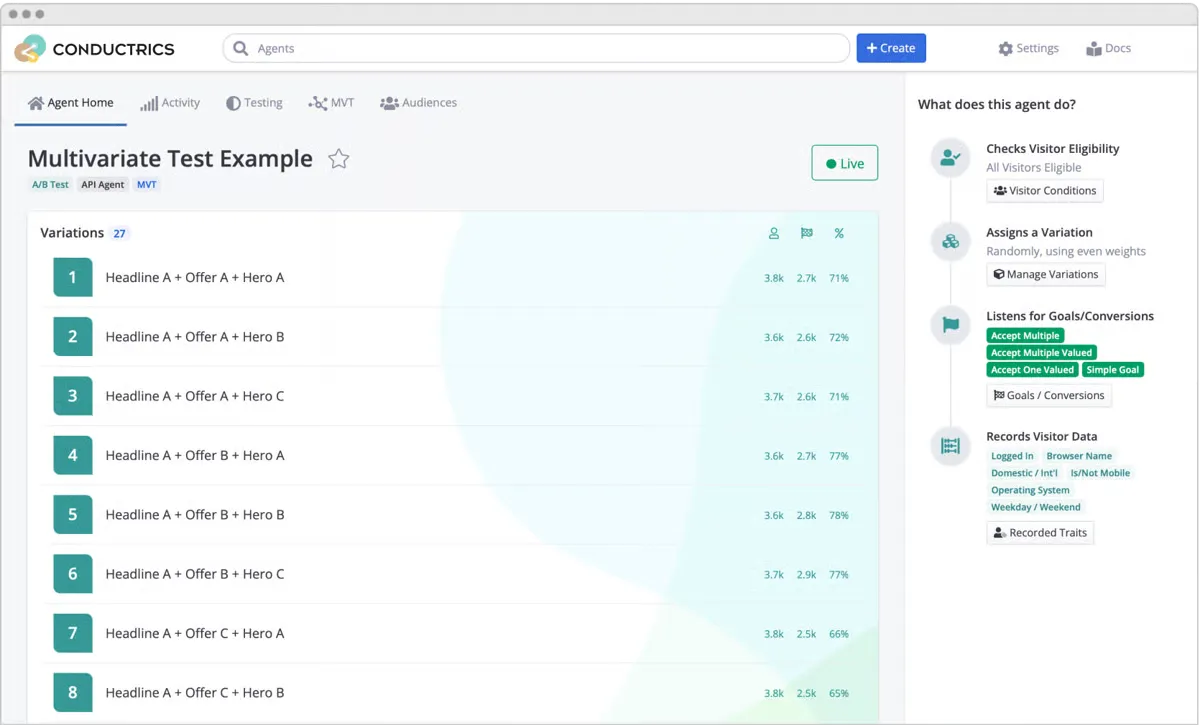
Conductrics is an A/B testing and optimization platform that allows marketers and developers to set up experiments, test content variations, and use machine learning to improve digital experiences.
It’s designed to help businesses deliver relevant experiences to visitors across different digital channels.
What makes Conductrics interesting is its combination of traditional experimentation and adaptive decision-making.
Rather than simply testing variations and choosing a winner after an experiment, Conductrics also supports approaches that use machine learning to adapt experiences based on observed performance.
This can be useful when different audiences respond to different experiences and a single winning variation may not be the best option for everyone.
Key features
- Audience targeting: Define visitor groups and apply different testing or personalization rules.
- API-based experimentation: Integrate experiments into applications and custom digital environments.
- Visual experiment creation: Build and modify suitable tests without writing every variation from scratch.
- Experiment performance reporting: Analyze results using conversion goals and other performance metrics.
Pros
- Offers flexibility for businesses experimenting across custom digital environments.
- Uses intelligent multi-armed bandits to automatically shift traffic toward winning variations in real time.
- Can accommodate teams with both marketing and technical experimentation expertise.
Cons
- Machine learning and adaptive experimentation require a good understanding of statistical testing and optimization strategy.
- Its specialist functionality may be excessive for businesses running occasional website tests.
What Do Gartner Reviewers Say About Conductrics?
Positive:
Our collaboration so far has worked really well! The tool is easy to use and works very well for our needs. The team is also super easy to contact and are always very helpful in answering questions or providing additional features.
Anonymous Product Manager (Source: Gartner)
Critical:
I guess the WYSIWYG feature is not as easy to use for non-technical people as it could be, but it still works pretty well.
Anonymous Product Manager (Source: Gartner)
11. Kameleoon
Best for: Enterprise experimentation teams that need website testing, feature experimentation, and AI-powered personalization.
Pricing: 30-day free trial for PBX Starter. Paid PBX Starter plan starts at $495/month for up to 10 experiments and 50,000 monthly visitors.
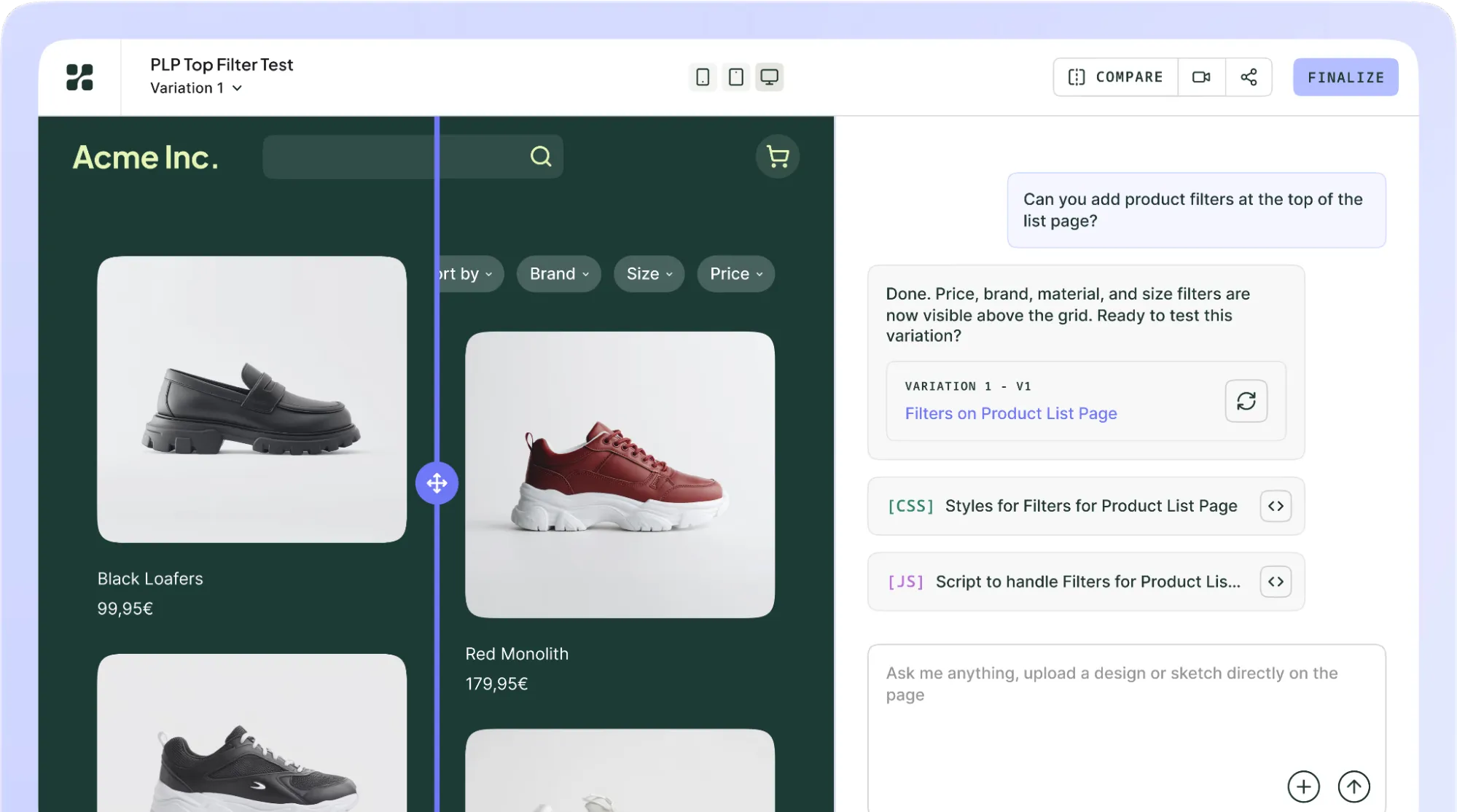
Kameleoon is an experimentation and personalization platform designed for marketing teams, product managers, and developers. It uses AI and customer data to support personalized digital experiences while also offering extensive A/B testing functionality.
The platform supports web experimentation, including tests on website layouts, content, and conversion paths. It also provides feature experimentation for teams that want to test product changes or manage feature rollouts.
Kameleoon’s personalization functionality helps businesses target different experiences to visitors based on behavior and other signals. So, an ecommerce business could test different promotional experiences for new and returning visitors, while its product team evaluates a new checkout feature.
The platform is particularly relevant to organizations with established experimentation programs that need both marketing and engineering teams involved.
Key features
- Visual editing: Create website variations without changing the underlying source code for every test.
- Custom goal tracking: Define business-specific conversion events and analyze experiment results.
- Traffic management: Control how visitors are assigned to variations and experiments.
- PBX (Prompt-based Experimentation): A generative AI engine that lets users automatically build, ideate, and deploy page variations using plain-language prompts.
Pros
- Natively bridges the gap between client-side (marketing) and server-side (developer) testing in one tool, allowing teams to share audience segments across environments.
- Uses edge-based execution to deliver experiment variations with minimal latency, which helps reduce the risk of flicker during client-side testing.
- Its built-in machine learning dynamically calculates real-time conversion likelihood scores for individual visitors to trigger automated, highly targeted 1:1 user experiences.
Cons
- Because the platform houses a massive ecosystem of native web, product, and developer tools under one roof, it can overwhelm beginners or non-technical users.
- Setting up advanced, custom multi-domain tests or complex data workflows may require dedicated developer support.
- While its web-based client and server-side engines are incredibly mature, its standalone native mobile app testing features are less comprehensive.
What Do G2 Reviewers Say About Kameleoon?
Positive:
PBX is a tool with great potential and, above all, it helps us go further in our A/B testing use cases. We can innovate more easily because the complexity of developing a variant is no longer a criterion. Moreover, PBX adapts to the site’s graphic charter, which facilitates integration and visual coherence.
Houda M. (Source: G2)
Critical:
The main downside is that the interface has bit of a learning curve (at least for me). Once you know where everything lives, it’s fine, but navigation and terminology aren’t always super intuitive.
John G. (Source: G2)
12. Monetate Maestro
Best for: Enterprises running advanced experimentation across websites, applications, and other digital customer experiences.
Pricing: Monetate offers custom pricing.
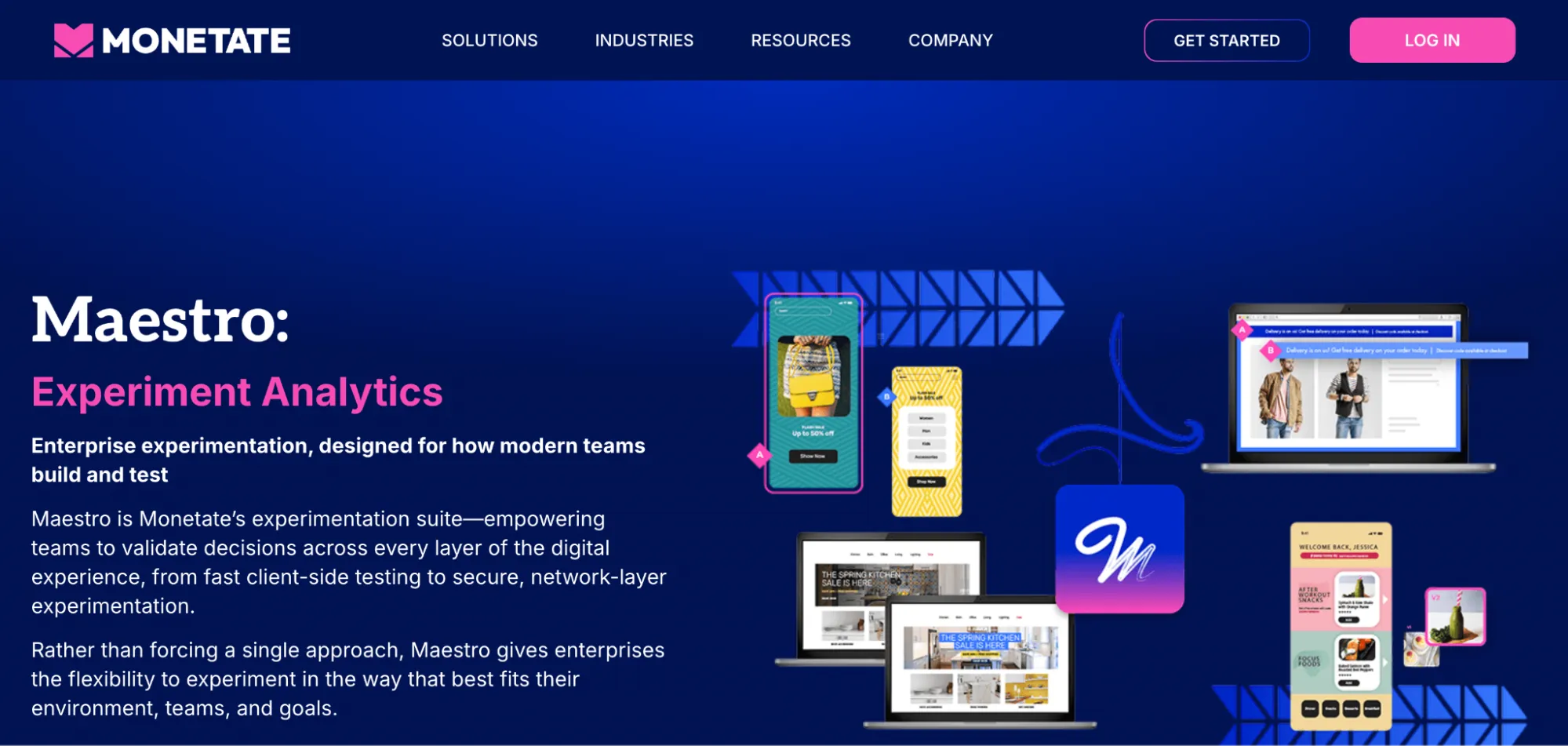
Monetate Maestro is an enterprise experimentation suite designed to help businesses test and improve digital experiences at scale. It supports different approaches to experimentation, from client-side A/B testing to API-driven and network-layer testing.
This flexibility can be useful for organizations managing complex websites, authenticated user journeys, or digital experiences where traditional client-side testing isn’t enough.
For example, a financial services company might want to experiment with its customer portal or onboarding experience while maintaining strict security and performance requirements. Maestro’s experimentation architecture supports these types of environments through different deployment options.
The platform also includes feature experimentation and dynamic testing, allowing teams to evaluate product changes and adjust experiences as conditions change.
Key features
- Experiment reporting: Analyze performance against conversion goals and other business metrics.
- Dynamic traffic allocation: Adjust exposure based on variation performance.
- Experiment management: Coordinate tests, users, and workflows across digital properties.
Pros
- Non-technical teams can use its WYSIWYG visual editor for basic layout changes, text tweaks, and banner swaps.
- Allows teams to bucket and target experiments to visitor groups based on custom user attributes, dynamic profiles, and live browsing behavior.
- Lets teams schedule experiments and personalization campaigns with predefined start and end dates.
Cons
- Its enterprise focus makes it less practical for small businesses seeking a straightforward A/B testing tool.
- Setting up deep, multi-metric attribution or custom data dashboards within the platform can be restrictive and complicated.
What Do G2 Reviewers Say About Monetate?
Positive:
I like Monetate’s web A/B testing platform. It’s very powerful if used right, even though it might feel clunky sometimes. I also appreciate the additional development support their team provides when our internal resources are booked.
Kaitlin D. (Source: G2)
Critical:
Implementing Monetate across multiple channels and integrating with existing technology stacks can be time-consuming and may require dedicated technical support for proper setup.
Melanie O. (Source: G2)
13. Statsig
Best for: Product managers, engineers, and data teams that want to run controlled experiments and manage feature releases using product analytics.
Pricing: Statsig has a free Developer plan that includes experimentation, feature flags, and analytics. Its Pro plan starts at $150/month, with higher tiers available for organizations needing additional scale and governance.
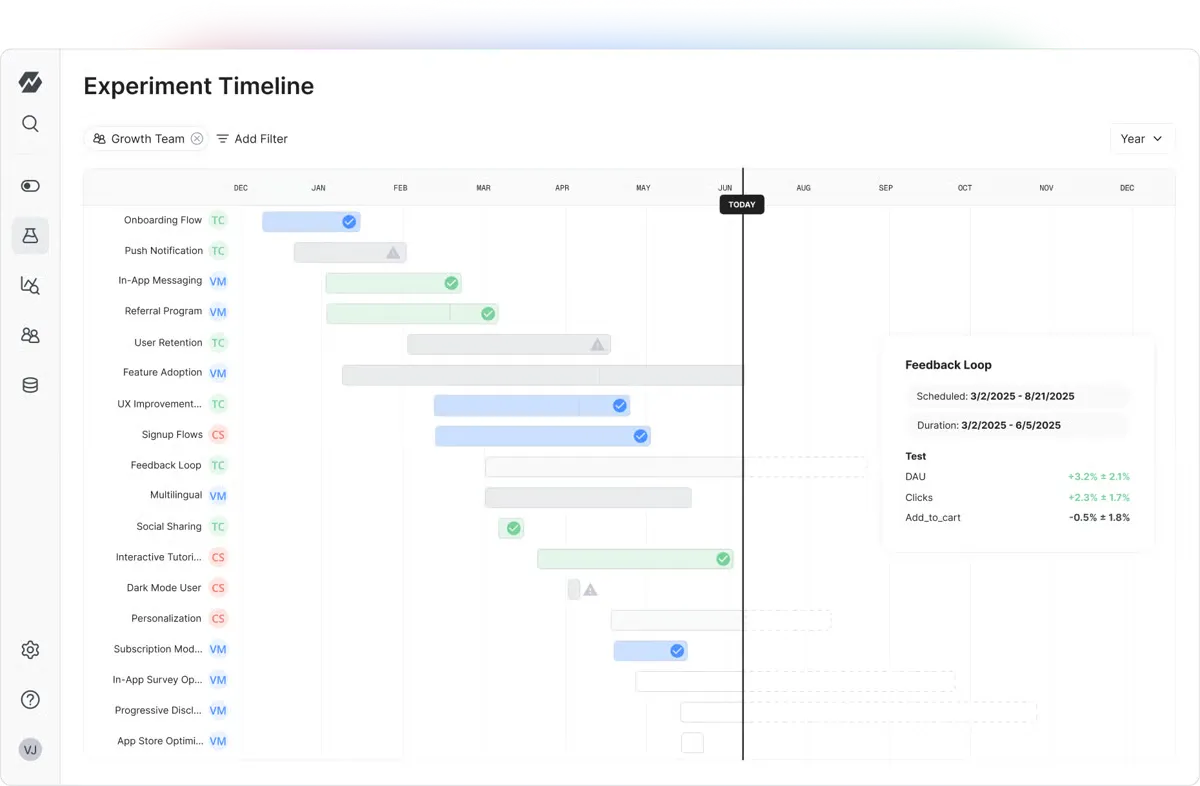
Statsig is a product experimentation platform that helps businesses test new features, measure customer behavior, and make informed product decisions.
Unlike tools focused mainly on website copy or page layouts, Statsig places a strong emphasis on product experimentation and feature management. This means a SaaS company planning to redesign its onboarding process could release the new experience to a small percentage of users, measure how it affects activation rates, and expand the rollout if the results are positive.
Statsig brings experimentation, feature flags, and product analytics into one environment. Teams can define metrics, track how users interact with their products, and measure the effect of different changes.
In May 2026, Statsig joined forces with Amplitude, which now maintains and develops the Statsig platform. The partnership is expected to bring experimentation and product analytics into more closely connected workflows.
Key features
- Experiment analysis: Evaluate test results using statistical methods designed for controlled experimentation.
- Session replay: Investigate user sessions to understand behavior and identify product friction.
- Metric management: Teams can run experiments and define metrics directly on top of their own data warehouses, including Snowflake, BigQuery, Redshift, and Databricks.
- Experiment targeting: Control which users or audiences participate in specific tests.
Pros
- Offers production-grade statistical rigor out of the box, supporting advanced methods like CUPED variance reduction, sequential testing with early stopping, holdout groups, and switchback tests.
- It ships with over 30 highly performant, open-source SDKs that support modern development stacks and edge computing.
- Provides technical documentation and SDK support for teams building experimentation into their development workflows.
Cons
- More technically oriented than traditional website A/B testing tools, making it less approachable for nontechnical marketing teams.
- Advanced implementations and feature experimentation may require developer involvement.
What Do G2 Reviewers Say About Statsig?
Positive:
We run dozens of concurrent A/B tests on our search and service pages, and the SDK handles bucketing, holdouts and layers without us building any of that plumbing. The override tool is what I use most day to day. I can force myself into a variant for QA on staging in seconds instead of hunting for the right user ID.
Nirav M. (Source: G2)
Critical:
One area that could be improved in Statsig is the workflow for sharing experiments or feature gates in development with colleagues. Although using overrides is an option, it can be somewhat cumbersome.
Bastian D. (Source: G2)
14. Freshmarketer
Best for: Marketing teams that want to combine campaign optimization, customer journey automation, and website conversion analysis.
Pricing: Free plan available for up to 100 marketing contacts. Paid plans start at $15/month, with 500 marketing contacts, billed annually. There are paid add-ons like more marketing contacts, Freddy AI, and conversion rate optimization.

Freshmarketer (by Freshworks) is an intelligent marketing automation platform for marketing teams. It gives teams the tools to automate better, drive conversions quickly, and significantly grow sales.
It includes A/B testing, heatmaps, and session replay tools that can help marketers investigate how visitors interact with their websites.
The platform also supports email and SMS campaigns, customer segmentation, and automated marketing journeys. This makes it relevant to businesses that want to connect optimization work with broader marketing activities rather than managing every function through a separate platform.
Key features
- Audience segmentation: Create customer groups using contact attributes and behavior.
- Campaign reporting: Measure engagement, conversions, and campaign performance.
- Lead scoring: Prioritize specific contacts based on engagement and other qualification criteria.
- Journey automation: Build customer communication sequences triggered by behavior or predefined events.
Pros
- Directly embeds heatmaps, session replays, and funnel analysis, so you can visually track why a variation succeeded or failed without jumping between external tools.
- If you use Freshsales or Freshdesk, your experiment variations can feed user data directly into your primary customer profiles, which helps align sales and marketing goals.
- Lets you drag split-test variations directly into your wider lifecycle marketing drip campaigns, testing email copy, timing, and SMS paths under one roof.
Cons
- Freshmarketer is strictly a client-side web testing tool, so if you’re looking for feature flags, mobile app framework testing, backend variable shifts, or deep full-stack architecture testing, you may find it insufficient.
- Lacks the sophisticated, real-time sequential testing or Bayesian math engines found in platforms like Statsig or Optimizely.
What Do G2 Reviewers Say About Freshmarketer?
Positive:
The combination of behavioral analytics and experimentation is what I find most valuable. Being able to see where users click, how they move through pages, where they drop out of a funnel, and how they interact with forms gives us far more context than basic traffic numbers alone.
Muhammed A. (Source: G2)
Critical:
Some advanced automation workflows can feel a bit limited compared to larger enterprise-focused platforms. A few customization options also take time to figure out, especially when setting up more detailed campaigns.
Vartika B. (Source: G2)
15. GrowthBook
Best for: Product, engineering, and data teams looking for open-source A/B testing with advanced statistical analysis and control over their experimentation data.
Pricing: GrowthBook offers a free Starter plan with unlimited experiments and feature flags for up to three users. The Pro plan starts at $40 per seat/month, while Enterprise pricing is custom. A free self-hosted version is also available.
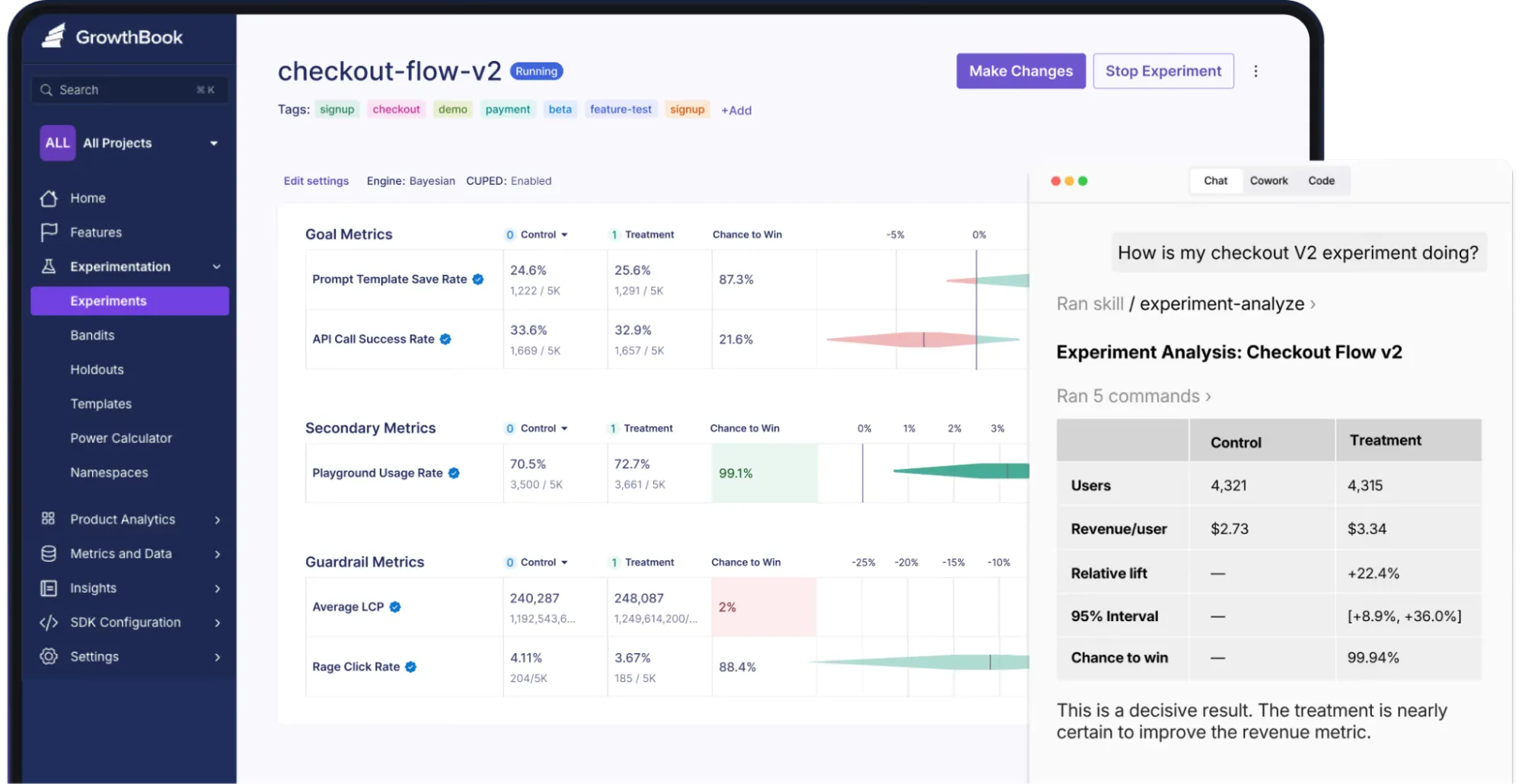
GrowthBook is an open-source experimentation platform that helps businesses run A/B tests, manage feature releases, and measure how product changes affect user behavior.
What sets GrowthBook apart is its warehouse-native architecture. Instead of requiring you to send experiment data to a separate analytics system, GrowthBook can analyze data directly in your existing warehouse, including Snowflake, BigQuery, and Databricks.
GrowthBook also supports both Bayesian and frequentist statistical methods, giving experimentation teams flexibility in how they evaluate results.
Key features
- Advanced statistical analysis: Use sequential testing to monitor results without inflating false-positive rates, and CUPED variance reduction to improve the precision of experiment estimates.
- Feature flags and gradual rollouts: Release new functionality to selected users, control exposure through targeting rules, and gradually expand access as you validate performance.
- AI-powered visual editor: Create and modify website variations without coding every change manually. This functionality is available on the Pro plan and above.
- Custom metrics: Define reusable conversion, revenue, and engagement metrics using SQL, so experiments can be evaluated against consistent business objectives.
Pros
- Lets you inspect the underlying SQL and statistical methodology behind experiment results, which makes it easier to investigate discrepancies.
- Offers a self-hosted deployment option for organizations that need to manage experimentation infrastructure within their own environment.
- Supports a wide range of programming languages and frameworks through its SDKs, making it practical for engineering teams working across different technology stacks.
Cons
- Initial implementation can be technically demanding, particularly when configuring SDKs, event tracking, and connections to an existing data warehouse.
- The free Starter plan doesn’t include the visual editor or split URL testing, limiting what nontechnical marketers can accomplish without developer assistance.
- Organizations using their own data warehouse must manage the underlying data quality and query performance, which can complicate experimentation as datasets grow.
What Do G2 Reviewers Say About GrowthBook?
Positive:
GrowthBook gives teams a practical way to manage feature flags and experiments without making the workflow overly heavy. The interface is generally clear, and it is useful to have experimentation, rollout control, and analysis connected in the same environment.
Arthur H. (Source: G2)
Critical:
The home page could be more intuitive to use and setup key features, and the dashboard could be more immersive. It’s a bit barebones for someone just starting without either technical knowledge or having a technical partner.
Hampton L. (Source: G2)
How CRO Agencies can Choose the Right A/B Testing Software
With so many A/B testing tools available, the best choice depends on what you’re trying to optimize, how your team works, and how much control your CRO agency needs over your experiments.
Here are five things any CRO agency should consider before committing to a A/B testing platform:
- Your experimentation goals: Are you testing landing page headlines and CTAs, optimizing ecommerce checkouts, or rolling out new product features? Tools like Convert Experiences and Wingify support website experimentation, while Statsig and GrowthBook cater to teams running more technical product experiments.
- Ease of use: A WYSIWYG visual editor can help marketers launch simple tests without developer support. But if you’re running complex experiments involving custom code, APIs, or feature flags, you’ll need a platform that supports developer-led workflows.
- Traffic volume and statistical reliability: Check whether the platform supports your traffic levels and provides reliable statistical analysis. Features like sequential testing, confidence intervals, and variance reduction can help experienced teams interpret results and avoid premature conclusions.
- Integrations and data access: Your A/B testing software should work with your existing analytics, CRM, ecommerce, and marketing tools. Also, consider how easily you can export experiment results or connect them with other business data.
- Privacy, performance, and support: Look at how the platform collects visitor data, handles consent, and affects website performance. It’s also important to know what technical assistance is available when experiments don’t work as expected.
Finally, consider how your testing program might evolve. A platform that handles a few landing page experiments today should ideally accommodate more advanced targeting, additional team members, and increasingly complex experiments as your optimization efforts grow.
Run Better Experiments With Convert Experiences
An A/B testing tool won’t automatically improve your conversion rates. You still need strong hypotheses, reliable data, and a consistent process for turning experiment results into meaningful website improvements.
But the A/B testing platform you choose can make that process considerably easier—or more frustrating than it needs to be.
If you’re looking for a tool that balances advanced experimentation with usability, privacy, and performance, Convert Experiences gives your CRO agency the tools to test confidently without unnecessary complexity.
Whether you’re optimizing an ecommerce store or managing experiments for multiple clients, Convert helps you test ideas, measure results, and continuously improve your digital experiences.
Ready to put your ideas to the test? Start your free 15-day Convert trial and see how it works with your website.
Frequently Asked Questions About A/B Testing Tools for CRO Agencies
The best A/B testing tool depends on your agency’s client portfolio, budget, and experimentation requirements. Convert Experiences is a strong choice for CRO agencies managing multiple client websites, offering advanced targeting, multiple testing methods, experiment governance, and privacy-conscious data collection.
For agencies working with large enterprise clients, Optimizely and Adobe Target offer extensive experimentation capabilities. Meanwhile, Shoplift is particularly suited to agencies specializing in Shopify conversion optimization.
CRO agencies should prioritize software that makes it easy to manage experiments across multiple clients without compromising performance or reporting accuracy.
Important features include A/B and multivariate testing, audience segmentation, visual and code-based editors, reliable statistical analysis, and integrations with existing analytics platforms. Team permissions, approval workflows, and experiment management are also valuable for agencies coordinating several testing programs simultaneously.
A/B testing software varies considerably in price. Some platforms offer free plans or low-cost subscriptions, while enterprise solutions typically require custom quotes.
For example, Convert Experiences starts at $299 per month with annual billing for 100,000 monthly tested users. Shoplift starts at $74 per month with annual billing, while platforms such as Optimizely and Adobe Target use custom pricing.
Agencies should also consider traffic allowances, project limits, additional features, and implementation costs when calculating their total investment.
Yes, many A/B testing platforms support multiple projects, websites, and experiments, making them suitable for agencies managing several client accounts.
Convert Experiences includes experiment governance features such as team permissions, approval workflows, and project organization to help agencies coordinate testing activities. However, project limits and available functionality vary between subscription plans.
Before choosing a platform, check how it handles client access, experiment limits, reporting, and account management as your agency grows.
CRO agencies can measure success by tracking how experiment variations affect meaningful business outcomes, such as conversion rates, purchases, revenue, lead generation, and customer engagement.
Rather than focusing solely on whether a variation wins, agencies should evaluate statistical reliability and the commercial impact of each experiment.
Platforms such as Convert Experiences support advanced goal tracking and flexible statistical analysis, helping agencies connect experimentation results to client objectives and make more informed optimization decisions.
Check our unbiased comparison of the top A/B testing tools out there — fit for every need.

Written By
Althea Storm
B2B SaaS Writing, A/B Testing, A/B Test Duration +4 more
B2B SaaS Writing, A/B Testing, A/B Test Duration, Shopify Conversion Optimization, Experimentation in Tourism, Personalization for Lean B2B Teams, Experimentation Industry Analysis Show less
Edited By
Carmen Apostu

How Was This Blog Written
This article was originally written by Burkhard Berger. To develop it, we used the following...
This article was originally written by Burkhard Berger.
To develop it, we used the following sources of input:
- Primary sources reviewed: Official documentation and pricing pages for all 15 platforms (checked in October 2026); relevant customer reviews from G2, Gartner Peer Insights, and the Shopify App Store; Convert’s documentation and pricing page.
- Internal expertise used: Convert engineering team
- AI assistance was used for: SEO and AISO analyses, analyzing G2 reviews, planning article outline, grammar and clarity checks, transcription, and metadata alternatives
- AI was not used for: Original expert judgment, final recommendations, statistical claims, writing and editing, source verification, product claims, or final editorial approval
Every factual claim was reviewed by Althea Storm and Carmen Apostu. Any claims involving product functionality or pricing were checked against each vendor’s official documentation and pricing pages, and Convert product claims were checked by Diego Catalan.