13 Best A/B Testing Tools That Integrate with Google Analytics 4


Not every A/B testing platform with analytics integration is created equal. Some tools only push impressions to GA4, while others sync audiences, revenue, and custom dimensions so your test results flow into the analytics stack you already trust.
In this article, you’ll see the top A/B testing tools with real GA4 support, tiered by integration depth, plus what each tool can (and can’t) do with your GA4 data.
What “Full GA4 Support” Enables in A/B Testing (vs Partial)
Many tools claim GA4 integration, but there’s a huge difference between full support and partial.
With partial support, you might only get experiment impressions sent as a GA4 event. That’s not enough for growth teams, analysts, or developers who need reliable data across the stack. Full support goes much further:
- Audience sync
When experiments create or update audiences in GA4 automatically, you can analyze variant performance across segments like device, geography, or acquisition channel. Because…
GA4 has much more data. Through many events and segments, you can slice experiment results to get much more information and learn much more from each experiment. This helps uncover why a variant is performing as it does and which user groups are most affected.
Ruben de Boer, Owner of Conversion Ideas
This eliminates manual tagging and keeps audiences fresh as experiments launch and conclude.
- Variant-level event mapping
Deep integrations push impressions, conversions, and revenue events into GA4 with clear variant identifiers. This ensures experiment performance shows up alongside the rest of your GA4 reports, and you can pivot by device, geography, or campaign without stitching data outside GA4.
- Bi-directional data flows
In addition to sending data, great setups will also pull GA4 audiences back in for experiment targeting. That means you can run an A/B test specifically on “high-value repeat purchasers” or “users who engaged with a specific campaign,” using GA4’s audience definitions directly inside your testing tool.
- Export to BigQuery or Looker
Because GA4 connects seamlessly to BigQuery, full support should let you merge experiment exposure and performance data with your wider data warehouse.
From there, teams can build custom dashboards in Looker, track long-term retention or LTV by variant, and cross-reference with campaign attribution, bringing you closer to trustworthy results.
The most effective way to ensure trustworthy A/B test results in GA4 is to integrate with BigQuery. Because GA4 often applies sampling and modeling to its reports, the out-of-the-box results can be unreliable for detailed testing. BigQuery, on the other hand, gives you access to unsampled, raw event-level data, allowing for more accurate and transparent analysis of test outcomes.
Josh Silverbauer, Head of Analytics & CRO at From The Future
A/B Testing Tools with GA4 Integration Comparison Table
| Tool | GA4 Integration Depth | Audience Import (from GA4) |
Event/Variant Export (to GA4) |
Starting Price |
|||||||||||||||||||||||||
|---|---|---|---|---|---|---|---|---|---|---|---|---|---|---|---|---|---|---|---|---|---|---|---|---|---|---|---|---|---|
| Convert Experiences | Full two-way (audiences and events and revenue tracking) | Yes | Yes | $299/mo | |||||||||||||||||||||||||
| Optimizely | Two-way (audiences and variation events) | Yes | Yes | Custom (sales) | |||||||||||||||||||||||||
| VWO | Two-way (audiences and events via custom dimensions) | Yes | Yes | Custom (sales) | |||||||||||||||||||||||||
| Kameleoon | Two-way (auto audience lifecycle and events) | Yes | Yes | $495/mo | |||||||||||||||||||||||||
| SiteSpect | One-way with GA4 audience targeting and experiment context | Yes | Partial | Custom (sales) | |||||||||||||||||||||||||
| Shoplift | One-way (events and GA4 audiences auto-created) | Yes | Yes | $74/mo (Shopify app) | |||||||||||||||||||||||||
| GrowthBook | Warehouse-level (GA4 → BigQuery integration) | Yes (via warehouse) | Yes | Free / $20 per user | |||||||||||||||||||||||||
| Statsig | One-way (exposures and events → GA4) | No | Yes | Free / usage-based | |||||||||||||||||||||||||
| Split (Harness) | One-way (flags/experiments → GA4) | No | Yes | Custom (sales) | |||||||||||||||||||||||||
| LaunchDarkly | One-way (flag exposures mapped to GA4 events) | No | Yes | Free / $20/user/mo | |||||||||||||||||||||||||
| Mida.so | Bridge (via Measurement Protocol / connectors) | No | Yes | Free / usage-based | |||||||||||||||||||||||||
| OptiMonk | One-way (popup/journey events → GA4) | No | Yes | Free / $19/mo | |||||||||||||||||||||||||
| Crazy Egg | Bridge (custom tags or GTM → GA4) | No | Yes | $29/mo (annual only) |
Top 13 GA4-Compatible A/B Testing Tools
Before we dive into each tool…
How These Tools Were Selected
We selected these tools based on clear, verifiable standards:
- Public GA4 integration docs that demonstrated support for GA4 events, dimensions, or audiences.
- Built-in tools that can create, update, or consume GA4 audiences were prioritized.
- The GA4 integrations had to capture experiment impression, conversion, and (where relevant) revenue data, and
- Support GA4 goal tracking and revenue tie-ins.
We then organized tools into three tiers of integration depth:
- Tier 1: Full two-way integrations (audiences and events).
- Tier 2: Strong one-way integrations with robust event and dimension mapping.
- Tier 3: Lighter GA4 connections, often via GTM, Measurement Protocol, or ecosystem bridges.
To ensure every recommendation can stand up to fact-checking and deliver real GA4 value, not just marketing claims, our methodology combined vendor documentation, technical blog posts, and hands-on tests where available.
Tier 1: Full two-way integrations (audiences and events)
Tier 2: Strong one-way integrations with robust event and dimension mapping
Tier 3: Lighter GA4 connections
Do you want to explore more A/B testing tools? Check out our curated 20 Top A/B Testing Tools for Actionable Marketing Insights.
1. Convert
Best for: Mid-market optimization teams and agencies who want full two-way GA4 integration

What is Convert?
Convert is a full-stack A/B testing and experimentation platform founded in 2009. It supports client-side and server-side testing, multivariate tests, split URL experiments, and feature flagging.
It’s trusted by CRO teams, agencies, and growth-focused companies who want enterprise-grade testing without enterprise-style pricing or vendor lock-in.
How Does Convert Integrate with GA4?
Convert’s GA4 integration is one of the most complete on the market:
- Event-based sync: Each time a visitor is bucketed, Convert fires an experience_impression event to GA4.
- Variant audiences: GA4 audiences for each variant (Control/Variation) are created automatically so you can segment in reports.
- Custom dimensions: Experiment IDs and variation IDs can be stored in GA4 for use in Explorations and dashboards.
- BigQuery export: If your GA4 property is linked to BigQuery, you can combine Convert’s experiment data with ecommerce or behavioral data for deeper insights.
- Setup options: Enable directly in Convert at the project level or push experiment details into the GTM dataLayer and forward to GA4.
What this enables in practice: GA4 Explorations, path analysis, and downstream reporting on revenue or retention using the same dimensions your analytics team already works with.
What are Convert’s Key Features for Experimentation?
- Client-side and server-side experiments: Run frontend and backend tests, plus manage feature flags for safe rollouts.
- Visual editor with instant deploys: Make no-code page changes and push winning variations live without developer bottlenecks.
- 40+ targeting filters and custom logic: Segment audiences by source, device, geography, cookies, dataLayer, or custom JavaScript rules.
- Flexible stats engines with SRM detection: Choose Frequentist, Bayesian, or Sequential testing and catch sample ratio mismatches automatically.
- Multi-armed bandit allocation: Dynamically route more traffic to winning variants while experiments are still running.
- Convert Signals™ session replays: Capture rage clicks, errors, and UX friction tied directly to experiments for faster diagnosis.
- 90+ integrations: Native connectors for GA4, Adobe, Segment, HubSpot, and major CDPs and analytics platforms.
- Privacy-first compliance: First-party cookies, GDPR, CCPA, and HIPAA support baked into experiment delivery.
Who Uses Convert?
Convert is used by:
- SaaS and ecommerce teams scaling experimentation
- Agencies that value the “all features included” pricing and white-label-friendly setup
- Developers and CRO specialists needing API flexibility, SPA support, and privacy-first compliance
Users consistently highlight reliable support, transparent pricing, and no hidden upsells as reasons they stick with Convert.
How Much Does Convert Cost?
Convert pricing starts at $299/month (billed annually) with a 15-day free trial. Features like server-side testing, SRM detection, and integrations (including GA4) are not gated in pricing tiers.
2. Optimizely
Best for: Enterprise-grade experiments with strong GA4 synergy
What is Optimizely?
Optimizely is one of the most established platforms for digital experience optimization, combining A/B testing, multivariate testing, and feature flagging in a single system. It offers two core products: Web Experimentation for client-side testing and Feature Experimentation for server-side rollouts.
How Does Optimizely Integrate with GA4?
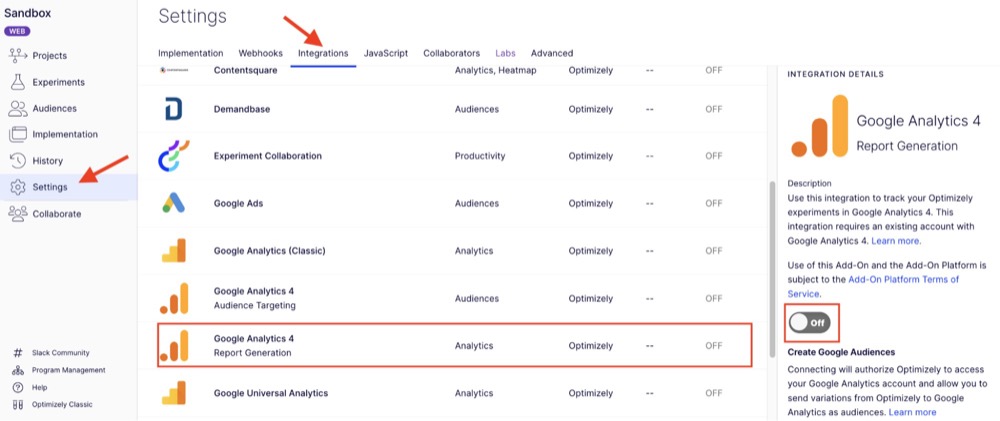
For GA4 users, the key is how seamlessly Optimizely connects experiment data with Google Analytics. Variants and audiences can be auto-synced into GA4, and impressions are passed as events so you can analyze test results alongside traffic, conversions, and revenue in GA4 or BigQuery.
- Built-in report generation: That sends experiment variation audiences into GA4 automatically, removing the need to create custom dimensions manually.
- GTM-based integration: For more control, you can route events via Google Tag Manager. Optimizely supports setting up exp_variant_string and Holdback variables in GTM to push variation data.
- Audience targeting from GA4: In Web Experimentation, you can import GA4 audiences, which allows targeting experiments based on segments built in GA4.
What are Optimizely’s Key Features for Experimentation?
- Client-side A/B and multivariate tests: Build and launch experiments through the WYSIWYG visual editor without coding.
- Server-side experiments and feature flags: Use SDKs for Java, Python, Go, JavaScript, mobile, and more to run backend tests and controlled rollouts.
- In-memory bucketing and low latency: Deliver microsecond decisioning with deterministic, server-side bucketing.
- Real-time audience segmentation: Target using CDP and ODP data, with flexible flag deliveries for gradual rollouts.
- Warehouse-native scorecarding: Run statistical analysis directly on data warehouses like BigQuery and Snowflake.
- APIs and webhooks: Automate experiment management and integrate results into your workflows.
Who Uses Optimizely?
Mostly enterprise companies, particularly brands with large volumes and complex experimentation needs. Optimizely is popular in industries like tech, SaaS, retail, and financial services. 
G2 reviews praise its robust experimentation features and dynamic segmentation, but also criticize its steep price and contractual complexity. 
How Much Does Optimizely Cost?
Optimizely does not publish pricing publicly. You’ll need to contact sales for a quote. User reports suggest plans start around $36,000 per year, with costs scaling higher for large traffic volumes and enterprise features.
3. VWO
Best for: Teams who want strong GA4 audience sync plus full-stack experimentation

What is VWO?
VWO (Visual Website Optimizer) is an experimentation and feature management platform. Its “Feature Experimentation” (formerly VWO Fullstack) combines A/B testing, progressive rollouts, feature flags, and personalization in one system. It supports experiments across web, mobile, and backend environments.
How Does VWO Integrate with GA4?
- Bidirectional audience sync: You can import GA4 audiences into VWO for targeting campaigns, and export VWO campaign variation audiences into GA4.
- Push experiment data as events/dimensions: VWO tags visitors with experiment and variation IDs and pushes that into GA4 so you can analyze behavior per variant.
- GTM option: If your GA4 is deployed via GTM, VWO supports integration via GTM, sending VWO experiment data via data layer variables and custom tags.
What are VWO’s Key Features for Experimentation?
- Visual editor for web experiments: Run A/B tests and UI tweaks without coding.
- Feature experimentation system: Unified framework for flags, experiments, and personalization in one place.
- SDK support: Client- and server-side SDKs for multiple platforms.
- REST APIs for automation: Manage campaigns, variations, and reporting programmatically.
- Data warehouse support: Export experiment data into BigQuery, S3, and other cloud storage.
- Progressive rollouts and personalization: Includes kill switches and targeting for safer, smarter deployments.
Who Uses VWO?
VWO has a broad user base across marketing, product, and optimization teams. It’s often used by teams that want both visual experimentation and backend feature flag capabilities. Because of its design, it can appeal to mid-market through enterprise customers wanting a unified platform.
How Much Does VWO Cost?
VWO prices its products and capabilities in modules, that is, they’re billed separately. Past a certain number of monthly tested users, you have to contact sales for custom pricing.
4. Kameleoon
Best for: Best for compliance-conscious enterprises

What is Kameleoon?
Kameleoon is an experimentation and personalization platform that blends A/B testing, feature flagging, and dynamic personalization into a unified system. It supports both web experiments (client-side) and full-stack/feature experimentation (server-side, SDK-driven) for flexible use across your front-end and back-end. 
One distinguishing aspect is Kameleoon’s emphasis on AI-driven predictive metrics (e.g., Conversion Score™) and deep analytics integration, so experiment insights can influence downstream personalization and remarketing.
How Does Kameleoon Integrate with GA4?
- Native, two-way integration: Kameleoon can automatically create GA4 audiences when experiments launch, and archive them when experiments end.
- Event streaming to GA4: Kameleoon supports “Event Streaming” to send exposure and variation events into GA4 (via measurement protocol/batching) for experiment reporting.
- Sync goals and custom metrics: It sends campaign goals (clicks, scrolls, pages viewed) into GA4. It also allows syncing its proprietary Conversion Score™ to GA4 for remarketing or deeper segmentation.
- GA4-to-Kameleoon audience import: You can pull in audiences built in GA4 into Kameleoon for targeting experiments or personalization. This uses a bridge: Kameleoon shares its visitor code, then fetches GA4 audience membership via APIs.
What are Kameleoon’s Key Features for Experimentation?
- Visual, no-code editor: Build and personalize web experiments without developer reliance.
- Hybrid and full-stack support: Run both client- and server-side tests in the same framework.
- Feature flags and rollout controls: Manage new releases with percentage rollouts, rollbacks, and safe deployments.
- AI predictive metrics: Conversion Score™ and predictive targeting surface likely winners early.
Who Uses Kameleoon?
Kameleoon is used by larger brands and enterprises looking for experimentation and personalization in one unified platform. It tends to appeal to organizations that already have experimentation maturity and want to layer in smarter analytics, AI, and unified data flows.
How Much Does Kameleoon Cost?
Kameleoon requires you to contact them for custom pricing.
5. SiteSpect
Best for: Teams that need server-side control and deep GA4 data linkage without client-side overload

What is SiteSpect?
SiteSpect is an experimentation tool with real-time analytics, so teams can see how GA4 segments respond as tests run. It has personalization and optimization features as well. This all sits in the traffic flow (proxy architecture), enabling both client-side and server-side tests, content transformations, and routing logic. It modifies requests/responses inline rather than relying solely on injected tags or SDKs.
How Does SiteSpect Integrate with GA4?
- WATTS (Web Analytics Tag Transformation & Segmentation): SiteSpect’s WATTS engine dynamically injects campaign and variation identifiers into your existing GA4 tags (or analytics tags) right before they fire, so GA4 sees experiment context alongside your normal analytics.
- GTM / dataLayer push method: The WATTS output can be pushed into dataLayer via script so that GTM workflows can pick up SiteSpect’s GUID, campaigns, variation IDs, and forward them into GA4 events or custom dimensions.
- GA4 audience-driven targeting (bi-directional): You can import GA4 audiences into SiteSpect and sync them to experiment audiences so GA4 segments can gate or trigger experiments.
What are SiteSpect’s Key Features for Experimentation?
- Visual editor for client-side changes: Modify HTML, CSS, or JS directly, with full SPA/PWA support.
- Hybrid experimentation: Coordinate client- and server-side experiments under one system.
- GA4 custom dimension macros: Over 40 macros to push SiteSpect campaign data into GA4 for detailed segmentation.
- No performance overhead: Proxy-based delivery eliminates flicker and latency.
- Feature flagging and rollout support: Built-in controls for gradual releases, rollbacks, and safe rollouts.
Who Uses SiteSpect?
Organizations operating at scale, with high traffic, complex architecture (microservices, SPAs, PWA), or strict performance/latency constraints often adopt SiteSpect.
Because it can handle server-side logic, content transformation, and proxying, it attracts product/engineering teams who can’t afford client-side bloating or tag management overhead.
How Much Does SiteSpect Cost?
SiteSpect is offered via custom contracts. You’ll need to contact sales for detailed pricing.
6. Shoplift
Best for: Shopify-powered stores that want experimentation with built-in GA4 support

What is Shoplift?
Shoplift is a no-code A/B testing and optimization tool built specifically for Shopify stores. It plugs into your theme and lets you run funnel experiments, theme swaps, and split-URL tests without developer lift, while also providing built-in reporting and analytics.
How Does Shoplift Integrate with GA4?
- Shoplift offers a GA4 integration (Beta): when enabled, it sends an experience_impression event to GA4 each time a visitor is bucketed into a test variant.
- It also auto-creates GA4 audiences for the original and variant experiences, so you can segment in GA4 reports.
- In Shopify settings, Shoplift asks for permission to edit your GA4 configuration so that it can write audiences for you.
- For Shopify merchants using GA4 via GTM or alternative setups (e.g., Elevar), Shoplift provides alternative configuration paths.
What are Shoplift’s Key Features for Experimentation?
- Theme swap and URL tests: Run experiments on full pages or template changes without touching code.
- Funnel and checkout experiments: Test variations across key ecommerce conversion paths, including add-to-cart and checkout.
- Lift Assist™ recommendations: AI-driven suggestions highlight the highest-impact tests to prioritize.
- Shopify-native audience targeting: Segment and target experiments based on Shopify-specific context and attributes.
- Built-in reporting: Variant performance is visualized directly within Shoplift’s dashboards for quick readouts.
Who Uses Shoplift?
Shopify merchants (small to mid-sized brands) who want more conversion optimization without hiring engineers. Teams that prefer a tight integration with Shopify rather than bringing in a general experimentation platform.
How Much Does Shoplift Cost?
Shoplift operates on a subscription model. Pricing is tiered by store volume and features, starting at $74/month for up to 50K monthly store visitors. There’s a 14-day free trial.
7. GrowthBook
Best for: Teams wanting a warehouse-native A/B tool that plays well with GA4 data
What is GrowthBook?
GrowthBook is an open-core experimentation and feature flagging platform that decouples decision logic from analytics. It supports running experiments and serving flags via SDKs, while its analysis engine runs on your own data (SQL warehouse, BigQuery, etc.). You can use it purely for feature flags or combine it with experiment analysis.
How Does GrowthBook Integrate with GA4?
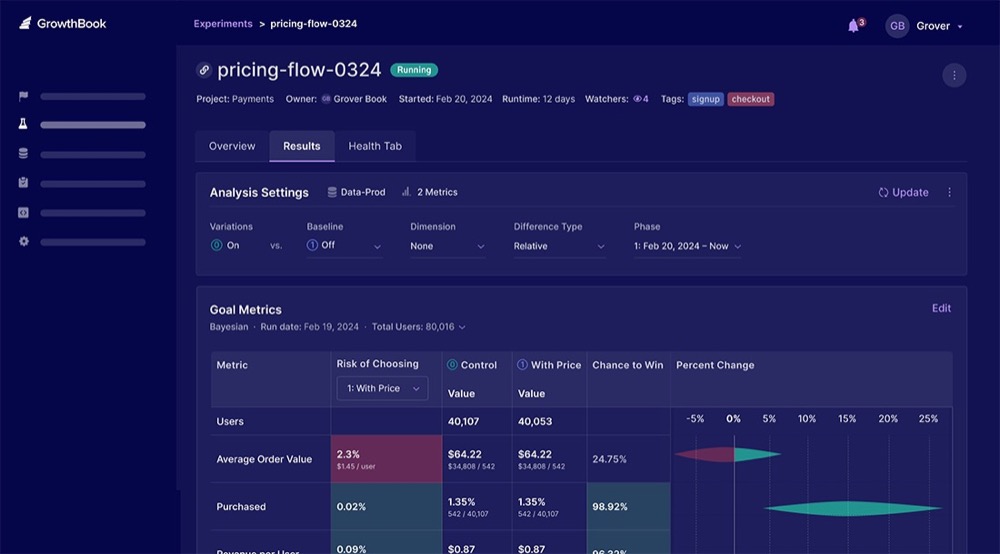
- Via BigQuery as a bridge: You link GA4 to BigQuery, then connect GrowthBook to that BigQuery dataset. GrowthBook can then run experiments using GA4 event tables.
- Automatic experiment exposure events: The HTML/JS SDK can detect GA4 or GTM presence and send experiment_viewed events (with experiment_id & variation_id) automatically.
- Custom trackingCallback possible: You can override or augment the default trackingCallback to send more detailed variant data into GA4 or other analytics.
What are GrowthBook’s Key Features for Experimentation?
- REST / API and integrations: You can configure and manage experiments, metrics, environments via APIs and connect to other tools (Slack, Datadog, GitHub, etc.)
- Deterministic bucketing and local evaluation: Experiments are evaluated client-side (or via SDK) locally without requiring a network call for each decision.
- Performance optimizations: The JS SDK supports streaming updates (SSE), remote evaluation, caching, and minimal overhead.
- Statistical engines and analysis flexibility: You pick your engine (Bayesian, Frequentist, Sequential), native support for CUPED, multiple corrections (Benjamini-Hochberg, Bonferroni), and quality checks (SRM).
Who Uses GrowthBook?
GrowthBook is used by teams who prefer controlling their data stack (analytics + experiments) rather than handing over data to a vendor. It appeals to engineering-forward organizations, data teams, and privacy-conscious teams. Because it’s open-source with optional managed hosting, it’s also adopted by startups through mid-market users.
How Much Does GrowthBook Cost?
Because GrowthBook is open-source and offers hosting or self-hosting, its cost is more flexible. The core platform is free to use (self-hosted), but advanced or managed services carry $20/user/month up to enterprise custom pricing.
8. Statsig
Best for: Teams that want to forward experiment exposures and custom events into GA4 for unified reporting
What is Statsig?
Statsig is a modern experimentation and feature management platform that unifies product experimentation, feature flags, analytics, and session replay. It’s built for engineering and product teams to run controlled experiments, roll out features safely, and measure impact using rich event data.
How Does Statsig Integrate with GA4?
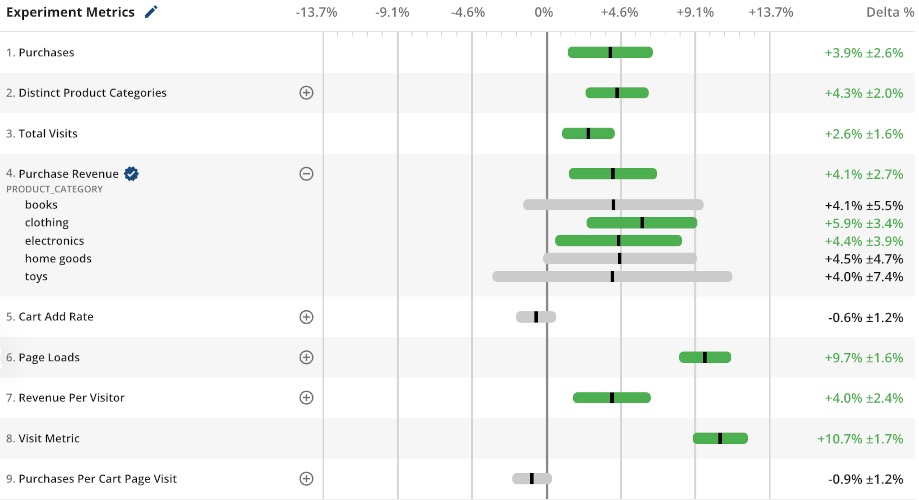
- Forwarding exposures and events to GA4: Statsig’s GA4 integration enables forwarding logged exposures and custom events from Statsig’s SDKs into a configured GA4 data stream.
- Single library integration: With the GA4 connector, you can avoid maintaining separate analytics instrumentation, since Statsig can forward its audit logs and exposures directly.
- Joining GA data in Warehouse Native: If you export GA4 data to BigQuery, you can connect that with Statsig’s Warehouse Native to define metric sources and run experiments using GA-derived user behavior.
- Configurable event filtering and enriched parameters: You can filter which Statsig events go to GA4, and include custom user attributes, experiment name, variant, and session identifiers in forwarded events.
What are Statsig’s Key Features for Experimentation?
- Rich SDK ecosystem: Supports 30+ platforms (client, server, edge) for running experiments and evaluating feature flags.
- Autocaptured events: Logging-ready exposures and conversions with minimal manual instrumentation.
- Unified feature flags and experiments: Manage rollouts and experiments in a single framework.
- Warehouse-native integration: Connect directly with your data stack for deeper analysis and reporting.
- Session replay and analytics: Tie experiment results to real user behavior for better context and debugging.
Who Uses Statsig?
Product teams that want tight coupling between feature release logic and experiment measurement often adopt Statsig. It is popular with startups, scale-ups, and engineering-driven companies that prefer a unified tool rather than stitching multiple systems together.
How Much Does Statsig Cost?
Statsig starts free and goes to $150/month for the Pro plan with more events, session replays, and more.
9. Split
Best for: Teams that treat feature flags and experimentation as code, and want to push exposure data into GA4

What is Split?
Split is a feature flag and experimentation platform built for engineering and product teams. It lets you control feature rollout logic, run experiments via SDKs and feature flags, and measure impact using backend event data. It emphasizes treating experiments as part of your application logic rather than injecting them via scripts.
How Does Split Integrate with GA4?
- Analytics and export integrations: Supports sending impression and exposure data to analytics systems via native connectors.
- Event API and custom events: You can programmatically send events to Split via its Events API (for clicks, conversions, pageviews, etc.), and metrics in Split can be built on those events.
- Segment and audience definitions: You can define segments (audiences) in Split via its API or UI and use them for flagging or experiment targeting. These segments can mirror or align with GA4 audiences for consistency.
- Feature-flag and experiment data in analytics: Because flag evaluations are part of your app logic, you can tag variant IDs or flag decisions along with your normal analytics payloads (e.g., GA4 events) so you can join experiment exposure with user behavior in GA4.
What are Split’s Key Features for Experimentation?
- Feature flags and experiments: Drive experiments directly from flags, with consistent treatments across SDKs.
- REST API, Admin API, and SDKs: Manage flags, audiences, environments, and reporting programmatically.
- Event tracking and metrics engine: Send custom events via the Events API and define experiment success metrics.
- Analytics and warehouse integrations: Export experiment data to GA4, warehouses, and CDPs for unified analysis.
- Progressive rollouts and safety controls: Enable gradual rollouts, kill switches, and safe rollbacks of features.
Who Uses Split?
Split is used by engineering-first organizations and feature-driven product teams that treat experiments and flags as part of the codebase.
Companies that have multiple services, microservices, mobile and web stacks, or strict reliability and performance needs often adopt Split for its consistency and control.
How Much Does Split Cost?
Split uses a usage-based, tiered pricing model (not fully public). Costs typically scale with the number of impressions, flag evaluations, and environments. For details, you must contact their sales team. You can create a free account and access core features.
10. LaunchDarkly
Best for: Teams that want to treat experiments as feature flags and link flag data into GA4
What is LaunchDarkly?
LaunchDarkly is a feature management and experimentation platform built primarily for software engineering teams. LaunchDarkly treats experiments as controlled feature rollouts (feature flags) that you manage within your code.
It supports SDKs across client, server, and edge contexts, tie-ins to your deployment flow, and lets you decouple release from feature enablement.
How Does LaunchDarkly Integrate with GA4?
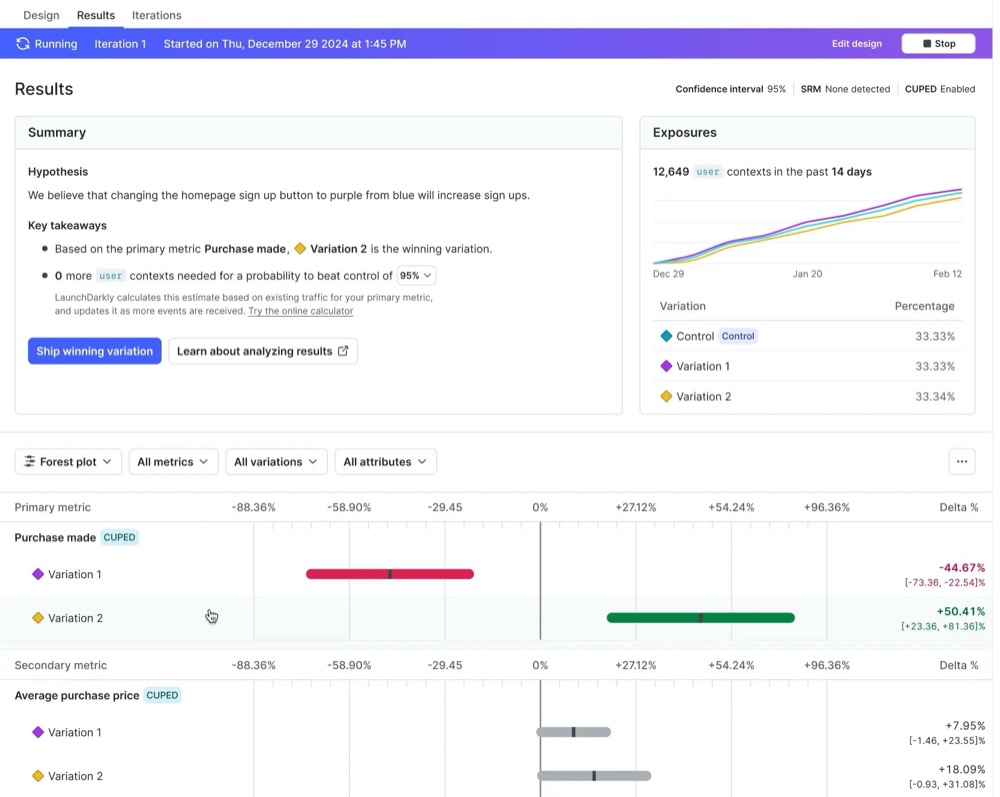
- Custom event forwarding: You can send LaunchDarkly feature-flag evaluation events (e.g., which variation a user saw) into GA4 by emitting them via your analytics instrumentation or via an integration approach (e.g., via a middleware that captures flag evaluation).
- Zapier integration: For non-dev use cases, there is a Zapier integration connecting LaunchDarkly to GA4, allowing feature-flag events or triggers to be forwarded automatically without custom code.
- Integration framework and webhooks: LaunchDarkly supports an integration framework where you can subscribe to flag events and push them to external systems (such as analytics platforms).
What are LaunchDarkly’s Key Features for Experimentation?
- Push to analytics destinations: You can stream variant and flag data into GA4 (or any analytics stack) for unified reporting.
- Integration framework: LaunchDarkly’s integration framework lets you build or use “synced segments” integrations that subscribe to flag/variation events and push them into third-party platforms.
- Context and segment sync: They help maintain alignment between your experimentation logic and analytics segments (e.g., consistency in audiences).
- SDK-level event sending and flag reasons: Supports sending custom events and flag evaluation “reasons” (why a user was assigned a variation).
Who Uses LaunchDarkly?
LaunchDarkly is used by engineering-led organizations that treat releases and feature control as core to their infrastructure. Product teams working on mobile/web apps, SaaS platforms, and distributed systems leverage it to experiment safely and deliver features progressively. Many mid-size to enterprise teams value its maturity, ecosystem, and scalability.
How Much Does LaunchDarkly Cost?
LaunchDarkly offers tiered plans. The Developer plan is free (with limited usage quotas) and suits small teams or exploration. The Foundation plan starts around $12/month per service connection for more features and scale. Higher tiers are custom and require contacting sales.
11. Mida.so
Best for: Lightweight websites and optimization teams that want fast experiments with minimal performance overhead and solid GA4 alignment
What is Mida.so?
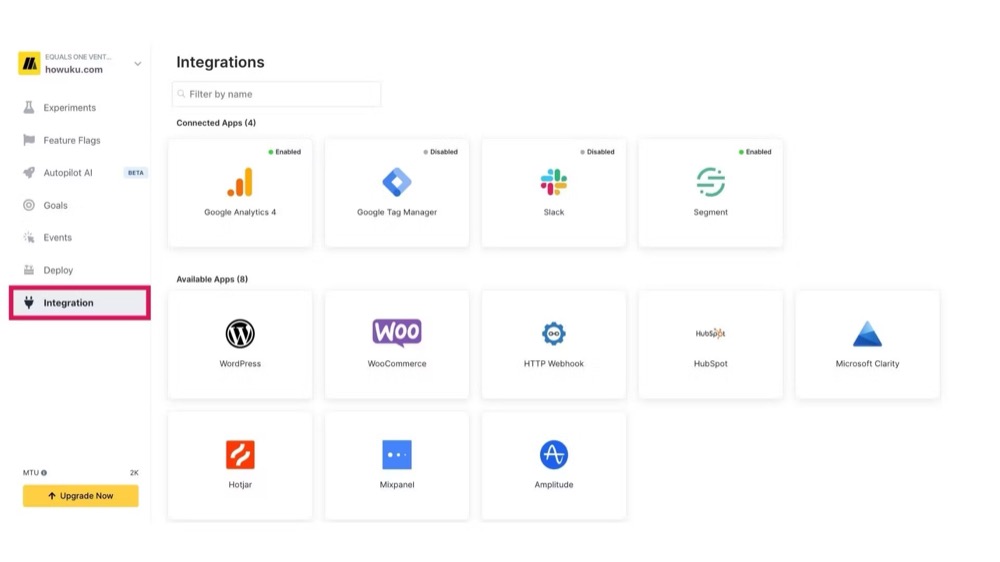
Mida is a lightweight A/B testing platform for web pages, built for speed and simplicity. It supports visual and code-based experiments, split URL tests, and basic feature flagging. It explicitly claims “easy GA4 integration” in its marketing, meaning it’s positioned for users who want experiments tied into GA4 without heavy infrastructure.
How Does Mida.so Integrate with GA4?
Its integration relies on forwarding experiment exposures and variant metadata into GA4 events and audiences.
What are Mida.so’s Key Features for Experimentation?
- Visual and code editors: Create and edit variations without developer dependency.
- Split URL and redirect testing: Test alternate pages or templates.
- Feature flagging and toggles: Basic rollout control to turn variants on/off.
- Lightweight instrumentation: Very small script footprint to reduce bias and performance impact.
- Advanced targeting rules and segmentation: Criteria such as device, geography, or custom logic.
- AI-assisted variation suggestions: Mida claims to use AI to help generate test ideas.
Who Uses Mida.so?
Mida is ideal for smaller sites or brands that prioritize site speed and want a lightweight experimentation tool. Marketing teams with limited engineering support who want to spin up tests quickly also use it.
How Much Does Mida.so Cost?
Mida.so has a free-forever plan. Paid plans start from $199/month (billed annually) for 25K monthly tested users (MTUs) and grow according to MTUs all the way to custom pricing.
12. OptiMonk
Best for: Teams running popups, on-site campaigns, or journey experiments that still want GA4 alignment

What is OptiMonk?
OptiMonk is a tool focused on pop-ups, on-site messaging, overlays, and journey-based experiments. It’s less of a full experimentation platform and more of a behavioral messaging and conversion tool with test capabilities.
How Does OptiMonk Integrate with GA4?
- OptiMonk automatically pushes necessary campaign events to Google Analytics, but you need to set up custom event tags in GTM to measure campaign performance properly in GA4.
- Its analytics/campaign analytics ability can ingest purchase events from GA4 for order tracking and revenue in its reports.
- It forwards campaign events including om_campaign_event with properties such as campaign_name, action (shown, filled, close, etc.), and variant name/ID.
- For Shopify integrations, OptiMonk also can fetch order data directly from Shopify or via GA4 to compute metrics like average order value.
What are OptiMonk’s Key Features for Experimentation?
- Popups, overlays, and onsite messaging campaigns: Build and launch targeted engagement campaigns.
- Variant testing of campaign creatives: Run A/B tests on content, designs, and triggers.
- Campaign performance dashboards: Track impressions, conversions, and assisted revenue.
- Revenue and attribution analytics: Measure direct and assisted revenue impact of campaigns.
- Integration via GTM and analytics forwarding: Send OptiMonk campaign data into GA4 for unified reporting.
- Behavioral triggers: Activate campaigns using exit-intent, scroll depth, or custom behaviors.
Who Uses OptiMonk?
Marketers, growth teams, and eCommerce sites wanting to experiment with messaging and CTAs (rather than deep structural changes). Useful for upsell popups, campaign overlays, banners, and lead capture tests.
How Much Does OptiMonk Cost?
OptiMonk starts free for 10K pageviews per month, after that it’s $19/month (billed yearly) and higher as your pageviews grow.
13. Crazy Egg
Best for: Beginner-friendly A/B testing and behavior analytics with GA4 sync

What is Crazy Egg?
Crazy Egg is a conversion optimization toolkit combining heatmaps, session recordings, surveys, popups, and basic A/B testing. It’s often used by smaller teams who want visual behavior insight and test capability without heavy infrastructure.
How Does Crazy Egg Integrate with GA4?
- Custom event forwarding: Crazy Egg sends a custom event to GA4 when a user views a variant in an A/B test. That event includes properties for the test name, test ID, variant name, and variant ID.
- GTM support: If GA4 is installed via Google Tag Manager, Crazy Egg offers an integration JSON import and instructions so variant events flow correctly through GTM into GA4.
- GA4 segmentation & metrics: Once variant events are in GA4, you can slice experiment results by user dimensions (device, country, campaign, etc.), compare page performance metrics across variants, and integrate with GA4 funnels/audiences.
What are Crazy Egg’s Key Features for Experimentation?
- Simple A/B testing interface: Test page variants (copy, layout, headlines) with minimal setup.
- Heatmaps and session recordings: Visualize engagement by experiment group to understand behavior behind results.
- Multiple conversion goals per test: Track variant performance across different KPIs and conversion metrics.
- Integrated analytics and reporting: View exposures, visits, pageviews, and conversions all in one place.
- Lightweight instrumentation: Install via script or GTM for a quick and low-complexity setup.
Who Uses Crazy Egg?
Crazy Egg is favored by smaller companies, agencies, and lean optimization teams who want behavioral insights and A/B testing without overengineering. It’s especially popular in contexts where full experimentation suites would be overkill.
How Much Does Crazy Egg Cost?
Crazy Egg starts from $29/month, but only annual billing is accepted. It offers a free 30-day trial.
Top 10 Things A/B Testers Want to Do With GA4 Data
1. Create audiences automatically for experiment variants
With advanced integrations, you can create Control and Variant audiences in GA4 the moment an experiment launches. This means every user bucket is trackable across GA4 reports without manual GTM setups or workarounds. For teams running many experiments, automatic audience sync is a huge time saver.
2. Import GA4 goals/events into experiment analyses
Most experimentation teams want their A/B tests measured against GA4 conversion goals they already trust. Some tools allow experiment platforms to pull GA4 events back into their own dashboards, aligning test results with the same KPIs the users report on.
3. Correlate experiment impact with GA4 segments
GA4’s segmentation is where much of the insight lives. Being able to slice and dice experiment results how you need to, by device type, acquisition channel, or geography, helps you understand why a variant worked, not just if it did.
4. Use GA4 audiences as experiment targeting segments
Some testing teams link GA4 audiences to their experimentation tools so they can reuse existing segments like “repeat purchasers” or “organic visitors.” It’s a convenient shortcut for consistent targeting, though most mature programs eventually move this logic into their own data or CDP layer for more control.
5. Push experiment exposure and conversion events into GA4 for multi-dimensional reports
The baseline for full integration is every impression, click, or purchase tied back to its variant. With this, you can build reports in GA4 that mix experiment data with any other dimension (campaign, device, cohort) for a true single source of truth.
6. Link experiment lift to revenue (ecommerce) via GA4
For ecommerce, variant performance ultimately comes down to revenue. If purchase data passes into GA4 and ties back to experiment IDs, you can measure not just conversions but also order value, SKU lift, and margin impact.
7. Access unsampled data in BigQuery from combined experiment and GA4 data
GA4’s direct BigQuery export is huge for advanced testers. When experiment events flow into GA4 and then out to BigQuery, you can analyze raw, unsampled data in BI dashboards, build custom statistical models, or run cohort analyses without sampling limitations.
8. Examine downstream impacts of test variants in GA4
Short-term wins can hide long-term losses. When you track experiment variants in GA4, you can look beyond conversion lift to see impacts on 30-, 60-, or 90-day retention and even lifetime value. GA4’s event-based model supports this kind of longitudinal analysis.
9. Compare test results vs campaign attribution data in GA4
Attribution often complicates experiment analysis. With experiment exposure events logged in GA4, you can overlay campaign data to see, for example, whether a new onboarding flow boosted paid search ROI while leaving email-acquired cohorts flat.
10. Ensure GA4 consent mode/privacy alignment in experiments
A/B testing tools that integrate cleanly with GA4 should respect its consent signals, ensuring non-consenting users aren’t bucketed or analyzed. Without this, results risk being skewed, and worse, non-compliant with privacy laws.
How to Evaluate a GA4-Compatible A/B Testing Software for Your Needs
Choosing the right tool goes way past “integrates with Google Analytics” claims. You need to understand what that truly means, the data quality risks, and whether the workflow is right for your team’s maturity level.
1. Match Integration Tier to Your Analytics Maturity
If you’re just starting out, lighter one-way integrations may be enough to track exposures and conversions in GA4. But as your program matures, look for tools that sync audiences, map variant data back into GA4, and connect cleanly to BigQuery. This ensures you can analyze results at the same depth as the rest of your GA4 reporting stack.
2. Check Audience Slot Limits in GA4
GA4 limits standard properties to 100 audiences. If your testing tool creates new audiences for each experiment automatically, you’ll need to manage slots carefully.
Convert auto-creates audiences for each experiment variation in GA4 but does not auto-archive them. You’ll want to periodically clean up unused audiences directly in GA4.
Learn More: Comprehensive Guide: Measuring Convert.com Split Tests in Google Analytics 4
3. Evaluate Data Freshness and Latency
Ask how long it takes for experiment data to appear in GA4. For some tools, events show up within hours; for others, it can take a full day. If you’re running fast-moving experiments, delayed data can slow decision-making.
Experiment data from Convert generally appears in GA within 24 hours (since GA4 doesn’t guarantee same-day full processing), though you can often verify it sooner in seconds with GA4 DebugView or in a few minutes with Real-Time reports.
Learn More: Measuring Convert.com Split Tests in GA4
Beyond timing, you also need to factor in sampling. Below, Ruben talks about one of the biggest mistakes he has seen teams make with GA4 in A/B testing.
The biggest mistake is assuming GA4 is helpful for all experiment analyses. However, after ~24,000 users in your experiment (12,000 in A and 12,000 in B), GA4 samples your data too much, making it unreliable for A/B test analysis.
In other words, if you use GA4 for analyzing an experiment with more than 24,000 users, your results are not trustworthy, and you might make an incorrect decision.
Ruben de Boer
If your tests regularly run at higher traffic volumes, GA4’s reporting may not be the best source of truth; you’ll want either a BigQuery export or your testing tool’s native analytics engine to keep results trustworthy.
4. Understand Variation Count Limits
GA4 can handle multiple variants, but some integrations limit you to four variations per experiment because of GA4’s dimension constraints. If your testing roadmap includes multivariate or multi-arm setups, make sure your vendor supports them without extra hacks.
Convert’s GA4 integration supports any number of variations. The only restriction you may run into is GA4’s UI limit in Explorations, not a data or integration limit.
Learn More: Integrate Convert Experiences with Google Analytics 4
5. Examine Reconciliation and Discrepancy Risk
Even with deep GA4 integration, numbers between your experiment tool and GA4 often diverge slightly. Timing windows, bot filtering, tag execution order, and consent or ad-blocking differences can all contribute.
As Ruben said:
That’s normal because they track data differently. While the numbers should be in the same ballpark, it’s crucial to agree on a single source of truth for decision-making and stick with it.
Ruben de Boer
A good vendor will clearly document expected delta ranges and how to reconcile discrepancies.
With Convert, 5-10% differences are normal. >20% gaps usually point to setup issues (e.g., wrong script order, missing redirect, handling, or blocked tags).
Learn More: Experiment Result / Reporting Discrepancies between Convert and other Systems
6. Consider Workflow Convenience for Marketers vs. Developers
For marketer-led teams, a tool that automatically pipes experiment audiences and conversions into GA4 is essential.
For developer-heavy teams, flexibility matters more. APIs, SDKs, and BigQuery exports may be the deciding factors. The best choice is the one that minimizes handoffs and lets your team focus on running more experiments, not reconciling data.
Conclusion
Whether you’re running on an enterprise-grade stack or a SaaS CRO platform with analytics, the right GA4 integration determines how trustworthy your experiment results will be.
When your A/B testing tool integrates deeply enough with GA4 to keep your audiences, events, and revenue data aligned, you’re a solid step closer to data-driven decision making you can trust.
Frequently Asked Questions
1. Does GA4 have built-in A/B testing?
No. GA4 doesn’t include a native experiment engine like Google Optimize used to. You must integrate a third-party A/B testing tool to run and manage tests.
2. How do I connect an A/B testing tool with GA4?
Search your tool’s help articles and documentation for a guide to set up a GA4 integration. If you don’t find it, confirm there’s a GA4 integration, and contact support.
You should note that most connections rely on the testing tool sending experiment events (exposure, variant, and conversion) to GA4, often via Google Tag Manager, the GA4 Measurement Protocol API, or a native connector. The tool may also read GA4 audiences via the GA4 Admin API or custom mappings.
3. Can I still run experiments after Google Optimize shut down?
Absolutely. While Google Optimize is discontinued, many A/B platforms now offer deep GA4 integrations. We’ve listed them in this article (specifically the ones listed as tier 1). Examples are Convert, Optimizely, VWO, SiteSpect, and Kameleoon.
4. What are the best A/B testing tools for GA4?
“Best” depends on your needs, but some top choices with strong GA4 support include Convert Experiences, Optimizely, VWO, Kameleoon, and GrowthBook. (We cover the full list in this article.)
5. Which GA4-compatible tools are best for a small business?
For small businesses with limited traffic and budget, lean tools that push variant events into GA4 (but don’t require full two-way sync) can work well. Look for platforms that offer free tiers, low minimums, or plug-and-play GA4 connectors.
6. How do I measure experiment results in GA4?
You set up custom events or use experiment event parameters (variant labels) and then compare metrics (e.g., conversion rates) across those variants in GA4 reports or Explorations. The testing tool may also import GA4 goal definitions for consistent comparison.
7. What is the best GA4 alternative to Google Optimize?
“Best” depends on your goals. If you want deep GA4 integration, go for platforms offering two-way audience sync, variant mapping, and BigQuery compatibility (e.g., Convert, Optimizely). For lighter needs, tools that push experiment events into GA4 may suffice.
8. Can I run server-side testing with GA4?
Yes. Using server-side tagging or the GA4 Measurement Protocol, you can run backend experiments and send events to GA4 without relying solely on client-side scripts. This method is especially useful for tests that require privacy, reliability, or control over tracking.


Written By
Uwemedimo Usa
Edited By
Carmen Apostu