How to Safely Run Autonomous Experimentation Loops in Convert Experiences


- An autonomous experimentation loop automatically identifies active tests, reads their results, and acts within limits you set in advance.
- Maintain security by granting the loop least-privilege credentials, such as read-only access, to limit risk.
- Ensure statistical rigor using sequential testing and enforcing minimum runtimes to prevent acting on random noise.
- Convert Experiences supports autonomous experimentation loops with six SDKs, an MCP server, sequential testing, and server-side approval rules.
An autonomous experimentation loop helps teams act on test results sooner. Because the loop reviews every experiment in the account on each run, it also picks up issues that are easy to overlook during manual reviews, such as flags stuck at partial allocation or goals that stop firing midway.
This guide walks through building an autonomous experimentation loop in Convert Experiences, from the SDK call to the scheduled prompt. It also covers the risks you should plan for, and what you can do to keep your autonomous experimentation loops honest.
What Is an Autonomous Experimentation Loop?
An autonomous experimentation loop is a scheduled agent that finds live experiments needing attention, reads their results, and acts within limits set in advance, then repeats on a cadence.
This is different from experiment monitoring. When you monitor an experiment, a person chooses which experiment to look at and uses a tool to check its results. In an autonomous loop, the agent queries your account on its own to determine which experiments need attention, based on criteria such as runtime, allocation, goal activity, or statistical significance.
What Are the Five Stages of a Loop?
The pattern breaks into five stages, each with a direct equivalent in experimentation:
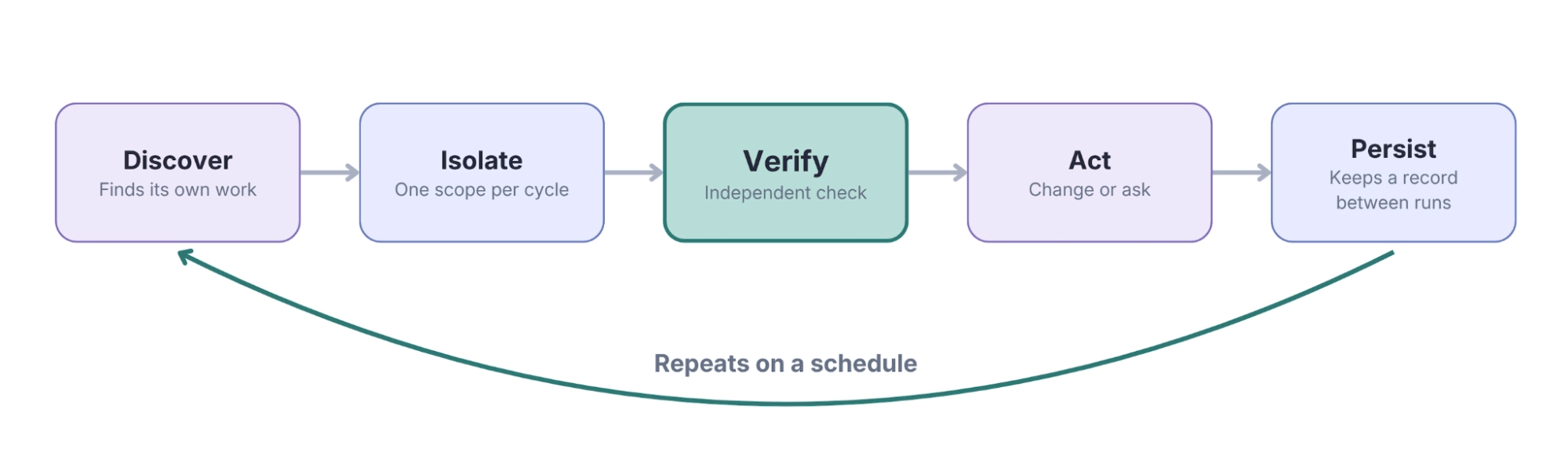
- Discover: The agent queries your account for experiments that need attention.
- Isolate: Each cycle works within a predefined boundary, so one change does not contaminate the reading on another experiment.
- Verify: An independent check confirms whether the result is real. The agent shouldn’t grade its own work.
- Act: The agent changes something or asks a human for permission to do so.
- Persist: The decision goes into a record that outlives the run, because the agent starts every cycle with no memory of the last one.
The schedule is what turns these stages into a loop.
Which Convert Experience Types Does a Loop Run On?
A loop works with both Fullstack experience types in Convert Experiences.
An ‘a/b_fullstack’ experience splits traffic between variations and measures the difference against that control.
A ‘feature_rollout’ widens an already-approved feature to a growing share of users. Here, we check whether the change holds up under load.
A full loop covers both experience types. You test with a control, learn what the change does, release and monitor the rollout.
Why Are Autonomous Loops Suddenly Everywhere?
The term “loop engineering” took off after Peter Steinberger, founder of OpenClaw, said that you should stop prompting coding agents and start designing loops that prompt them.
Within days, Google Cloud AI director Addy Osmani wrote it up: “Loop engineering is replacing yourself as the person who prompts the agent.” His framework includes five components: automations, worktrees, skills, connectors, and subagents, plus external state, so progress persists between runs.
In our five stages, worktrees become experiment scope, and subagents become the control group.
In case you missed it, there’s a catch. An agent checking its own work will pass it. Every serious account of loop engineering needs something or someone outside the agent to check the work. More on this below.
What Does an Autonomous Loop Need From Your Stack?
It needs your backend code, which owns the feature, and the Convert MCP server, which gives the agent a way to read results and, if you allow it, make changes.
Convert Experiences ships six fullstack SDKs, and they all share the same flag, rollout, targeting, and bucketing model:
| SDK | Runs in |
| JavaScript / TypeScript | Node backends and server-rendered apps |
| Python | Django, Flask, FastAPI services |
| PHP | Laravel, Symfony, WordPress stacks |
| Ruby | Rails applications |
| iOS | Native iOS apps |
| Android | Native Android apps |
How Do You Connect Claude to Convert?
Convert Experiences gives you two ways to connect Claude.
The Hosted Connector
Located at https://mcp.ai.app.convert.com/mcp, this option is ideal for interactive chat. You log in through your browser and select the projects Claude can access. It handles its own credentials for up to 30 days, but after that, a human needs to sign back in. Because of this monthly check-in requirement, it isn’t ideal for set-and-forget automated loops.
The Local MCP Server
For true background automation, use @convertcom/mcp-server via npx. It authenticates using an Application ID and Secret Key, signing every request on the fly. Since nothing expires on a timer, the loop won’t need anyone to sign it back in.
Neither connection method includes built-in scheduling. Instead, the timing depends on how you run Claude:
- Claude Code Routines: These run directly in Anthropic’s cloud on flexible schedules (hourly, daily, or weekly). A routine spins up the local MCP server using a .mcp.json file in your repository.
- Desktop Scheduled Tasks: These run locally on your machine, so your computer must be powered on and active when the task is triggered.
⚠️ SAFETY TIP: Store your API keys safely in environment variables rather than committing them to code, and remember to whitelist Convert’s API domain in your environment settings.
Also, keep in mind that automated routines execute tools without interactive prompts, so setting appropriate credential permissions is your primary safety control.
What Should the Agent Be Allowed to Access?
Think of ‘TOOLS_FOR_CLIENT’ as the agent’s permission dial on the local server. Setting it to ‘reporting’ lets it look at test results, ‘readOnly’ lets it inspect your experiment setups and history, and ‘all’ hands it the power to make live changes.
If you use the hosted connector instead, ‘TOOLS_FOR_CLIENT’ isn’t used. Instead, you pick a project scope and maximum role when signing in, ensuring the agent can never exceed those boundaries or your own account privileges.
But the role behind the credential matters more than either setting. Convert Experiences allows account owners and managers to bypass standard approval steps by design. If an owner generates an API key for the local server and sets ‘TOOLS_FOR_CLIENT=all’, the agent gets manager-level authority and skips peer reviews entirely.
To keep things safe, issue the agent’s key from a limited role and verify in a sandbox that safety rules actually block unauthorized actions. Writing “don’t change anything” in the prompt will not make it read-only.
Discover: How Does the Loop Find Its Own Work?
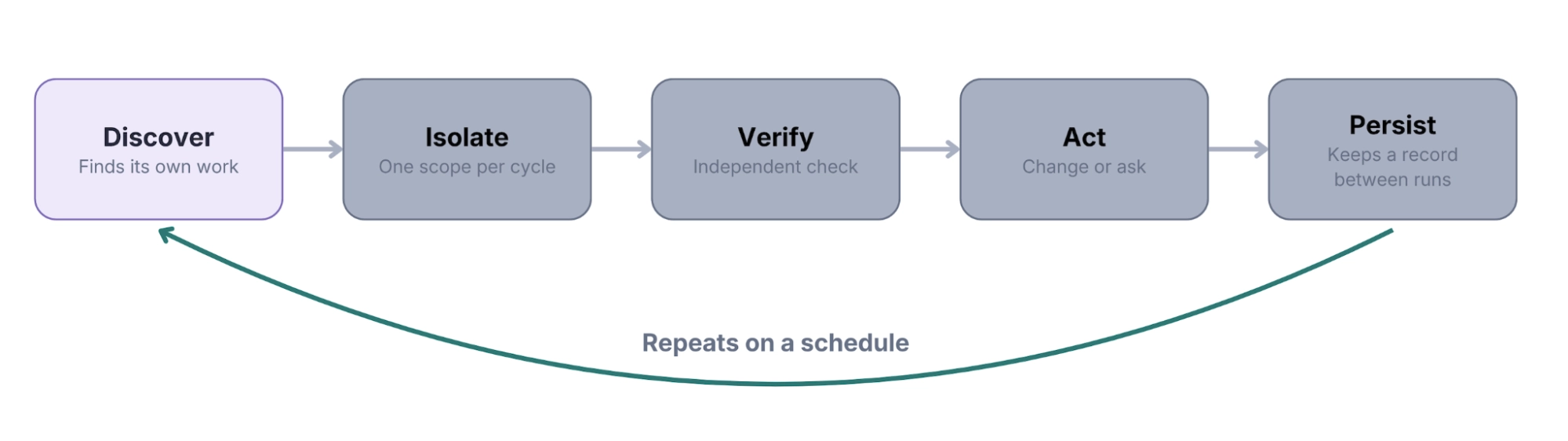
Convert exposes a set of operator workflows through its MCP server, and they cover most of what a discovery run needs:
- Active health checks
- Portfolio summaries
- Velocity analyses
- Implementation health checks
- Cleanup candidates
You can ask for all active experiments and their current performance, or for the ones that have reached significance, or for anything showing a concerning negative trend.
There are four things we recommend you include in every run:
- Tests past their minimum runtime
- Flags stuck at partial allocation
- Goals that stopped firing
- Experiments without an owner
The last two don’t show up as failures anywhere, but they corrupt the numbers the rest of the loop reads.
Note: Deploy experiences do not track visitors by design, so showing zero visitors is expected. Also, if a reading fails, the loop should report the status as unknown instead of assuming zero conversions or full health.
Discovery is also where you can run a loop safely before you’ve granted it any write access. With read-only access and nothing else, the agent produces a list and stops. We recommend running this for a few weeks before you go further.
Isolate: How Do You Stop One Change Contaminating Another?
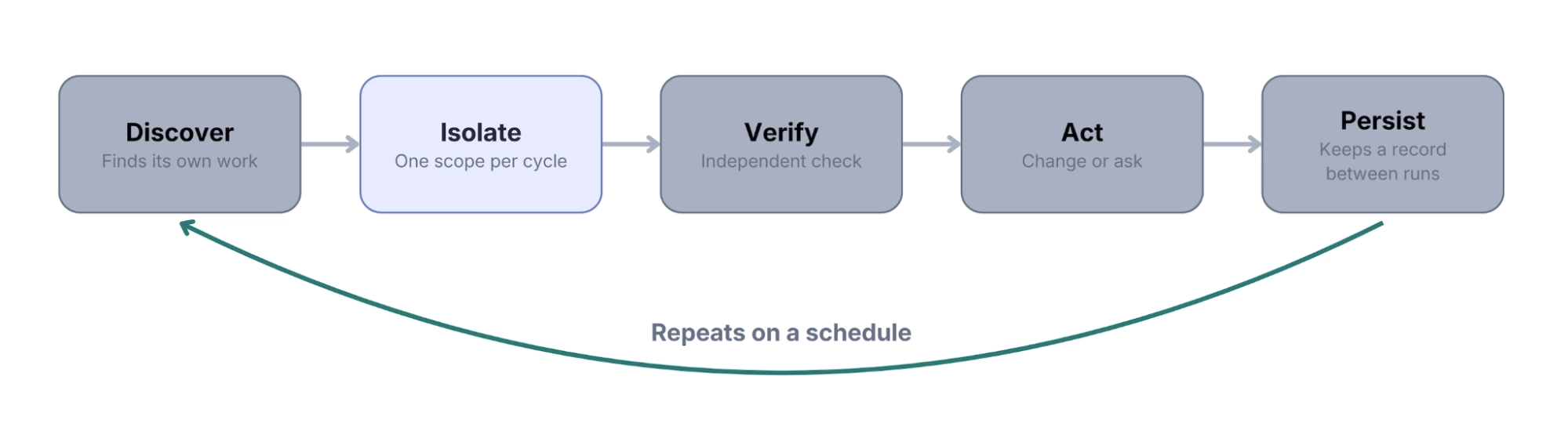
Osmani’s version of this stage is worktrees, so two agents editing the same repo can’t collide. In experimentation, overlapping changes contaminate the results you base your decisions on.
You can set two boundaries for isolation:
- Scope the credential: Give the loop the narrowest scope and the lowest role that does the job. Once changes are allowed, they propagate to everything the credential can see, so a loop meant for staging should never hold a credential that can reach production.
- Change one thing per cycle: If the loop adjusts allocation on three live experiences in the same run, and conversion moves, you won’t know which change did it. Add an instruction such as “act on no more than one experience per run and report on the rest.”
Nothing in the platform rate-limits configuration changes. Whoever (or whatever) runs the loop has to stop two runs from overlapping, wait between changes, and read each change back before trusting it or retrying.
Verify: Why Can’t the Agent Check Its Own Work?
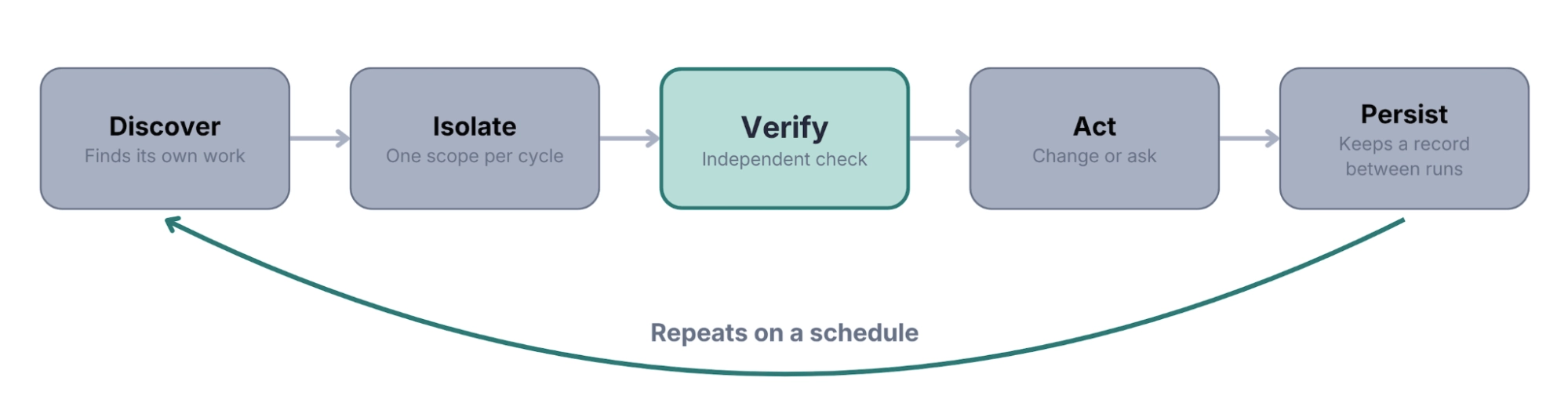
The maker and the checker have to be different things.
As Osmani puts it, the model that wrote the code is “way too nice grading its own homework.” We recommend using a separate, smaller model (such as Claude Code’s /goal or other) to perform checks.
Why Does Frequent Checking Break a Test?
A standard fixed-horizon test assumes you evaluate results once at the end, using a pre-calculated sample size. Simply viewing the data won’t change your numbers, but taking action on those interim peeks will. Every time you evaluate a test with the option to stop or ship early, random noise gets another opportunity to cross your significance threshold.
Run your automated loop once a day, and the agent gets 7 opportunities per week to make a false-positive call. Check every six hours, and it gets twenty-eight chances.
The fix is to separate looking from acting. The loop should only act under rules you set before it started.
Turn on sequential testing first. Sequential testing is designed specifically to handle continuous monitoring. Sequential testing is a frequentist method, and Convert Experiences implements it via Asymptotic Confidence Sequences (based on Waudby-Smith et al., 2023, and building on Howard et al., 2022). This approach controls your false positive rate across continuous checks, provided the loop adheres strictly to its stopping rules.
Sequential testing isn’t on by default. New experiences start with a standard two-tailed test, and sequential testing is available only on specific plans. If your plan supports it, turn it on before launching a loop and have the agent verify each experience’s active statistical settings.
Keep in mind that sequential testing won’t fix broken event tracking, sample ratio mismatches (SRM), or a loop that continuously hunts for winning metrics.
The default tuning parameter is 5,000 visitors. You can adjust it. Raising it demands more evidence before significance can be declared.
Lock your primary goal and guardrail metrics before launch, and don’t let the loop change either mid-test. If your project uses Bayesian statistics, ensure your loop evaluates chance-to-win and risk metrics instead of frequentist significance. Whichever methodology you select, lock in your primary goals and guardrail metrics before launching, and restrict the loop from swapping metrics mid-test to chase positive results.
Set the Minimum Running Time to cover at least one full business cycle and don’t let the loop change traffic allocation on a running A/B test. Ramp traffic only on rollouts. If someone does change traffic mid-test, use Fixed MDE rather than Dynamic, because the ramp itself corrupts the dynamic calculation.
Convert Experiences suppresses significance until each variation reaches 10,000 visitors and 100 conversions, and applies multiple comparison corrections to tests with several variations. These floors can be customized per project, so the loop should read and follow your settings.
How Often Should the Loop Run?
Match the cadence to how long your metric takes to arrive, rather than to how often you want news. A checkout conversion rate on high traffic is recorded minutes after a visitor is bucketed in the test. But a trial-to-paid conversion can’t be counted until the trial ends.
Slower is usually right. A daily run on a two-week test still gives the agent fourteen chances to catch a problem, and it takes a quarter of the chances to act on noise.
How Can a Loop Corrupt Its Own Evidence?
Using Dynamic power mode introduces a hidden risk when combined with an automated agent. In this mode, an early or temporary spike in calculated lift (for example, due to normal traffic fluctuations early in a test) can artificially inflate the detected effect size. This locks the Minimum Detectable Effect (MDE) at an overly optimistic level, which in turn reduces the sample size the system thinks it needs to declare a result.
Consequently, the test can reach its required sample size early and complete prematurely before enough true data has been gathered.
Convert documents a clear solution for this risk, which is to extend the Minimum Running Time, or switch to Fixed mode where you manually define the MDE based on the smallest meaningful effect you want to detect.
Here is how an automated agent can unknowingly trigger this feedback loop:
- The agent observes an early positive metric and automatically increases traffic allocation to that variation.
- This sudden shift in traffic distribution temporarily inflates the observed lift.
- Dynamic power mode uses this inflated lift to set a high MDE, artificially shrinking the required sample size.
- The test hits its newly reduced sample threshold and automatically completes on insufficient evidence.
In short, the automated agent corrupts the statistical checker’s evidence. While Convert created these safeguards for human operators adjusting traffic manually, enforcing them is even more crucial when automated loops run without direct human supervision.
⚠️ SAFETY TIP: Raise the Minimum Running Time on anything the loop can touch. New projects default to one day. It’s set in days at project level, can be overridden per experience, and it’s the cheapest insurance in this article.
Set it above the time your metric actually takes to arrive, so the loop can’t act before the data exists.
Check, too, whether the experience already has keep-winner, stop-loser, or multi-armed bandit settings on. A loop and Convert Experiences’ own automation, when acting on the same test, will conflict with each other.
Act: What Should the Loop Be Allowed to Change?
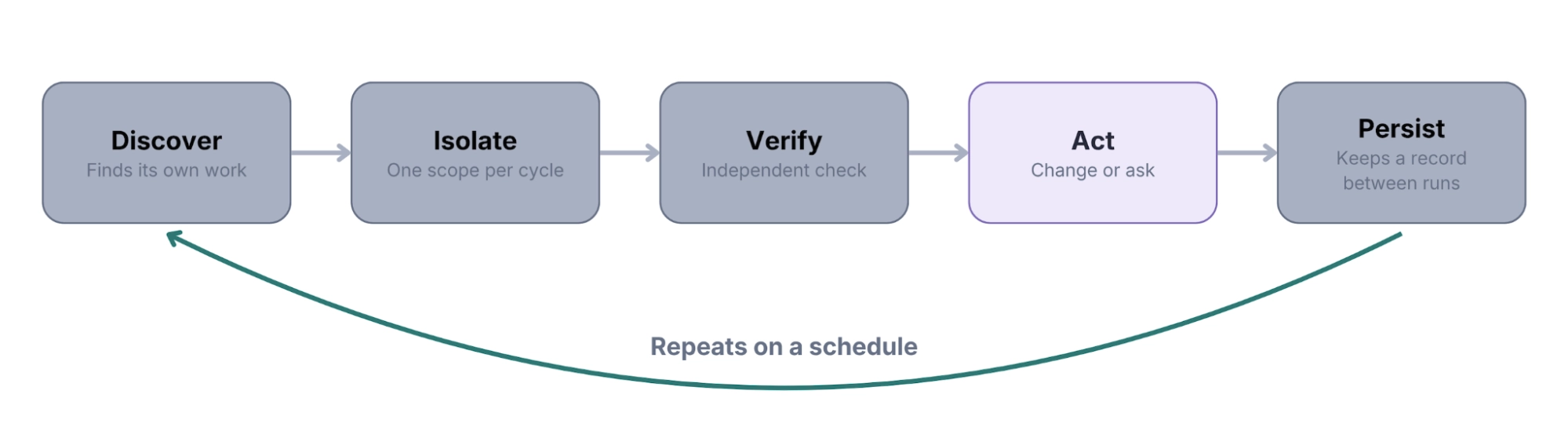
With write access, an agent can do much more than adjust traffic.
It can pause, complete, or archive experiments, change traffic splits, and modify goals, audiences, or feature settings directly. However, having access to a tool doesn’t guarantee a change will be allowed. Permissions, plan level, and user roles still apply.
Before running the agent, clearly define boundaries. Decide which actions it can take on its own, which require human approval, and which are strictly off-limits.
Is Switching a Rollout Off Safe to Automate?
While turning off a rollout is relatively low-risk, it still requires careful verification.
A rollout is a ‘feature_rollout’ experience with a single variation, so you don’t set a target percentage. To switch it off, you either set its traffic allocation to 0% or pause the experience, which stops assigning new visitors.
However, stopping an experience doesn’t automatically turn off the feature for users. Existing user assignments, other overlapping experiences, SDK configuration refresh delays, and default fallback values all determine what users actually see. If your code fallback keeps the feature enabled, pausing the rollout will leave it active.
Pausing an experience, setting traffic to zero, or modifying variation splits takes effect instantly without asking for confirmation. Activation requires a basic confirmation, while deletion requires a two-step confirmation. However, an automated AI agent can satisfy these prompts on its own. These confirmation prompts only slow down the loop. They don’t require human intervention.
Establish a clear shutdown policy before running the loop. Define which experiences the agent can disable, what evidence it needs, and how it should verify the outcome. Test this policy in a sandbox environment, and inspect the SDK’s actual response after any change. If an action is denied due to missing permissions, the loop stops and logs the event instead of attempting workarounds.
Where Does a Human Stay in the Loop?
Convert Experiences uses a server-side Request Approval System to review important changes before they go live, whether submitted through the app or an AI agent via the MCP server.
This system applies to activating, pausing, and modifying live settings (such as traffic allocation). Currently available in beta, and availability depends on your plan of September 2026, approval rules apply whenever an action falls within a rule’s configured scope.
When an automated loop encounters a gated change, it follows a simple step-by-step workflow:
- The loop attempts the exact change it’s allowed to make.
- Convert Experiences refuses it with an approval-required response.
- The loop reports what it tried and why, and checks whether a matching request is already pending.
- If none is, and its instructions say to, it submits a request.
- A separate reviewer approves or rejects it.
- Approval doesn’t apply the change. The loop’s next run repeats it, and that attempt uses up the approval. One approval covers one action.
To ensure human oversight remains effective, avoid using account owner or manager credentials for the loop (as these bypass approvals entirely). And never grant the loop reviewer permissions. If the loop’s credential is the only reviewer on a rule, its changes go straight through instead of waiting for approval, and the approval history still shows the request as approved.
Be sure to test this workflow in a sandbox first. Anthropic’s routine documentation notes that saved prompts cannot grant consent or approval during execution, so verify that background runs properly submit approval requests as expected.
Convert Experiences can email a configured list of reviewers when an approval is pending. Reviewers and notification recipients are separate lists in the settings, so an empty recipients list means nobody is notified. Until native MCP notifications are supported, status updates and alerts must be handled by your scheduling platform.
Persist: What Survives Between Runs?
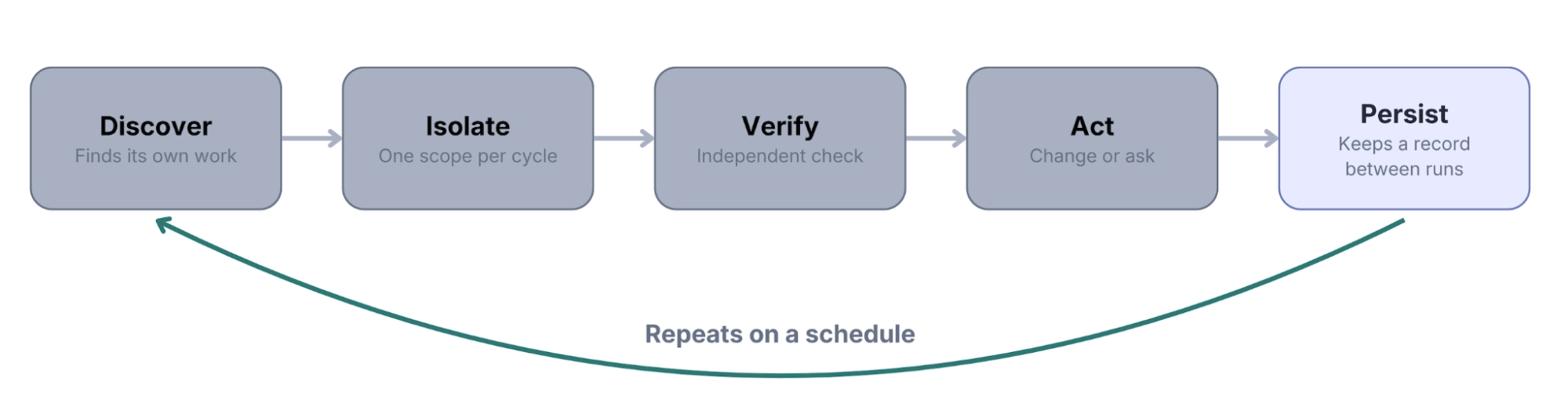
Your agent starts every cycle knowing nothing, so the memory has to live outside the conversation.
With Convert Experiences Change History, you get a record of every change, who made it, and when it was made. Approval history records who submitted a request, which experience it touched, which action it was, what was decided, who decided it, and when.
Give the loop a second memory of its own (think: a .md file or a Google spreadsheet) holding what it looked at last run, what it changed, and what it decided to leave alone.
That record should also hold the time of the loop’s last successful check. If a key is revoked or a permission changes, the loop goes quiet, and silence looks exactly like nothing to report.
Which Risks Should You Plan For With Automated Loops?
| Risk | What it looks like | What catches it |
| The credential can do more than you think | Approval rules are on, but the loop’s changes land without a request, because an owner created its key | Change History shows it afterward. A lower-role key, tested against an approval rule in a sandbox, prevents it |
| Fast changes on thin evidence | The loop pauses a test or moves traffic to zero a day after launch, with no confirmation step | Visitor and conversion floors stop significance being calculated early. A longer Minimum Running Time and a written shutdown policy cover the rest |
| The right data, misread | The loop reads the wrong project, goal or date range, treats an uncalculated value as a real one, or reads a Bayesian test’s “done” state as significance | The loop confirms which experience, goal and settings it’s reading before it looks at results, and reports missing evidence as unknown |
| Repeated or conflicting changes | Two runs overlap, a retry repeats a change that already landed, allocation swings back and forth, or the loop fights Convert Experiences’ own keep-winner automation | Only the runner. One run at a time, capped changes, and a readback before any retry. |
| The loop goes quiet | A hosted sign-in expires, a permission changes, or a data source goes down, and checks stop without anyone noticing | Record the time of the last successful check, alert when it gets too old, and make no changes until a check succeeds. A routine’s green status only means the session ran, not that the task succeeded |
The first two risks compound. An owner-created key can pause an experience a day after launch without confirmation or review.
Getting started
Start with read-only access to discover open work. When you’re ready to let it act, enforce strict verifiers, i.e., enable sequential testing, extend your Minimum Running Time, and route write permissions through Convert’s approval guardrails.
Set up this way, your autonomous experimentation loop becomes a reliable extension of your team.
Frequently Asked Questions About Autonomous Experimentation Loops
An autonomous experimentation loop is a scheduled AI agent that finds live experiments needing attention, checks their results, and acts within predefined limits.
In Convert Experiences, the agent connects via the Convert MCP server and operates in five repeating stages, namely, discover, isolate, verify, act, and persist. The verification stage relies on external safeguards, such as control groups and statistical settings, rather than the agent’s own assessment.
Yes, unless an active approval rule covers both the specific action and Claude’s credential. As of October 2026, Convert’s Request Approval System (currently in beta, availability depends on your plan) applies to activating, pausing, and modifying live experiences via the MCP server. However, because account owners and managers bypass approval rules by design, the loop must use an API key created under a lower-level role.
A scheduled loop should use the local Convert MCP server, which authenticates with an Application ID and Secret Key and needs no browser sign-in. The hosted connector requires a manual browser sign-in after up to 30 days, making it better suited for interactive chat than continuous background automation.
No. As of October 2026, new experiences default to a two-tailed frequentist test. Sequential testing uses Asymptotic Confidence Sequences to control false positives during repeated checks. It’s only available on some plans. It should be enabled before allowing an automated loop to act on an experiment.
Checks should match how quickly the primary metric can actually change. For example, a checkout conversion is recorded minutes after a visitor is bucketed in the test, so checking daily will provide some data.
Meanwhile, a trial-to-paid conversion can’t be counted until the trial ends, which may be 14, 15, or 30 days. Running checks every six hours for that trial-to-paid test won’t yield anything useful.
Checking more frequently won’t accelerate statistical validity, but acting on every check increases the risk of reacting to temporary noise.
A rollout is a single-variation ‘feature_rollout’ experience. You turn it off by pausing it or setting its traffic allocation to 0%. To confirm whether users actually lose access, verify the SDK return values, as existing assignments, fallback values, or overlapping experiences may keep the feature active.
While pausing is low-risk, it still requires guardrails because pauses take effect immediately without confirmation. Since new projects default to a one-day Minimum Running Time, an agent could pause a test prematurely. To keep it safe, extend the Minimum Running Time, establish clear shutdown criteria, and test the policy in a sandbox first.


Written By
Uwemedimo Usa
Conversion Rate Optimization, Conversion Copywriting, B2B SaaS Content Marketing +3 more
Conversion Rate Optimization, Conversion Copywriting, B2B SaaS Content Marketing, A/B Testing Tools Evaluation, Generative Engine Optimization, A/B Testing Statistics Show less
Edited By
Carmen Apostu