SPA A/B Testing: How to Test Single-Page Apps and the 7 Best Tools for It


- A single-page application rewrites its content in the browser instead of loading a new page from the server. Because of this, a standard A/B test doesn’t work.
- SPA experimentation splits into two jobs. Client-side tools change what renders in the browser, while full-stack SDKs decide the variation in application code before rendering.
- Most testing platforms treat these as separate products, one for client-side experimentation and the other for server-side. Convert Experiences splits them across Web Testing and Fullstack projects.
- This article lists 7 SPA A/B testing tools: Convert Experiences, Optimizely, Wingify, Kameleoon, Adobe Target, Statsig and Eppo.
Running A/B tests on a single-page application (SPA) used to require custom coding.
That’s because unlike regular web pages, SPAs update content directly in the browser instead of loading new pages from the server. The pages re-render and URLs change without full page reloads, which break traditional A/B testing tools and cause SPA experiments to fail.
But modern tracking scripts, including Convert’s, handle these dynamic behaviors automatically, allowing you to experiment reliably on SPAs.
This guide explains how SPA A/B testing works across client-side and full-stack environments, pitfalls to avoid, and the 7 best tools for running SPA experiments in 2026.
What is A/B Testing on a Single-Page Application (SPA)?
A single-page application is a website or web application that runs in your browser. It loads one HTML document and then rewrites its contents in the browser as you interact with it.
Click a product, open a filter, go to checkout, and the JavaScript framework swaps the content in place while updating the address bar through the History API. The server is never queried for a new page.
It’s the opposite with a multi-page application (MPA). With MPAs, every navigation is a request to the server. The browser discards the old HTML document and builds a new one from what the server sends back.
Examples of SPAs (sometimes called dynamic websites) include Gmail, Netflix, YouTube, and Facebook, built with frameworks such as Angular, React, Vue, and MeteorJS. Their initial page loading speed may be slow, but after that, navigating these sites is fast because moving between views is a simple data fetch rather than a full reload.
In principle, A/B testing works the same for both SPAs and MPAs. The traffic is split, the variation is served, and you measure the outcome. But the execution is where SPA A/B testing is different. A standard A/B test assumes that the page being tested remains unchanged. If the page were to change, you would have to reload the entire page. But that’s not the case with SPAs.
Why Can’t You Test a SPA the Way You Test a Standard Site?
#1. Your change gets overwritten: If you make a change to the page (the change you’re testing), the framework can overwrite it when updating the page. Your test keeps running, but visitors won’t see the variation, making variation appear ineffective in the results.
#2. The page URL changes without the page reloading: When visitors click around, the URL in the address bar updates without refreshing the page. A traditional A/B testing tool won’t notice that the visitor moved to a new section, so it won’t show the right variation or track whether they completed an action.
#3. Constantly checking for changes slows the site down: A simple fix is to configure the testing tool to reapply your changes whenever the page updates. But on a fast-changing site, checking too often creates lag and slows the site for visitors.
#4. Page loading timing is tricky: Modern websites often load basic page elements first and then run code to make them interactive. If your test changes the page too early, the site’s code wipes out your changes. If it applies them too late, visitors see the original content flash on screen before the test variation appears.
What Makes Coding an A/B Test On an SPA Harder Than on a Standard Site?
Joseph Samir builds tests on client sites as a Senior Fullstack Developer at Convert. Asked what makes SPA A/B testing work differently, he goes straight to the virtual DOM.
What makes coding on an SPA challenging is the virtual DOM. The framework keeps re-rendering the page underneath you, which opens up a lot of extra ways for a test to fail. Your changes get overwritten by a page mutation, the URL changes without a real page reload so the test never re-evaluates, and if you react to every mutation you end up re-applying code so often that the site itself starts to lag.
Joseph Samir, Senior Fullstack Developer at Convert
Joseph told us about his first A/B test built on a SPA, which was a quick shop for an online store. The variation targeted collection pages and added a button to every product. Clicking the button opened a pop-up that pulled content from the product page, allowing a shopper to add an item to their cart without leaving the collection.
He budgeted his time for the pop-up.
I spent most of the build on what I thought was the complicated part: the popup itself, lazy-loading its content, and some fancy loading animations for the click… and then was surprised that the hardest part was actually putting the button on each product correctly.
Joseph Samir
The collection page didn’t provide unique identifiers, making it hard to target individual product cards in the code. Because new products loaded automatically as users scrolled, fresh product cards kept appearing without buttons, while existing ones already had them. Additionally, frequent page updates made the site run slowly if the test responded to every change.
To fix this, he used three strategies:
- Delay checking for page updates
- Tag each product card with a unique ID to distinguish them, and
- Add missing buttons only when needed.
It was the first A/B test I had built on an SPA, and what ate most of my time was figuring out how to re-apply the test safely, without crashing the customer’s site.
Current tracking scripts now handle part of that work. Convert Experiences’ script keeps variation changes through re-renders and re-checks locations and goals when the route changes, so the persistence and detection work Joseph wrote by hand is handled for you.
However, no tracking script can invent a selector for a site that does not have one, or figure out which of 40 identical product tiles is which. So, that part is still yours.
How Do You Run an A/B Test On a Single-Page Application?
SPA experimentation is split into two jobs:
Client-Side Testing (The Tracking Script)
A client-side test runs in the browser. The A/B testing tool loads, selects a variation for the visitor, and updates the page, which has already been rendered. This works well for simple visual changes like headlines, layouts, button text, pricing displays, or new page components that you can design without code.
To work on an SPA, the tool must keep its changes active while the page re-renders. It must also detect route changes that happen without a full page refresh.
Convert Experiences handles this by detecting framework hydration, maintaining variation changes across DOM re-renders, and updating targeting rules when the route changes.
Full-Stack Testing (SDKs and Application-Side Decisions)
A full-stack test runs in the application. It makes the experimentation decisions before anything renders for the visitor.
In this type of test, your application code asks the SDK which test bucket the user belongs to, then routes them to the appropriate variation.
Pricing logic, recommendation algorithms, checkout flows, search ranking, feature rollouts, and other examples of what you can test in full-stack testing can only be tested deeper in your stack, where creating a variation can’t be done by changing something on the UI.
Convert Experiences offers six Full Stack SDKs, covering JavaScript, PHP, Ruby, Python, Android and iOS. The JavaScript SDK runs in Node.js and in the browser, and can be imported into React, Vue, and Angular projects, though it must be transpiled to work in client browsers.
We have guides for each of these below:
- Running Experiments on an AngularJS Page
- Running Experiments on a VueJS App
- Running Experiments on a React Page
There are two implementation costs to keep in mind.
#1. The SDK does not manage persistence for you, so if you want the same user to stay in the same variation across sessions, you need to provide your own DataStore. Audiences in a Fullstack project are also transient by design, meaning their conditions are rechecked every time a user encounters the experience.
#2. As of September 2026, Full Stack and Feature Flags are included on Convert’s Pro plan and above, which starts at $599 per month billed monthly, or $420 per month billed annually. The Growth plan, at $399 per month, covers client-side testing only.
Client-side SPA testing is available on Growth. Tracking-script behavior such as detecting pushState and replaceState navigation, re-evaluating locations and goals, and running an experience when a new location matches is not a plan feature. The restriction on Growth is in how an experience activates after its location has been evaluated.
| SPA requirement | Growth | Pro |
| Detect pushState / replaceState navigation | Yes | Yes |
| Re-evaluate locations and goals on SPA navigation | Yes | Yes |
| Run the experience when a new location matches | Yes | Yes |
| Element-interaction and callback-based activation | Upon Location Run only | Full trigger set |
Which Approach Does Your Test Need?
Choose your testing approach based on where the variation logic lives:
| If you’re changing… | Use |
| Layout, copy, imagery, component placement | Client-side, tracking script |
| Anything you can specify by pointing at a UI element | Client-side, tracking script |
| Pricing, ranking, recommendations, business logic | Full-stack, SDK |
| Features behind a flag, staged rollouts, kill switches | Full-stack, SDK |
| Server-rendered output decided before the browser sees it | Full-stack, SDK, called in Node or your backend |
In most A/B testing tools, including Convert, client-side and full-stack testing operate as separate projects with distinct implementations, experiment IDs, and reporting. Choose the approach that fits your testing needs before starting setup.
How Does Convert Experiences Test On SPAs?
Convert Experiences includes built-in SPA support, so most tests run automatically without extra setup steps.
What The Tracking Script Handles On Its Own
The tracking script continuously monitors page activity and automatically adjusts whenever a user navigates between views. It:
- Detects route changes and automatically detects navigation (including back/forward browser buttons), updating experiment targeting and goals accordingly.
- Enables dynamic content persistence, ensuring test variations stay active even as single-page application frameworks re-render elements on screen or lazy-load new content.
- Supports React, Angular/AngularJS, Vue, and other SPA frameworks that use client-side routing without full-page reloads. Convert’s SPA support is framework-agnostic.
The Convert Visual Editor includes a dedicated SPA Mode toggle to assist in building tests on dynamic pages, but live experiment behavior is handled entirely by the tracking script.
What You Still Have to Handle Yourself
Custom JavaScript is where automated tracking scripts reach their limits.
When writing custom scripts or variations, you still need to ensure your code handles dynamic page updates cleanly. For example, if your custom code adds new elements or functionality to a page, you need to make sure it doesn’t repeatedly append duplicate elements whenever the application re-renders or changes routes.
For single-page applications with heavy animations or constant data updates, Convert provides built-in settings to control timing and prevent performance lag. You can adjust settings like continuous activation delays and change throttling to keep tests running smoothly without slowing down the site. If you ever need to isolate or troubleshoot SPA-specific behavior, Convert also offers simple query parameters to temporarily disable optimizations for testing.
Convert also ignores history state changes when page content stays the same. A URL update alone won’t trigger a new page view unless the visible content changes too, saving you hours of troubleshooting.
Joseph’s quick shop example from earlier highlights how much tracking scripts have evolved. Continuous activation now automatically reapplies changes to lazy-loaded products, while throttleChanges replaces the custom mutation observers developers used to write by hand.
However, developers still need to assign unique identifiers to elements that don’t have them. No script can create a CSS selector out of nothing.
What Should You Look For in a SPA A/B Testing Tool?
- Route-change detection: Does the tool detect when the page changes via pushState, replaceState, or the back button? If it only checks on full reloads, your test will only run on the landing page.
- Change persistence through re-renders: Does the test variation stay active when the framework updates part of the page? If it stops after one render, visitors won’t see your changes.
- Hydration handling: On server-rendered SPAs, does the tool wait for the page to become interactive before applying changes? Applying changes too early wipes them out, while applying them too late causes page flicker.
- Visual editing on dynamic pages: Can non-technical users build tests easily? Visual editors often struggle on pages managed by modern JavaScript frameworks.
- Full-stack support: If you need to test backend logic like pricing or search rankings, is an SDK included, or is it a separate product?
- Setup effort: Does SPA support work out of the box, require a quick toggle, or need custom code? Lazy-loaded content and route changes usually require extra setup.
- Self-serve access: Can you sign up and test immediately without talking to sales? This determines how quickly you can evaluate the tool.
- Transparent pricing: Is pricing published online? Unlisted pricing usually means a longer sales and procurement process.
Analytics integration also matters and comes up in reviews for every tool. It is excluded from the table below because it isn’t SPA-specific: GA4 or warehouse connections work the same whether your site re-renders or reloads.
Full Disclosure
Convert publishes this article, and yes, we’re on the list. We’ve kept the same evaluation criteria for every tool, including our own. Each is priced at its own published rate and has a stated limitation. Convert’s is in its entry below.
| Convert Experiences | Optimizely | Wingify (VWO + AB Tasty) | Kameleoon | Adobe Target | Statsig | Eppo | |
| Route-change detection | Automatic, incl. popstate | Opt-in trigger | Automatic | Opt-in setting | Developer calls triggerView() | Manual activation | n/a* |
| DOM re-render persistence | Continuous activation | MutationObserver, once enabled | On by default, tunable | MutationObserver, once enabled | View-based re-render | Not documented | n/a* |
| Hydration / SSR | Documented | Not documented as distinct | Polls for render completion | Not documented as distinct | Served from cache, no default-content flicker | Not documented | n/a* |
| Visual editor on a dynamic DOM | Yes, plus build-time SPA Mode | Yes, once enabled | Yes | Yes | Only if triggerView() is implemented | Yes, Chrome extension | No |
| Full-stack / SDK path | Separate project type, 6 SDKs | Separate product | SDKs, 8+ languages | Full-stack SDKs | Server-side delivery | SDK-first | SDK-first, warehouse-native |
| Setup burden for a SPA | None for most setups | Setting, pages as logical views, triggers | None, settings on by default | One project setting | Developer implementation per view | Manual trigger wiring | Application code |
| Published pricing | Yes, from $399/mo | Sales-gated | Sales-gated | Yes, from $495/mo | Sales-gated | Yes, free tier and $150/mo | Sales-gated |
| Try before you buy | 15-day trial, no card | None offered | 30-day trial | 30-day trial, no card | None offered | Free tier, permanent | None found |
*”n/a” on Eppo’s rows marks a category difference, not a failure. Eppo returns an assignment, and your application applies it, so DOM handling is not something it attempts.
1. Convert Experiences
Best for: CRO teams and agencies that want client-side SPA testing working without configuration
Pricing: From $399/month. Pro at $599/month adds full-stack experimentation.
Trial: 15 days, no credit card.
SPA setup: None for most setups.
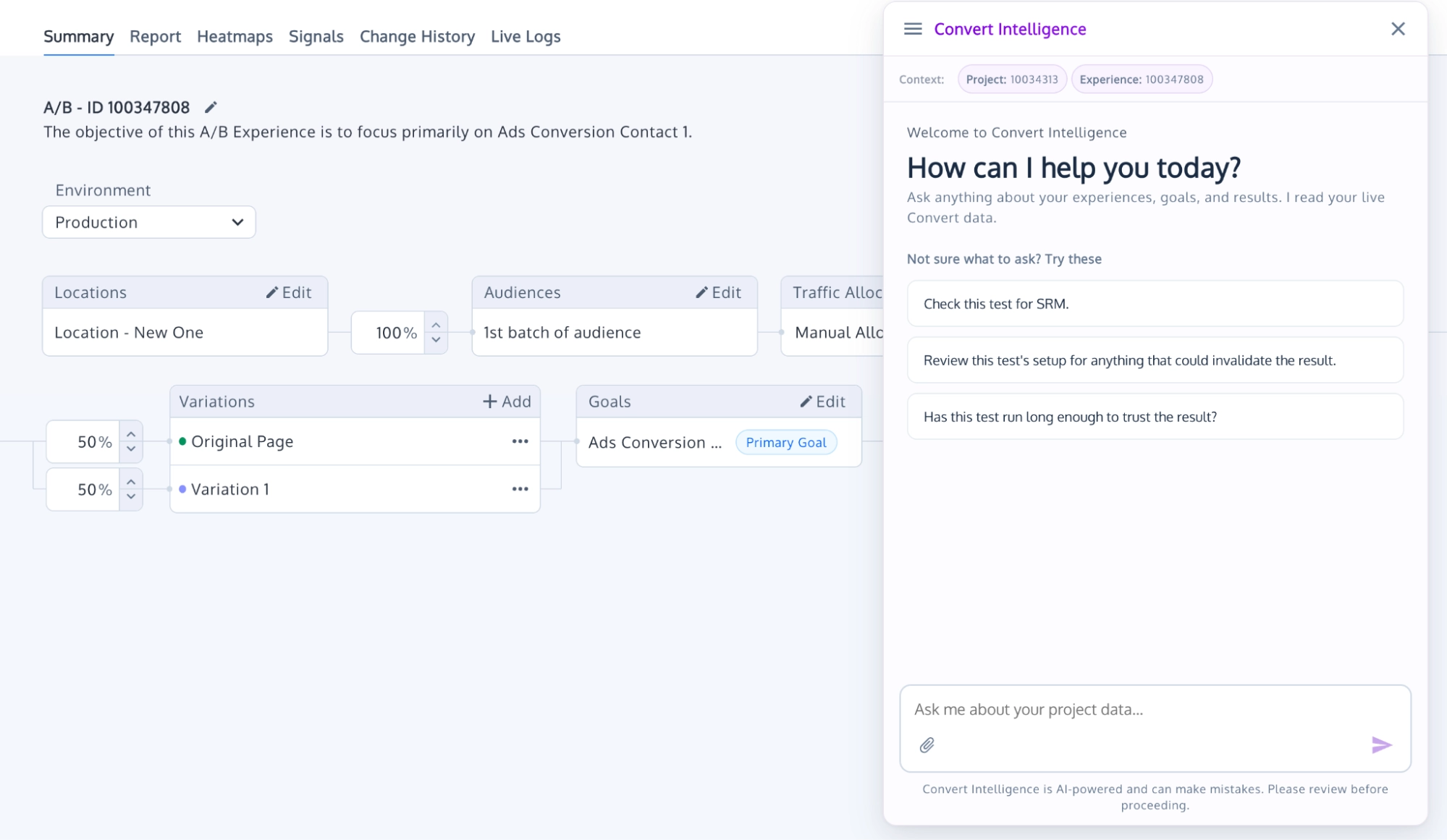
Convert Experiences is a full-stack experimentation and personalization platform built around a visual editor, a code editor, a tracking script with SPA support built in, and 6 SDKs for full-stack.
On a single-page application, the script automatically tracks when users navigate between pages or views, re-evaluating the test rules each time and keeping your variations active as new content appears on screen. For tests that reach the backend, code-based changes run separately through dedicated developer tools.
Most teams choose Convert for its easy-to-use visual editor that works seamlessly on dynamic websites, rich feature set, stats engine (with Bayesian, Frequentist, and Sequential), and transparent pricing with reliable support.
Key features
- Continuous activation: Re-applies variation changes as elements render, so lazy-loaded content and post-hydration updates still receive your test.
- Route-change evaluation: Re-checks locations and goals on pushState, replaceState, and back-button navigation, so targeting works across SPA views without a reload.
- Visual editor with SPA Mode: Build tests on dynamic pages point-and-click, so a marketer can ship without a developer.
- Six FullStack SDKs: Run application-side experiments in JavaScript, PHP, Ruby, Python, Android or iOS, including at the edge through Cloudflare Workers.
- SmartInsert™ anti-flicker: Applies changes at the right moment by default, so visitors never see the original version flash on their screens.
Pros
- Published pricing, with a 15-day trial and no credit card required to begin.
- SPA support doesn’t need configuration on most sites.
- Support is Convert’s most consistent strength across two years of G2 reviews.
- The visual editor and the code editor cover both marketer and developer workflows.
- Agencies can run multiple client projects across different platforms within a single account.
- Heatmaps and session recordings are included to help you analyze user behavior alongside SPA testing.
Cons
- Web Testing and Fullstack are separate projects, each with their own implementation and dashboard.
- Full-stack experimentation requires the Pro plan.
- Custom JavaScript needs its own duplicate guard on route changes.
Bottom line: Convert Experiences is your strongest choice if your SPA testing is mostly visual and you want it running this week. It is also SOC 2- and HIPAA-compliant.
2. Optimizely
Best for: Enterprises with advanced full-stack experimentation programs and developer capacity to support setup.
Pricing: Not published.
Trial: Not published.
SPA setup: Enable a project setting, configure pages as logical views, choose triggers.
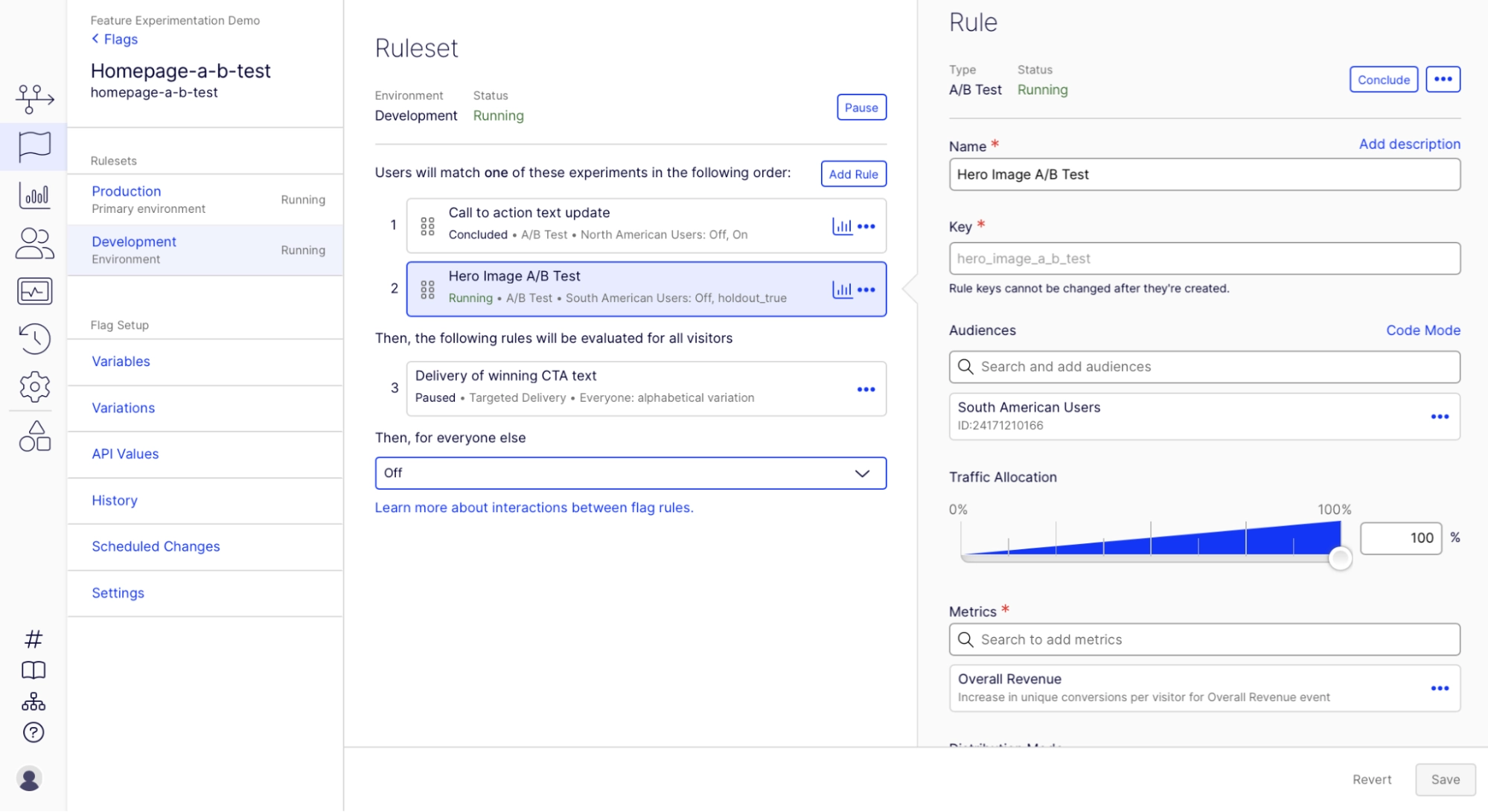
Optimizely is an enterprise digital experience platform covering A/B, multi-page, feature, and server-side testing.
On a single-page application, SPA support is opt-in. Enabling Support for Dynamic Websites switches the script to MutationObserver and unlocks URL and DOM change triggers. Pages are then configured to match your application’s logical views, allowing tests to run reliably across dynamic view changes.
Most teams choose Optimizely for its deep enterprise feature set, robust custom JavaScript/CSS injection for developers, and its Stats Engine with built-in sequential testing.
Key features
- Support for Dynamic Websites: Switch on MutationObserver-based change application, so variations survive framework re-rendering.
- URL and DOM change triggers: Activate experiments when the route or the DOM changes, so tests run across SPA views.
- Custom code editor: Inject JavaScript and CSS directly, so developers build tests without touching the production codebase.
- Feature Experimentation: Run application-side experiments and feature flags, sold as a separate product.
- Stats Engine: Read results with sequential testing built in, so you can act before a fixed horizon.
Pros
- Experiments go live fast, often bypassing a normal release cycle.
- Developers rate the JavaScript and CSS injection and the APIs highly.
- Results are presented clearly enough for stakeholders without a statistical background.
- Deep enterprise feature set spanning web and full-stack.
- Onboarding and support rate well in user reviews.
Cons
- Doesn’t work on a SPA until a project setting is enabled and pages are configured.
- Multiple users mention a steep learning curve.
- No-code options thin out on anything non-trivial.
Bottom line: Powerful and fast once configured, if you have the engineering support. The SPA setup is real work, though, and pricing starts with a sales call.
3. Wingify (VWO + AB Tasty)
Best for: Teams wanting SPA handling on by default inside a broader research suite.
Pricing: Not published.
Trial: 30-day free trial.
SPA setup: None. Settings are on by default and tunable.
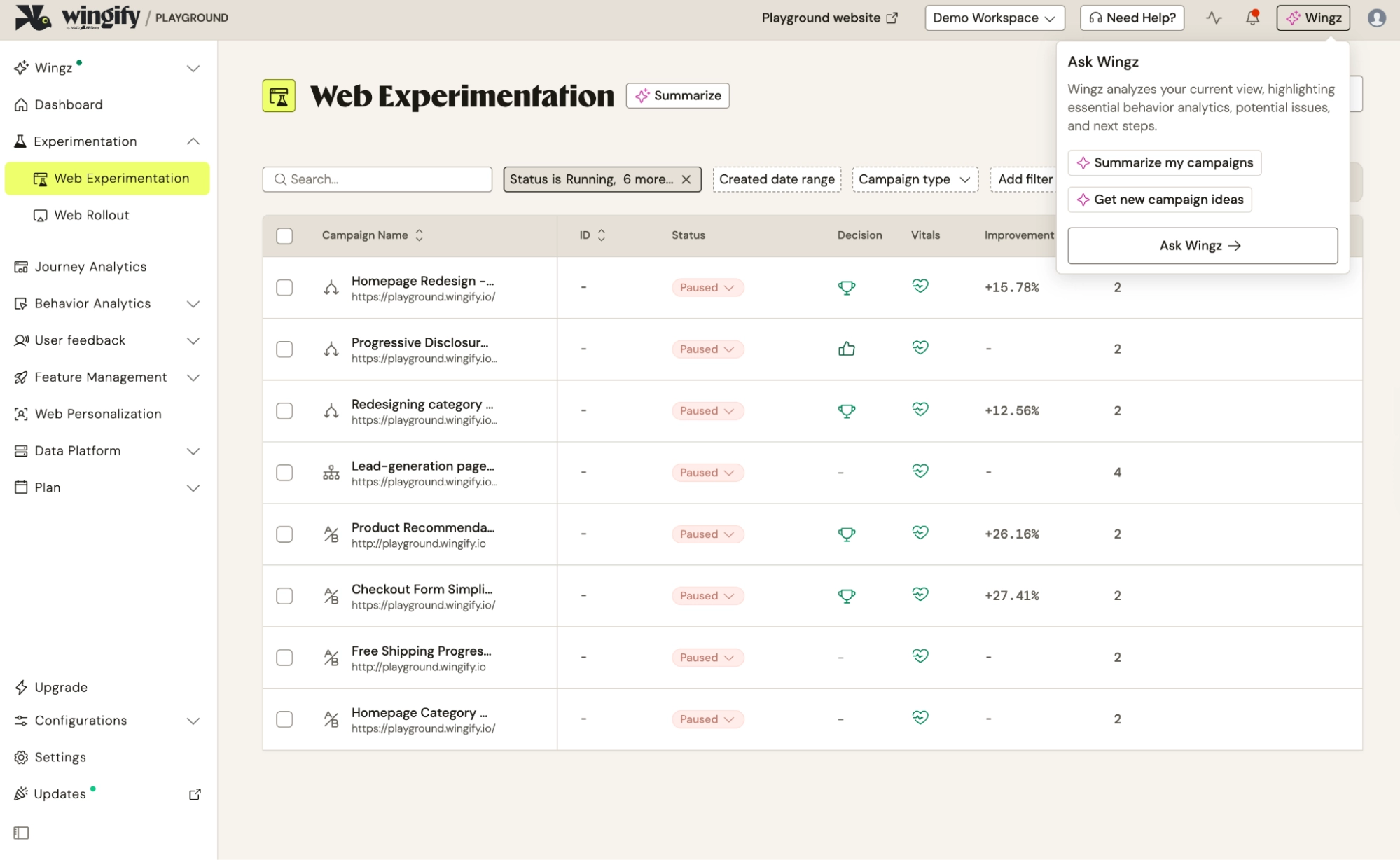
Wingify is the experimentation and behavioral analytics platform born out of the January 2026 merger of VWO with AB Tasty.
With Wingify, SPA support is enabled by default. Default settings keep changes active after the page loads and re-apply them whenever edited elements re-render, while polling for render completion on server-rendered applications. For code-based or server-side experiments, server-side changes run separately through dedicated SDKs in 8+ languages.
Wingify is usually selected for its built-in behavior analytics (surveys, session recordings, and heatmaps), which run alongside its experimentation features, allowing teams to generate and validate hypotheses on a single platform.
Key features
- SPA and SSR support settings: Keep applying changes after load and re-apply on re-render, configurable per campaign or across the workspace.
- Visual editor: Build point-and-click variations, so marketers can launch tests without developers.
- Virtual page API: Trigger a page load where SPA navigation doesn’t change the URL, so campaigns re-run on tab switches and checkout steps.
- Behavior analytics: Run heatmaps, recordings, and surveys in the same tool so hypotheses and test insights live together.
- SDKs in 8+ languages: Run feature experiments and rollouts server-side.
Pros
- SPA settings work without configuration.
- Visual editor lets non-technical marketers launch tests.
- Qualitative and quantitative research in one platform.
- Responsive support and customer success in user reviews.
- GA4 and GTM integrate well, according to some users on G2.
Cons
- The visual editor is reported as unreliable on complex, dynamic pages.
- Script lag can produce a flicker effect.
- No price is published at any tier.
- SPAs that don’t change the URL need virtual pages configured.
Bottom line: Good defaults and a genuinely useful research suite around the testing. Test the editor on your own dynamic pages in the Explore tier rather than after signing up.
4. Kameleoon
Best for: Teams trying AI-built experiments cheaply, or enterprises needing code-level control.
Pricing: From $495/month. Developer features are Enterprise only.
Trial: 30 days, no credit card.
SPA setup: Enable one project setting.
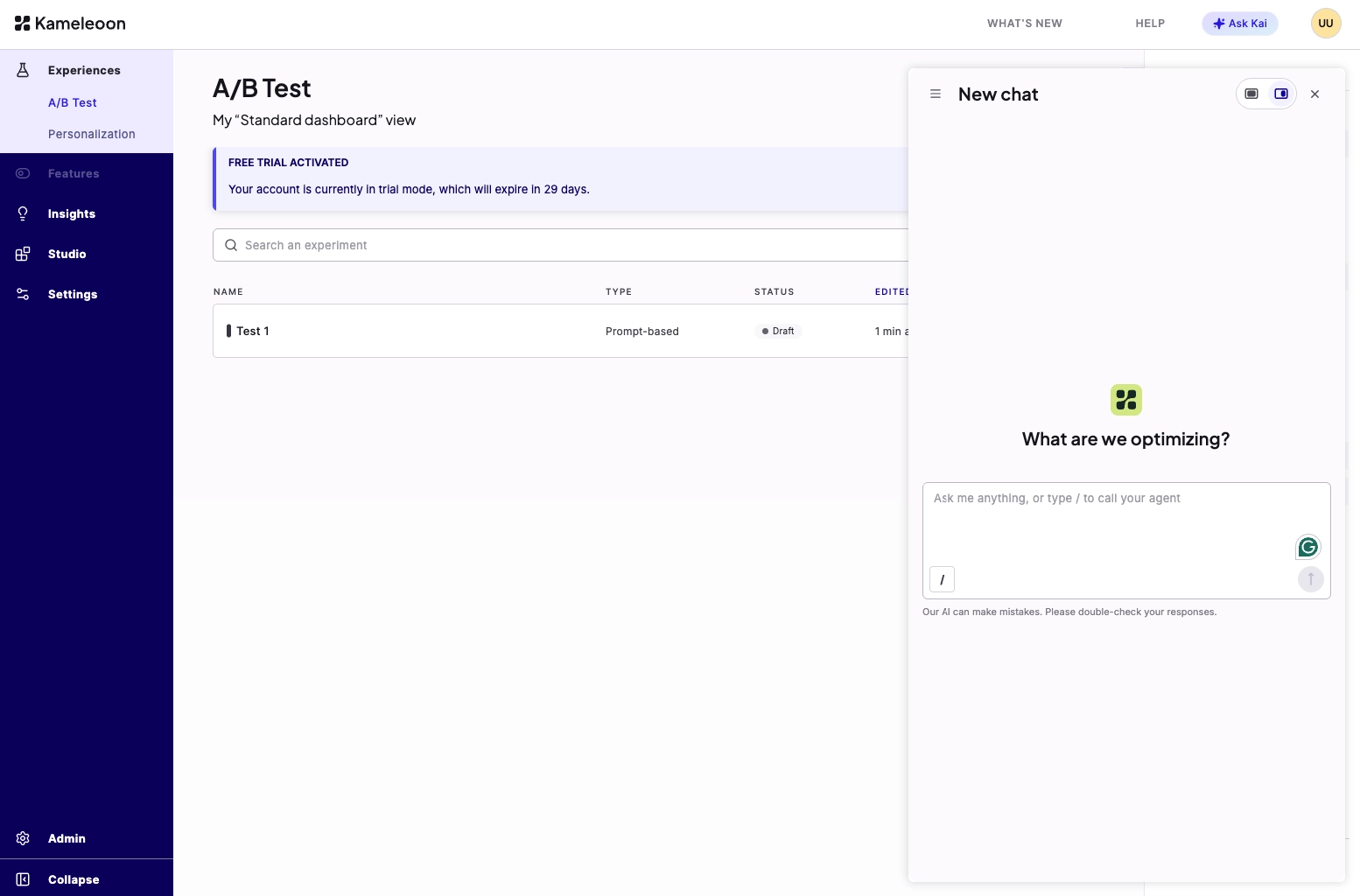
Kameleoon is an experimentation and personalization platform centered around Prompt-Based Experimentation (PBX), which lets you generate experiment variations by describing changes in plain language.
SPA support is opt-in with Kameleoon. Opting in enables support for dynamic websites and allows Kameleoon to monitor URL changes and re-trigger its targeting, script execution, and variation code. If the URL remains static, a MutationObserver handles dynamic DOM updates.
Note that PBX is available on the published entry tier, while full code-editing capabilities and server-side testing require an Enterprise plan.
Key features
- Prompt-Based Experimentation (PBX): Describe a change in plain language and have AI build the variation, so tests launch without an editor or code.
- Support for dynamic websites: Re-run targeting and variation code on URL change, so experiments follow SPA navigation.
- MutationObserver re-application: Re-apply variation changes when the DOM updates without a URL change.
- Dedicated code editor: Build experiments in JavaScript and CSS for cases the graphic engine can’t handle (Enterprise).
- Full-stack SDKs: Run server-side and feature experiments across web and mobile (Enterprise).
Pros
- Long free trial period, 30 days with no credit card.
- Published entry pricing, unusual for A/B testing tools on this list.
- Good support and customer success are the strongest recurring themes in reviews.
- Broad targeting and personalization alongside testing.
- SOC 2 and HIPAA compliance, with EU or US data residency.
Cons
- The code editor, server-side testing, and multivariate testing are Enterprise-only.
- AI prompts aren’t always understood, according to some G2 reviewers.
- Trial data isn’t retained once the trial ends.
Bottom line: The cheapest honest way to find out whether prompt-based experimentation suits your team. The entry level pricing wouldn’t matter much to you because SPA work of any depth sits on the Enterprise side.
5. Adobe Target
Best for: Enterprises already running Adobe Analytics and Experience Manager.
Pricing: Not published.
Trial: Not published.
SPA setup: Developers implement triggerView() for every view.
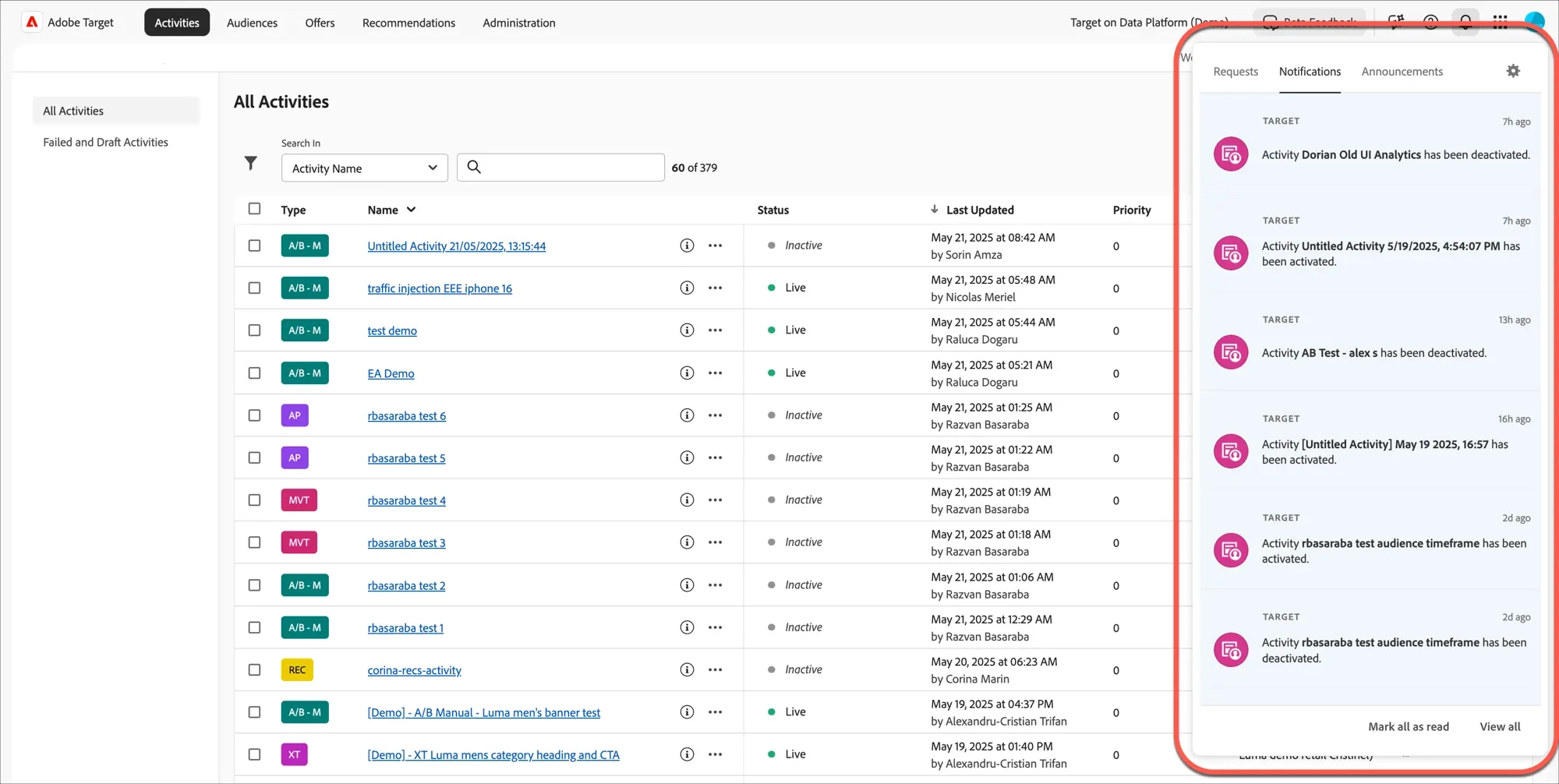
Adobe Target is an enterprise experimentation and personalization engine built for the Adobe ecosystem. Supporting single-page applications requires developers to use the at.js 2.x library and explicitly implement adobe.target.triggerView() for virtual view changes.
Implementing triggerView() is a prerequisite for SPA experimentation in Adobe Target. Without this developer setup, non-technical users cannot utilize the Visual Experience Composer (VEC) to build or target experiments on dynamic views.
Once you have this configured, Adobe Target pre-fetches and caches experience content to deliver flicker-free variations seamlessly across single-page application view transitions.
Key features
- Views and triggerView(): Define application views and notify Target when they render, so the visual editor can target SPA states.
- Visual Experience Composer: Build variations with a point-and-click editor once views are implemented.
- Auto-Target and Auto-Allocate: Automatically shift traffic toward better-performing experiences, so optimization continues without manual reallocation.
- Adobe Analytics integration: Analyze test results alongside campaign reporting through A4T.
- Omnichannel delivery: Deliver experiences to web, mobile app, email, and connected devices from one platform.
Pros
- Personalization and audience-targeting depth are the strongest on this list.
- Integration with Adobe Analytics and the wider Adobe stack.
- Content served from cache avoids default-content flicker.
- Scales to enterprise traffic and governance requirements.
Cons
- The visual editor doesn’t work on a SPA until developers implement triggerView().
- Reviewers report server-side testing needing significant integration work.
- Non-Adobe integrations need extra configuration or custom development.
- Some users describe the interface as dated, with bugs reported after a UI update.
- at.js 2.0 dropped support for cross-domain tracking.
Bottom line: Earns its place if you’re already invested in Adobe. If you’re not, the SPA implementation is a development project before a marketer or CRO can run any test.
6. Statsig
Best for: Product and engineering teams running SPA experiments from application code.
Pricing: Free tier. Pro $150/month, then $0.05 per 1,000 events.
Trial: Free Developer tier, permanent, no credit card.
SPA setup: Manual trigger wiring in Sidecar (Statsig’s browser extension).
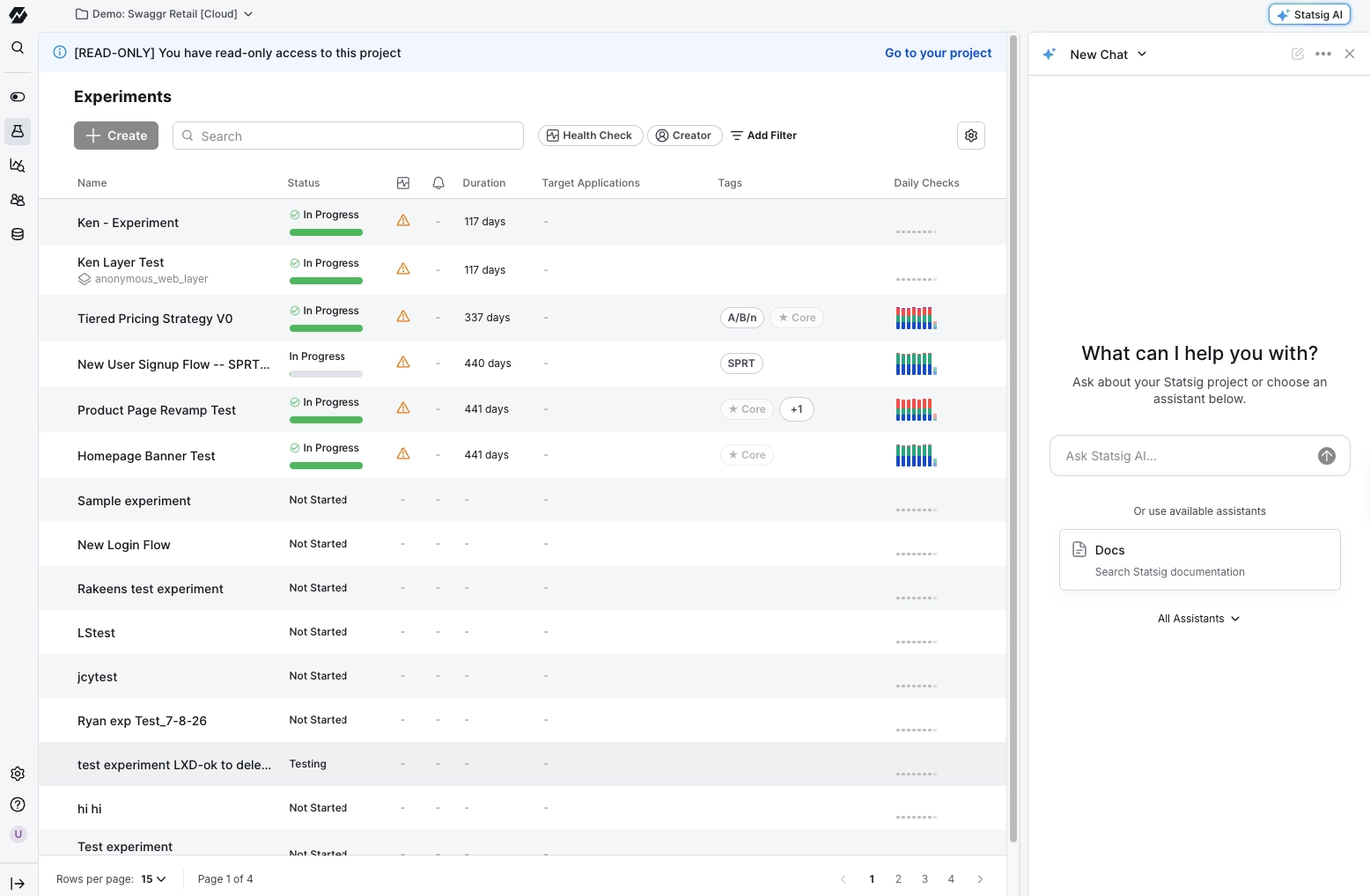
Statsig is an SDK-first platform that combines feature flags, A/B testing, and product analytics into a single tool.
For single-page applications, you can either run experiments directly via your application’s SDKs or use Sidecar (a Chrome extension for codeless web experiments). Because Sidecar requires manual control rather than automatic route detection, you disable auto-run and call `activateExperiment()` whenever your app is ready.
Most teams are buying it for its powerful statistics engine, warehouse-native option, and wide selection of SDKs.
Key features
- Sidecar visual editor: Build and edit web experiments point-and-click from a Chrome extension, so marketers ship tests without waiting for a deploy.
- Custom activation API: Call StatsigSidecar.activateExperiment() at your own trigger point, so experiments fire when your SPA is ready instead of on page load.
- Feature flags and rollouts: Gate features, run percentage rollouts, and flip kill switches, so releasing and testing happen in one tool.
- Warehouse-native deployment: Run Statsig inside Snowflake, BigQuery, or Databricks, keeping experiment data where it already lives.
- Statistics engine: Apply CUPED, sequential testing, and ‘safe peeking’, so you can read results early without inflating false positives.
Pros
- Free tier covers 2 million events a month with no credit card.
- Experiment setup is clean and fast, with metrics some G2 reviewers have described as reliable.
- Flags, experiments, and analytics sit in one platform.
- Over 30 SDKs, with documentation developers rate highly.
- Support responds quickly, including through a shared Slack channel.
Cons
- A steep learning curve is the most consistent complaint in reviews.
- Sidecar’s documentation doesn’t cover re-applying changes after a framework re-render.
- Ownership has changed twice since 2025, so renewal terms are worth confirming.
Bottom line: Strong if your SPA experiments are decided in application code and you want to start at no cost. Weaker if you need marketers changing a dynamic page without a developer.
7. Eppo
Best for: Teams with a mature data warehouse who apply variations in their own code.
Pricing: Not published.
Trial: Not published.
SPA setup: Not applicable. Assignment happens in your application.
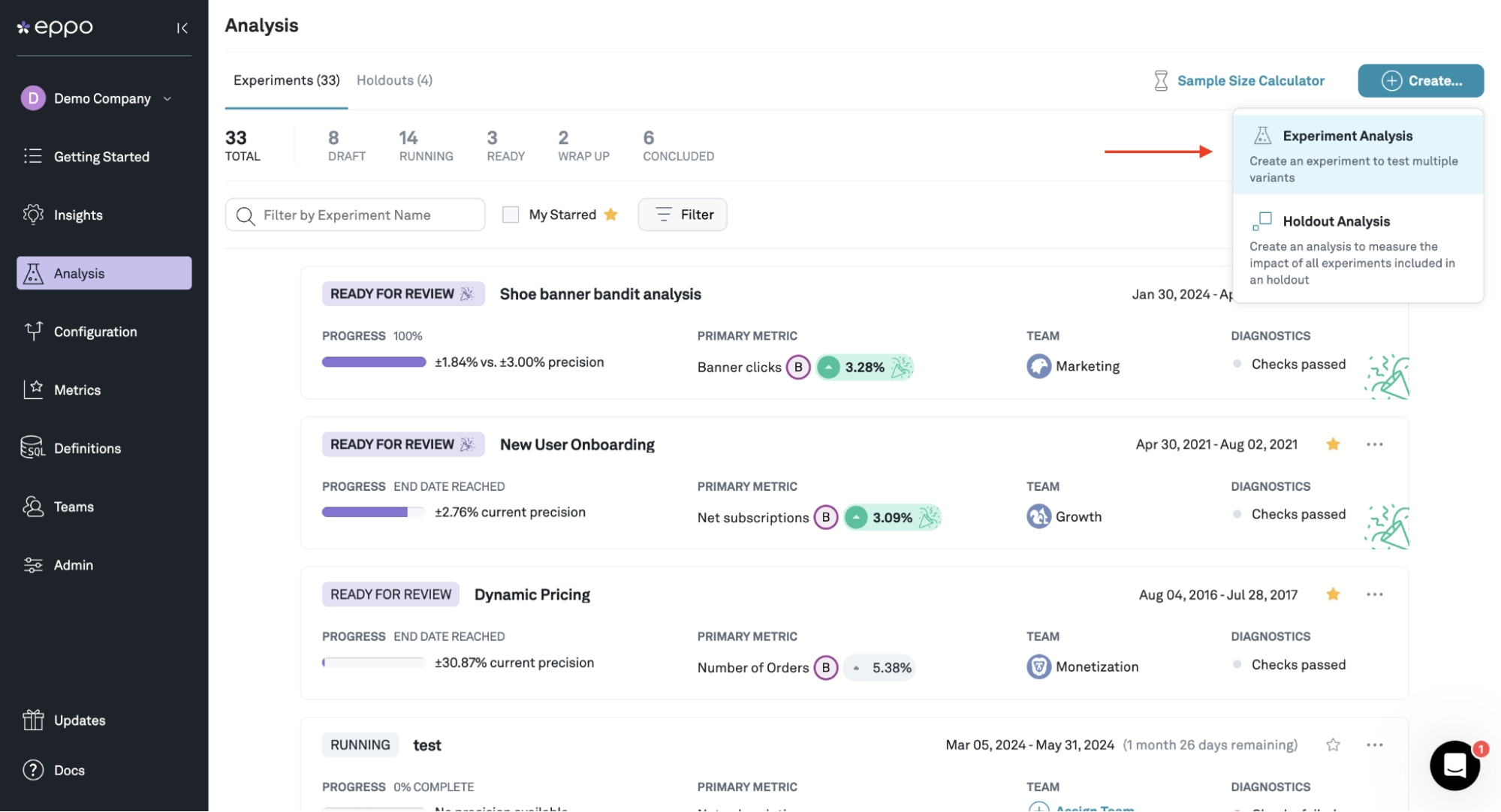
Eppo, now part of Datadog, is a warehouse-native experimentation and feature-flagging platform. Its JavaScript client SDK manages assignments for browser apps, handling feature gates, rollouts, A/B/n tests, and holdouts.
Because your app renders the variation directly, there is no visual editor or DOM manipulation to break in an SPA. Teams choose Eppo primarily for its measurement rigor.
Key features
- Warehouse-native analysis: Run experiments on your existing Snowflake, BigQuery, or Databricks data, so metrics stay in one source of truth.
- Client SDK assignment: Get a variation in your application code, so SPA rendering stays entirely under your control.
- CUPED variance reduction: Shorten experiment runtime using historical data.
- Mutually exclusive layers and holdouts: Run overlapping experiments without contaminating each other’s results.
- Traffic imbalance detection: Catch sample-ratio mismatches and data-quality issues before they mislead a decision.
Pros
- Statistics that some users consistently rate as trustworthy.
- Data stays inside your own warehouse.
- Handles complex metrics involving joins and delayed events.
- Abstracts statistical complexity for non-specialist stakeholders.
Cons
- Some reviewers report results refreshing once a day rather than in real time.
- Warehouse costs rise with dimension-heavy analyses.
- Data models have to be right for Eppo to be useful.
- No visual editing path at all.
- No pricing page; the only route is a demo.
Bottom line: The right tool if your SPA experiments are decided in code and you care most about trusting the numbers. The wrong one if you wanted to run simpler tests without a deploy.
Which SPA A/B Testing Tool Should You Pick?
If your tests are mostly visual and you want them to run quickly, consider Convert Experiences or Wingify. They all handle SPAs without additional configuration, and Convert is the only one among them with publicly available pricing.
If your tests are decided directly within your application code, Statsig or Eppo are strong choices. Statsig works well if you want feature flags, analytics, and experimentation combined, while Eppo is ideal if your data warehouse serves as your single source of truth and measurement accuracy is paramount.
If you require both client-side and full-stack capabilities, Convert Experiences, Wingify, or Optimizely are solid options. Convert includes both within the same platform, whereas Wingify and Optimizely sell them as separate products.
If you already rely on the Adobe or Optimizely ecosystems, remaining within their platforms may provide better value through seamless integration, depending on your needs at the moment.
If you want to explore AI-built experiments without navigating a lengthy procurement process, Convert’s 15-day free trial and Kameleoon’s 30-day trial offer a good entry point. Just note that Kameleoon’s code editor and server-side testing features are reserved for Enterprise plans (i.e., no trial for that).
Finally, if you have no dedicated budget, Statsig offers the only permanent free tier among these options and operates on an SDK-first model.
Frequently Asked Questions About SPA A/B Testing Tools
Yes. Mobile web SPAs work like desktop SPAs, using tracking scripts to detect route changes and update variations. Native mobile apps, however, require dedicated mobile SDKs. Convert Experiences, Kameleoon, and Wingify all offer separate mobile SDKs (Android and iOS) for native apps.
Start with A/B tests. Multivariate tests require significantly more traffic and add complex DOM changes that are harder to maintain during re-renders. Multivariate testing is also typically locked behind higher-priced tiers in most SPA A/B testing tools.
Track standard conversion goals, but ensure they trigger on view changes rather than page loads. Because SPAs load only once, page-load goals will undercount conversions. Also, watch for sample ratio mismatch (SRM) to catch variations that fail to persist across routes.
Yes, like GrowthBook. However, open-source tools in this space are SDK-first rather than visual. They handle variation assignments, but your engineering team must write code to keep changes on screen during framework re-renders.
Most client-side tools work, but pay attention to two features that matter for e-commerce websites:
• Continuous reapplication for lazy-loaded product grids and
• Reliable revenue tracking across route changes during checkout.
Continuous reapplication is essential to prevent lazy-loaded product grids from overwriting your test variations as users scroll. While reliable revenue tracking ensures that completed checkouts and purchases are accurately captured across dynamic route changes without a full page reload. Always test both during a trial.
Yes. Integrations with GA4, GTM, and data warehouses function normally. Just confirm that exposure events fire on view changes rather than the initial page load to avoid misattributed conversions.
Statsig offers a permanent free tier for up to 2 million events per month (SDK-first). Convert Experiences starts at $399/month with a 15-day trial, while Kameleoon starts at $495/month. Other enterprise tools hide their pricing behind sales calls.
Written By
George Crewe, Daniel Daines Hutt, Uwemedimo Usa
A/B Testing, Experimentation Program Management, A/B Testing Tools +5 more
A/B Testing, Experimentation Program Management, A/B Testing Tools, Conversion Rate Optimization, Consent Optimization, Core Web Vitals, CRO Benchmarking, Multivariate Testing Show less
Conversion Rate Optimization, Conversion Copywriting, B2B SaaS Content Marketing +3 more
Conversion Rate Optimization, Conversion Copywriting, B2B SaaS Content Marketing, A/B Testing Tools Evaluation, Generative Engine Optimization, A/B Testing Statistics Show less
Edited By
Carmen Apostu