15 Best A/B Testing Tools for Developers Who Want Full Control of Their Experiments


This roundup covers the top A/B testing tools built for developers, from open-source frameworks you can self-host to enterprise platforms with mature APIs.
Each one is reviewed with a focus on SDK coverage, integration depth, pricing, and real fit for engineering teams.
What Developers Look for in an A/B Testing Tool
When we spoke to developers about their A/B testing needs, here’s what consistently came up:
- SDK and API coverage: Real, well-documented SDKs for Node, Python, Java, Swift/Kotlin, React, Vue, and more. Not just “paste this snippet.”
- Experiment-as-code: Configs you can version in Git, push through CI/CD, and review like the rest of your code.
- Performance-first delivery: Lean scripts, edge/CDN assembly, and zero flicker. No trade-offs that wreck Core Web Vitals.
- Debuggability: Logs, QA tokens, and preview modes that make it obvious why a variation didn’t fire.
- SPA and server-side support: Experiments that work across React, Vue, Next.js, and backend logic, not just static pages.
- Data alignment: Clean integrations with GA4, Mixpanel, warehouses, and session replay. Engineers don’t want two dashboards telling different stories.
- Privacy and compliance: First-party identity, consent-aware APIs, and self-hosting options where needed.
- Docs and support: Task-focused docs with runnable examples; support that answers dev questions, not just marketer FAQs.
The deal-breakers are just as important. Developers will push back instantly on heavy, blocking scripts that hurt performance, on black-box targeting logic that can’t be debugged, or on tools that leave them explaining data mismatches to stakeholders. And if configs are locked away in a dashboard with no path through CI/CD, most engineers won’t even entertain the tool.
A/B Testing Platforms for Developers: Complete Comparison Table
| Tool | Best For | SDK / API Support | Experiment-as-Code |
Export Events / Metrics |
Pricing |
||||||||||||||||||||||||||||||
|---|---|---|---|---|---|---|---|---|---|---|---|---|---|---|---|---|---|---|---|---|---|---|---|---|---|---|---|---|---|---|---|---|---|---|---|
| Convert Experiences | Privacy-first, enterprise-grade experimentation with strong APIs | ✅ | ✅ | ✅ | $299/mo | ||||||||||||||||||||||||||||||
| Optimizely Full Stack | Enterprise teams running large-scale, server-side tests | ✅ | ✅ | ✅ | Custom/contact sales | ||||||||||||||||||||||||||||||
| LaunchDarkly | Advanced feature flagging and controlled rollouts | ✅ | ✅ | ✅ | Tiered / contact sales | ||||||||||||||||||||||||||||||
| GrowthBook | Open-source experimentation platform with flexible hosting | ✅ | ✅ | ✅ | Free / $20/user | ||||||||||||||||||||||||||||||
| Split | Robust SDKs and real-time flagging at scale | ✅ | ✅ | ✅ | Custom/contact sales | ||||||||||||||||||||||||||||||
| Statsig | Engineering-led teams needing scalable, warehouse-integrated testing | ✅ | ✅ | ✅ | Free tier + usage-based | ||||||||||||||||||||||||||||||
| VWO FullStack | Teams who want both marketer-friendly UI and developer APIs | ✅ | ✅ | ✅ | Module/custom pricing | ||||||||||||||||||||||||||||||
| ABsmartly | Broad SDK coverage and high-performance server-side testing | ✅ | ✅ | ✅ | Custom/contact sales | ||||||||||||||||||||||||||||||
| SiteSpect | Server-side and SPA testing without flicker | ✅ | ✅ (partial) | ✅ | Custom pricing | ||||||||||||||||||||||||||||||
| Adobe Target | Enterprises standardizing on Adobe’s marketing stack | ✅ | ✅ | ✅ | Enterprise pricing | ||||||||||||||||||||||||||||||
| Amplitude Experiment | Product teams tying analytics directly into experimentation | ✅ | ✅ | ✅ | Depends on Amplitude plan | ||||||||||||||||||||||||||||||
| PostHog | All-in-one open-source experimentation and product analytics tool | ✅ | ✅ | ✅ | Free up to 1M events, then usage-based | ||||||||||||||||||||||||||||||
| Kameleoon | Privacy- and compliance-sensitive product teams | ✅ | ✅ | ✅ | Custom/contact sales | ||||||||||||||||||||||||||||||
| Eppo | Data teams running warehouse-native experiments | ✅ | ✅ | ✅ | Custom/contact sales | ||||||||||||||||||||||||||||||
| Firebase A/B Testing | Mobile app developers using Remote Config | ✅ | ✅ | ✅ | Included in Firebase / free tier |
The Best A/B Testing Softwares for Developers
- Convert Experiences: Best for privacy-first, enterprise-grade experimentation with strong APIs
- Optimizely Full Stack: Best for enterprise teams running large-scale, server-side tests
- LaunchDarkly: Best for advanced feature flagging and controlled rollouts
- GrowthBook: Best open-source experimentation platform with flexible hosting options
- Split: Best for robust SDKs and real-time flagging at scale
- Statsig: Best for engineering-led teams needing scalable, warehouse-integrated testing
- VWO FullStack: Best for teams who want both marketer-friendly UI and developer APIs
- ABsmartly: Best for broad SDK coverage and high-performance server-side testing
- SiteSpect: Best for server-side and SPA testing without flicker
- Adobe Target: Best for enterprises standardizing on Adobe’s marketing stack
- Amplitude Experiment: Best for product teams tying analytics directly into experimentation
- PostHog: Best all-in-one open-source experimentation and product analytics tool
- Kameleoon: Best for privacy- and compliance-sensitive product teams
- Eppo: Best for data teams running warehouse-native experiments
- Firebase A/B Testing: Best for mobile app developers using Remote Config
Do you want to explore more A/B testing tools? Check out our curated 20 Top A/B Testing Tools for Actionable Marketing Insights.
1. Convert
Best for: Privacy-first, enterprise-grade experimentation with strong APIs
What is Convert?
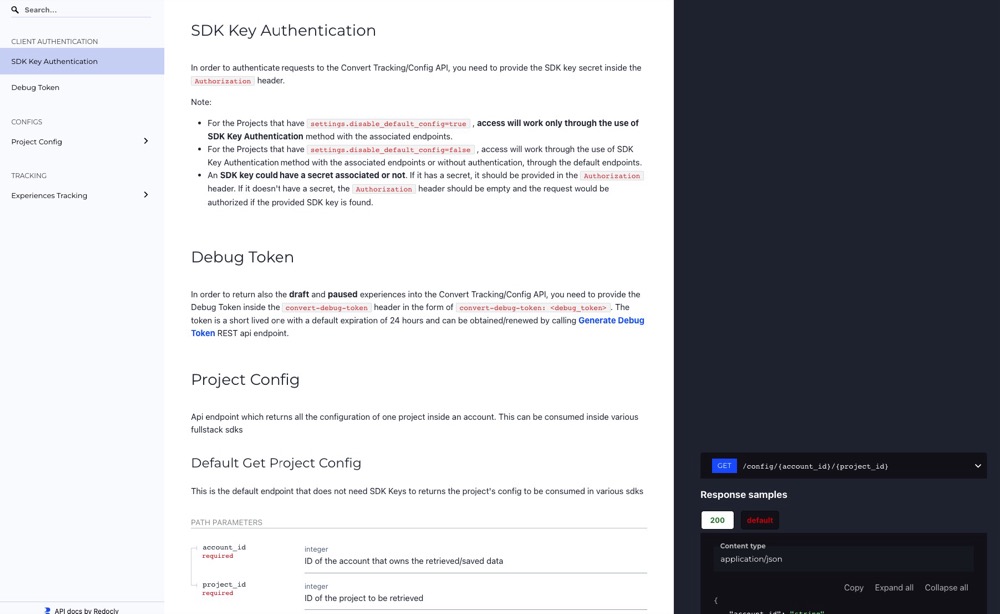
Convert is a full-stack experimentation platform designed to meet the needs of both engineers and product teams. It supports client-side and server-side testing, multivariate experiments, split URL testing, and feature flagging.
For developers, Convert offers SDKs, APIs, and experiment-as-code workflows that fit naturally into CI/CD pipelines, version control, and modern frameworks, ensuring experimentation doesn’t disrupt established engineering processes. Convert even supports Model Context Protocol (MCP), letting developers manage experiments directly through their AI coding assistants like Claude or Cursor.
What are Convert’s Top Features?
- Full stack SDKs: Open-source JavaScript SDK plus community SDKs for backend languages, supporting server-side experiments, consistent bucketing, and event tracking.
- REST APIs: Automate experiment creation, goal management, and reporting. Integrate results into BI tools and data pipelines.
- Feature flags and controlled rollouts: Gradual rollouts, kill switches, and percentage gating to release features safely.
- Experiment-as-code: Manage experiments in Git, align with staging/production environments, and streamline deployments.
- Performance-first delivery: Edge-assembled scripts and first-party APIs designed to minimize flicker and protect Core Web Vitals.
- Integrations: Native support for GA4, Segment, Mixpanel, Amplitude, and BigQuery to keep experiment data aligned with analytics stacks.
- MCP support: Control experiments directly through Claude, Cursor, or any MCP-compatible AI assistant. Configure API credentials and use natural language to manage tests, pull reports, and analyze performance.
Why Convert is a Fit for Developers
Convert emphasizes flexibility and speed without adding integration headaches. Developers can code experiments directly, automate workflows via APIs, connect results into existing pipelines, and even manage everything conversationally through AI assistants using Convert’s MCP integration.
Debuggability is built in with Live Logs and QA tokens, making it easier to trace why a variation did or didn’t fire. Its infrastructure is optimized for reliability and performance, ensuring experimentation runs without impacting user experience or site metrics.
Why Do Companies Use Convert?
Engineering-led teams, SaaS companies, ecommerce brands, and agencies choose Convert because it balances developer control with scalability. Developers highlight the SDK and API coverage, CI/CD compatibility, and strong support for privacy regulations.
Teams also value Convert’s predictable, flat pricing and the ability to run enterprise-grade experimentation without unnecessary overhead.
2. Optimizely
Best for: Enterprise teams running large-scale, server-side tests
What is Optimizely?
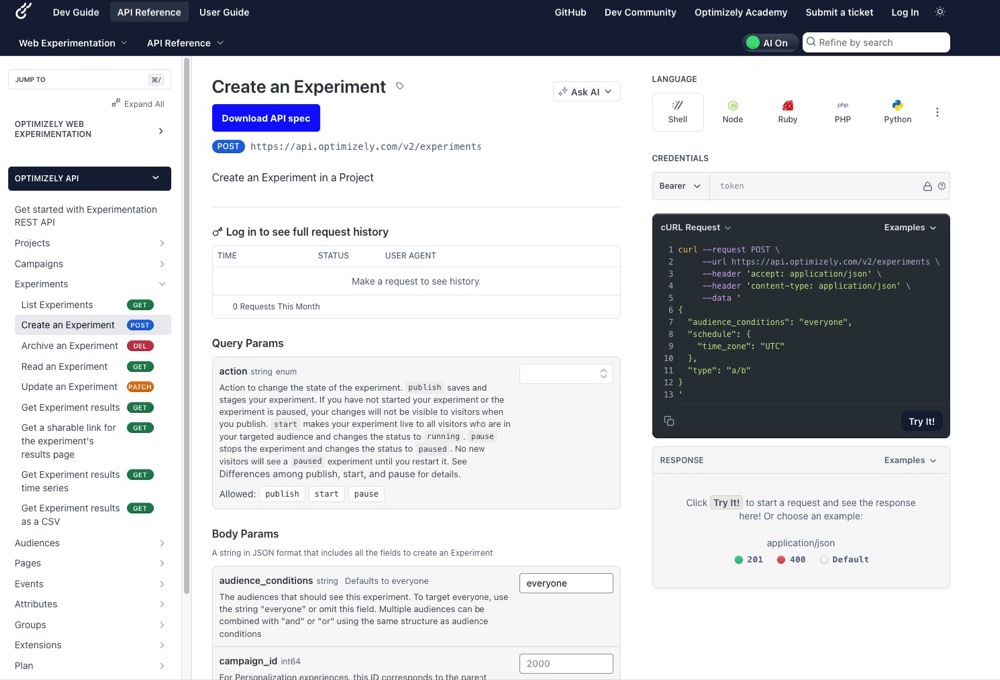
Optimizely combines client-side Web Experimentation and server-side Feature Experimentation into one platform. For developers, it provides SDKs across languages, REST APIs, a microservice “Optimizely Agent” option, and deterministic bucketing logic to ensure consistent variation delivery across systems.
What are Optimizely’s Top Features?
- Full-stack SDKs & feature flags: SDKs for Java, Python, Go, Node, iOS, Android, etc., with the ability to run experiments in backend services or client code.
- Microservice Agent API: The Optimizely Agent acts as a standalone service you can deploy behind a load balancer to centralize bucketing and decision logic across services.
- REST APIs for management: Feature Experimentation APIs allow managing flags, experiments, reports, and environments programmatically.
- Deterministic bucketing: Uses MurmurHash3 hashing with the user ID and experiment key to ensure consistent variation across SDKs.
- Performance and latency control: In-memory bucketing, agent-based decisioning, edge deployments, and flicker control for client-side experiments.
- GA4 integration for backend and frontend metrics: Supports integration with Google Analytics 4 via Report Generation, custom events, and audience sync.
Why Optimizely is a Fit for Developers
With Optimizely, engineers can manage experiments as code, embed them into CI/CD pipelines, and rely on SDKs rather than manual script injections.
The Agent microservice lets teams centralize decision logic across services without duplicating SDK instances.
Debugging support (forced decisions, QA audiences, logs) helps trace variation behavior. Its GA4 integration means experiment results can feed directly into analytics pipelines, reducing the friction of cross-platform reporting.
Why Do Companies Use Optimizely?
Larger engineering-driven organizations and enterprises choose Optimizely for its scale, stability, and integration depth.
Users value the ability to run complex multi-stack experiments, integrate deeply into their data infrastructure, and hand off ownership to developers rather than intermediaries.
Cost, setup complexity, and contract rigidity are frequent drawbacks cited by users, but many teams see the tradeoff as worth it for reliability and control.
3. LaunchDarkly
Best for: Advanced feature flagging and controlled rollouts
What is LaunchDarkly?
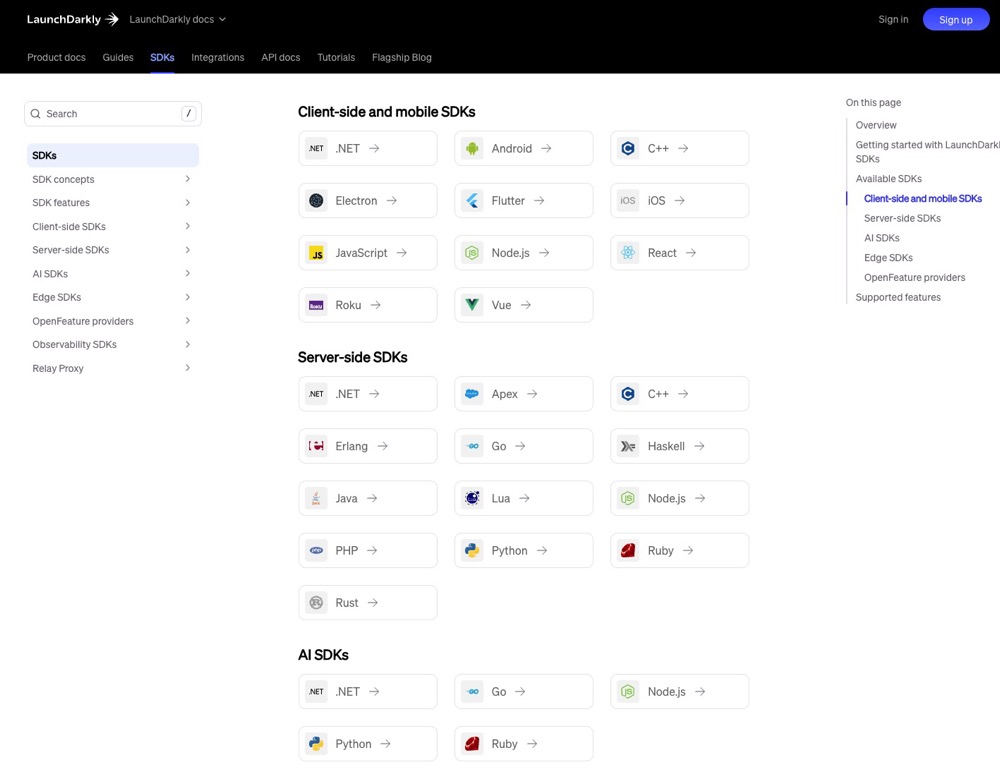
LaunchDarkly is a developer-centric feature management platform that lets you embed feature toggles and experiments into your application logic. It supports SDKs across client, server, edge, and mobile environments. Rather than injecting experiments via script overlays, developers control experiment decisioning through reliable SDKs and API hooks.
What are LaunchDarkly’s Top Features?
- Full-stack SDKs AND feature flags: SDKs across many languages (Java, Python, Go, Node.js, .NET, iOS, Android, etc.) supporting evaluation of flags in both backend and frontend contexts
- Management API: Programmatically manage flags, environments, contexts, segments, and fetch data via LaunchDarkly’s API
- Deterministic evaluation and context hashing: SDKs evaluate flags deterministically based on context attributes or keys, ensuring consistent variation assignment
- Performance and delivery controls: SDKs stream updates, provide local caching, use Relay Proxy to reduce client overhead, and support offline or fallback modes
- Governance and safety: Flag versioning, code reference detection, audit logs, approval workflows, rollback, and guardrails
Why LaunchDarkly is a Fit for Developers
Developers gravitate to LaunchDarkly because it offers a robust, mature infrastructure for feature control and experimentation without imposing a separate experimentation tool.
You can embed flags in your code, roll them out gradually, and instrument decisions, all while minimizing latency and overhead.
Why Do Companies Use LaunchDarkly?
Engineering-led organizations adopt LaunchDarkly when feature control, safety, and performance are non-negotiable. It’s often chosen by teams building software that must evolve dynamically, like in SaaS, consumer applications, and large distributed systems, where toggling features and experimenting live is essential.
4. GrowthBook
Best for: Open-source experimentation platform with flexible hosting options

What is GrowthBook?
GrowthBook is an open-source experimentation and feature-flag platform built for engineering and data-savvy teams. Rather than forcing you to use a proprietary analytics pipeline, it integrates directly with your data stack (e.g., BigQuery, Postgres, etc.), letting experiments live alongside your metrics. It supports running feature flags, A/B tests, and personalization across frontend, backend, and edge environments.
What are GrowthBook’s Top Features?
- Full-stack SDKs and feature flags: Official SDKs are offered for many environments, such as Node.js, Java, Python, C#, Go, PHP, Ruby, Elixir, browser JS/TypeScript, React, Vue, mobile (Kotlin, Swift, Flutter), edge (Cloudflare Workers, Lambda@Edge).
- Management API: GrowthBook exposes a full REST API to create, update, and fetch experiments, features, metrics, and environments programmatically.
- Deterministic bucketing and local evaluation: Variation assignment occurs locally in the SDK (or edge) based on user attributes and the experiment definition, eliminating reliance on real-time server calls for each decision.
- Performance: SDKs are built to be lightweight and efficient. The JS SDK supports streaming updates (SSE) so feature definitions can update in real time without polling.
- Analytics and metric agnosticism: Instead of forcing its own analytics engine, GrowthBook runs experiment results atop your data. That means experiment metrics, KPIs, or events you already track can be used directly in analysis.
Why GrowthBook is a Fit for Developers
GrowthBook aligns with how engineers want to work, i.e., experiments are code-driven, data lives in your own infrastructure, and there’s no black box.
You can version experiment setups, pull metrics from your warehouse, automate rollbacks or guardrails via API, and maintain consistency across backend and frontend contexts.
Because GrowthBook decouples evaluation from analysis, you’re not constrained by vendor dashboards; you plug it into your existing pipelines seamlessly.
Why Do Companies Use GrowthBook?
Teams choose GrowthBook when they want transparency, flexibility, and control. Because it’s open source, there’s no vendor lock-in.
It’s ideal for orgs already maintaining data warehouses, looking to run experiments in conjunction with their core analytics. Its breadth of SDKs and deployment options makes it a good fit for entities that span frontend, backend, and edge codebases.
5. Split
Best for: Robust SDKs and real-time flagging at scale
What is Split?
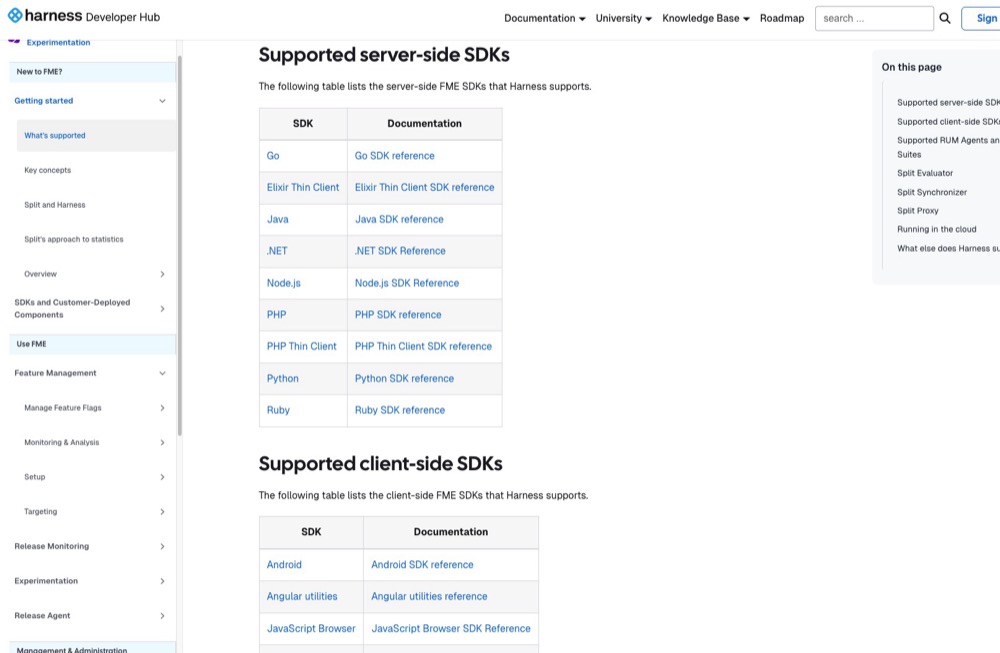
Split is a feature flagging and experimentation platform built for developers who need precise control over rollouts and experiments. Unlike marketing-centric tools, Split treats flags and experiments as part of your application logic, with SDKs and APIs designed to fit into CI/CD pipelines and modern engineering workflows.
What are Split’s Top Features?
- SDKs for major languages and frameworks: Support for Java, Python, Node.js, Go, .NET, Ruby, iOS, Android, and React Native, so you can evaluate flags and assign treatments directly in your codebase.
- Experiment-as-code: Flags and experiments are versionable and environment-aware, letting you roll them through dev, staging, and production like any other code artifact.
- Deterministic bucketing: Split uses hashing on user IDs and experiment keys to keep assignment consistent across services and SDKs, critical for multi-service architectures.
- Event and metrics API: Developers can send custom events into Split (e.g., purchases, signups, API calls) and define metrics programmatically to measure experiment success.
- REST and Admin APIs: Endpoints for managing flags, segments, environments, and pulling experiment results for integration into BI pipelines.
- Performance and reliability: In-memory bucketing ensures low-latency decisions, with flag evaluations happening locally in the SDK instead of requiring a round trip.
Why Split is a Fit for Developers
Split aligns with engineering workflows by treating feature flags and experiments as native to your stack. You can push configs through Git, test across environments, and rely on consistent treatment assignments across SDKs.
Its APIs and SDKs mean you can integrate directly with CI/CD pipelines and data pipelines, reducing dashboard-only bottlenecks and keeping experimentation under developer control.
Why Do Companies Use Split?
Split is used by engineering-heavy teams that run large-scale rollouts or microservice-driven architectures. Product engineering and DevOps teams adopt it to de-risk releases, measure impact with custom backend metrics, and control features safely in production.
It’s often chosen by SaaS, fintech, and enterprise orgs where performance, reliability, and governance are critical.
6. Statsig
Best for: Engineering-led teams needing scalable, warehouse-integrated testing
What is Statsig?
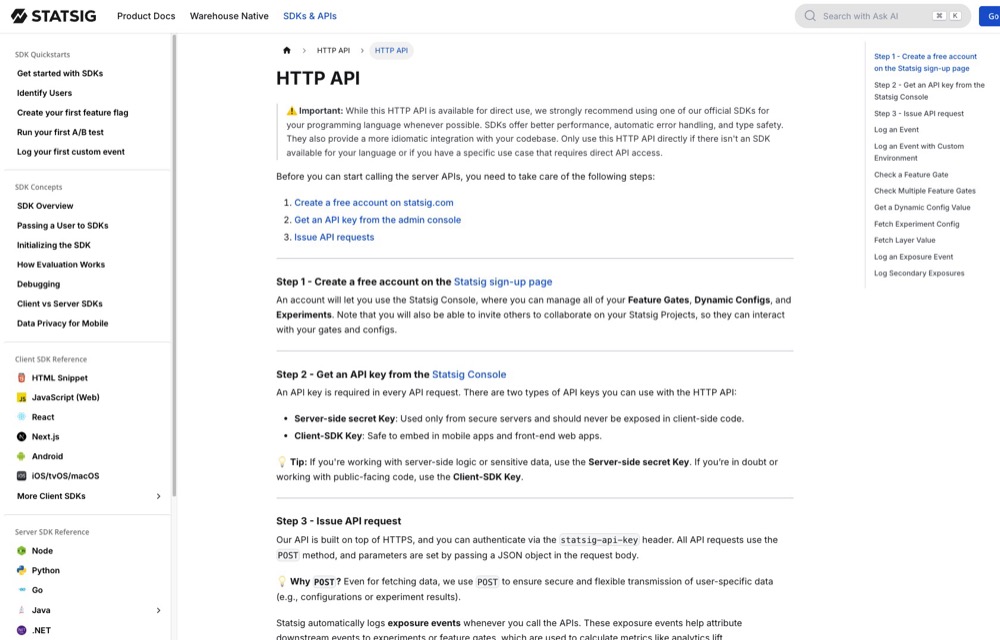
Statsig is a platform built for developers to manage feature flags, experiments, and metrics in code. It provides SDKs, APIs, and analytics tooling so that experimentation becomes part of your dev workflow, not an afterthought.
What are Statsig’s Top Features?
- SDKs & feature gates across environments: Client and server SDKs support many languages and runtime environments, enabling you to run experiments and feature logic natively.
- Local evaluation & low-latency flag checks: The SDKs use caching, polling, and efficient logic so decisions occur quickly without blocking your application.
- Event API and metrics ingestion: You can log custom events, exposures, and metric inputs directly from your code, which feed into your experiments’ metrics.
- Warehouse-native experiment computation: Use Warehouse Native to run analysis on your data warehouse (BigQuery, Snowflake, etc.), combining your own data pipelines with Statsig’s measurement logic.
- Edge and infrastructure support: Integrations and low-overhead evaluation logic make Statsig viable even at the edge or in microservices without heavy latency impact.
Why Statsig is a Fit for Developers
Developers gravitate to Statsig because it respects the craft: experiments live in code, metrics flow through your pipelines, and performance is first class.
You can version your experiments, integrate them with CI/CD, and analyze using your own data stack, rather than relying on a tool that imposes its own boundaries.
Why Do Companies Use Statsig?
Engineering-led teams adopt Statsig when they want to collapse the barrier between product logic and experimentation. It’s suited for architecture-heavy environments (microservices, edge, serverless) and teams that prefer to build experimentation in the same workflows as features.
7. VWO
Best for: Teams who want both marketer-friendly UI and developer APIs

What is VWO?
VWO’s Feature Experimentation is the engineering side of VWO that supports SDK-driven feature flags, experiments, and personalization logic in production code. It evolves from their Fullstack product into a unified platform for both front-end and backend logic.
What are VWO’s Top Features?
- Full-stack SDKs and feature flags: Server-side and client-side SDKs in .NET, Go, Java, Node.js, PHP, Python, Ruby, Android, iOS, React Native, JavaScript, Flutter.
- REST APIs for management: VWO’s APIs let you manage campaigns, experiments, variants, metrics programmatically.
- Deterministic variation logic: SDKs use deterministic bucketing so the same user context leads to consistent variation assignment across environments.
- Low latency design: Asynchronous event delivery, event batching, efficient evaluation logic to minimize runtime impact.
- Analytic integration support: VWO supports pushing experiment data (variation, impression, metrics) into analytics layers and integrating with GA4 via its integrations and data export paths.
Why VWO is a Fit for Developers
VWO gives devs control. You can embed experiments in backend logic or front-end code using SDKs, trigger events programmatically, and route data via callbacks into analytics systems like GA4.
The REST API lets you manage configurations as code, and the SDKs support environments where you need minimal latency or precise feature gating. Because VWO houses both front-end experiments and backend flagging, you don’t need multiple systems.
Why Do Companies Use VWO?
Teams adopt VWO when they want a single system that supports their entire experimentation lifecycle—from visual tests to backend feature rollout—with developer-friendly integrations.
8. ABsmartly
Best for: Broad SDK coverage and high-performance server-side testing

What is ABsmartly?
ABsmartly is an experimentation platform designed particularly for developers. It emphasizes coded experiments, SDKs, and deep API access rather than visual editors. It supports full-stack testing (web, mobile, backend) using feature flags and A/B experiments.
Its standout proposition is its Group Sequential Testing (GST) engine, which allows earlier test stopping while preserving statistical validity.
What are ABsmartly’s Top Features?
- Developer-first, API and SDK approach: All experiments are defined via code or APIs; there is no heavy reliance on a visual builder.
- Group Sequential Testing (GST): Adaptive statistical model enabling earlier decision making without sacrificing power.
- Full-stack support (client and server): Able to run feature flags or experiments in backend services, web front ends, or mobile.
- Unlimited experimentation and segmentation: No fixed caps on number of experiments, goals, segments, or users in many configurations.
- Low-latency or zero-flicker design: Claims of “zero-lag execution” and flicker avoidance for experiments.
- Raw data access and export: Full access to experiment data, integrations, and ability to push data to BI or warehouses.
Why ABsmartly is a Fit for Developers
ABsmartly aligns with engineering workflows: everything is codified, versionable, and surfaced through APIs. Its GST model means tests can finish faster, reducing the cost of running experiments in heavy traffic environments. Its architecture also aims to avoid performance drag, flicker, or side effects.
Why Do Companies Use ABsmartly?
Teams using ABsmartly often value control, data ownership, and performance safety. It appeals to organizations that prefer experimentation to live within their codebase rather than being treated as an external tool.
Because it avoids limits on experiment count or user volume in many setups, it’s suited for programs that scale heavily.
9. SiteSpect
Best for: Server-side and SPA testing
What is SiteSpect?
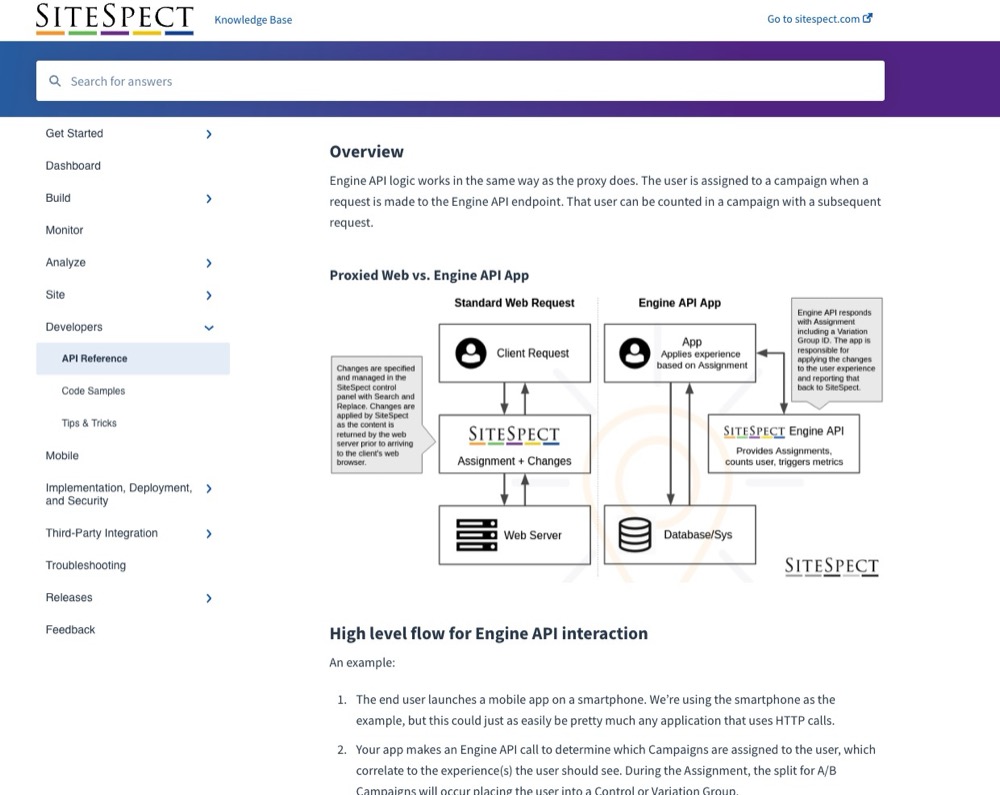
SiteSpect is a proxy-based experimentation and optimization engine. Instead of injecting scripts or tags on the client, it intercepts HTTP traffic between clients and origin servers.
This design allows developers to control variation logic, routing, content transformation, and feature toggles at the server or edge level, without adding client-side SDKs or performance overhead.
What are SiteSpect’s Top Features?
- Engine API for server-side experiments and metrics: Use the RESTful Engine API to assign campaigns, record metrics, and integrate with backend logic.
- Proxy/transformation architecture (no SDKs required): SiteSpect sits in the traffic flow, enabling client- and server-side changes (HTML, JSON, headers) without embedding third-party SDKs.
- Release testing: You can route users to new versions or alternate backends dynamically for safe rollouts.
- SPA, PWA & JSON/XML transformations: For frontend frameworks or API-driven UIs, SiteSpect supports transformation of payloads (JSON/XML) so variant logic travels with dynamic content flows.
- High performance: Because variation logic is applied before content reaches the browser, there’s no flicker or lag from client-side scripts.
Why SiteSpect is a Fit for Developers
Developers appreciate that SiteSpect removes the burden of adding instrumentation or SDK updates to client code.
Experiment logic lives in the server path or edge layer, giving control, consistency, and minimal runtime overhead.
You can integrate experiments as part of deployment pipelines, manipulate payloads in-flight, and combine feature flags with infrastructure logic.
Why Do Companies Use SiteSpect?
Performance-critical platforms, infrastructure-first teams, or those with complex release strategies often adopt SiteSpect.
When you need experiments that don’t compromise front-end speed, support SPAs, and integrate tightly into backend flows, SiteSpect becomes a compelling choice.
10. Adobe Target
Best for: Enterprises standardizing on Adobe’s marketing stack

What is Adobe Target?
Adobe Target is Adobe’s experimentation and personalization engine, exposed via APIs, SDKs, and integrations with the Adobe Experience Platform.
Developers use it to deliver personalized experiences at the edge, run experiments from backend services, and integrate variant decisions into application logic.
What are Adobe Target’s Top Features?
- Delivery API & SDKs for server-side: SDKs in Node.js, Java, .NET, Python allow delivering experiences outside the client, with support for caching to reduce latency.
- Hybrid and client-server implementation via Web SDK, at.js, Edge flows: You can combine client-side personalization with server-side decisions via Adobe Experience Platform Web SDK or at.js.
- On-device decisioning and rule artifacts: Adobe Target can push rule definitions to the client side (post-enablement of on-device decisioning) to reduce reliance on server calls.
- Admin, reporting, profile APIs: Use the Admin and Profile APIs to manage activities, audiences, offers, retrieve user profile data, or fetch reporting programmatically.
- Edge and personalization integration with Adobe Experience Platform: Seamless integration with Adobe’s Experience Cloud, identity services, and analytics.
Why Adobe Target is a Fit for Developers
Developers get flexibility through SDKs, APIs, and hybrid logic. Experiments and personalization don’t need to live solely in the UI. You can embed decisions in your app server, combine them with other services, and honor performance constraints like cacheable responses and client-side rendering when necessary.
Why Do Companies Use Adobe Target?
Engineering organizations adopt Adobe Target when there’s already heavy use of the Adobe Experience Cloud and demands for scalability, governance, and interoperability.
When experiments need to run across web, mobile, email, or devices, and integrate with identity and analytics infrastructure, Target is often the choice.
11. Amplitude Experiment
Best for: Product teams tying analytics directly into experimentation
What is Amplitude Experiment?
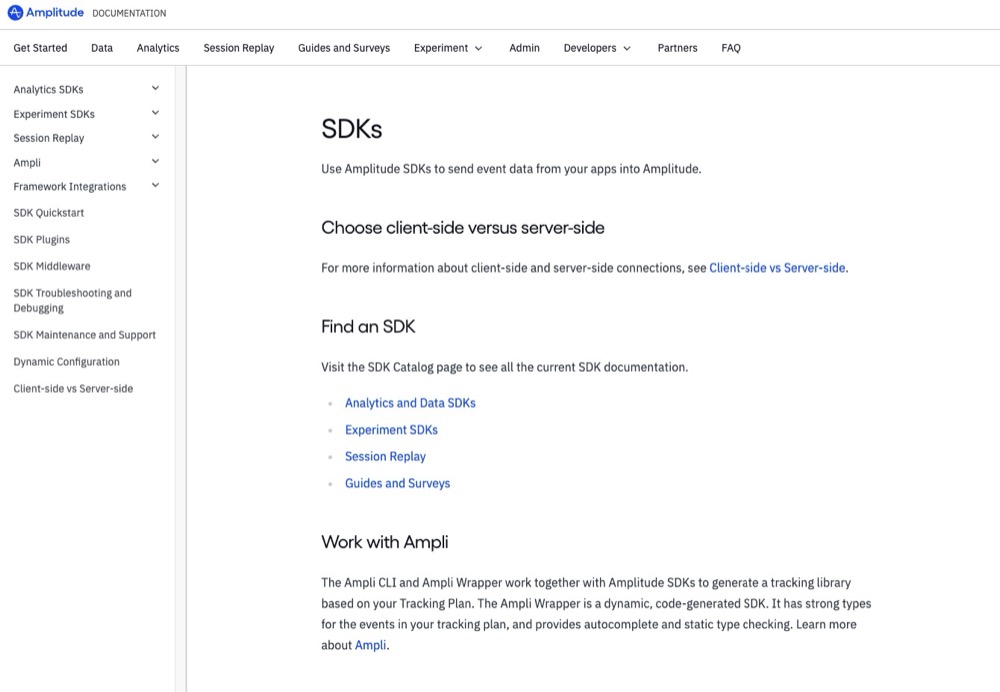
Amplitude Experiment is a developer-friendly experimentation and flag framework that lives beside Amplitude’s analytics library. It lets engineering teams embed variant logic directly into their applications, evaluate flags server-side or client-side, and tie experiments to analytics without maintaining a separate data stack.
What are Amplitude’s Top Features?
- SDKs and local/remote evaluation modes: Amplitude provides SDKs (JavaScript, Node.js, Python, iOS, Android, JVM, etc.) that support both remote fetch and local evaluation for lower latency decisioning.
- Unified SDK integration: The Browser Unified SDK lets you integrate analytics, experiments, and other features together so your codebase stays simpler.
- Feature flags and experiment logic in code: You can treat flags as both feature toggles and experiment variables, with rollout control, kill switches, and safe fallbacks.
- Statistical rigor and experiment metrics built in: Experiment outcomes come with significance calculation, confidence intervals, and baked-in reporting logic.
- Consistent variant evaluation across platforms: The hashing and variant logic are consistent across SDKs, so a user sees the same variant on mobile, web, and backend.
Why Amplitude is a Fit for Developers
For engineering teams, the appeal is building experiments as part of product logic instead of external tooling. You can version flag logic, integrate with CI/CD, and access variant decision results directly in code. The unified model with analytics simplifies instrumentation and reduces mismatch risks.
Why Do Companies Use Amplitude?
Tech-forward organizations use Amplitude Experiment when they want the experimentation layer tightly woven into their product stack, not bolted on. It suits environments where experiments, flags, and data pipelines all must interoperate, especially in microservice or multi-platform setups.
12. PostHog
Best for: All-in-one open-source experimentation and product analytics tool
What is PostHog?
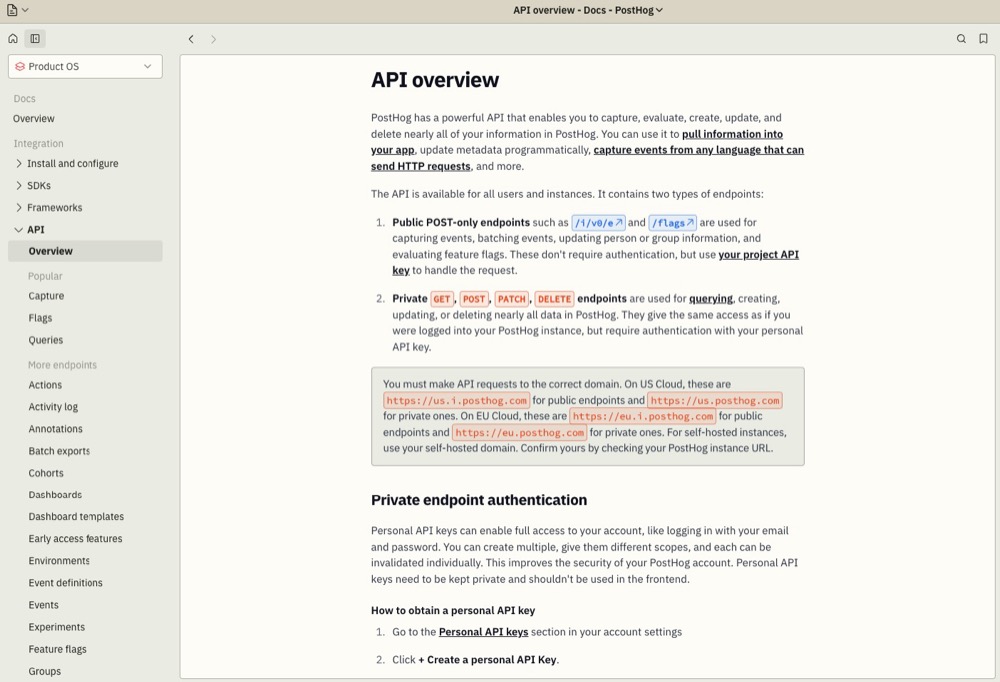
PostHog is an open-core analytics and experimentation platform made for engineers. It combines tracking, feature flags, A/B testing, and session replay in one system you can control, host, and extend. It fits best when you want full access to your data schema, fault isolation, and custom integrations.
What are PostHog’s Top Features?
- Autocapture and rich SDKs: Automatically logs clicks, page views, and form submissions with minimal setup.
- HogQL Query Language: SQL-flavored query engine to run custom queries directly on event data, enabling advanced analysis without leaving PostHog.
- Feature flags and experimentation: Built-in flags power safe rollouts, controlled rollbacks, and A/B/n tests, keeping experiment logic in code instead of external dashboards.
- Session recordings and replays: Developers can watch user sessions tied to events or flags to debug, track errors, and validate how variants actually perform in the wild.
Why PostHog is a Fit for Developers
Developers get the full stack to host analytics, run experiments, inspect recorded sessions, and write custom integrations, with open access to raw data.
PostHog’s SDKs, APIs, and modular architecture let engineering teams integrate experimentation into CI/CD, custom pipelines, or microservices without being boxed into a tool’s constraints.
Why Do Companies Use PostHog?
Teams adopt PostHog when they prefer owning their analytics and experimentation infrastructure rather than outsourcing it. It is especially appealing to startups and engineering-led companies that want flexibility, reduced tool bloat, and the ability to scale on their own terms.
13. Kameleoon
Best for: Privacy- and compliance-sensitive product teams
What is Kameleoon?
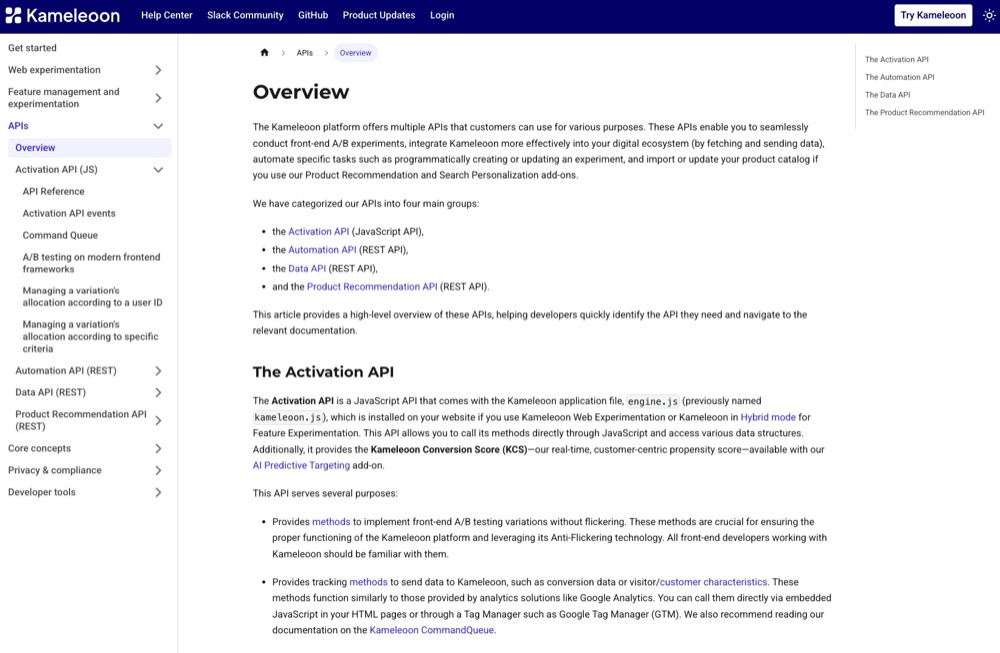
Kameleoon is a unified experimentation, feature management, and personalization platform that supports both client-side and server-side experimentation. It offers visual tools and SDKs for web, mobile, and backend environments, letting developers and product teams run tests, control rollouts, and deliver personalized experiences across platforms.
What are Kameleoon’s Top Features?
- JavaScript API (front-end): The Activation API handles variation rendering with anti-flicker support, consent logic (enableLegalConsent, disableLegalConsent), SPA support (enableSinglePageSupport), and dynamic refresh logic for DOM changes.
- Automation API (REST): Programmatically create or manage experiments, segments, goals, and configurations.
- Data API (REST): Retrieve experiment or visitor data for external systems, reporting, or custom workflows.
- Server-side SDKs for feature experimentation: Kameleoon supports SDKs for languages including Java, C#, PHP, Node.js, Ruby, Python, Go, and more, enabling backend experiments and consistent feature flag behavior.
- Privacy and consent integration: The Activation API includes built-in methods to respect legal consent, enabling modular activation depending on user consent status.
Why Kameleoon is a Fit for Developers
Kameleoon gives developers the control they need without sacrificing performance or privacy. Its SDKs across Java, C#, Node.js, Python, and more let you run experiments and feature flags on both backend and frontend.
Its built-in consent logic lets you conditionally enable experimentation based on user consent, which is especially valuable in regulated environments.
Because Kameleoon supports full-stack experimentation, you don’t need separate tools for UI and backend experiments; everything lives in one unified platform.
Why Do Companies Use Kameleoon?
Organizations adopt Kameleoon when they want an experimentation platform that also supports personalization and feature management under strong compliance guarantees. Brands that deal with regulated data or high privacy expectations value Kameleoon’s built-in consent control and modular activation.
The AI features (predictive scoring, prompt testing) help cross-functional teams generate ideas faster. Plus, its support across SDKs and environments allows it to scale across web, mobile apps, and backend logic without fragmentation.
14. Eppo
Best for: Data teams running warehouse-native experiments
What is Eppo?
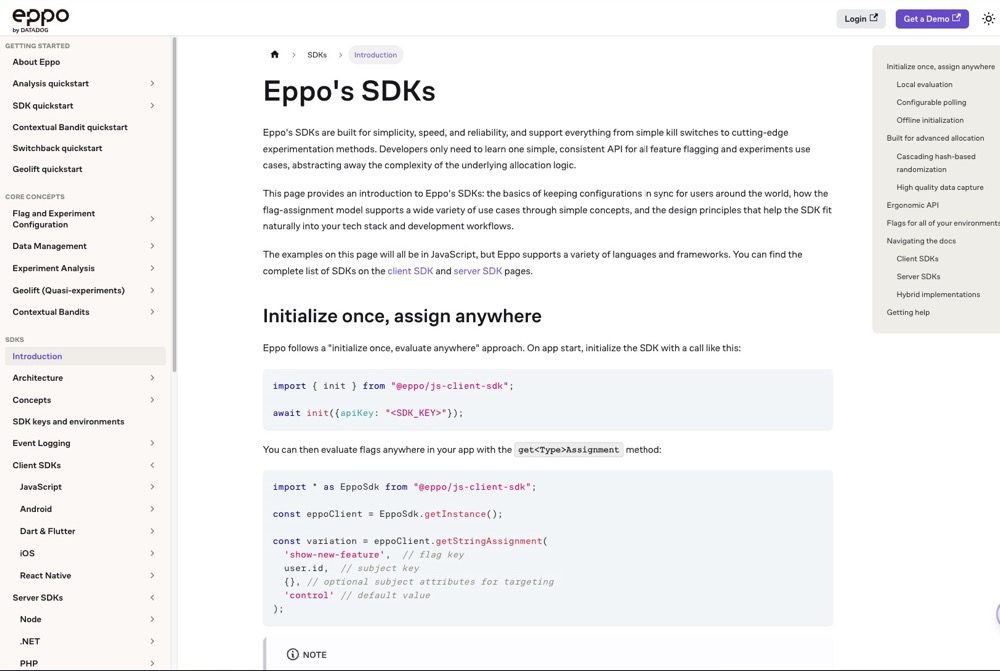
Eppo is a modern experimentation and feature flag platform that emphasizes warehouse-native analysis and simplicity in SDKs. It is designed to integrate tightly with existing data stacks and let engineering own both experiment setup and analysis.
Its architecture splits control logic (flags and rollouts) from analysis logic (metric definitions, results, etc.) but connects both deeply to the data warehouse.
What are Eppo’s Top Features?
- Lightweight SDKs with universal interface: Eppo provides SDKs in many languages, all sharing a consistent API for flags, experiments, and configuration.
- Local evaluation and polling for config updates: Once SDK fetches configuration, variant evaluation happens locally (no network round trip per user).
- Warehouse-native analysis smf metric definition: Experiment metrics and analyses live in the warehouse (e.g., Snowflake, BigQuery), not in a separate silo.
- Feature flags and experimentation: Eppo supports safe rollouts, kill switches, flag gating, and experiment logic in the same system.
- Contextual bandits and intelligent optimization: Beyond fixed splits, Eppo supports more adaptive experiment methods.
Why Eppo is a Fit for Developers
Developers benefit from Eppo because it keeps experiment logic close to data and stays transparent. You don’t have to stitch metrics out of two systems, as metric definitions live where your data lives. The SDKs are simple and consistent, reducing cognitive overhead. Local evaluation means low latency and fewer dependencies on external calls.
Why Do Companies Use Eppo?
Engineering-driven companies adopt Eppo when they want to consolidate experimentation logic and analysis under one umbrella.
It is especially appealing when teams already use a warehouse-oriented data stack and want experiments to plug into that rather than drive parallel systems. Eppo’s architecture suits companies scaling many experiments with precise metric alignment.
15. Firebase A/B Testing
Best for: Mobile app developers using Remote Config
What is Firebase A/B Testing?
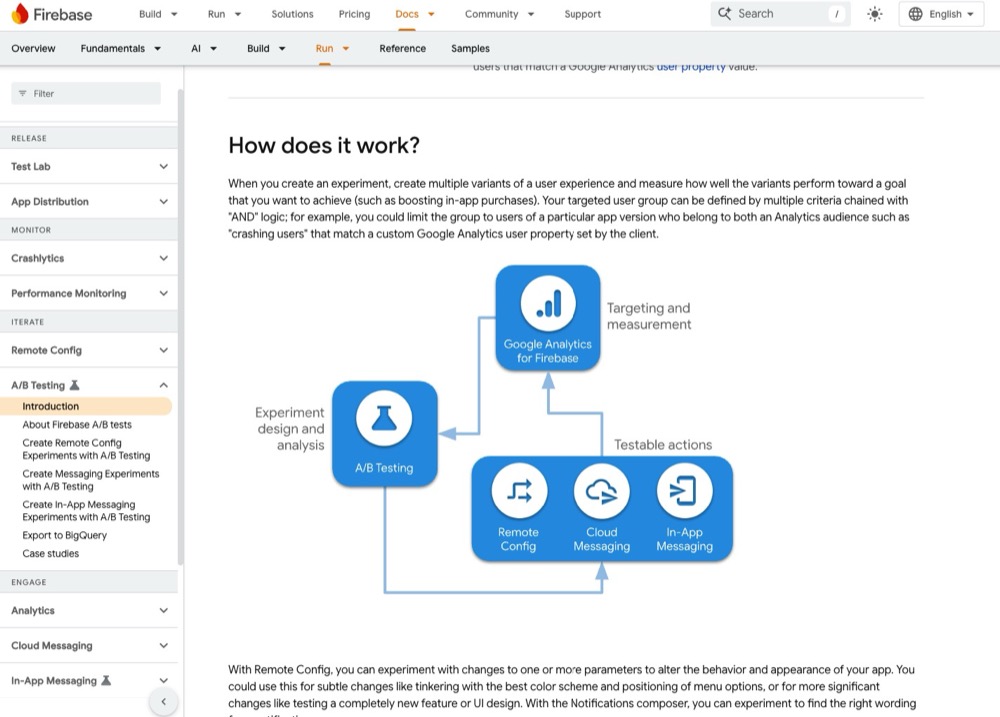
Firebase A/B Testing is Google’s built-in experimentation tool for mobile apps (iOS, Android) and in-app messaging.
It leverages Firebase Remote Config and Firebase Analytics to run experiments, monitor results, and roll out feature configurations to subsets of users.
You define parameter variants in Remote Config, control exposure percentage, and observe results via Analytics events.
What are Firebase A/B Testing’s Top Features?
- Remote Config parameter experimentation: You can change app behavior via config parameters and test different values in an experiment.
- Integration with analytics: You can choose Firebase Analytics events or funnels as experiment goals (e.g., retention, conversions) to assess variant performance.
- Targeting groups and audiences: You can limit experiments to specific audiences, like app version, platform, user properties, or Analytics audiences.
- Safe rollouts: Start experiments with a small subset of users, then expand exposure or roll out winning variants.
- Notifications and messaging experiments support: In addition to Remote Config, you can experiment on notification content via Firebase A/B Testing.
Why Firebase A/B Testing is a Fit for Developers
If your app already uses Firebase (Analytics, Remote Config), Firebase A/B Testing is a minimal-add overhead option. You don’t need to onboard a full experimentation stack. Configuration, rollout, tracking, and measurement can all be done within the Firebase ecosystem. This makes it especially useful for mobile devs who want lean experimentation.
Why Do Companies Use Firebase A/B Testing?
App teams use Firebase A/B Testing when they want basic experimentation without integrating a third-party tool.
For many use cases (UI tweaks, message experiments, and feature toggles), Firebase provides a lightweight option. It’s especially useful for early-stage apps or features where bringing in a heavier experimentation stack is not warranted.
How to Choose the Right A/B Testing Tool as a Developer
From speaking to other developers who use A/B testing tools, here’s what we’ve learned is the right way to go about choosing your A/B testing software.
Start with Workflow Fit
The first question is simple: Does this tool live naturally in your workflow, or does it force you into a clunky UI?
If you’re working in Git and CI/CD every day, you’ll want experiments-as-code. That means versionable configs, environment parity (dev/stage/prod), and a clear audit trail. Tools like GrowthBook and Eppo were built with this in mind.
If your team has non-technical teammates who need to get involved, a hybrid approach works better. Convert, Split.io and VWO FullStack give you SDKs and APIs for the heavy lifting, while still offering a UI for marketers or product managers who just need to ship a quick headline test.
Prioritize SDKs and API Coverage
One of the fastest ways to lose a developer’s trust is to say, “just paste this snippet.” That might work for a basic landing page test, but serious experimentation needs real SDKs and APIs.
Optimizely, LaunchDarkly, and ABsmartly stand out here with wide SDK coverage across Node.js, Python, Java, Go, Swift/Kotlin, and React/Vue frameworks. Mobile-focused teams often gravitate toward Firebase A/B Testing, which ties directly into Remote Config and Firebase Analytics.
Performance Isn’t Optional
Performance comes up again and again in developer circles. If a tool slows down your site, causes flicker, or tanks Core Web Vitals, it’s a non-starter.
That’s why platforms like SiteSpect (which runs as a reverse proxy) and Convert (which uses edge-assembled scripts and first-party APIs) get respect from developers. They let you run experiments without adding bloat or introducing debugging nightmares.
Match the Tool to Your Stage of Growth
The “right” tool often depends on your company’s size and complexity:
- Startups and small teams: Go for free tiers and open-source control. GrowthBook and PostHog give you experimentation without contracts or overhead.
- Growth-stage SaaS or ecommerce: You’ll want balance. Tools like Convert, Statsig, Split.io, and VWO FullStack give non-dev teammates enough autonomy while keeping the code-level flexibility developers need.
- Enterprise or regulated industries: At this scale, stability, privacy, and compliance are non-negotiable. Convert, Optimizely Full Stack, Adobe Target, and SiteSpect offer mature APIs, enterprise support, and the infrastructure to handle large-scale, complex tests.
Don’t Overlook Debuggability
It’s easy to underestimate this one until you’ve lost a week to “why didn’t this variation fire?”
Other developers consistently flag debuggability as a must-have. Logs, QA tokens, debug overlays, and clear error reporting. A good tool doesn’t just run the test, it tells you why something broke so you can fix it fast.
Learn More: QA-ing Client-Side & Server-Side Experiments
Wrapping Up
Your choice of developer-friendly A/B testing tool should hinge on team size, experiment volume, and how tightly you want experimentation tied into your workflows.
Pick a platform that minimizes integration overhead so you can stay focused on writing reliable code, shipping experiments quickly, and scaling learnings without burning cycles debugging SDKs or chasing data mismatches.
Frequently Asked Questions
What is the best A/B testing tool for developers with an API?
There’s no one “best” tool universally. It depends on your stack, budget, and maturity. But the ones developers often favor are those with fully featured SDKs (Node, Java, Python, and mobile SDKs), strong APIs for managing experiments programmatically, and support for experiment-as-code workflows (config files in Git, CI/CD integration).
Tools like Convert, LaunchDarkly, Split.io, GrowthBook, Optimizely Full Stack, and Statsig are often cited in developer communities for having mature, stable APIs.
Convert’s REST API v2 supports full experiment management (projects, audiences, goals, and reports) with HMAC-signed authentication for security, while Optimizely offers extensive endpoints for enterprise workflows. Both provide programmatic control that fits CI/CD pipelines.
Which platforms have SDKs for Node.js, Python, or Java?
Many modern experimentation platforms support multiple SDKs. For example:
- LaunchDarkly, Split, and Optimizely offer broad SDK coverage across Node.js, Java, Python, Go, mobile (iOS/Android), etc.
- GrowthBook supports SDKs and client libraries across several languages and frameworks, with open-source versions you can host if needed.
- Convert supports full-stack experimentation via its JavaScript SDK and APIs, giving engineers flexibility and control to integrate experiments natively within their stack.
- Firebase is a strong option for mobile-first teams using Remote Config.
Convert’s edge-assembled scripts and SDKs ensure experimentation never compromises speed, compliance, or maintainability.
If your stack is niche, always verify the vendor’s SDK support and version maturity for your desired language.
Are there open-source A/B testing tools for developers?
Yes. Several open-source tools provide core experimentation capabilities that you can self-host or extend. Tools like GrowthBook (open source edition) and PostHog (self-hosted experimentation + analytics) are popular. The tradeoff is that you often must manage hosting, scaling, integrations, and support yourself. 
How do developers integrate A/B testing into CI/CD pipelines?
The best practice is to treat experiments like code: you store experiment configurations or flags in version control, promote them through staging to prod environments, and have automated validations (linting and schema checks).
Many platforms support deploying changes via APIs or CLI tools, so your testing logic is part of your build. Also use feature flag gates (rollouts) to safely ramp traffic and rollback if performance or errors spike.
What’s the difference between feature flagging and A/B testing for developers?
Feature flags act as on/off switches or rollout controls. They enable or disable functionality dynamically.
On the other hand, A/B testing goes further. It randomly assigns users to different variations and collects metrics to compare outcomes.
Good experimentation platforms for developers let you have both, so you can use feature flags to gate changes, but run variation logic (and telemetry) through experimentation layers so you can measure impact, iterate, and validate decisions securely.
Which tools are best for mobile app developers?
Firebase A/B Testing is built into Google’s Firebase ecosystem and works natively with iOS/Android apps via Remote Config. For more flexibility or cross-platform testing, tools like LaunchDarkly, Split, Statsig, and GrowthBook also offer mobile SDKs (iOS/Android) and remote variation control.
Convert’s SDK can power backend-driven experiments for mobile experiences, offering flexible integration options for native apps.
How do developers run A/B tests without hurting site performance?
Performance-first tools like SiteSpect (proxy-based delivery) and Convert (edge-assembled scripts and SDK APIs) are respected by developers because they balance UX consistency with Core Web Vitals optimization.
Look for platforms with lean scripts, async loading, and CDN-based delivery to preserve Core Web Vitals.
Do developer-focused tools support GDPR and privacy compliance?
Yes, but depth varies. Convert emphasizes privacy-first APIs, including BYOID and consent-mode support, and does not send PII by default.GrowthBook and PostHog offer self-hosting for full data control. Enterprise tools like Optimizely, SiteSpect, and Adobe Target provide compliance certifications (SOC2, HIPAA, GDPR). Always confirm whether the SDKs and APIs respect consent mode and identity requirements.


Written By
Uwemedimo Usa
Edited By
Carmen Apostu