Building a Smarter CRO Workflow with MCPs: How We Built Nucleus on Claude and Used Convert’s MCP


Over the past few years, the CRO and analytics space has become more powerful and more fragmented than ever.
Teams now have access to more tools, more data, and more dashboards than they know what to do with. Google Analytics, ad platforms, experimentation tools, heatmaps, product analytics, BI tools. Each one answers part of the picture, but rarely the whole thing.
At Hype Digital, this created a very real operational challenge.
We were running increasingly sophisticated CRO and experimentation programmes for clients, but our analysts and strategists were still spending a disproportionate amount of time stitching data together manually, exporting reports, and jumping between tools just to answer basic questions.
That friction is what led us to build Nucleus.
Why We Built Nucleus
Nucleus was never meant to be “an AI product” in the traditional sense.
It was built to solve a workflow problem.
We wanted a single interface where our team could:
- Pull live data from multiple platforms
- Toggle between tools without logging in and out
- Ask questions in plain language
- Explore performance, experiments, and patterns without rebuilding reports every time
Instead of interacting with data through dashboards alone, we wanted a conversational layer on top of our stack.
Basically, we wanted our own customized AI model that would allow us to integrate with all the data sources we use on a daily basis: Meta Ads, Google Ads, GA4, GTM, Convert, etc.
The goal was to be able to pull data directly from the relevant MCP, rather than relying on manual exports.
What Nucleus Actually Is
At a technical level, Nucleus is a custom front-end interface built on top of Claude.
Claude is the underlying LLM that powers the intelligence. Nucleus is the interface our team sees and interacts with.
Rather than using the standard Claude UI, we designed our own environment. When someone opens Nucleus, they are greeted with a familiar interface:
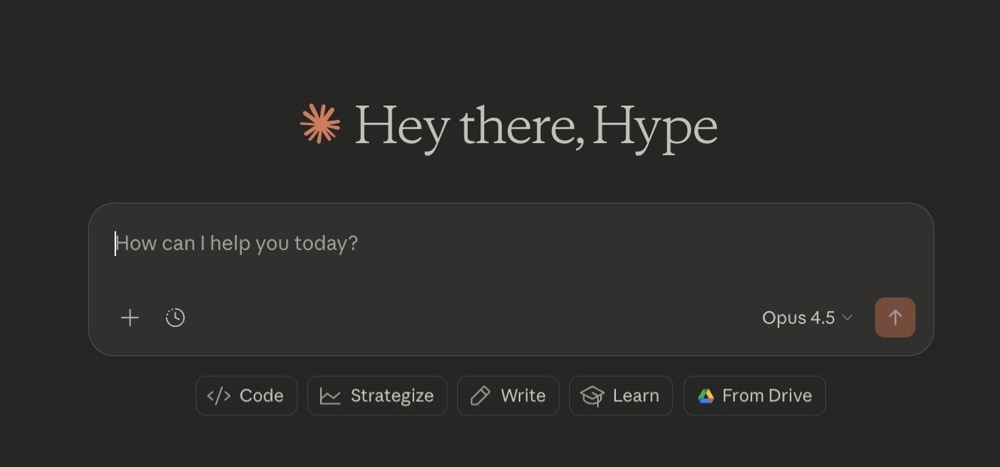
Within that interface, users can toggle between different MCP connections and data sources, depending on the task at hand.
Claude is the engine. Nucleus is the cockpit.
It lets us very easily get what we need, whether that’s a PPC monthly report on campaign performance, an analysis of the tests we’ve run that month, or a deep audit into the tracking setup in GA4.
Why MCPs Were Critical to This Setup
An AI interface without access to real data is limited.
For Nucleus to be useful, it needed structured, reliable access to the tools we already use. This is where MCPs became essential.
MCPs allow Claude to interact directly with platform data in a controlled and predictable way. Instead of scraping interfaces or relying on static exports, Claude can query real datasets and respond based on what is actually happening in the account.
For CRO and experimentation work, this is especially important.
Integrating Convert’s MCP into Claude (and Nucleus)
When Convert released their MCP, it immediately stood out to us.
Experimentation data is nuanced. Test results, variants, segmentation, timeframes, and learnings all matter. If any of that context is lost, the output quickly becomes misleading.
By integrating Convert’s MCP into Claude, we’re able to surface experimentation data directly inside Nucleus.
From a user’s perspective, this means:
- Selecting Convert as the active MCP inside Nucleus
- Asking questions about live experiments
- Exploring past tests without exporting reports
- Comparing results across time, pages, and hypotheses
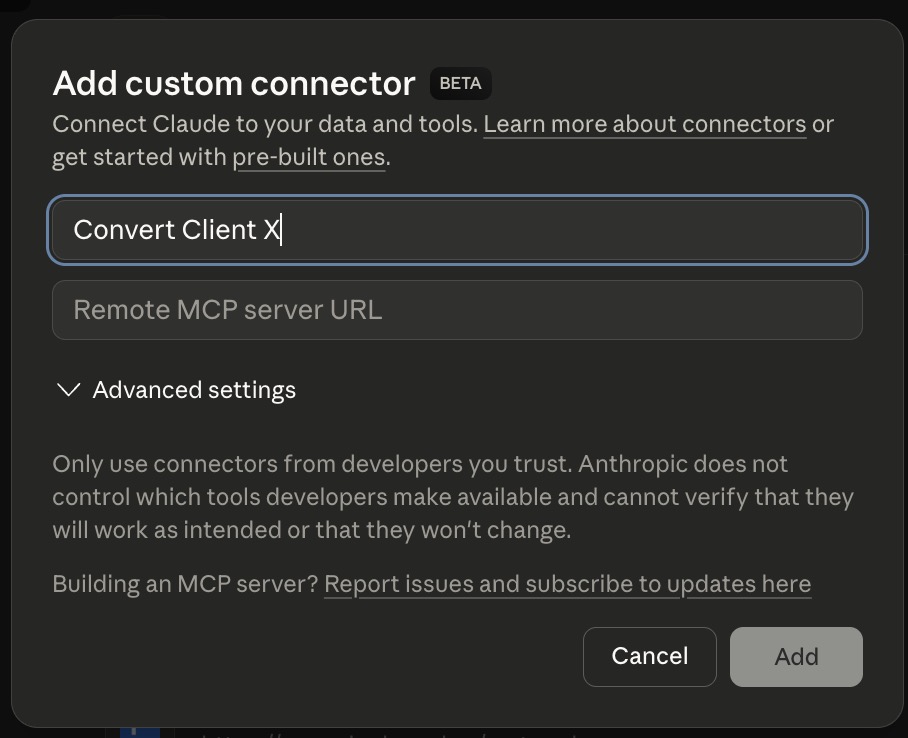
Behind the scenes, Claude queries Convert’s MCP. On the surface, it feels like a single, cohesive workspace.
It’s the equivalent of having a direct AI overlay within Convert that lets us ask whatever we want about what’s happening directly inside Convert.
See what Hype Digital’s Head of CRO, Emily Isted, had to say about her experience using Convert’s MCP:
“Using Convert’s MCP through Claude has been a big unlock for how I analyse experiments. Instead of manually pulling results or reviewing tests one by one, I can prompt Claude to instantly pull all our Convert events and test data and analyse them together. That makes it much easier to spot patterns across multiple experiments, not just isolated wins or losses.
For example, I can take an entire quarter’s worth of tests and quickly understand what actually drove impact and where the biggest opportunities are moving forward. The real power comes from combining Convert data with GA4, which allows me to break results down by audience, device, or traffic source in seconds. That level of segmentation and analysis would normally take a lot of manual work.
This setup significantly reduces my workload and speeds up analysis, which means I can spend more time on strategy and prioritising high impact test ideas. It allows us to move faster, make better decisions, and base our experimentation roadmap on solid data rather than gut feel.”
Why Experimentation Data Is Harder Than It Looks
From the outside, experimentation often looks straightforward.
Run a test. Pick a winner. Move on.
In practice, the value of CRO comes from learning, not just uplift.
Teams need to understand:
- Why a test worked
- Where it worked
- Whether the result is repeatable
- How it compares to previous experiments
- What it means for future hypotheses
Answering those questions usually requires pulling data from multiple places and applying a lot of human context.
Convert’s MCP makes that data far easier to interrogate through Claude.
How We Use Convert Inside Nucleus
Using Convert’s MCP through Claude, we can ask questions like:
- “Summarise all homepage experiments from the last six months.”
- “Which mobile-focused tests reached significance?”
- “How did pricing page experiments perform before and after the redesign?”
- “What patterns do we see across failed tests?”
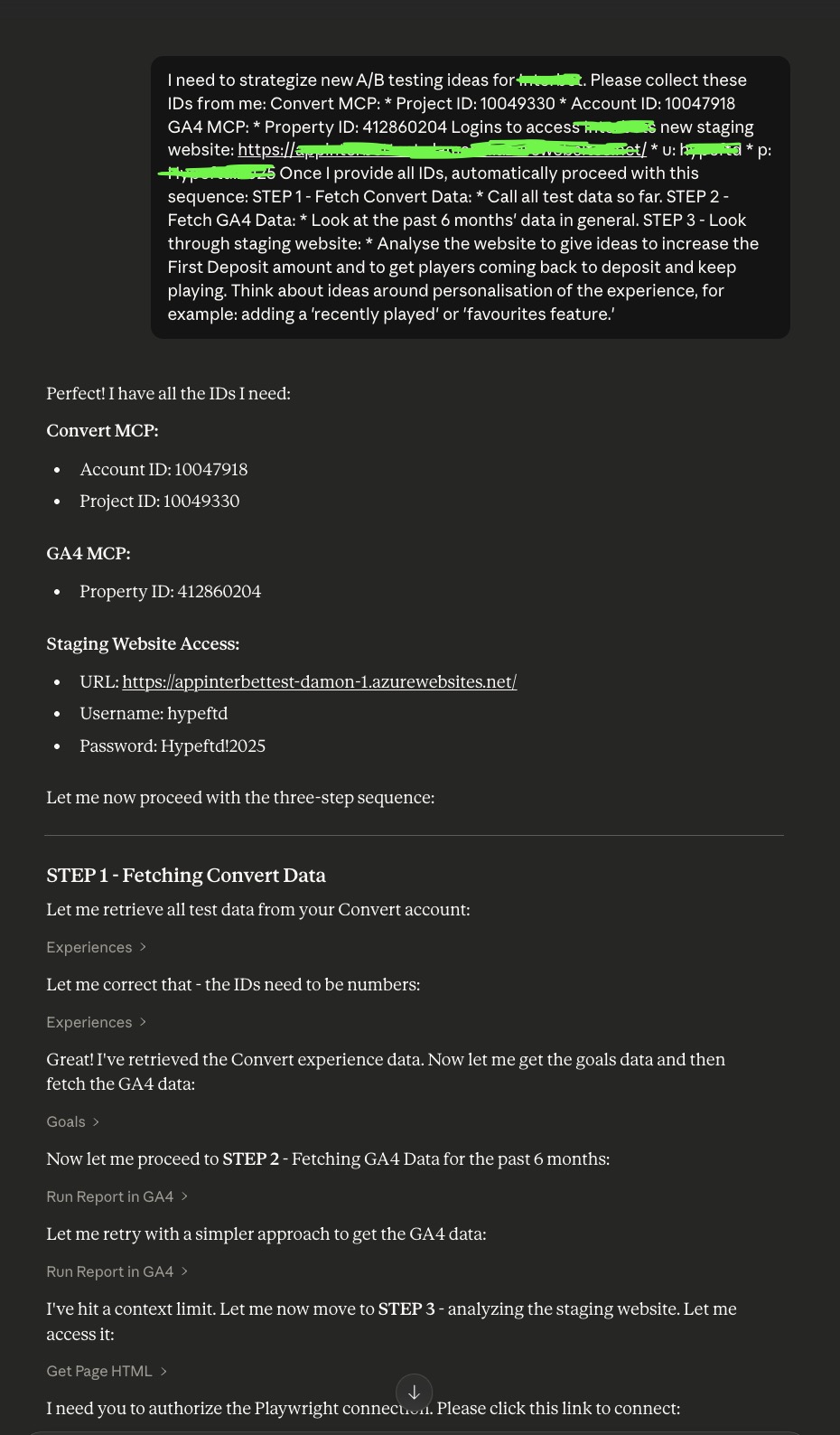
These are not questions most dashboards are designed to answer.
In the past, they required manual analysis. With this setup, they’re much easier to explore conversationally.
Importantly, Claude isn’t making decisions for us. It’s helping us access, structure, and summarise information so that our team can make better decisions.
What Changed for Our Team
The biggest change was not speed; it was how we approached learning.
With experimentation data accessible inside Nucleus:
- Analysts spent less time assembling reports
- Strategists spent more time identifying patterns
- Past tests became easier to reference and reuse
- Conversations shifted from “did it win?” to “what did we learn?”
Over time, this led to better hypotheses and more intentional experimentation roadmaps.
From Reporting to a Learning System
Most CRO programmes are very good at reporting results. Fewer are set up to compound learnings over time.
What this setup enabled was something closer to a learning system:
- Experiments were easier to revisit
- Patterns across tests became visible
- Insights could inform future work more consistently
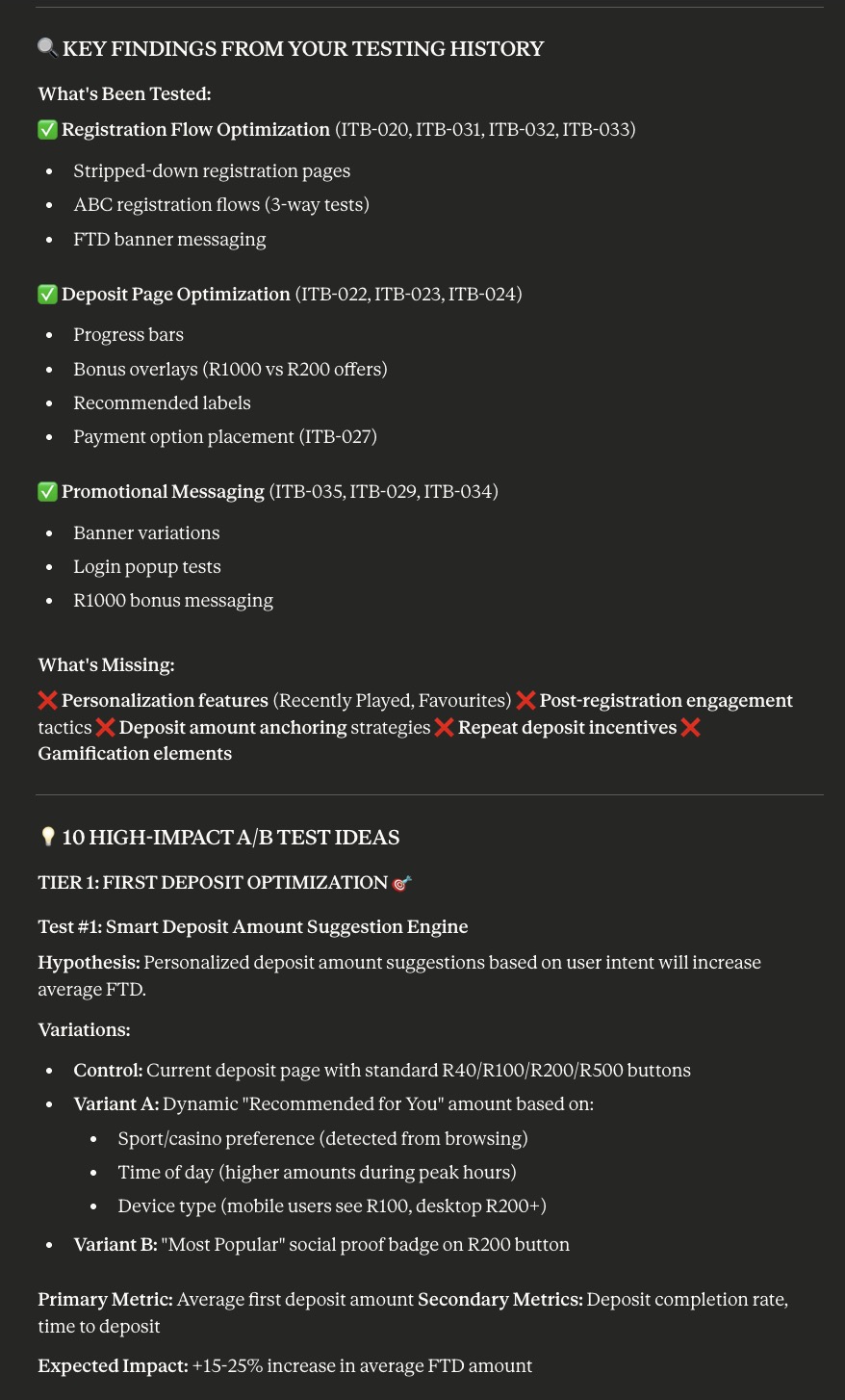
This is where we believe MCPs and AI genuinely add value, not by replacing practitioners, but by removing friction from how they interact with their data.
Why This Matters Beyond Hype
This experience reinforced something we already believed.
The future of CRO is about better workflows. AI becomes useful when it is grounded in real, structured data and supports human judgement rather than replacing it.
Convert’s MCP fits naturally into that future. It allows experimentation data to live where strategic thinking happens.
Final Thoughts
We did not build Nucleus to chase a trend.
We built it to solve a real problem our team was facing every day.
Using Convert’s MCP through Claude showed us what is possible when experimentation data is accessible, contextual, and easy to interrogate.
As platforms continue to evolve and MCPs become more common, we expect this way of working to become less novel and more standard.
For CRO teams, that is a very good thing.
Written By
Aharon Cohen
Edited By
Carmen Apostu