How to Build Your First AI Agent: From Manual Workflows to Intelligent Automation


I don’t know about you, but I get bored manually trudging through an interaction with an LLM. We say something, it says something back, and on and on, until we get what we need.
Worse still, in previous steps we took a single interaction with ChatGPT to analyse user feedback for insights, and then increased it to three steps! I mean, sure, we can now use a small, local model in place of large ones (which is better for the environment and is more secure from a privacy perspective).
But three steps still mean more work. So, let’s automate that. Let’s build our first agent.
What is an agent?
To understand what an agent is, we must first understand how it differs from a workflow.
A workflow is a sequence of discrete, specific actions (or “steps”) that, when chained together, work towards a particular goal.

An AI agent is what happens when we give the workflow a brain. All we need to do then is tell the agent the goal we want to accomplish, give the agent access to relevant tools, and let it figure out how to deliver the goal.
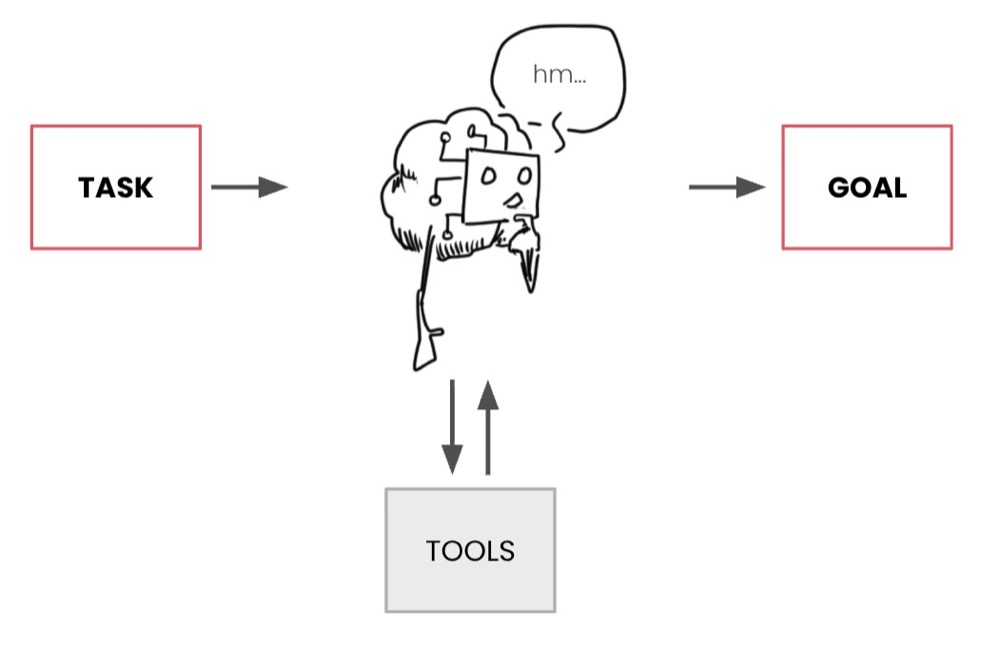
An agent’s tools can include access to a browser, a calculator, or the ability to write prompts and interact with an LLM. In our case, we want to do the latter.
We have three steps: get positive insights, get negative insights, and structure the output. We can leave it to the agent to figure out how to deliver the output, making as many calls to the SLM as it needs.
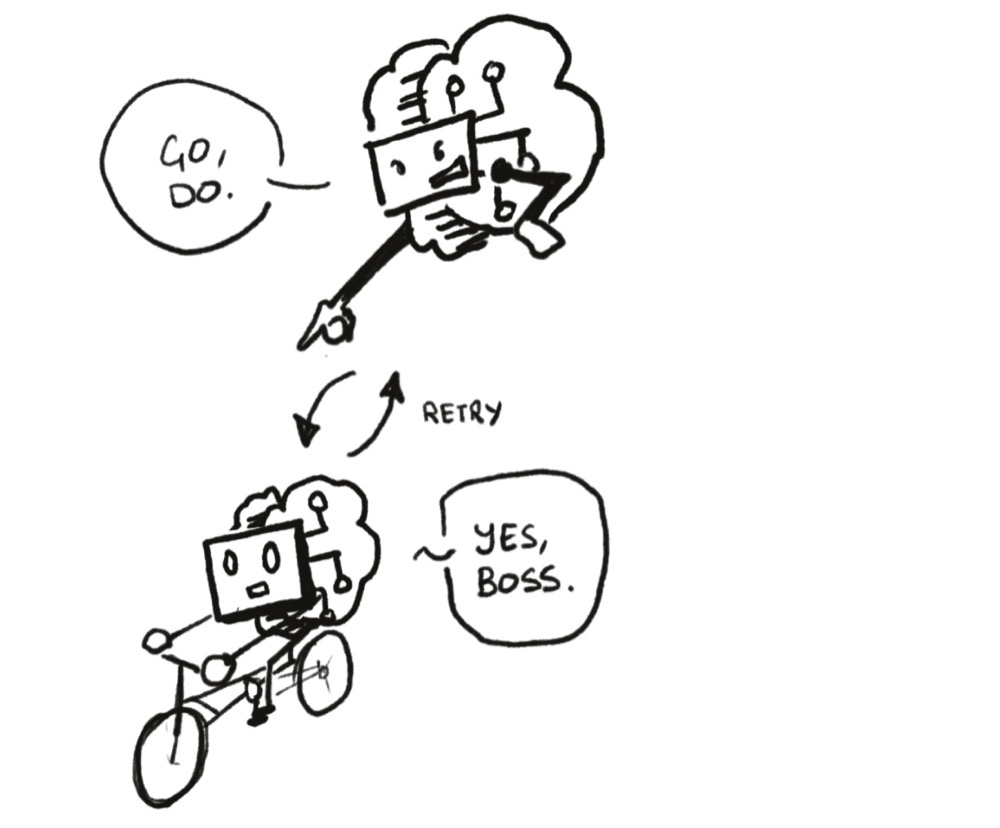
The Perfect Analogy
Sani (Slobodan Manic) had a really good analogy during a recent webinar, which I’ll steal here. Imagine you need to get from point A to point B:

A workflow provides a defined route (or set of steps) to follow. The problem is that when the automation encounters a roadblock, it gets stuck.

At which point, it needs human intervention to get unstuck.
Meanwhile, an agent just needs you to say, “get to B, here’s a map, figure it out.” If it hits that same roadblock, it’s up to the agent to figure out its way around to reach B.
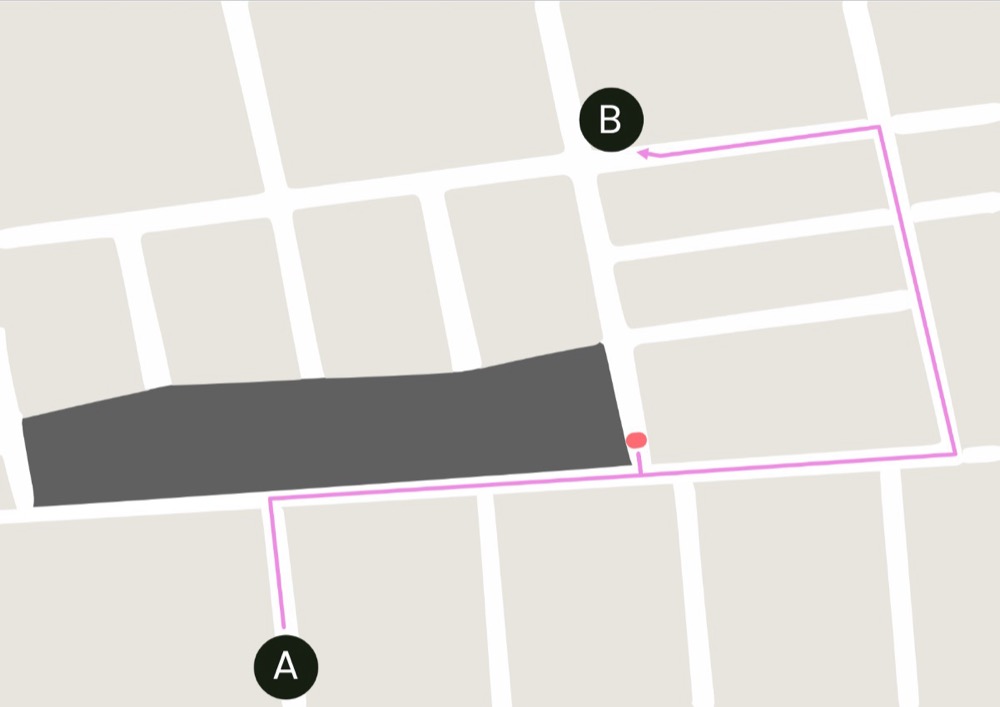
The key thing to remember about an Agent is that it may not always use the same route, even if there is no roadblock. More on that later.
Building Your First AI Agent
That’s enough theory. Let’s build our first AI agent.
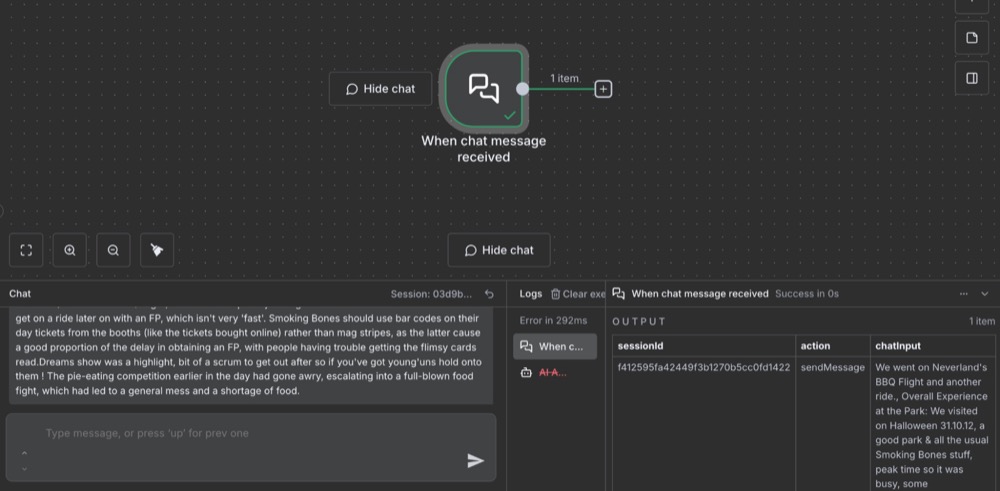
Step 1: Set Up Your Chat Trigger
To create a Chat trigger, insert our example user feedback, and trigger it. Now we can see the chat output as example data. Working with n8n is always easier when we have example inputs and outputs to work with.
Step 2: Create the AI Agent Node
Previously, we created a basic LLM chain. This time, we’re going to make an AI agent as the next node.

Select Define below for Source for Prompt, as we want to define the prompt ourselves. Then, where it says Prompt (User Message), go to Expression and click the expand icon to view everything in a larger view.
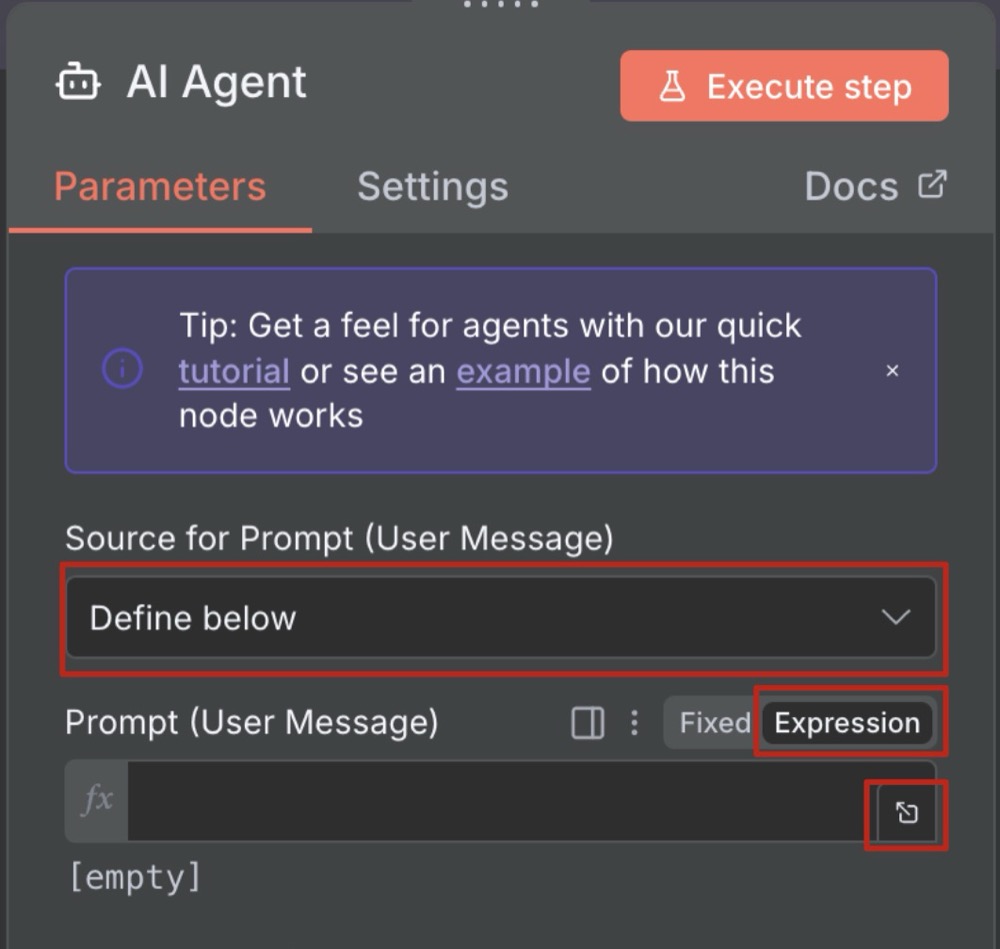
Write the prompt to process the feedback, dragging in the input from the previous step as the dynamic part of the expression. The user prompt for your agent should include:
- Context: Where is this data from. E.g., Survey for Barbecue-themed adventure parks.
- Role: Role you want the Agent to play. E.g., Customer support analyst.
- Tasks: Break down the tasks the agent should perform.
- Step one: Summarise negative insights from the user feedback
- Step two: Summarise positive insights
- Step three: Structure the output as JSON
- Example output: What format we expect to receive back
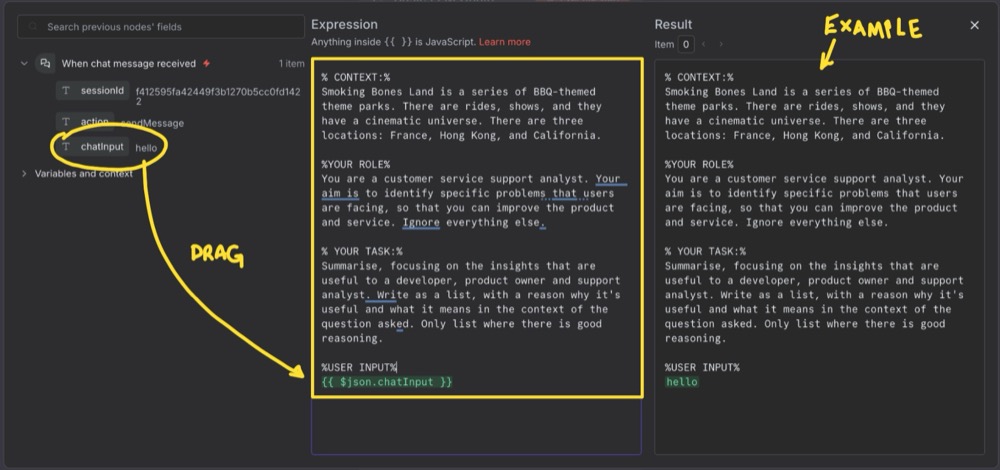
The result panel shows an example of the final prompt.
Here’s our prompt:
% CONTEXT:%
Smoking Bones Land is a series of BBQ-themed theme parks. There are rides, shows, and they have a cinematic universe. There are three locations: France, Hong Kong, and California.

%YOUR ROLE%
You are a customer service support analyst. Your aim is to identify specific problems that users are facing, so that you can improve the product and service. Ignore everything else.

% YOUR TASK:%
Summarise a list of positive and negative insights:

    Step 1: Summarise the negative insights from the user feedback

    Step 2: Summarise the positive insights from the user feedback

    Step 3: Structure the output as JSON, using the following example output:
        [{
    "insight": "summary of each specific insight",
    "sentiment": "Positive|Negative"
},{ ... repeat for each insight... }

%USER FEEDBACK%
{{ $json.chatInput }}
That last part is the dynamic part, dragged in from the input.
Step 3: Add the Model
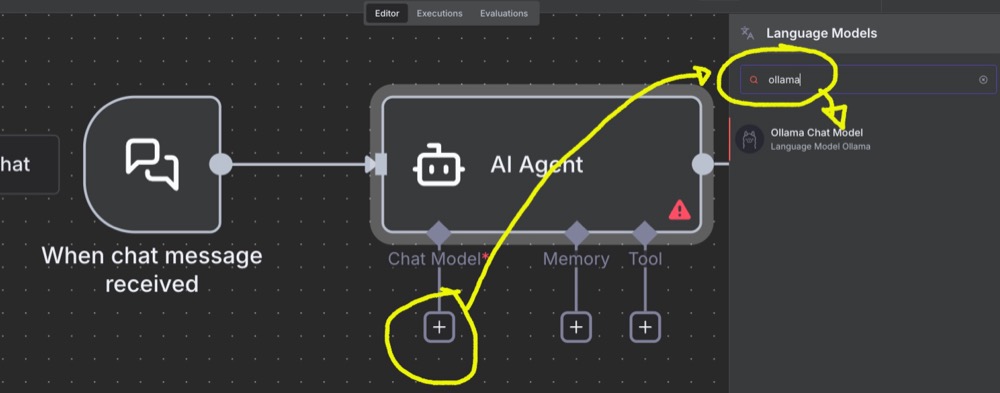
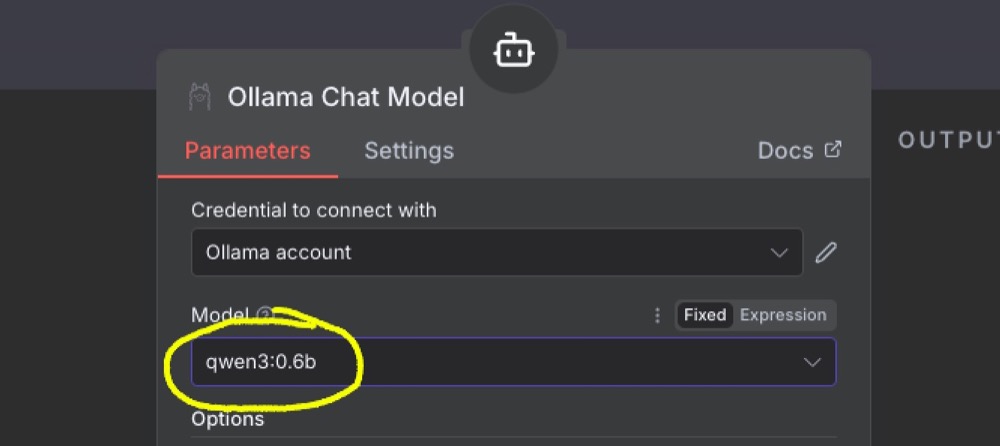
When you execute that step, you’ll get an error because we haven’t added a model yet. Let’s add one. Select Ollama as the sub-model, then pick the favourite small model you downloaded in the earlier steps of this series.
Step 4: Configure Memory
For the AI agent, we need to add “simple memory”. This memory allows the agent to remember where it is when making multiple calls to the tools and AI model. The default settings are fine for this simple agent.
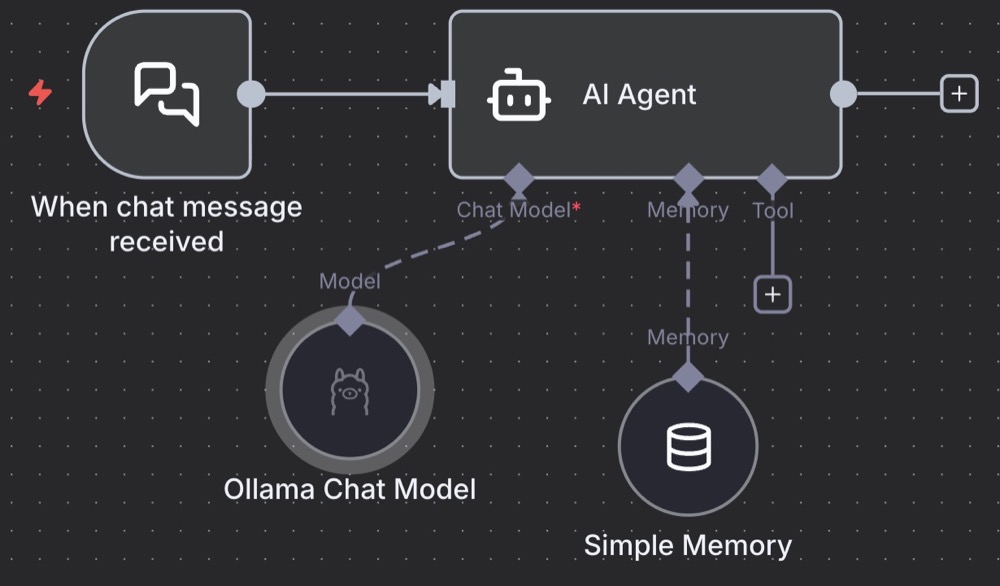
We could also add tools if we wanted. For instance, tools to fetch data from other sources or do simple calculations for us. All our agent needs is access to the LLM model to prompt multiple times.
Step 5: Execute and Review
Hover over the Agent node, and you’ll see a button to execute that step.
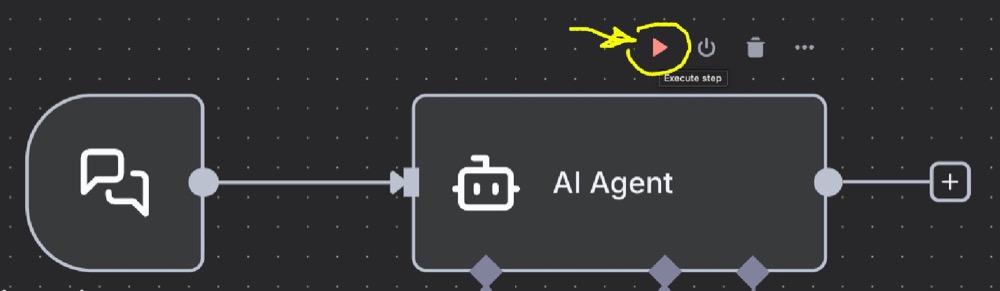
Once executed, we’ll have our output: some nicely structured insights as JSON!

At this point, you might be thinking: “AI agents are great. Let’s use them for everything.” But I have a concern with the current design. To understand this concern, we need a deeper understanding of the pros and cons of AI Agents vs. workflows.
The Key Differences Between Workflows and Agents
Workflows are:
- Predefined and static set of processes
- Repeatable, predictable, and linear
- May need human supervision for some steps
Agents are:
- Good for tasks that require dynamic decisions
- Non-linear and adaptable (up to a certain point)
- Can hallucinate and can be unpredictable
There’s value in the predictability, stability, and rigidity of workflows. Systematic linear processes are not just good; they’re a necessity. If a process can be split into multiple steps, each step can be validated. And a log and complex task, broken into a series of simple steps, ensures the accuracy and consistency of the output.
While AI Agents work well for simple, well-defined tasks, give them something too substantial, or overload them with too many tools, or give them too much autonomy, and it’s a recipe for disaster. They hallucinate, they’re unpredictable, and can be wasteful, making unnecessary calls to our SLM.
What’s more, it can be tricky to debug Agents. If we see inconsistencies or inaccuracies in the Agent output, it can be challenging to identify which part of the task the Agent is having problems with. For example, is it having problems extracting negative insights or positive insights? Or are the insights getting lost during the JSON structuring process?
I say, always approach tasks from a “workflow-first” perspective. This way, we engineer as much “predictability” into our workflow as possible, using AI agents only when the SLM requires multiple calls or iterations to get things right.
Reviewing our workflow
Specifically, with our workflow, my concern is that we may be overloading the agent with too many tasks. I’d also like some transparency on the insight extractions step.
I’m thinking we might need to split this agent into two steps rather than a single agentic step. Here’s what I’m thinking:
A specific agent that handles the structure only will ensure our output doesn’t suffer because the model is trying too hard to structure content in JSON.
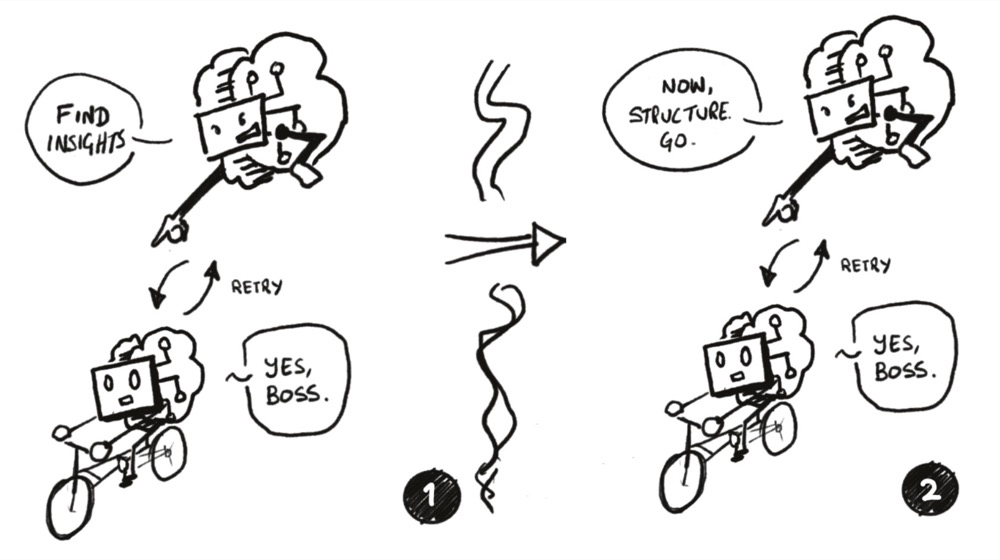
Splitting Into Two Agents
First Agent: Extract Insights
Open up the Agent prompt and remove step three (the structuring part):
% CONTEXT:%
Smoking Bones Land is a series of BBQ-themed theme parks. There are rides, shows, and they have a cinematic universe. There are three locations: France, Hong Kong, and California.

%YOUR ROLE%
You are a customer service support analyst. Your aim is to identify specific problems that users are facing, so that you can improve the product and service. Ignore everything else.

% YOUR TASK:%
Summarise a list of positive and negative insights:

    Step 1: Summarise the negative insights from the user feedback

    Step 2: Summarise the positive insights from the user feedback

    Step 3: Structure the output as JSON, using the following example output:
        [{
    "insight": "summary of each specific insight",
    "sentiment": "Positive|Negative"
},{ ... repeat for each insight... }

%USER FEEDBACK%
{{ $json.chatInput }}
Then execute the step…
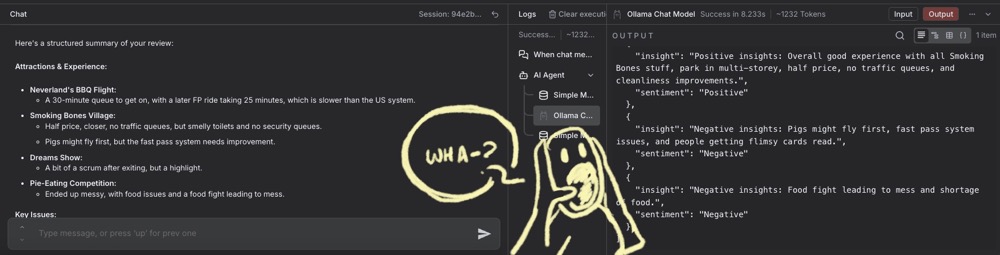
Ah, the output still structured. This issue is an important “gotcha” with n8n that we need to be aware of. The reason we still get structured output is that the agent’s simple memory has retained the previous output. We need to clear the memory, and the easiest way to do that is to “save” the workflow, and then reload the browser.
After we do that, we’ll get output in text format without any structure. Perfect.
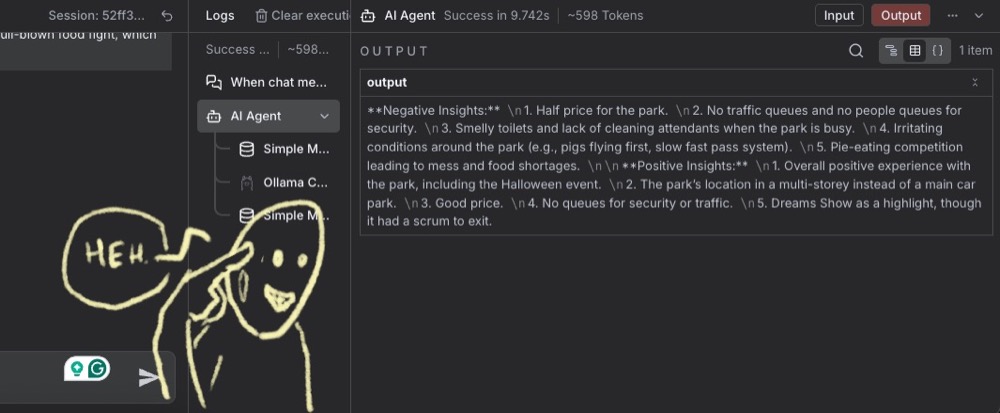
Second Agent: Handle Structure
Let’s now create the second agent to structure the output into JSON.
Go through the same process again. Open the agent, select Define prompt, select Expression and expand to get a proper view. Drag in the previous (unformatted) output, and define a simple prompt to structure the data.
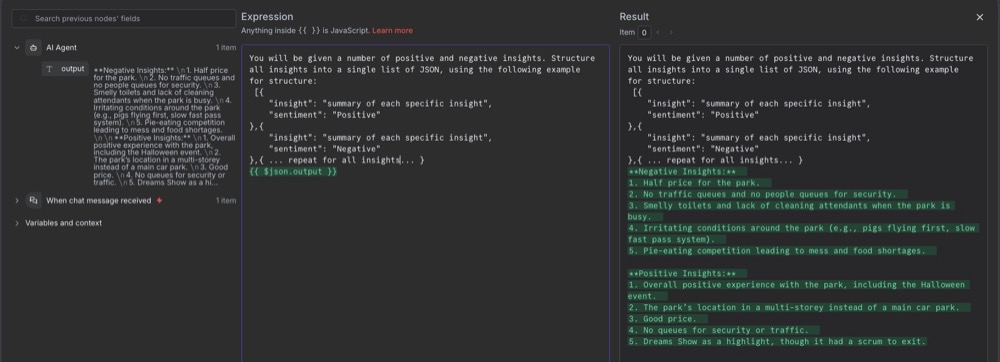
Prompt:
You will be given a number of positive and negative insights. Structure all insights into a single list of JSON, using the following example for structure:
 [{
    "insight": "summary of each specific insight",
    "sentiment": "Positive"
},{
    "insight": "summary of each specific insight",
    "sentiment": "Negative"
},{ ... repeat for all insights... }
{{ $json.output }}
Execute this step again, and we’ll get an error because we haven’t connected our chat model. Now, we could pick a different model for this step if Qwen wasn’t doing a good job with structuring (like the Gemma model, for instance). But I’m going to stick with Qwen3.
Again, add memory. Simple memory is fine. I like to stick to defaults when in doubt.
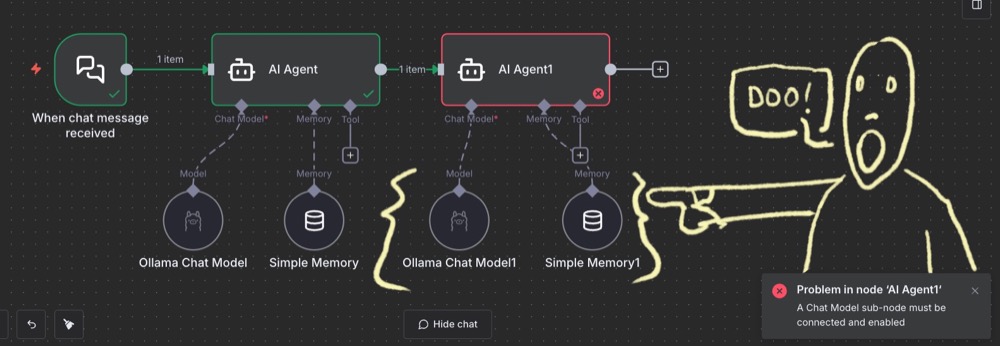
Execute this step, and you’ve got your output.
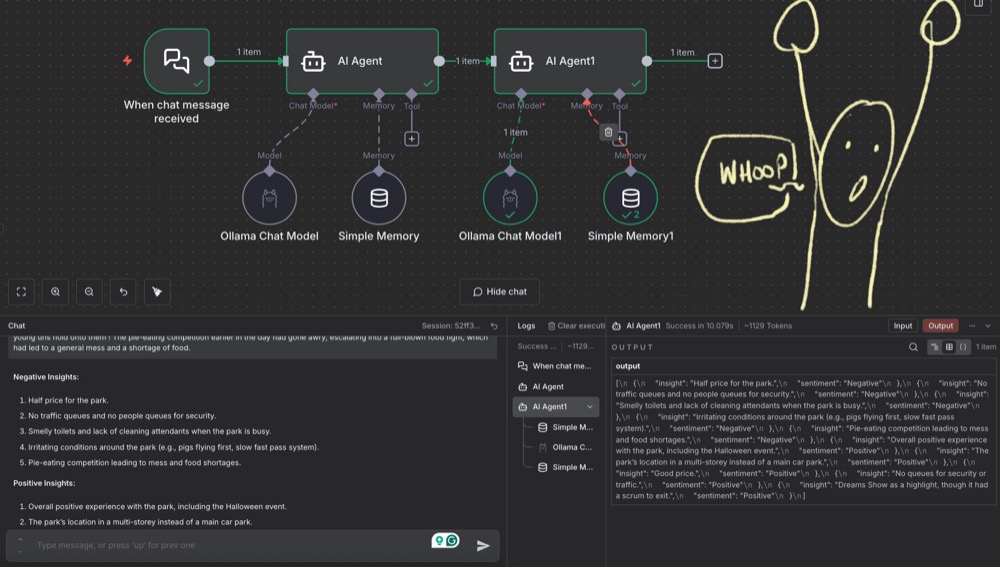
What We’ve Accomplished
We’ve created a workflow with two steps and two agents:
- Agent 1: Solely focused on extracting the insights
- Agent 2: Solely focused on structuring the output
Each has very discrete, small, simple tasks and simple goals, with even smaller, simpler tasks and goals within each agent. We’ve learned a simple process for building a workflow, starting with a single agent and breaking it into pieces around our validation requirements.
This tutorial is a starting point to help you explore and have fun building your own workflows and agents.
Why JSON Format Matters
You might be asking: Why do we need everything in JSON format? The JSON format is helpful because it’s an effective format to pass between code functions.
Ensuring good JSON structure means we can put the data into Google Sheets or Airtable, which is exactly what we’ll do next time. Come back, and we’ll pick up where we left off.
Editor’s note: This guide is part of a broader series on building practical AI systems. To see how these workflows evolve, explore our guides on getting started with AI automation in n8n, connecting Google Sheets to n8n, building RAG workflows with n8n and Qdrant, extracting themes from user feedback with n8n, quantifying those feedback themes and connecting chat interfaces to real tools.

Written By
Iqbal Ali
Edited By
Carmen Apostu