The Easy Way to Benchmark Language Models


Can a smaller, cheaper, and more power-efficient (and more open) language model beat Anthropic’s Fable model?
You know, the language model that’s so good it’s a danger to humanity.

According to benchmarks widely used by AI labs, the answer is: of course not. Are you crazy?

But what if I told you there was widespread concern about benchmark contamination, meaning that most language models may have “accidentally” been trained on the data used to evaluate them.
Suddenly, Fable’s dominance over the smaller, more “open” models becomes less certain. Moreover, what makes a language model “best” is subjective. Is there a way to benchmark models more reliably for my specific use case and compare cost, too? The answer is to run custom benchmarks, which is essentially what we’re going to be doing today.
If you want to follow along, all you need is an OpenRouter account and $5 for credits. Now, let’s get into it.
Overview of the process
The overall process is pretty simple. Pick a few example prompts. Describe what a good response for each prompt looks like. And then run the prompts against a range of models.
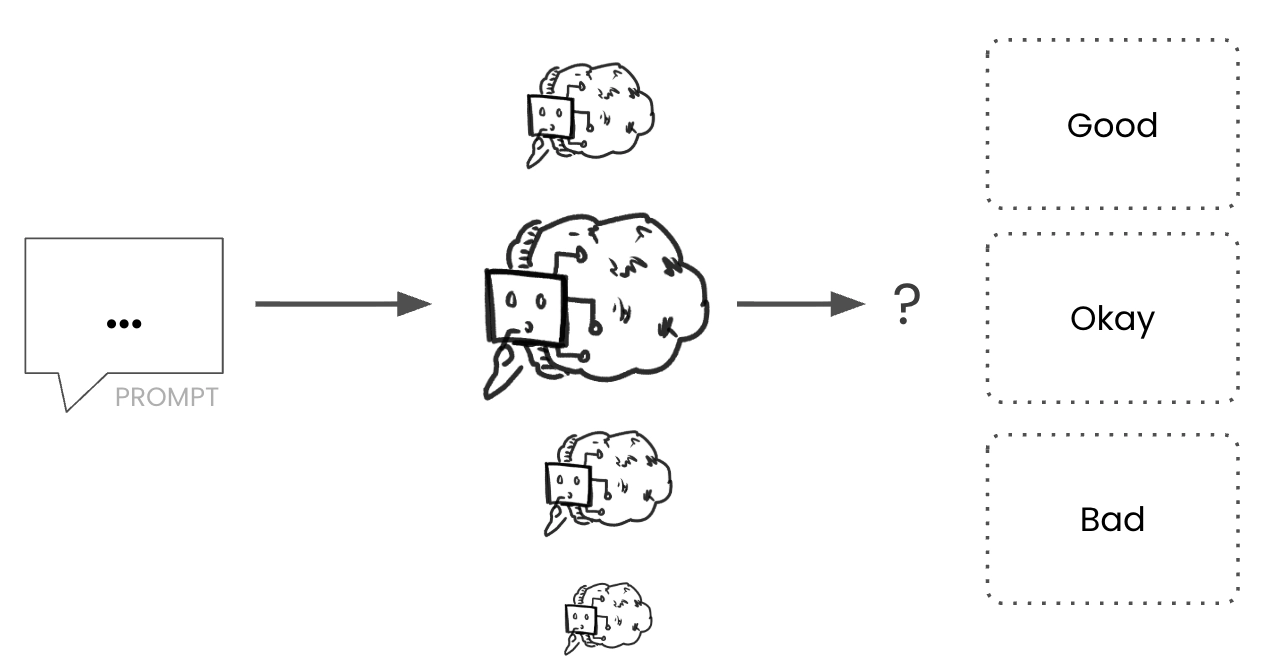
We can also evaluate output in terms of cost, performance, privacy, or anything else that’s important. But how do we find the benchmark prompts to use?
Step one: Picking benchmark prompts
We start by reviewing our current workflows and prompt history to identify regular use cases. For the rest of the article, I’ll use a complex use case: doing a CRO/experimentation audit of a website, but obviously swap it with a more relevant task that fits you.
The task and prompt don’t need to be real; you can manufacture them. For instance, here’s the landing page of a dummy site I prepared earlier.
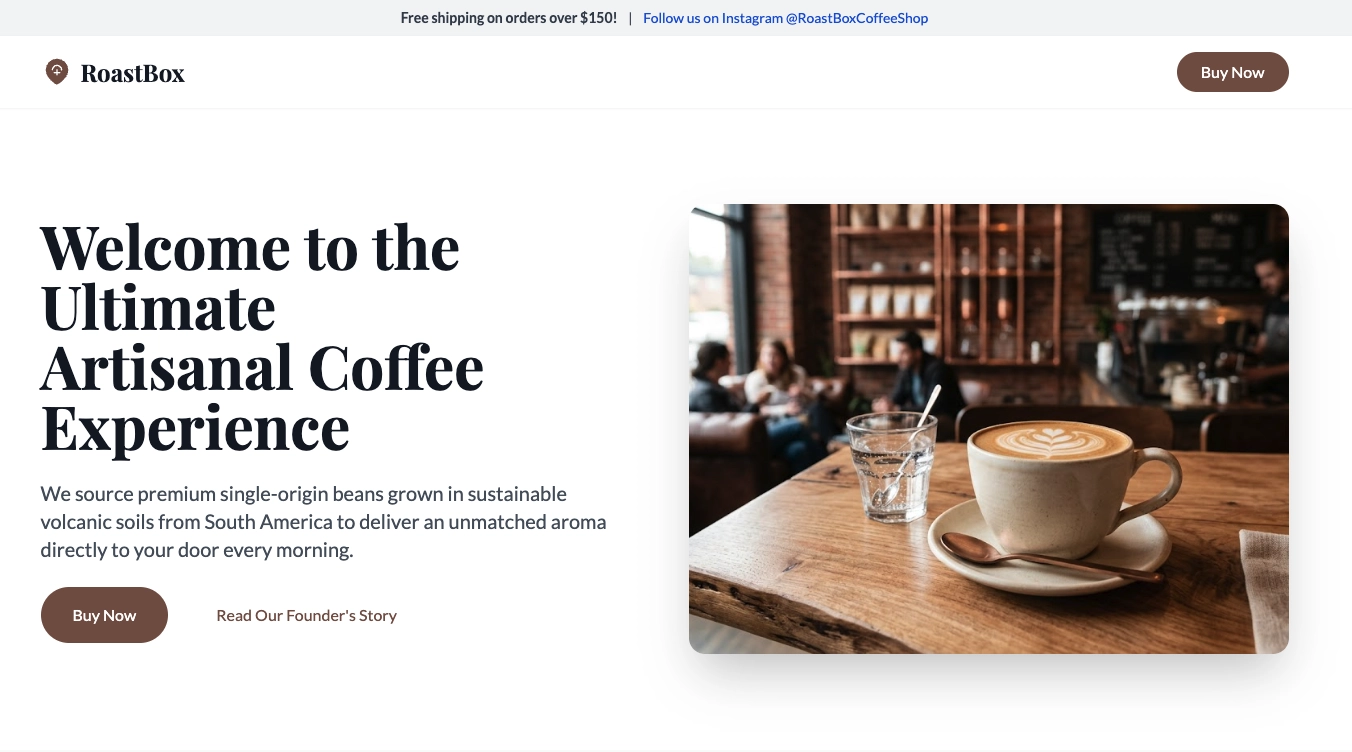
I engineered the landing page to have many problems, including clear value proposition messaging issues. I’ve described the homepage so we can use it in a prompt for a heuristic audit and advice on what to improve. Here’s the description:
**Page Type**: E-commerce Product Landing Page

**Goal**: Convert visitors into customers by guiding them to purchase artisanal coffee through a subscription model

**Tech Stack**: Single HTML file with Tailwind CSS, vanilla JavaScript, Unsplash hero image

---

## Page Structure & Flow

### 1. Top Announcement Bar (Above Fold)

- **Content**: Free shipping threshold ($150) + Instagram handle

- **Element**: Sticky top bar with light grey background

- **Purpose**: Build urgency and social presence immediately

### 2. Navigation Bar (Sticky)

- **Elements**: Logo, "Buy Now" CTA (right-aligned)

- **Behavior**: Sticks to top on scroll

- **Purpose**: Persistent access to primary action

### 3. Hero Section (Above Fold)

- **Layout**: Two-column grid (text left, image right)

- **Headline (H1)**: "Welcome to the Ultimate Artisanal Coffee Experience"

- **Subheadline (H2)**: Brand story about volcanic soil sourcing

- **CTAs**: Primary "Buy Now" + Secondary "Read Our Founder's Story"

- **Visual**: Green coffee beans in burlap sacks (artistic close-up)

### 4. Key Features Grid

- **3-column grid** with icons

- **Points**: Arabica beans, ethical trade, 48hr shipping

- **Design**: Centered cards with icon circles

### 5. Product Selector (Conversion Point)

- **Title**: "Build Your Perfect Cup"

- **Selectors**:

  - Grind Size (5 options)

  - Bag Size (3 options with pricing)

  - Frequency (3 subscription options)

- **Layout**: Card container with radio buttons

- **CTA**: "Add to Cart" button


### 6. Testimonial Section

- **Quote**: "Best coffee ever! Tastes so fresh and smells amazing."

- **Badge**: "Verified Buyer" with star icon

- **Design**: Centered card with quote marks

### 7. Footer

- **4-column grid**: Brand, Shop, About, Connect

- **Links**: Social media, email, internal pages

- **Copyright**: Standard footer text
And here’s what my first prompt looks like:
[DESCRIPTION OF PAGE]

## Task

Do a heuristic analysis of the page. Give me the top 3 things to improve

**
This second part is the Task, and it’s intentionally broad and generic, since I expect a model like Fable to excel here. But still, I’m curious what the performance gap will be.
Decide what ‘good’ looks like
Now, we have a prompt; we need to define what “good” looks like. That is, what output would you be satisfied with if an AI gave it to you? It’s a good idea to write this down. Here’s mine:
Positioning is the biggest problem with this landing page. Welcome is not value. I’d want the AI to surface the lack of a clear value proposition as the biggest issue. Also, it’s unclear who the landing page is targeting. If it’s an individual customer, what’s with the ‘Free shipping orders over $150?’
I’ll also review the other stuff that the AI surfaces, but these are important to me. Your description may differ from mine, and that’s fine. It’s what makes these benchmarks ‘custom’. This may not sound super scientific, but it’s a non-deterministic measure of a non-deterministic output, so it works well.
Other benchmarks
For my second benchmark, I’m going to use the same page and description, but narrow the focus to the value proposition only. While the first benchmark is challenging and kind of like a stretch goal, this second benchmark is closer to how I’d use Generative AI:
[Description of page as before]

## Task

Analyse the landing page, focusing on the value proposition, judging its strength, and how clearly it communicates value. For each major section, evaluate how well it maximises perceived benefits and minimises perceived costs in the customer's mind, and suggest alternatives.

## Specific sections to Evaluate

1. **Hero** — Does the H1/H2 clearly articulate the benefit? Do CTAs align with the value proposition?

2. **Features** — Are the 3 bullet points specific and differentiating? Does "48hr shipping" stand out?

3. **Product Selector** — Does customization increase perceived value? Are prices justified?

4. **Testimonial** — Does it reduce psychological risk? Is the benefit concrete or vague?
Pulling attention to the value proposition makes this task less challenging. I can add more prompts to get even more specific, but this will do for now.
Now that we have our benchmark prompts, let’s pick the models to benchmark.
Step two: Explore the models
OpenRouter is a proxy service (kind of like a middleman) that allows for convenient access to plenty of models from various sources, including ones from Big Tech.
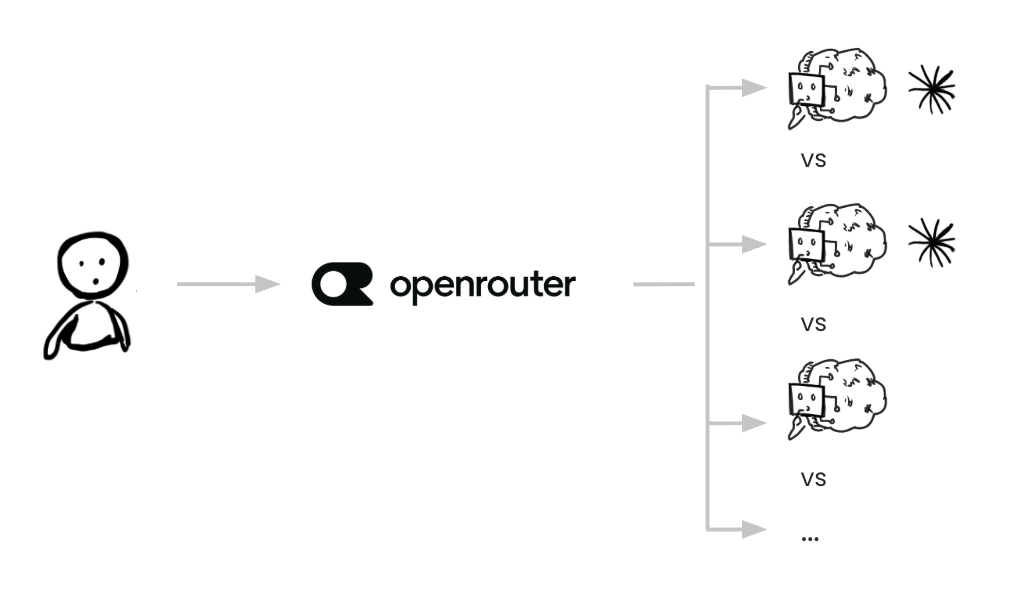
This makes it convenient to use, but note that it adds overhead in terms of performance and cost. Both of these impacts are minor and fine for our purpose here.
Finding the right models
There’s no easy formula to find the best models to benchmark.
OpenRouter’s Rankings are a good place to explore, and their benchmarks make a decent guide. But the most useful signal I’ve found is social media. Which models are the people you follow actually talking about and using?
For my use cases, I like to benchmark the latest Sonnet, GLM, Qwen, Mistral, and Gemma model families. I’d also say that these are a good starting point for anyone looking to start benchmarking.
Within most of these families, you’ll find several model ‘variants’ which vary in size and price. It can all be a little overwhelming with choices between models and variants, so here’s a brief guide to help you make sense of the differences and make your choice.
1. Parameters
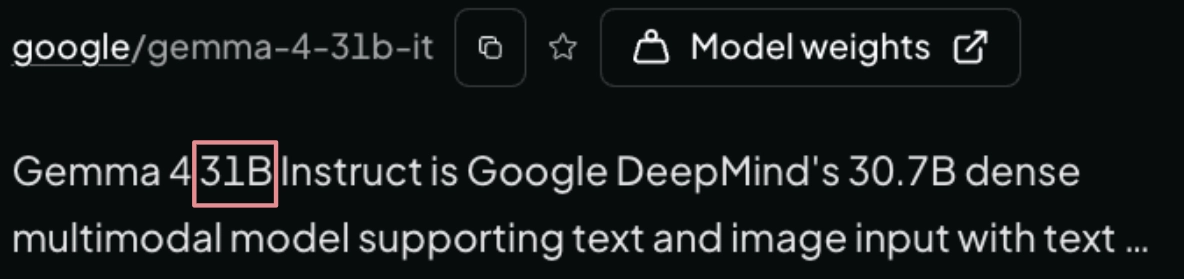
In the model name, numbers ending with a ‘B’ or ‘T ‘ convey the number of parameters the model has. Think of parameters as the levers, or settings, of a model. The more levers a model has, the more fine-grained control it enables, but the larger the model becomes. For reference, variations of this model range from 18GB to 32 GB, while “Frontier” models are measured in terabytes.
2. Openness of a model
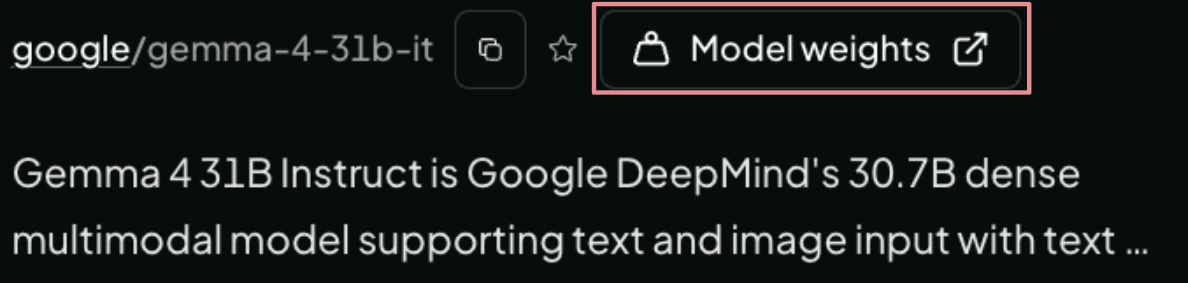
As a rule of thumb, if the model details page allows you to view model weights, then this is an “open” model. Open means you can potentially run this locally and tweak the model to suit really specific needs. I prefer to choose “open” when I can.
3. Privacy
As OpenRouter is a proxy for other cloud services, each model can be served by various providers. Each of these providers will have differing security policies.
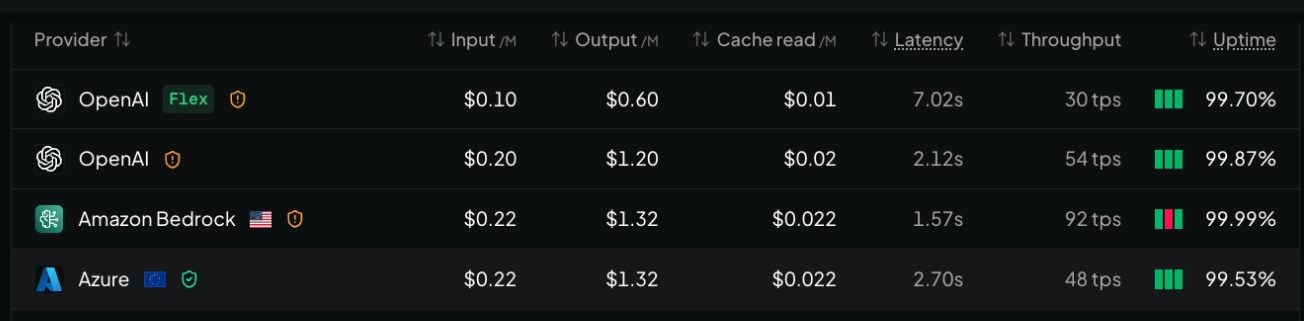
Just as an FYI, Big Tech models will likely have an amber badge as they may retain your prompts, though there are usually EU providers you can instead opt to use. Green badge means their privacy policy is a strict one:

4. Cost and performance
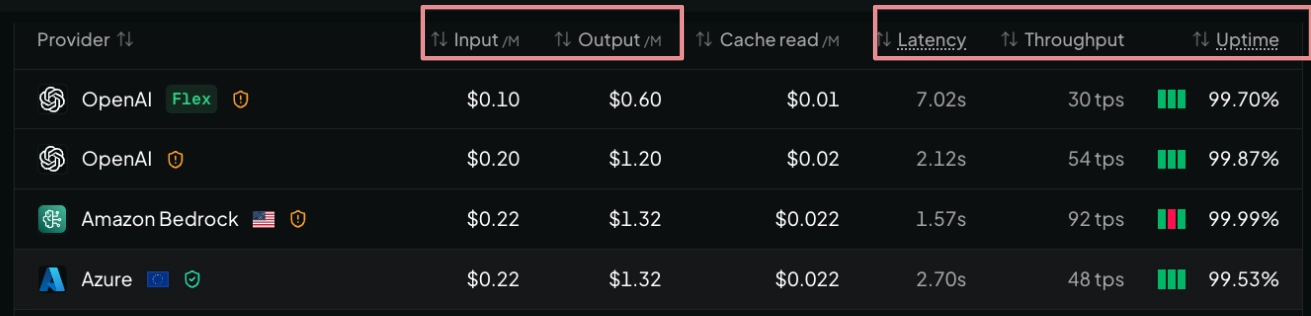
And finally, you can review cost per provider, as well as get a sense of how fast the models will perform if that’s important to you. A good rule of thumb for tokens, by the way, is to think of a token as a word. This isn’t exact, but it’s close enough to be useful.
Step three: Benchmark!
Once we have our benchmark prompts and once we’ve decided on the models we want to benchmark. We can start benchmarking. On OpenRouter, we start a new chat, add the relevant models (see 1 below), and then enter our prompt (see 2 below).

Then we judge the responses and note down the costs, which can be found at the end of each model’s response:
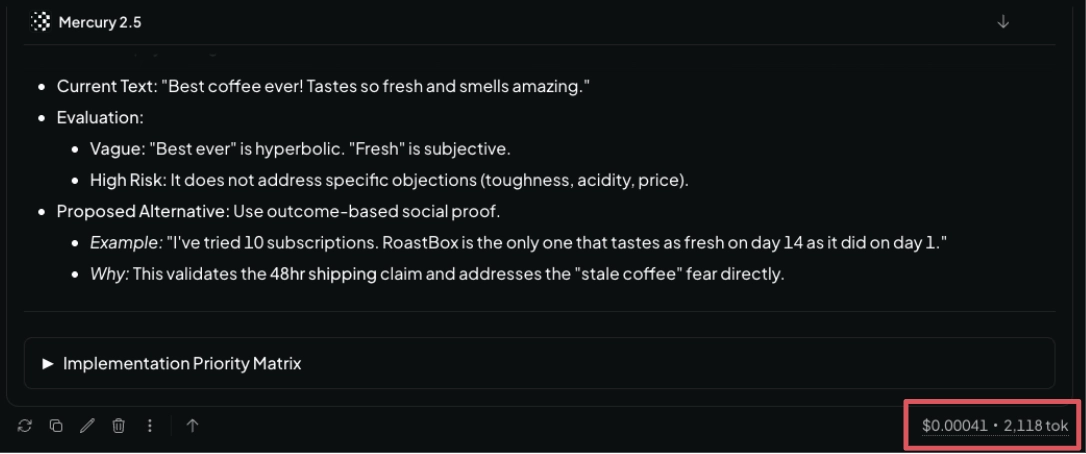
The results
If you’ve followed along with this benchmarking tutorial, you should notice a few interesting things. The first is just how good some of these small models are (Gemma 4 is especially good as a tiny-sized model). You’ll also notice how much cheaper smaller models are than the larger models (like Fable).
You’ll also notice how the gap in output quality between “frontier” class models and small models narrows as your task requirements narrow. A simple shift in workflow can dramatically reduce your model requirements. That’s if you even saw a gap in output quality.
Lastly, you might just find that you prefer the output of smaller models. I know I do for this task. I appreciate output that is concise and to the point. Fable just seemed verbose.
So, in conclusion, and to answer the question I posed at the start of this journey: Can a smaller, cheaper, and more power-efficient (and more open) model beat Anthropic’s Fable Model? My answer: Yes, at least for me. So, Fable may be a dangerous model, but not in the way you think…

So now, it’s over to you. Pick a common task or use case you use AI for, and evaluate whether you can make the move to smaller language models and benefit from it. Let me know your results.
Editor’s note: This guide is part of a broader series on getting more out of small, open language models. If you’re evaluating whether smaller models can carry more of your day-to-day work, we’d recommend our guides on writing and QA’ing client-side A/B test code with small models, running A/B tests through Claude Code and Qwen 3, exploring Convert MCP with small models and n8n, and building an n8n workflow that verifies research claims in your drafts.


Written By
Iqbal Ali
A/B Testing, Experimentation Program Coaching, UX Design +4 more
A/B Testing, Experimentation Program Coaching, UX Design, n8n Automation, Small Language Models, Model Context Protocol (MCP), Client-Side A/B Test JavaScript Show less
Edited By
Carmen Apostu