Exploring Convert MCP with Small Models: Build A Team-Ready A/B Testing Workflow with n8n and MCPO


Part of the Small Models series: This article explores one way to interact with the Convert MCP server. It’s an advanced use case for those who want to experiment with small, cost-efficient, and secure models and alternative tooling.
In my previous article, I showed how to run Convert Experiences pretty much from a single prompt in Claude Code using a small model. But I also mentioned that this was probably not the process I would roll out across an organisation or a team. Sure, it’s nice for individuals to use, but not good for teams. This is the follow-up: a workflow that doesn’t go rogue.
Let me take you through a simple form that any team member can use, regardless of their skill level. Nothing to install, no prompt experience required.
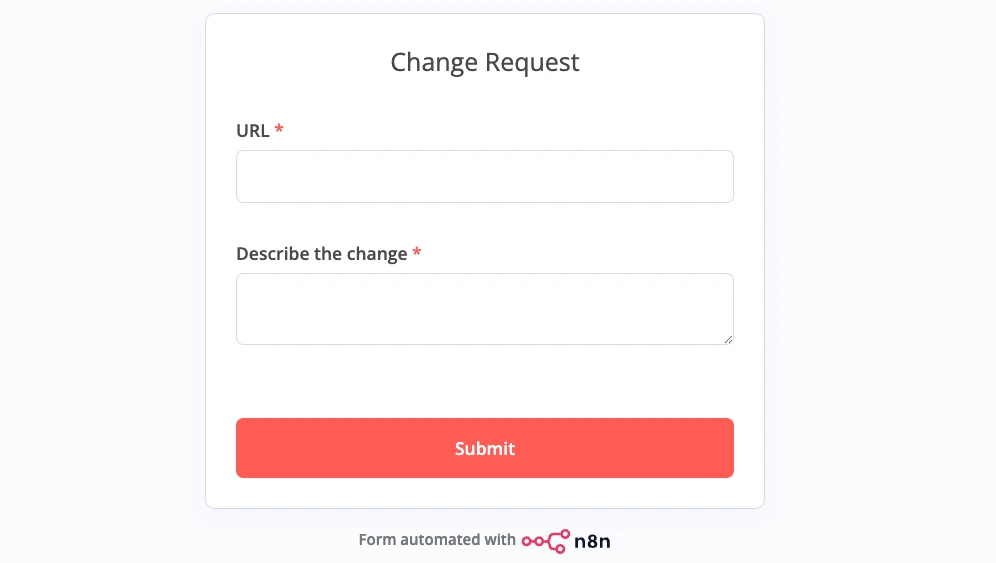
Just two fields: a URL and a description of the change. Submit it, and it triggers a workflow that builds and creates the experiment in Convert.
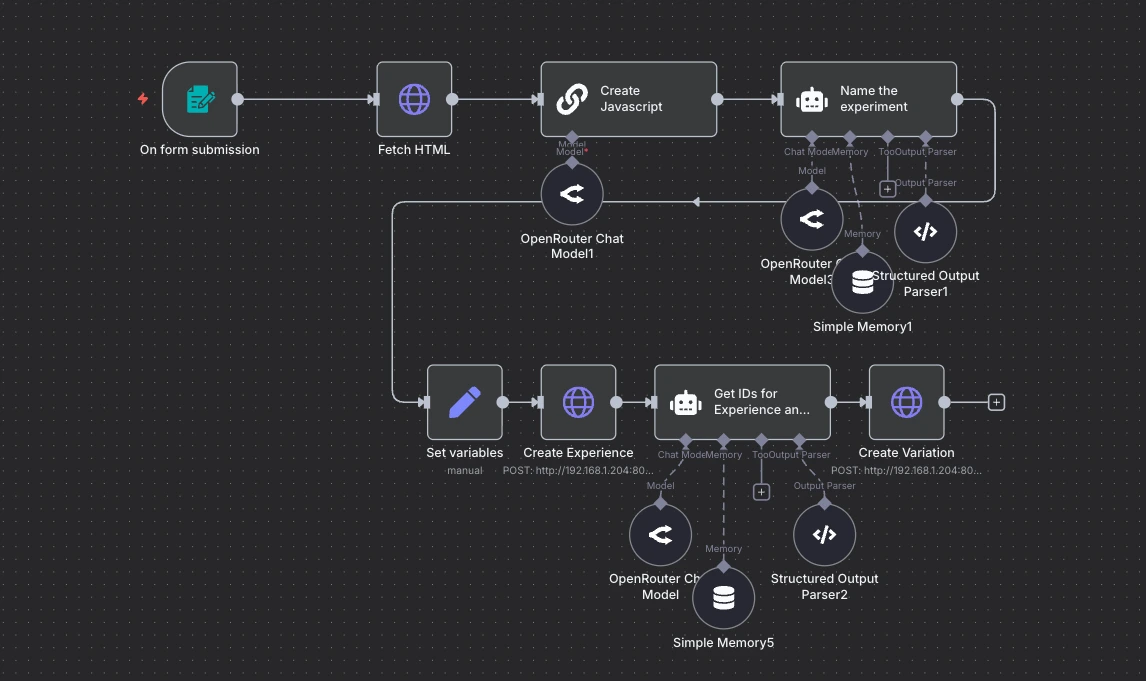
The engine behind it is Convert’s MCP server, wired into n8n.
Let’s dig into that a little bit more.
The Problem with Rolling Out MCP Directly to Teams
The number one problem for me is risk.
There were way too many times that the test was made active without me explicitly wanting it to go active. Claude Code just made the unilateral decision to put a test live.
This worries me because MCP configs have all sorts of connections available to them, lying dormant until a model decides to use them.
In any conversation, Claude Code or whatever chat tool anyone’s using, can decide to take action. That’s a lot of surface area for things to go wrong.
There’s also a potential security risk with MCP because of the way it streams data to the apps it’s controlling.
And then there’s the logistics of managing all of these MCP configs across teams, along with all of the tools that everybody’s using. Depending on the size of the organisation, this could be a big headache.
All these issues are amplified by the non-standardised way that everybody’s going to be working. That leads to inconsistencies and inefficiencies. For instance, somebody may be able to do a task in three minutes and for some it may take half an hour.
I also want to be able to roll out efficiency gains across an entire organisation very quickly. If I found a new way of doing things, or if I decided to add another process loop (say, for validation), it may be tough to roll out those improvements across teams if everyone is doing their own thing.
Enter the AI System
An AI system is a workflow, or a set of workflows, that are maintained and managed by experts who know the specific task really well and can add optimisations that the whole team inherits.
In practice, an AI system usually takes the form of one or more workflows.
Now, let me take you through an example of such a system.
The Workflow: From Form Submission to Live Experiment
It starts with a simple form: URL, describe the change, submit.
That triggers the workflow:
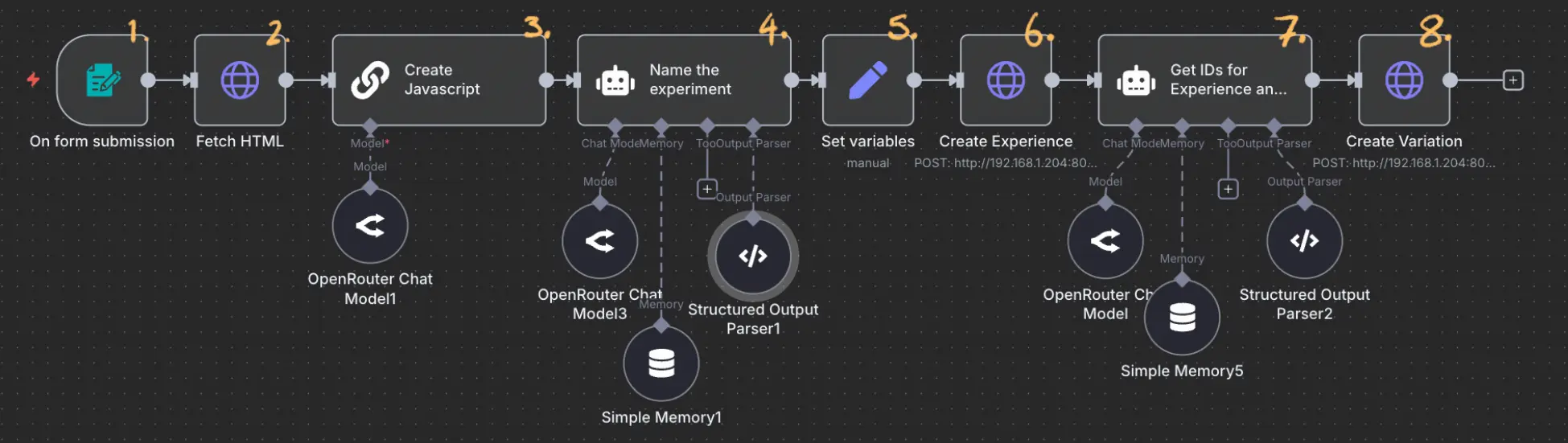
- Form is submitted
- Fetch the HTML: pulls the page’s HTML from the submitted URL
- Create the JavaScript: uses the HTML to generate the variation code
- Name the experiment: derives a name from the described change
- Set variables: collects all the variable names in one place before the next steps
- Creates the experience: makes an API call to Convert to create the experience
- Extracts the IDs from the created experience: uses the response from the previous step and extracts the necessary IDs for the next step
- Create the variation: another API call to add the JavaScript for the variation to the experience.
Worth pointing out: this workflow only exists because I worked through the task directly in Claude Code first. Working that way, we get to see the thinking and the rationale behind the calls, for example:
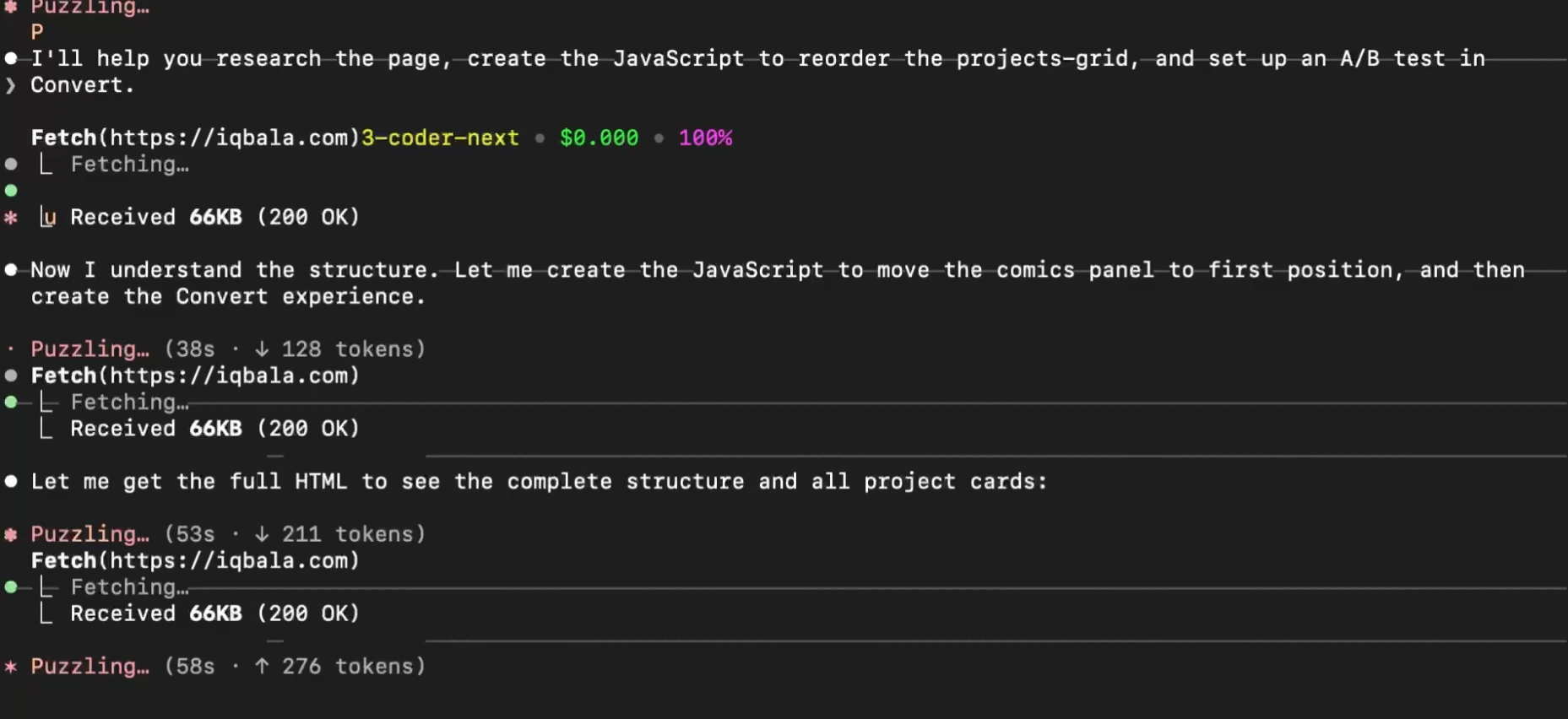
Reviewing the “rationale”, we get an idea about how AI goes about creating the experiment and the variation.
From there, we’re able to sketch out the flow, and having it laid out like this gives a lot more control. It allows us to make the flow more efficient, too, as we’re able to see what the inputs and outputs are for each step.
What about the API calls? Because we need to define the JSON of two API calls in the workflow above. Where do we get that from?
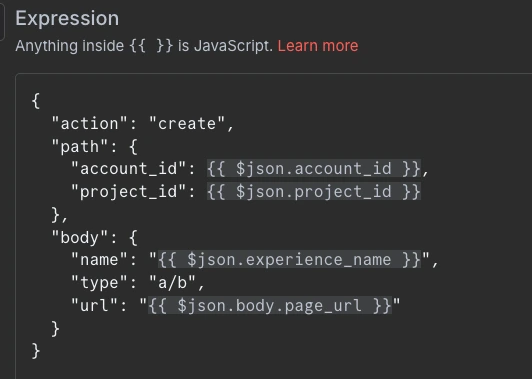
Well, we can get the JSON quite easily by asking Claude Code to give it to us.
The API Problem (And How MCPO Solves It)
Now, I know what you’re thinking: “APIs are complex. That’s why we went to MCPs, to just avoid using APIs.”
But here’s the problem. Yes, APIs are complex, especially navigating the range of documentation that comes with each API service.
But MCPs, for my liking, go a little bit too far. They’re fine for exploration, but not great for controlled production workflows. The specific issue with using APIs with n8n is the friction involved.
We need to find a middle ground. And that’s where a tool called MCPO comes in.
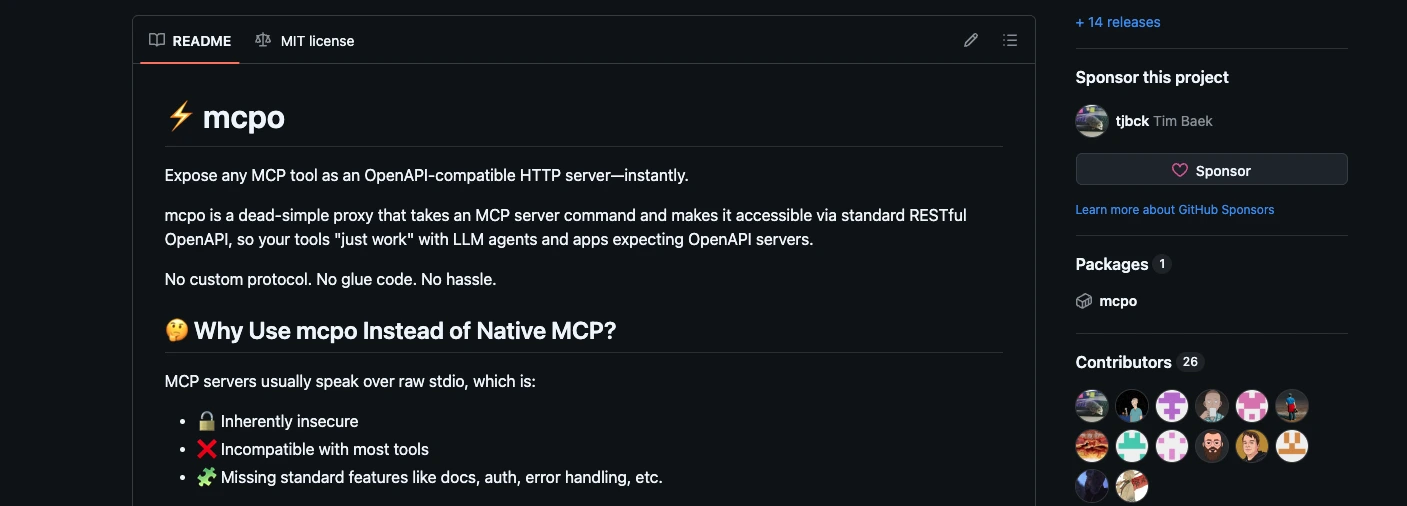
MCPO takes your MCP server config, and all the tools defined in it, and makes them available from one single URL as a well-documented API.
In essence, we have our own API server running with all of our MCP Servers ready to use.
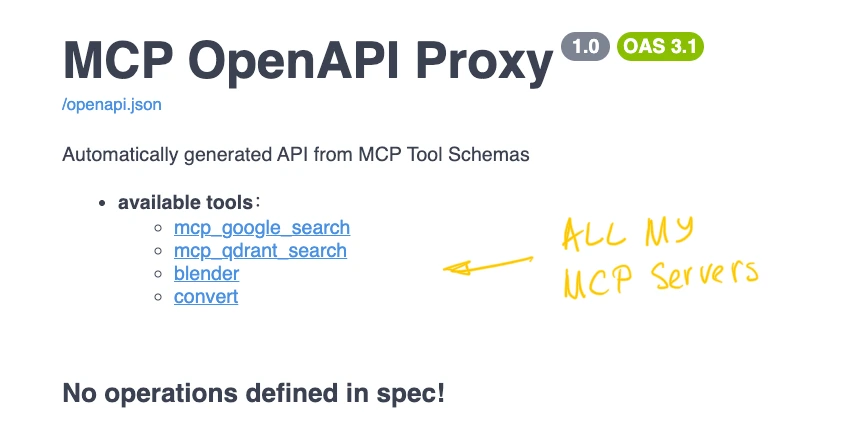
This is nice because it gives us all the information about the input endpoints in a well-documented way. Like, here are all the available tools (or endpoints):
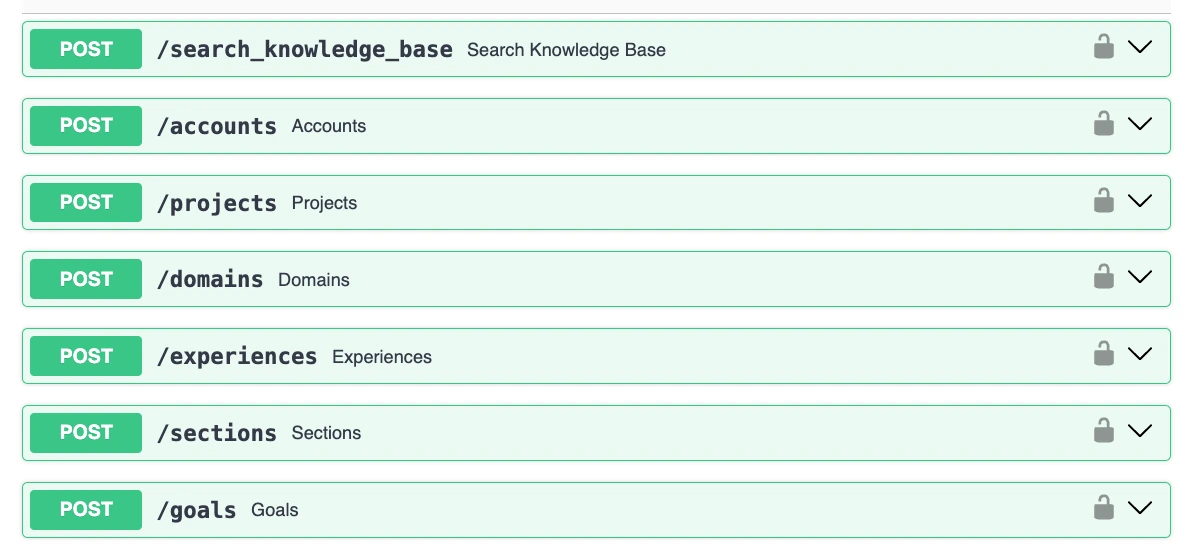
And here is an example of the section expanded:
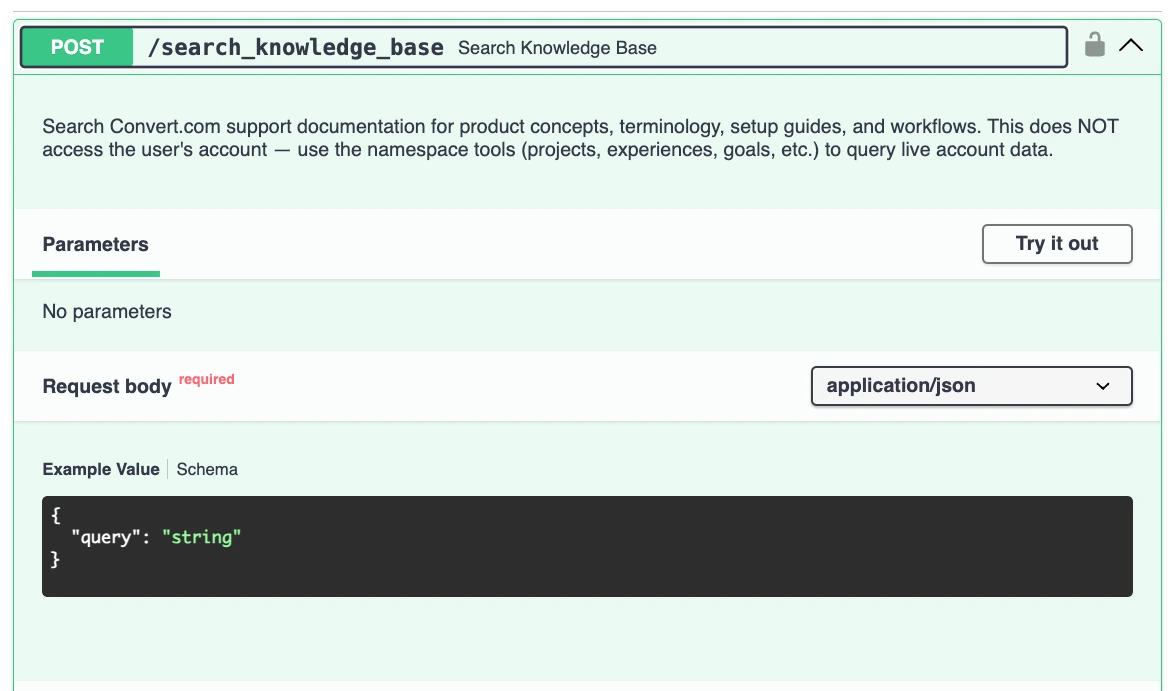
We have nice documentation along with an example of the JSON request to use in our n8n! There’s even a place to “Try it out” to ensure the JSON works, along with a print out of the response we get back.
We can also lock the whole server down with our own API key, which adds a decent layer of security.
All this makes using the API a breeze. n8n, by default, doesn’t quite work well with MCPs, but it is very good at working with APIs. MCPO makes the tools available as an API, making it easy and reducing the risk substantially.
As a result of using this, each HTTP request node in our workflow does only what we’ve configured it to do.
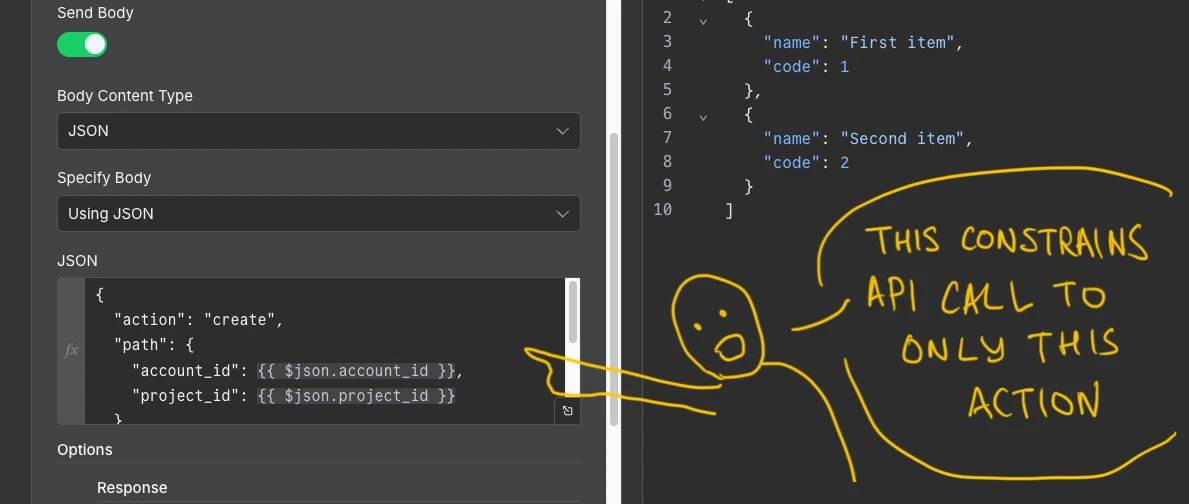
The experiment cannot accidentally go active. This control makes this workflow more production-ready.
Does It Work?
Yes. Running a quick test with the workflow, it runs through each step: fetches the HTML, creates the JavaScript, names the experiment, creates the experiment in Convert, and adds the variation. It’s very quick, too.
Why This Is a Better Way to Work
This approach is a lot more stable, more accurate, more consistent – and easy to improve. The workflow is also a lot cheaper because we’re building around tools and adding AI as glue to make simple decisions.
In the previous article, I showed how a similar task using Claude Code cost ~$2.50 with Sonnet 4.6 and ~$0.04 with Qwen3 Coder Next. Using a workflow further reduced the cost by a factor of ten to $0.004. Another huge reduction in token cost!
Hopefully, this gives you some ideas about how you can build workflows with MCPs in a way that you can roll out across teams and share efficiency gains.
In the next video, I’ll be going deeper into this build and showing how I actually went about constructing it. This way, you’ll get a better idea about how to build something like this for yourself.
If you want to play around with this workflow, you can download it below, but note that you’ll need to install MCPO first. I’ll also take you through how to install this in the next video. Alternatively, reach out to me and I can help out!
Editor’s note:If you read this article and thought, “I want someone to build this for my team”, that’s Iqbal Ali. He’s an AI workflow builder and experimentation consultant who designs systems around small, sustainable models, that don’t get more expensive or less reliable the more team members you put on them. You can find more of his work on his website.

Written By
Iqbal Ali
Edited By
Carmen Apostu